Built by WebbyCrown Solutions — Need setup, customization, or integration help? Talk to our team.



Advance Project for Odoo
Availability
❌ Odoo Online
✅ Odoo.sh
✅ On Premise
Product Version
1.0.0
$23.97

Advance Project Odoo - Project Management, Progress Tracking, Gantt & Kanban
What Is Advance Project for Odoo?
Managing one project in Odoo is straightforward. Managing many related projects at once is where teams lose the thread - progress is scattered across separate project records, status updates are manual, and there's no structured way to group related work or keep stakeholders informed without chasing people for updates.
Advance Project adds a structured layer on top of Odoo Project for exactly that. Related projects link under a parent-child hierarchy so you can see groups of work together. Task status and progress update in real time across all projects, weekly reports generate automatically, and task changes trigger notifications so teams stay aligned. Documents, client estimations, and project credentials are centralized per project, and Kanban and Gantt views keep the timeline clear - giving managers one structured view of everything in flight.
Key Benefits

Multi-Project Hierarchy
Link related projects under a parent-child structure to see and manage groups of work together.

Automated Weekly Reports
Generate project progress reports automatically to keep managers and stakeholders informed.

Real-Time Progress Tracking
Track task completion and overall progress across projects with live updates.

Visual Planning Views
Use Kanban and Gantt views to keep the project timeline and task status clear.

Centralized Documents
Store and organize project documents and files securely within each project.

Clearer Accountability
Assign tasks to specific employees and notify them instantly when details change.
Modules & Features
Parent-Child Project Hierarchy
Organize complex project environments by linking related projects under a parent structure.
- Create parent and child project relationships
- Manage multiple related projects together
- Improve visibility across project groups
- Track dependencies between projects
- Maintain structured project workflows
Project Detail Sharing
Allow teams to access important project information directly from tasks.
- Share project descriptions with team members
- Attach project documents and resources
- Keep key project information in one place
- Improve communication between teams
- Reduce information gaps across projects
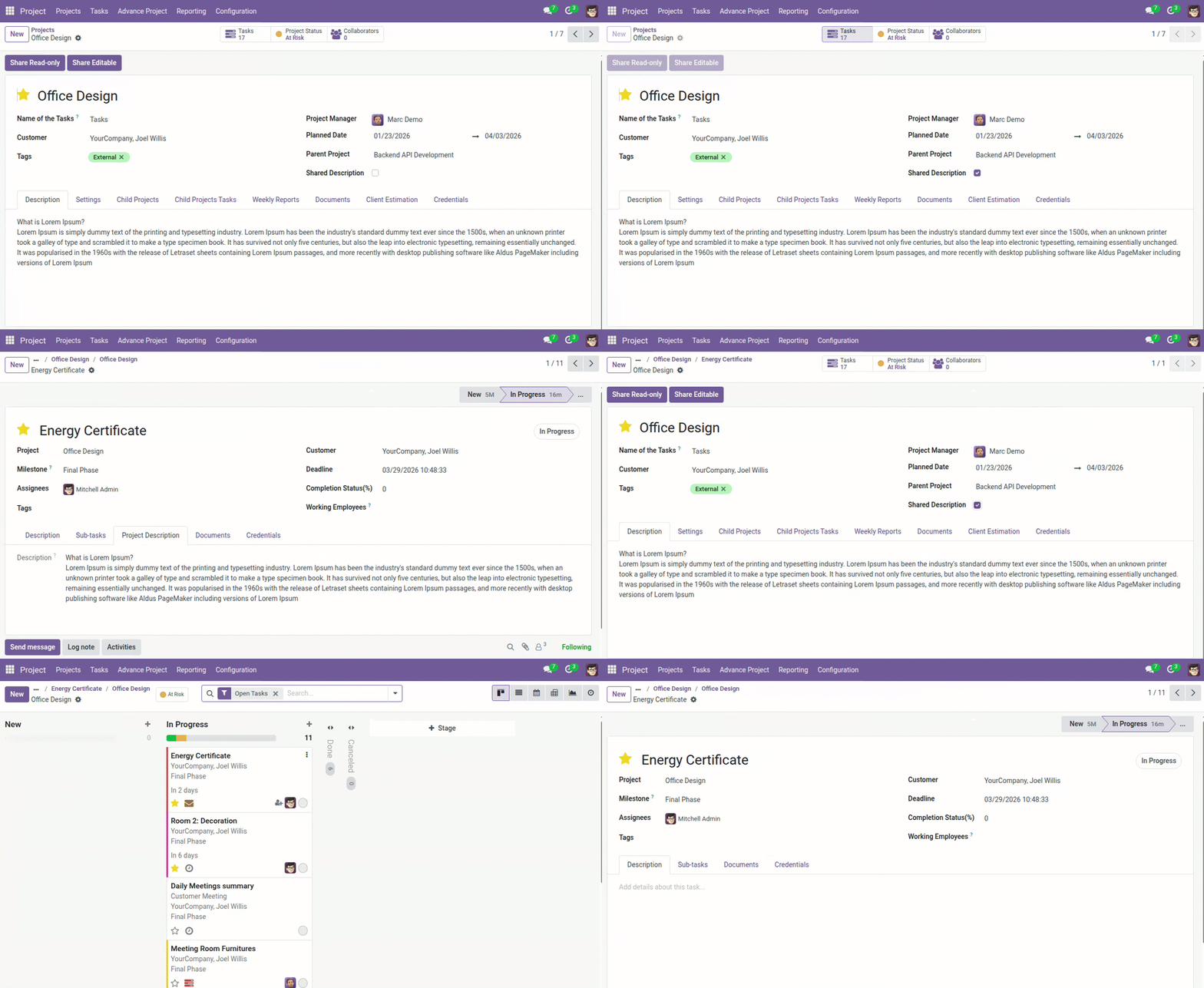
Automated Weekly Project Reports
Generate project progress reports automatically to keep managers informed.
- Generate automated weekly project reports
- Monitor milestones and task completion
- Provide quick project status summaries
- Reduce manual reporting effort
- Keep stakeholders regularly updated
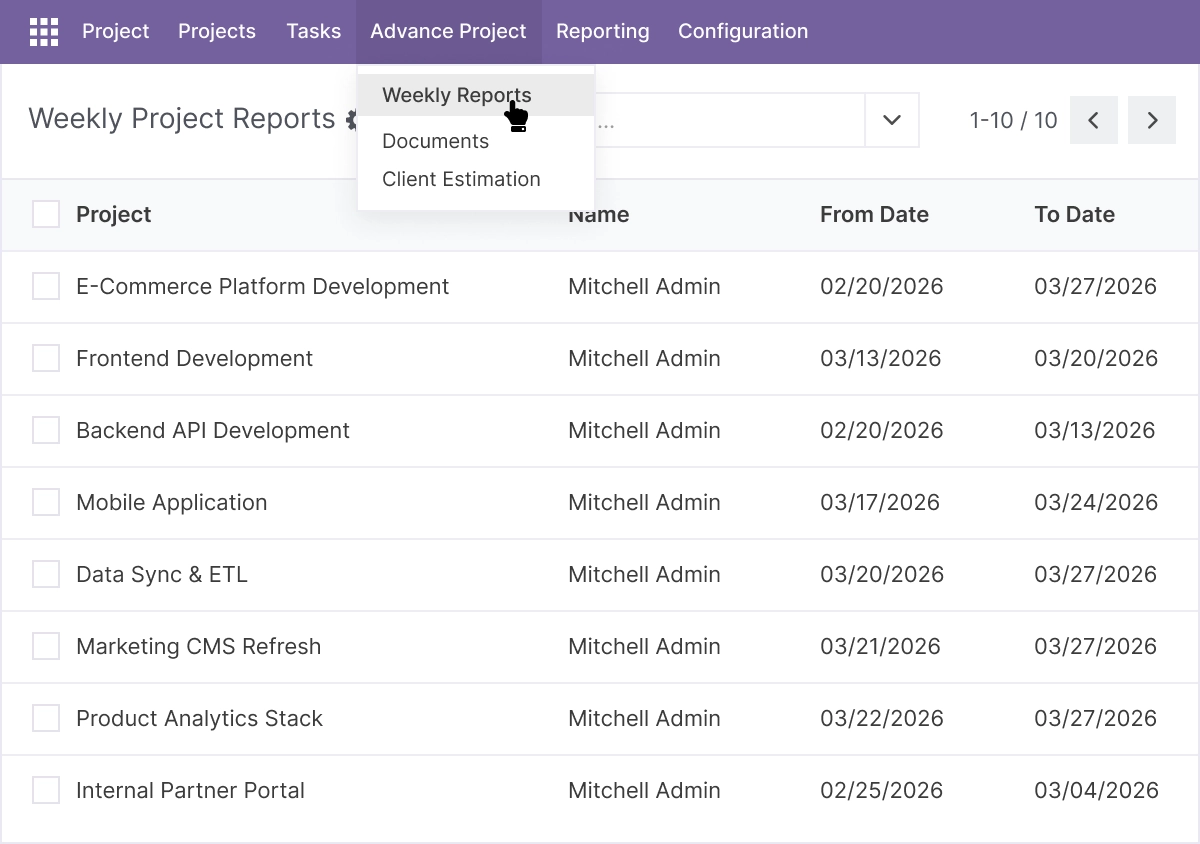
Real-Time Progress Tracking
Track task completion and overall project progress as work is performed.
- Update task completion percentage
- Monitor real-time project progress
- Identify delays early
- Maintain accurate project timelines
- Improve visibility of task status
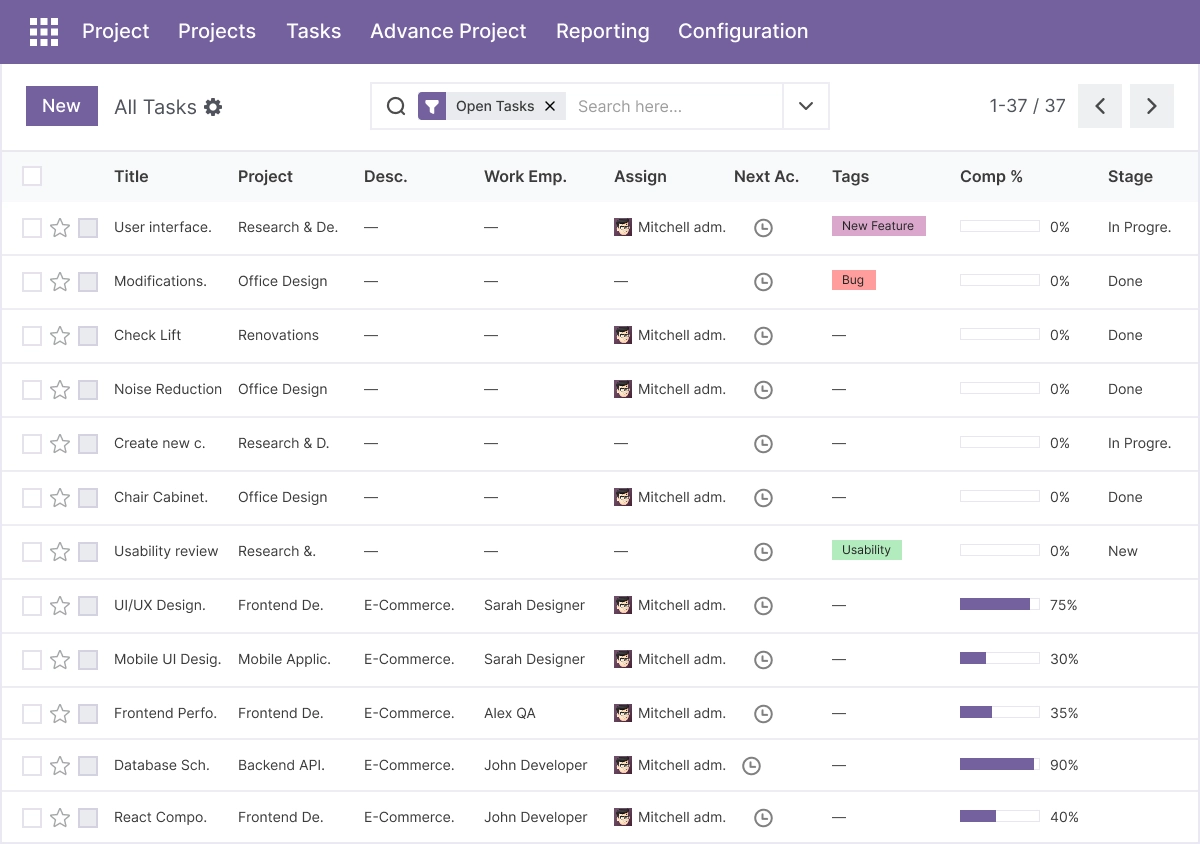
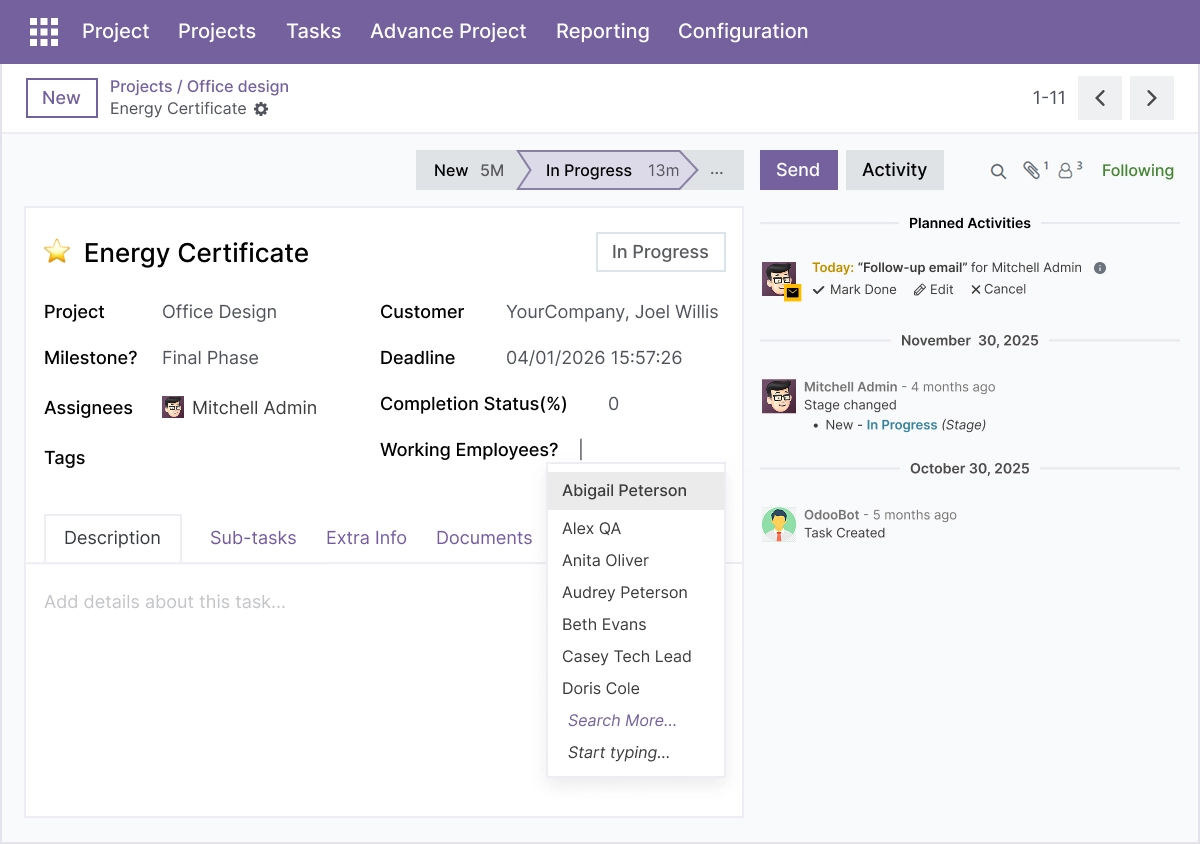
Task Responsibility and Employee Selection
Ensure accountability by clearly assigning tasks to responsible employees.
- Assign specific employees to tasks
- Track who is working on each task
- Improve responsibility tracking
- Avoid confusion in task ownership
- Strengthen team accountability
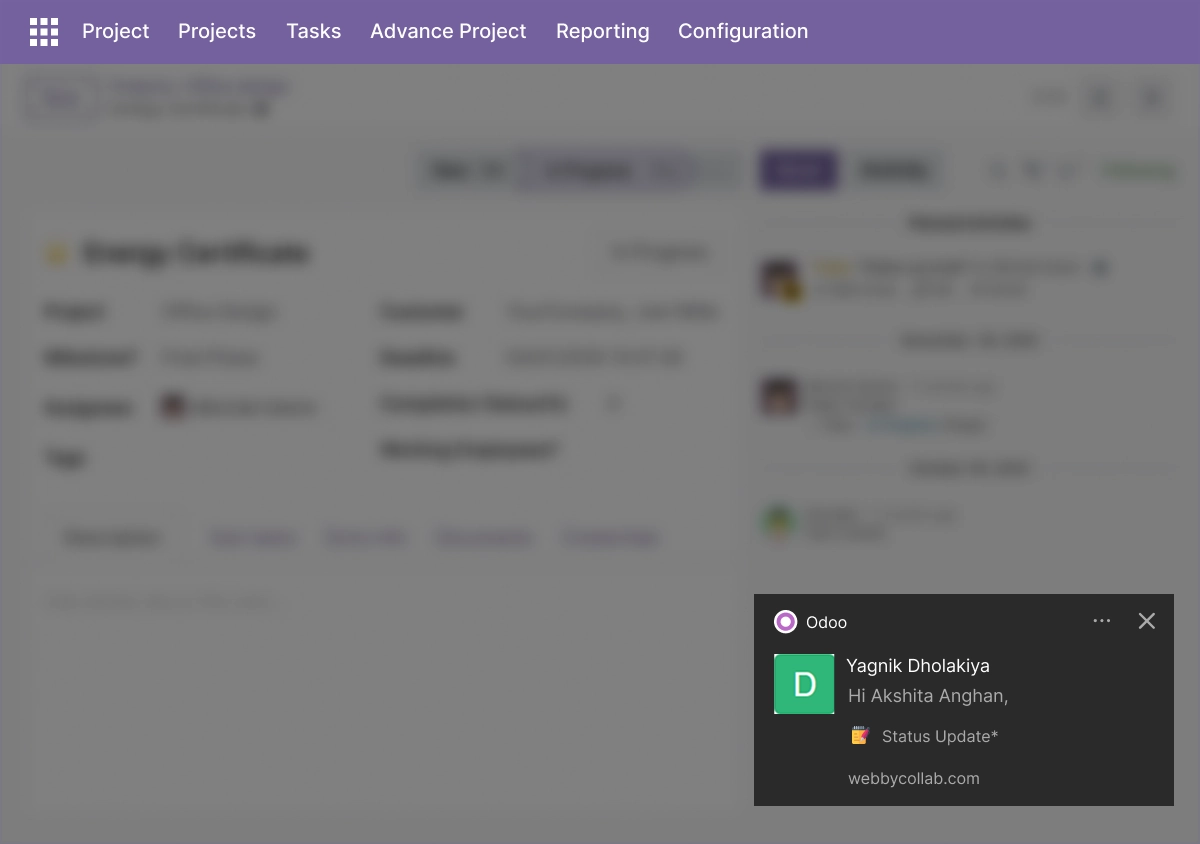
Instant Task Update Notifications
Keep teams aligned with real-time notifications when tasks change.
- Receive alerts when task details change
- Notify employees of assignment updates
- Track status or stage changes instantly
- Improve communication across teams
- Keep everyone informed in real time
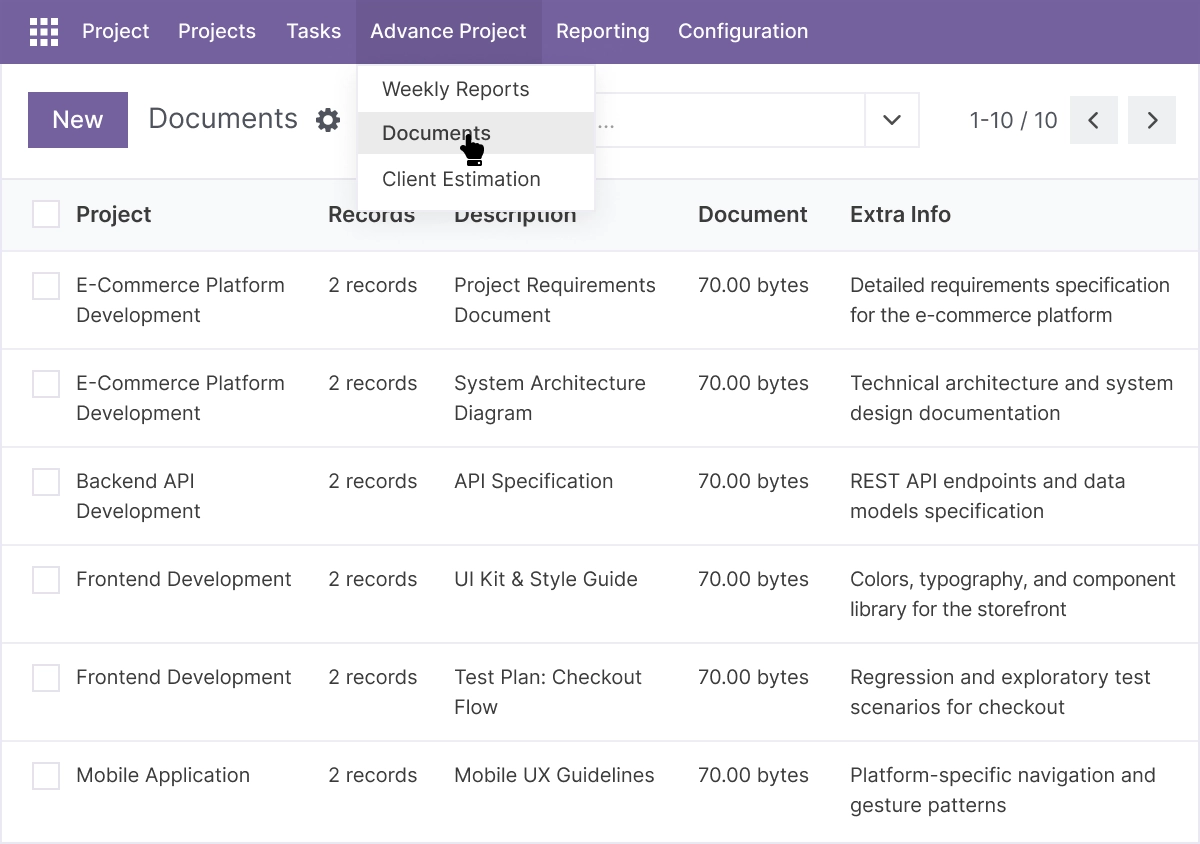
Centralized Project Document Management
Manage project documents and files securely within the project system.
- Upload and store project documents
- Centralize important project files
- Organize documents by project
- Control access to sensitive files
- Maintain secure document management
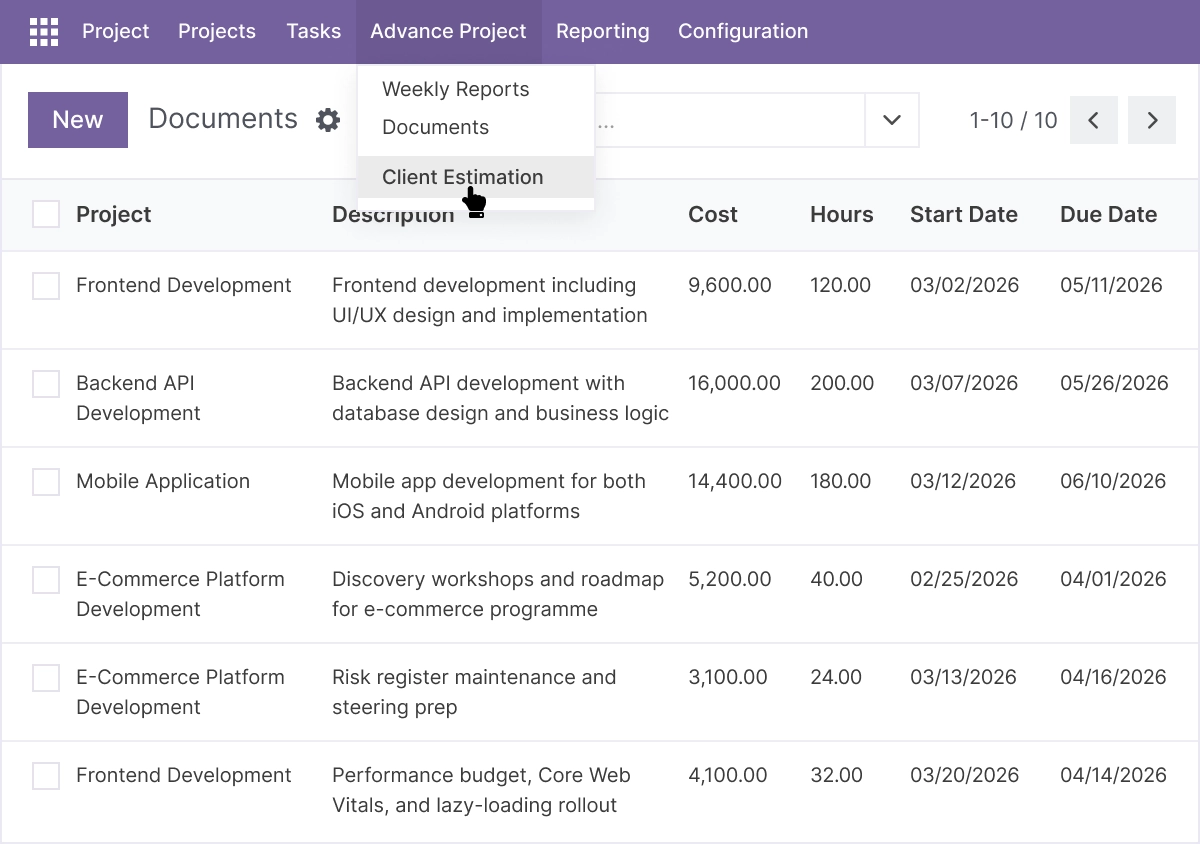
Client Estimation and Resource Planning
Track client estimations and allocate resources more efficiently.
- Record client project estimations
- Plan resources based on project needs
- Improve budgeting and forecasting
- Monitor estimation changes
- Support schedule planning and project cost control
Credential Management
Store and manage project credentials securely with controlled access.
- Store project credential records
- Manage access to sensitive information
- Keep confidential project data controlled
- Maintain structured credential records
- Restrict credential access by permission
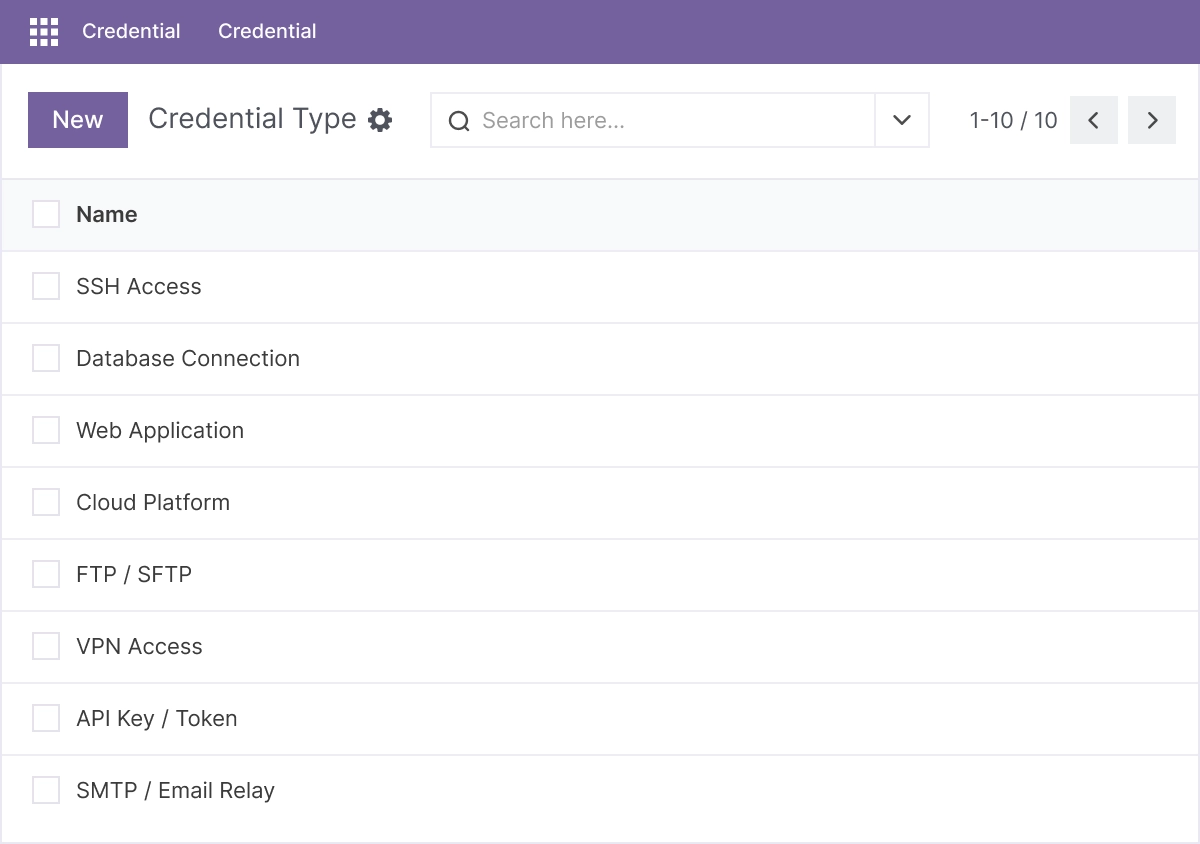
Advanced Settings and Configuration
Advance Project is configured from within Odoo Project. Administrators set up parent-child relationships, reporting schedules, notification rules, document organization, and credential access controls to match how teams work.
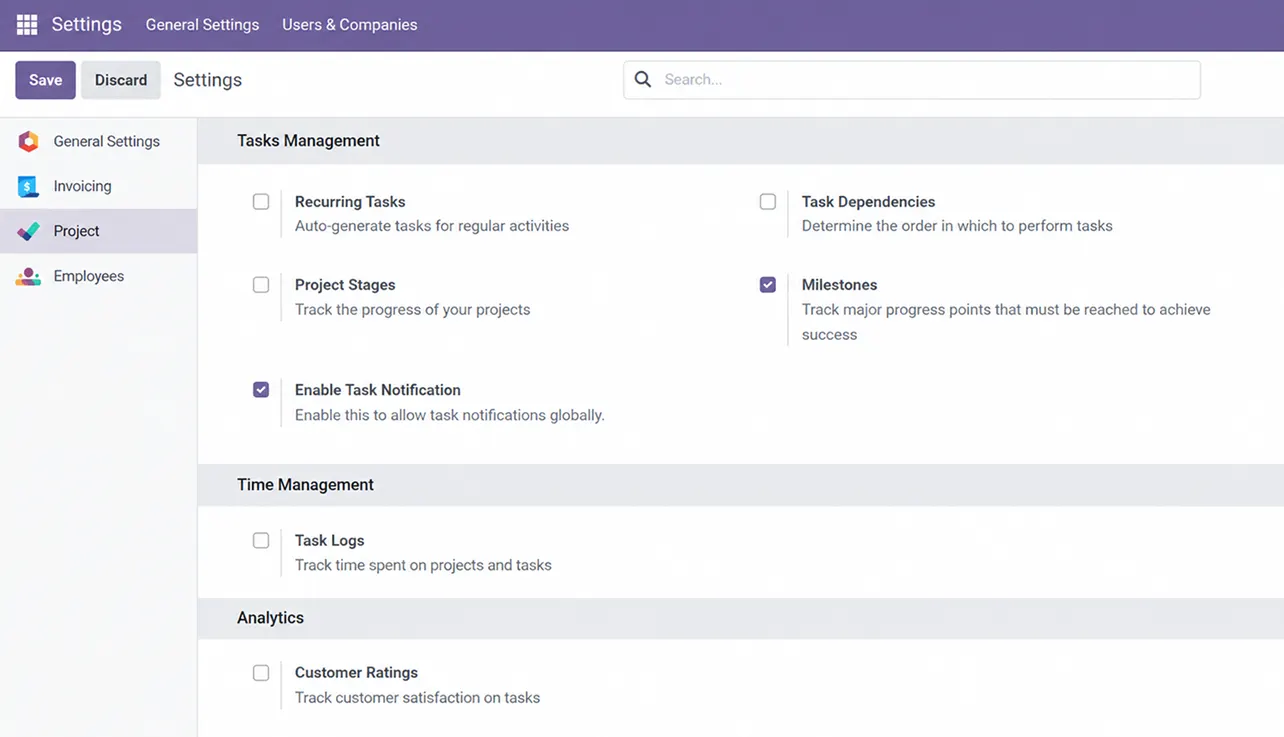
The configuration covers:
- Parent-child project relationships
- Automated weekly report scheduling
- Task-change notification rules
- Document organization and access control
- Client estimation and resource planning fields
- Credential record access permissions
- Task assignment and progress-tracking behavior
How to Set Up Advance Project for Odoo
01
Install the App
Install the app in your supported Odoo environment.
Result: Advance Project tools appear in Odoo Project.
Result: Advance Project tools appear in Odoo Project.
02
Structure Your Projects
Create parent and child project relationships for related work.
Result: Project groups are organized and visible together.
Result: Project groups are organized and visible together.
03
Assign Tasks and Responsibilities
Assign employees to tasks and set progress tracking.
Result: Ownership is clear and progress is trackable.
Result: Ownership is clear and progress is trackable.
04
Configure Reports and Notifications
Enable automated weekly reports and task-change notifications.
Result: Stakeholders stay informed without manual updates.
Result: Stakeholders stay informed without manual updates.
05
Centralize Documents and Estimations
Upload documents, record client estimations, and manage credentials.
Result: Project information is centralized and access-controlled.
Result: Project information is centralized and access-controlled.
Who Is This App For?
This app is suitable for:
- Project managers running multiple related projects at once
- Teams that need parent-child grouping for complex project structures
- Managers who want automated status reports instead of manual updates
- Teams centralizing project documents and estimations in Odoo
- Stakeholders who need regular, clear progress visibility
- Businesses running Odoo 14.0 to 19.0 on Odoo.sh or On Premise
This app is not suitable for businesses on Odoo Online (SaaS), or for teams that only need a single-project view or a specialized standalone Gantt chart with critical-path scheduling.
Changelog:
v19.0.0 — Initial Release
- – Project dashboard and overview tools
- – Kanban and Gantt project views
- – Task assignment and progress tracking
- – Automated weekly reporting
- – Document and credential management
- – Resource planning and client estimation
- – Multi-project hierarchy management
Frequently Asked Questions
Got questions? We’ve got answers to help you make the most of WebbyStore.
Contact SupportWhat does this module add to Odoo Project?
It adds parent-child project hierarchy, automated weekly reports, task-change notifications, centralized document and credential management, and client estimation on top of standard Odoo Project - with Kanban and Gantt views.
Can I manage several related projects together?
Yes. You can link projects in a parent-child hierarchy to group and manage related projects and track dependencies between them.
Does it generate reports automatically?
Yes. It can generate automated weekly project reports with milestone and taskcompletion summaries to keep stakeholders updated.
Does it have a Gantt view?
Yes. It includes Kanban and Gantt views to visualize the project timeline and task status. For specialized scheduling like critical-path analysis, a dedicated Gantt module may suit better.
How are project credentials handled?
Project credential records are stored with controlled, permission-based access. Confirm your own security requirements before storing sensitive credentials.
Which Odoo versions does this app support?
It supports Odoo 14.0, 15.0, 16.0, 17.0, 18.0, and 19.0.
Does it work on Odoo Online, Odoo.sh, and On Premise?
It works on Odoo.sh and On Premise. It is not available for Odoo Online (SaaS).