Built by WebbyCrown Solutions — Need setup, customization, or integration help? Talk to our team.



Asset Management for Odoo

Asset Management - Odoo Module for Fixed Assets, Depreciation & Maintenance
What Is Asset Management for Odoo?
Finance teams tracking fixed assets often keep the register in spreadsheets and calculate depreciation by hand - then re-enter the results into accounting. Book value drifts from the general ledger, depreciation schedules are easy to get wrong, and audits become a scramble to reconcile asset value with financial statements.
Asset Management brings the fixed-asset register into Odoo and ties it directly to accounting. Each asset carries acquisition details, useful life, residual value, and status, and depreciation runs automatically using straight-line, declining-balance, or declining methods. Depreciation boards and entries post to the fixed-asset, depreciation, and expense accounts, so book value, accumulated depreciation, and the general ledger stay aligned. Asset transfers, maintenance, vendor records, and barcode label printing round out a clean, audit-ready workflow.
Key Benefits

Fixed-Asset Register in Odoo
Keep a clean, searchable register of acquisition cost, useful life, residual value, and status.

Automated Depreciation
Calculate depreciation automatically with straight-line, declining-balance, and declining methods.

Posted Straight to Accounting
Depreciation boards and entries post to fixed-asset, depreciation, and expense accounts in Odoo Accounting.

Asset Transfer & Assignment
Move assets across users, departments, and locations with a full transfer history.

Maintenance & Vendor Records
Log maintenance and repairs and keep supplier and service-provider details linked to assets.

Barcode Label Printing
Print barcoded asset labels in predefined or custom layouts for fast identification and audits.

Asset Label Printing
Print labels quickly using the asset label printing Odoo module for barcode-based identification and audits.

Reporting & Analytics
Review asset reports, custom reports, and depreciation summaries for better financial decisions.
Modules & Features
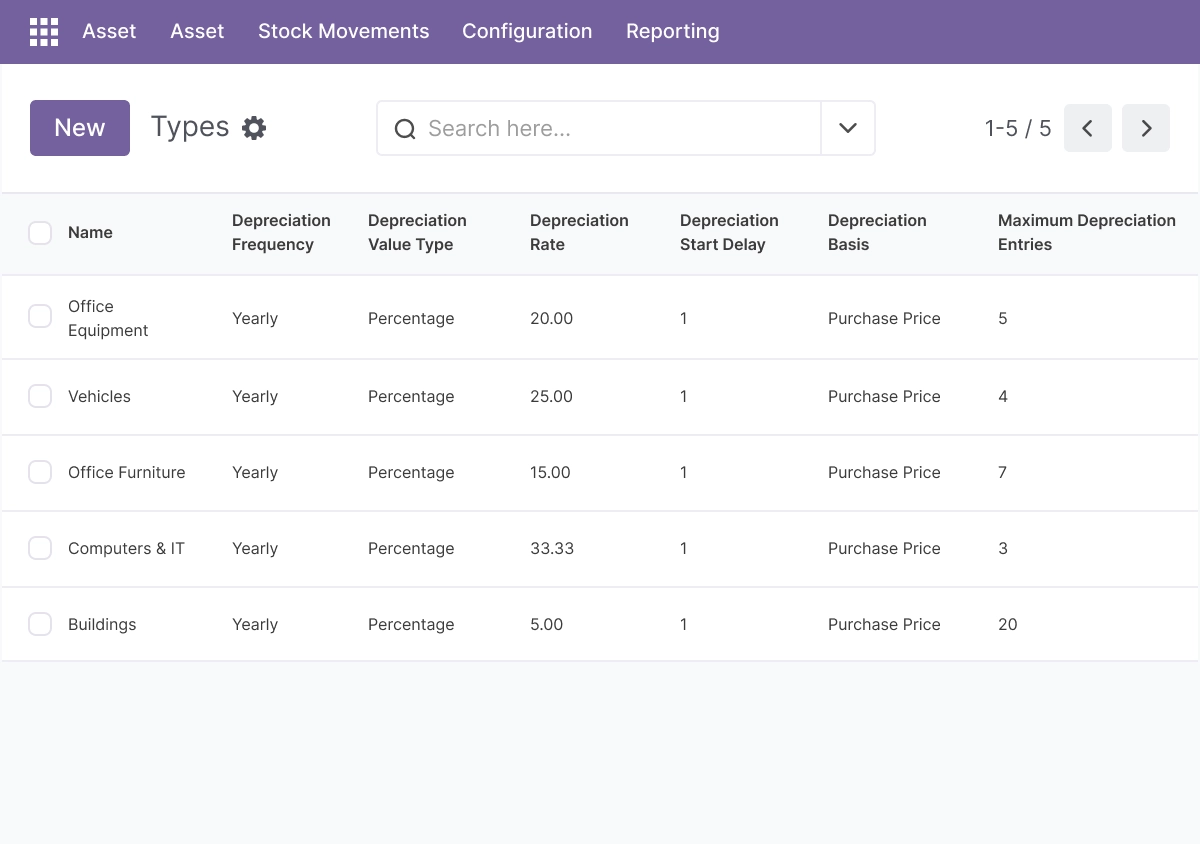
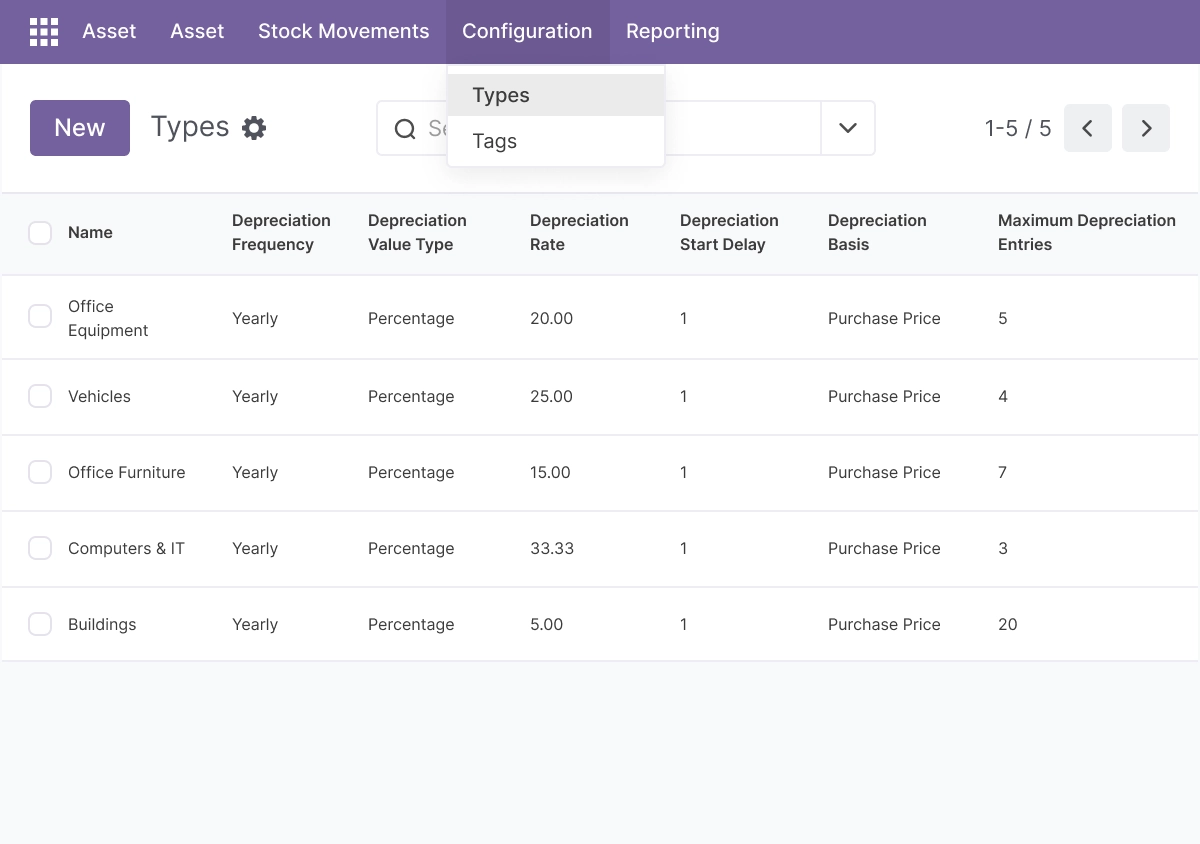
Asset Types - Organize Assets by Category
Create and manage asset types to keep your fixed asset register structured and easy to track.
- Group assets into clear categories
- Organize different asset classes for reporting
- Improve asset tracking across departments
- Keep asset records consistent
- Simplify asset management in Odoo
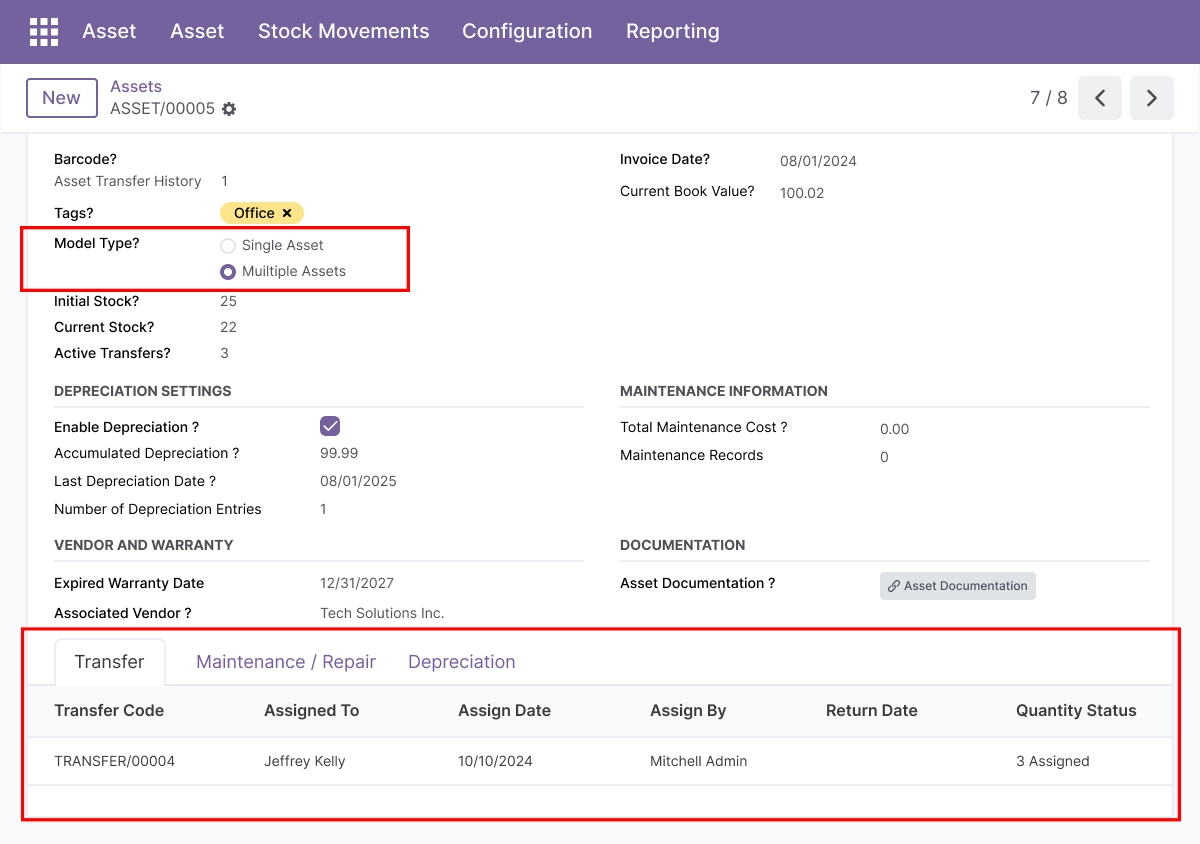
Flexible Model Type - Single Asset or Multiple Assets
Choose the asset model that fits your workflow, whether you manage one asset at a time or bulk identical assets together.
- Track one asset individually
- Create and manage multiple assets in a batch
- Handle identical assets with shared metadata
- Speed up bulk asset creation
- Support flexible asset data entry
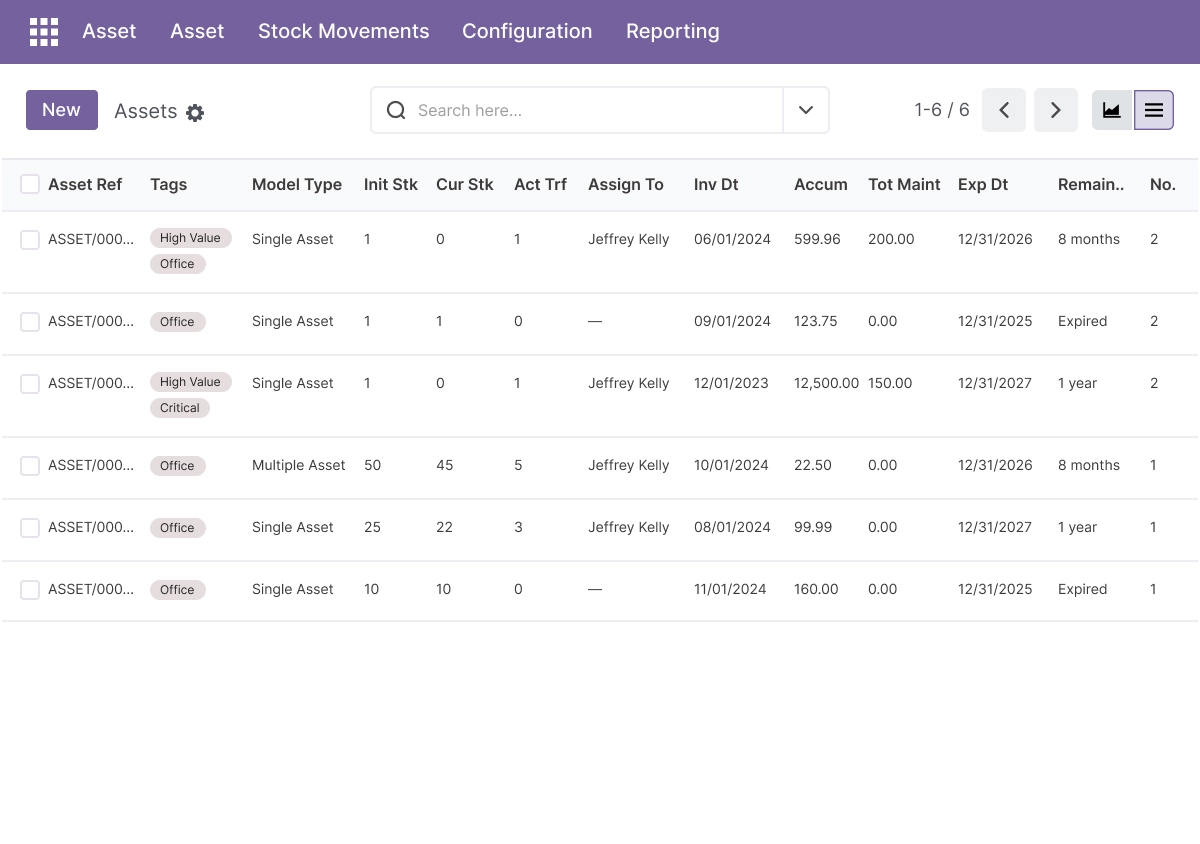
Assets Management - Centralized Asset Tracking
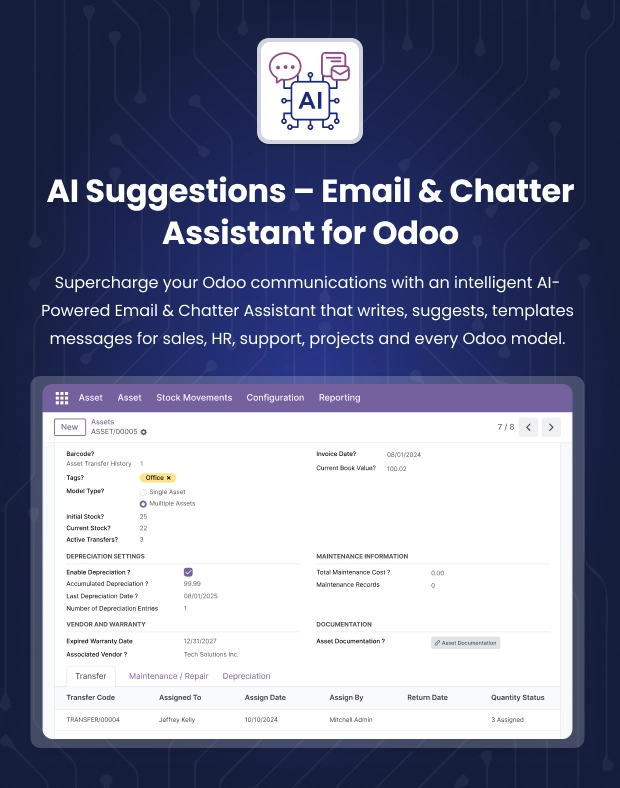
Maintain complete asset records with acquisition details, location, assigned user, and status for better visibility and control.
- Track acquisition date and purchase cost
- Manage asset location and assigned user
- Edit, view, and organize asset records
- Keep asset information in one place
- Improve fixed asset tracking in Odoo
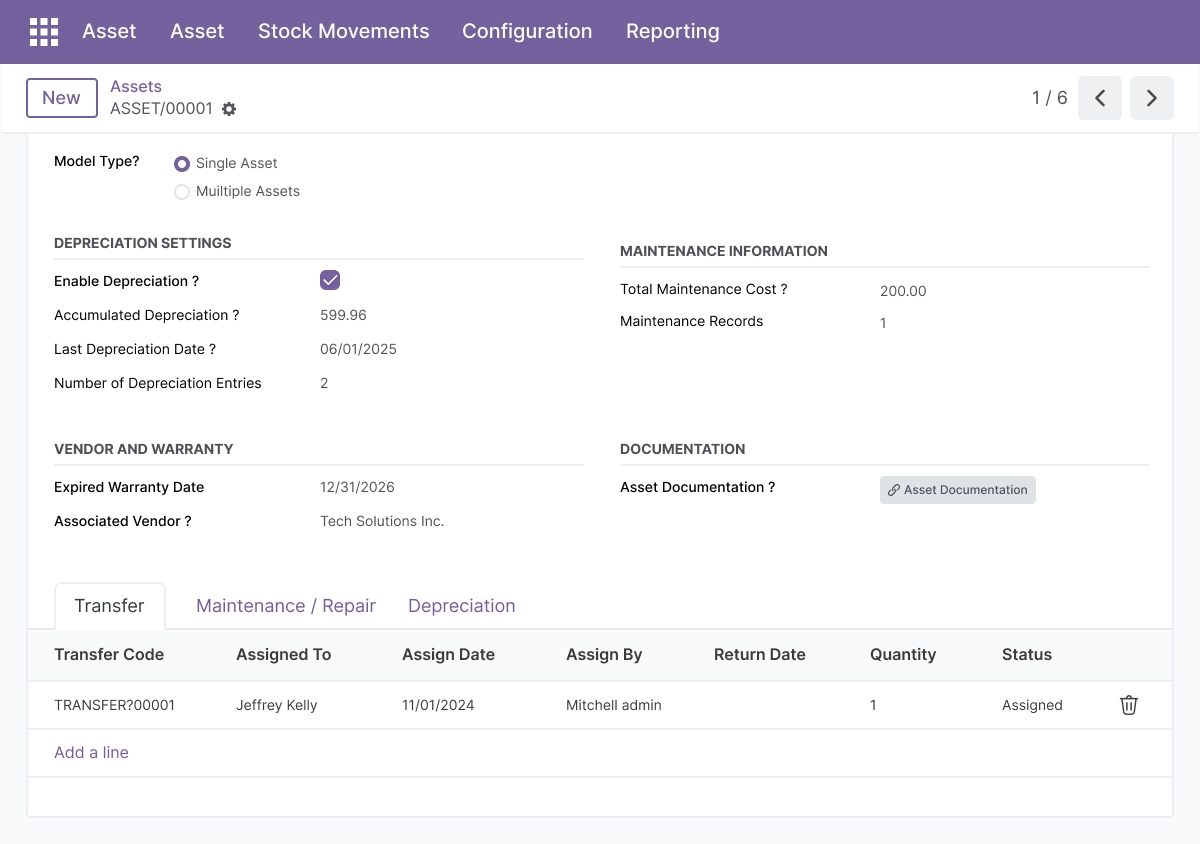
Asset Transfer - Track Movement and Ownership
Move assets between locations, departments, or users while keeping a full audit trail of changes.
- Transfer assets between departments
- Reassign assets to users or locations
- Keep a clear transfer history
- Improve accountability for asset movement
- Maintain up-to-date asset records
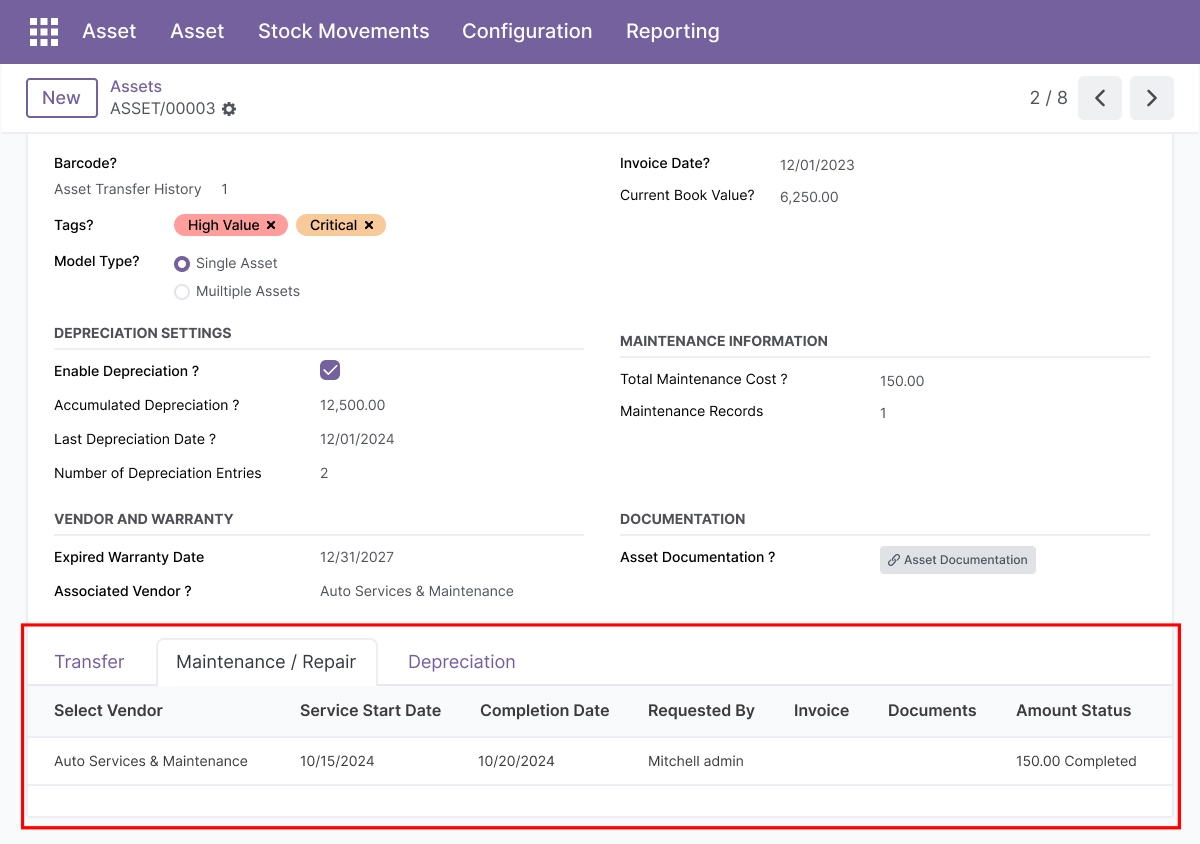
Maintenance & Repair - Track Service and Work Orders
Schedule maintenance, log repairs, and manage service history to extend asset life and reduce downtime.
- Schedule preventive maintenance
- Record repair requests and service history
- Manage work orders for assets
- Reduce asset downtime
- Control maintenance costs more effectively
Depreciation - Automate Asset Value Over Time
Automatically calculate depreciation and keep financial reporting aligned with asset value changes.
- Calculate depreciation automatically
- Support different depreciation methods
- Track depreciation over time
- Improve financial reporting accuracy
- Help with financial planning and compliance
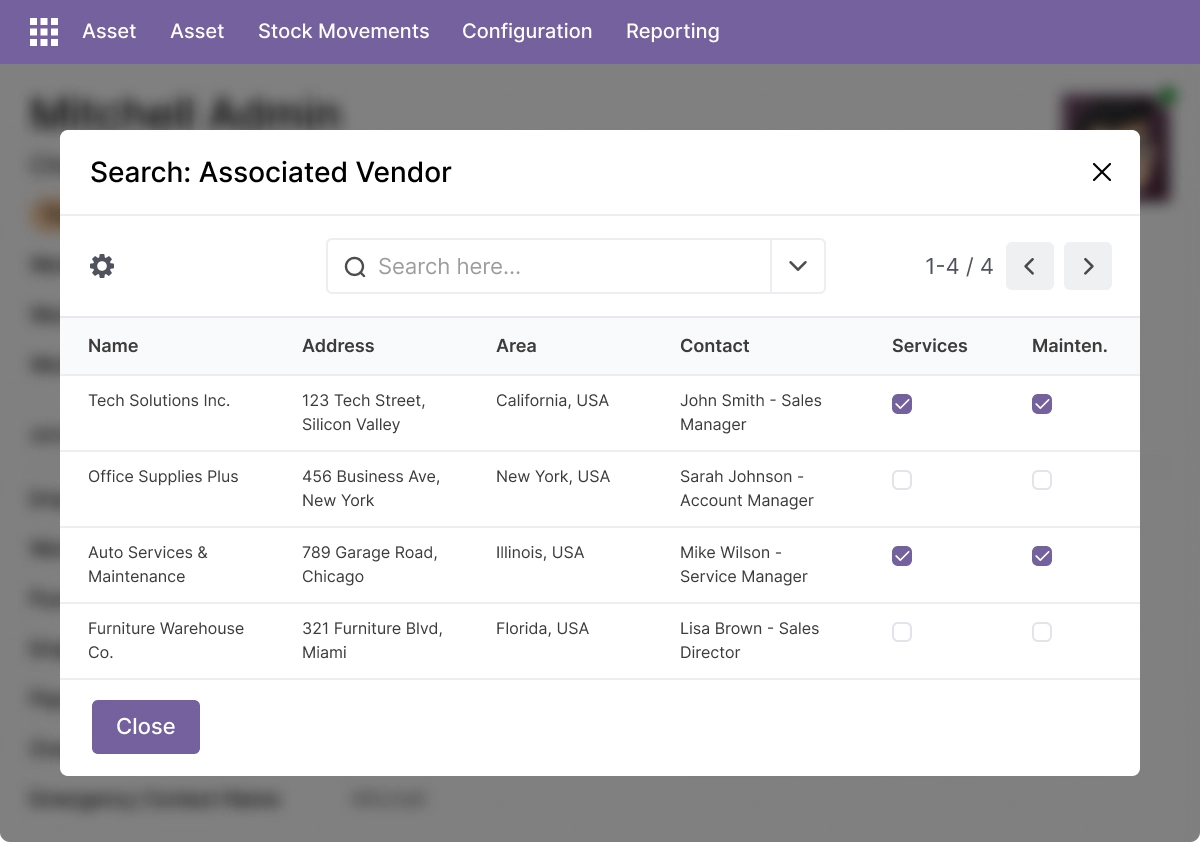
Vendor Management - Keep Supplier Records Organized
Store supplier, manufacturer, and service provider details for better vendor-related asset management.
- Maintain vendor contact information
- Track service provider details
- Store contract information
- Review vendor performance history
- Link vendors to asset records
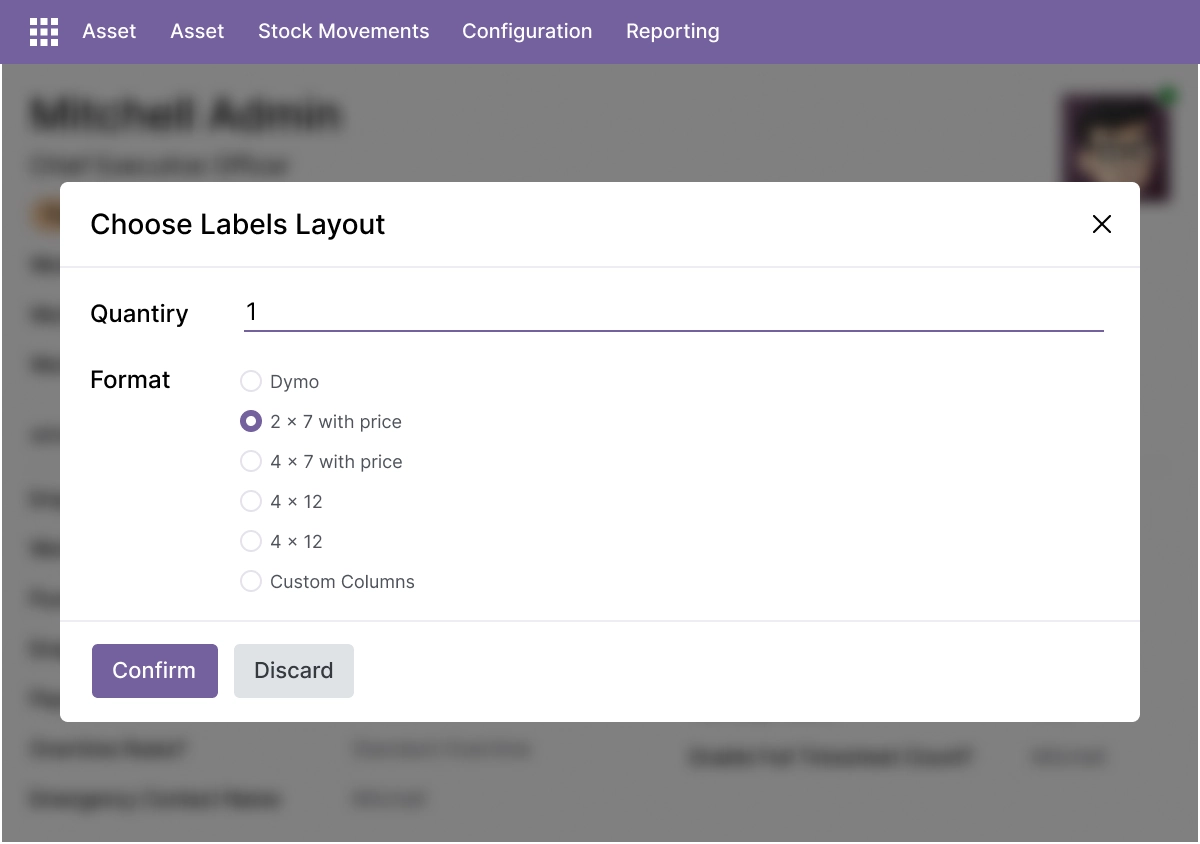
Asset Label Printing - Print Barcoded Asset Labels
Print professional asset labels with barcodes and multiple layout options for fast identification and audits.
- Print asset labels directly from Odoo
- Use barcode-based identification
- Choose predefined label layouts
- Create custom label formats
- Improve asset tracking and audits
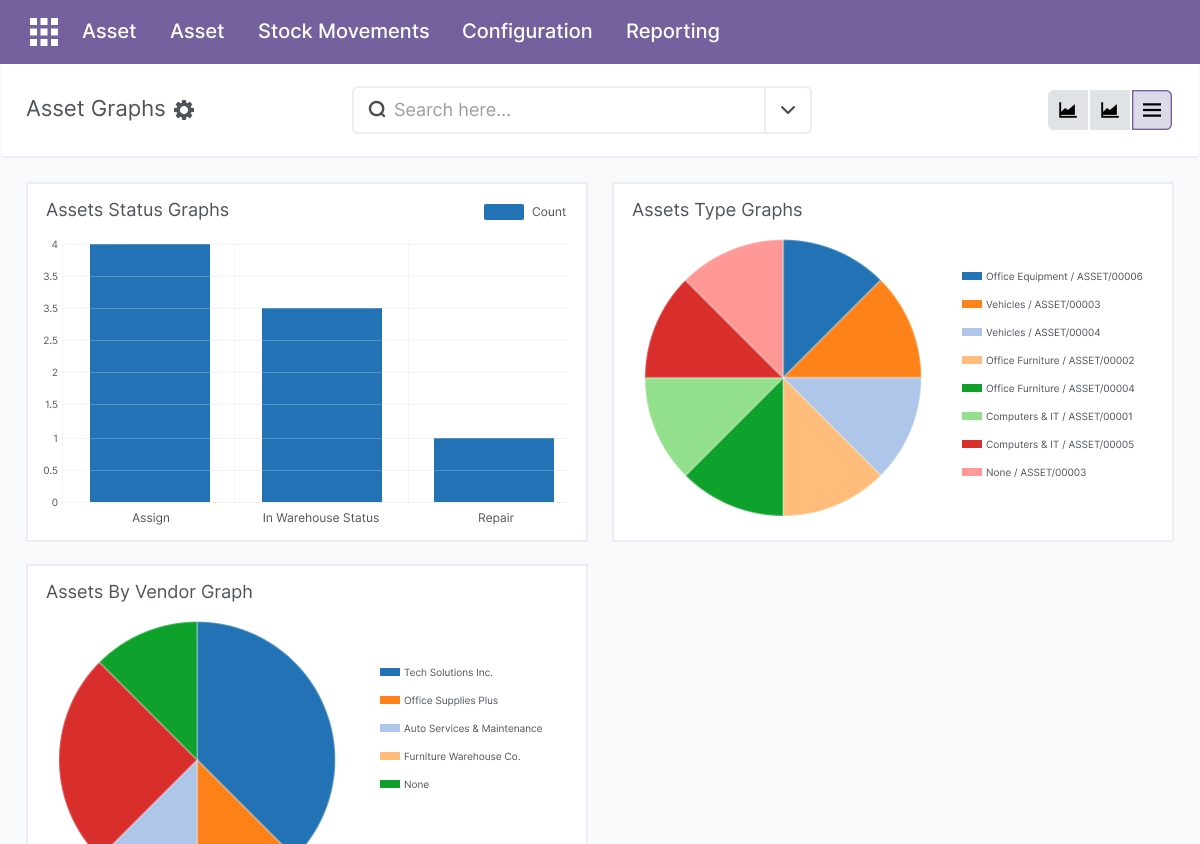
Reporting & Analytics - ReviewAsset Performance
Generate charts and reports to analyze asset performance, costs, utilization, and other key metrics.
- Review asset utilization data
- Analyze asset costs and performance
- Generate custom reports
- View asset trends through charts and graphs
- Support data-driven decisions
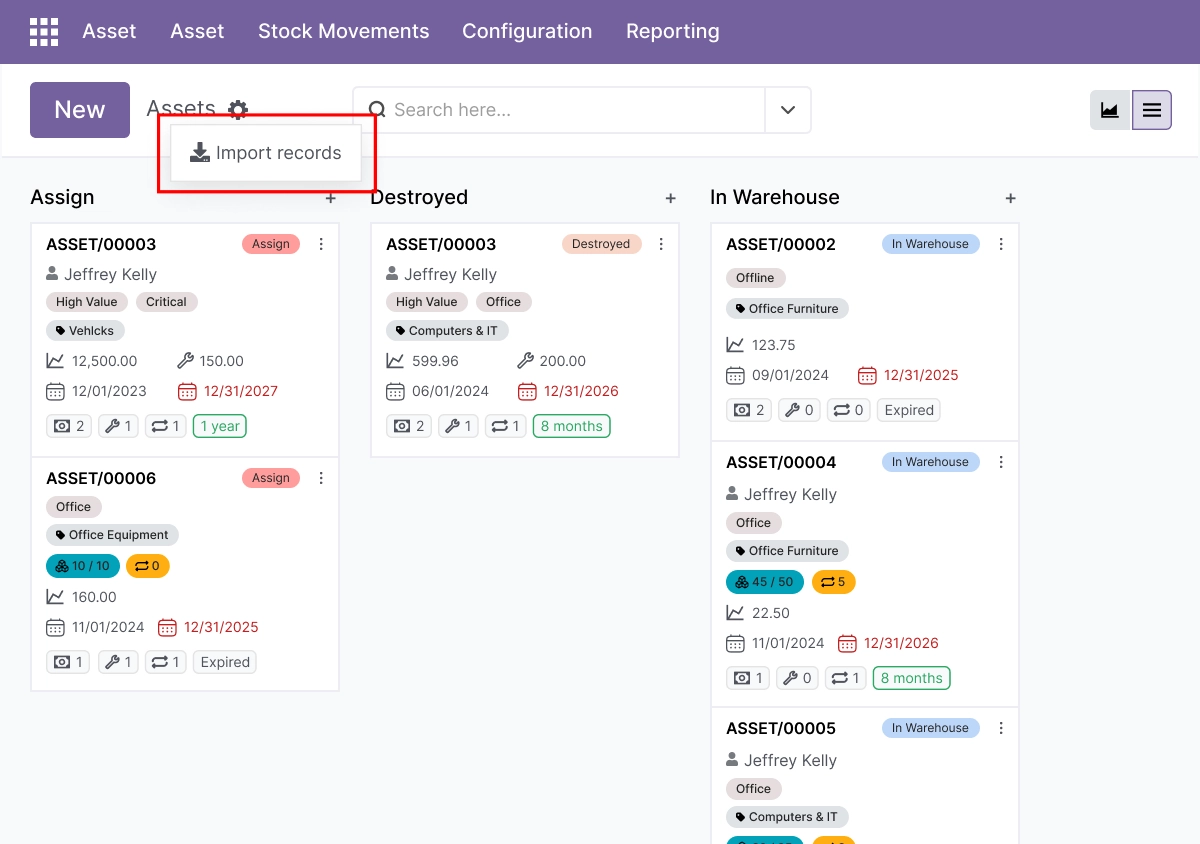
Bulk Import & Process Automation
Import multiple assets and streamline asset related processes with automation.
- Import multiple assets using CSV templates
- Support bulk asset creation
- Automate depreciation and asset updates
- Reduce manual work with automation
- Improve process control across asset workflows
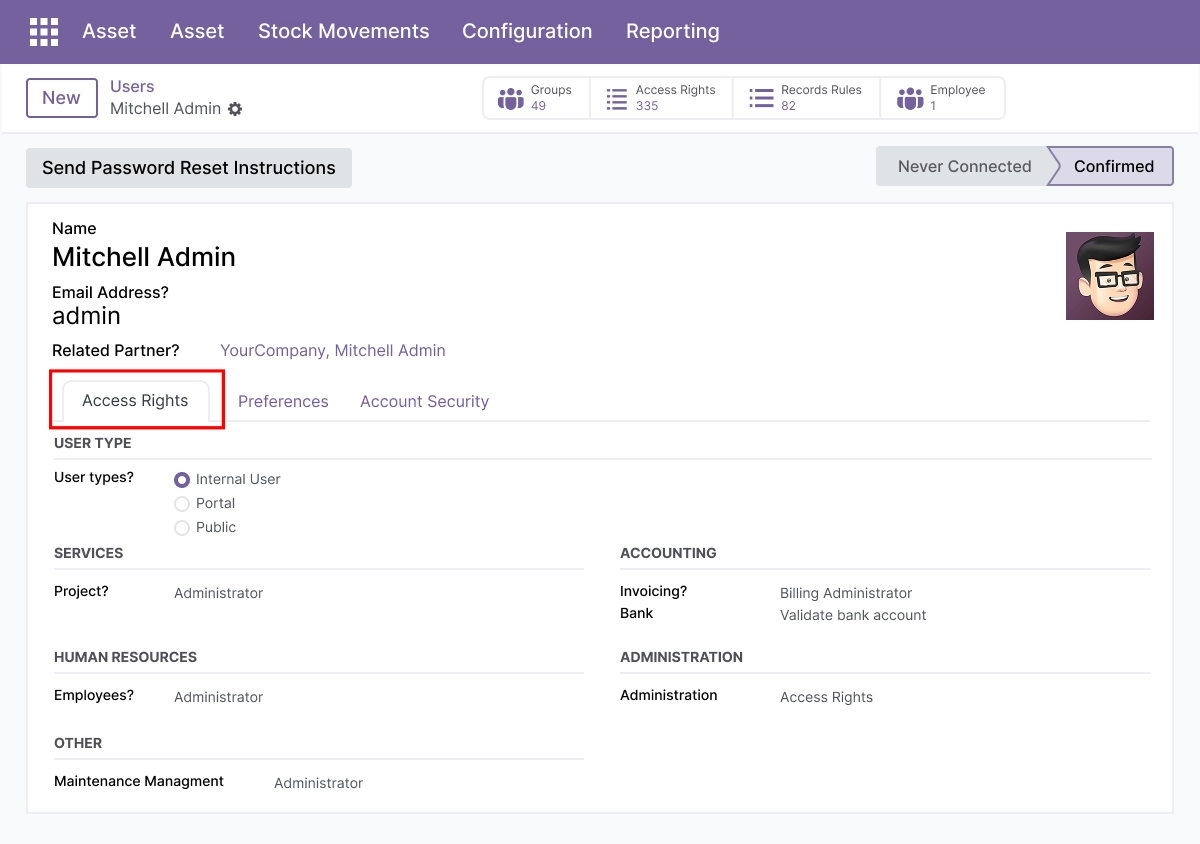
Security & Access Control
Protect sensitive asset data and control who can manage depreciation and records.
- Manage access rights for asset managers and accounting users
- Restrict asset creation and editing permissions
- Control who can post depreciation entries
- Protect asset data and financial records
- Keep asset workflows secure and audit-ready
Advanced Settings and Configuration
Asset Management is configured from within Odoo. Administrators define asset types, depreciation methods and accounts, label layouts, access rights, and import templates so the register matches company policy and accounting structure.
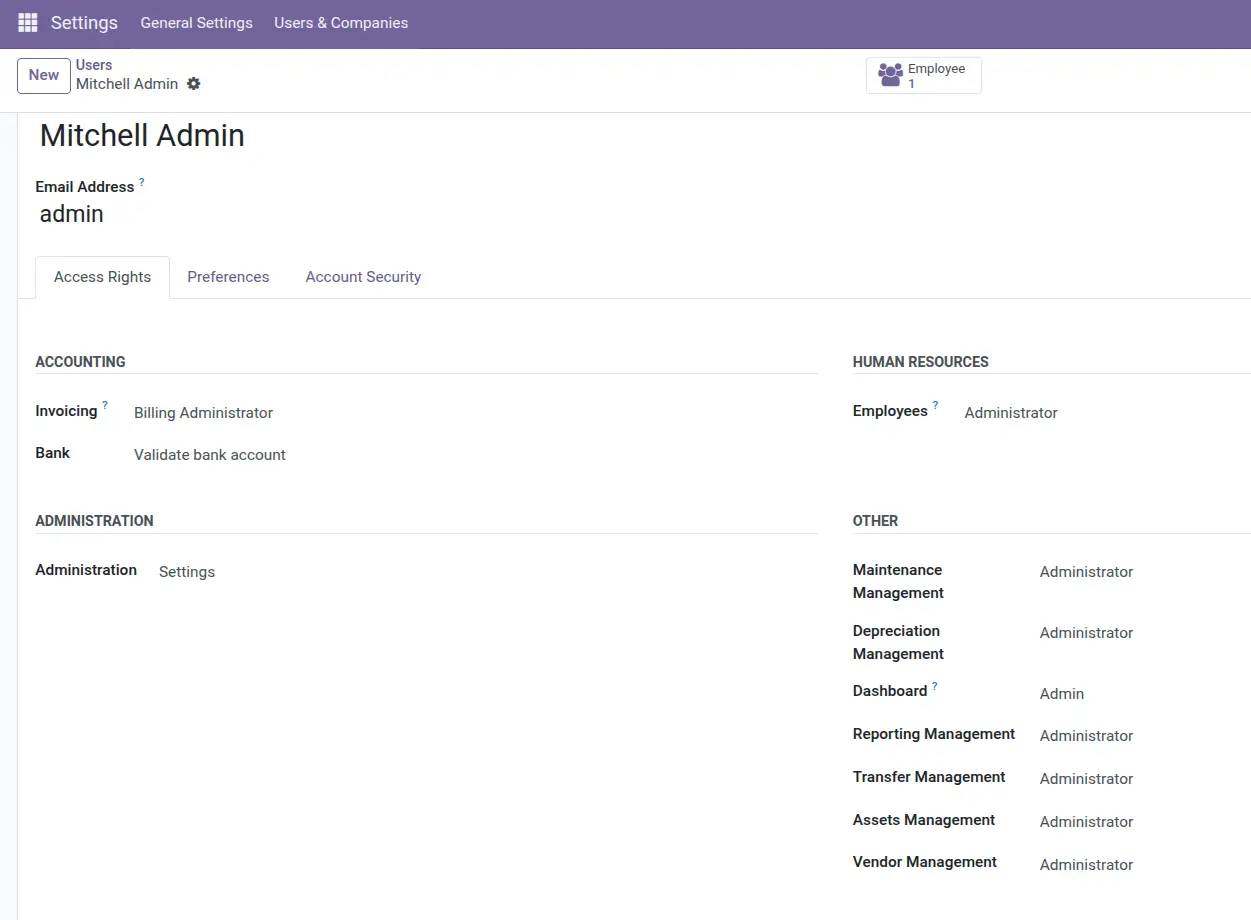
The configuration covers:
- Asset types and category structure
- Depreciation methods, schedules, and account mapping
- Fixed-asset, depreciation, and expense account linkage
- Asset transfer and assignment rules
- Maintenance and vendor record setup
- Barcode label layouts and printing
- Access rights for asset managers and accounting users
- Bulk import templates and automation
How to Set Up Asset Management for Odoo
01
Install the App
Install the app in your supported Odoo environment.
Result: Asset Management menus appear in Odoo.
Result: Asset Management menus appear in Odoo.
02
Set Up Asset Types
Create asset types and categories for your fixed-asset register.
Result: Assets are organized for tracking and reporting.
Result: Assets are organized for tracking and reporting.
03
Register YourAssets
Add assets with acquisition cost, useful life, residual value, and location.
Result: A structured register ready for depreciation.
Result: A structured register ready for depreciation.
04
Configure Depreciation
Set the depreciation method, schedule, and accounts.
Result: Depreciation runs automatically and posts to accounting.
Result: Depreciation runs automatically and posts to accounting.
05
Transfer, Maintain, and Report
Manage transfers and maintenance, print labels, and run reports.
Result: A complete, audit-ready asset workflow.
Result: A complete, audit-ready asset workflow.
Who Is This App For?
This app is suitable for:
- Finance teams managing fixed-asset registers and depreciation in Odoo
- Accountants who need depreciation posted directly to the general ledger
- Operations teams tracking asset location, transfers, and status
- Businesses needing barcode labels for asset audits
- Companies that want book value aligned with financial statements
- Businesses running Odoo 14.0 to 19.0 on Odoo.sh or On Premise
This app is not suitable for businesses on Odoo Online (SaaS), or for teams that need advanced operational features like QR field scanning, predictive maintenance, or a RESTAPI - see Asset Management Pro for those.
Changelog:
v19.0.0 — Initial Release
- - Odoo 19-ready release
- - Fixed-asset tracking and lifecycle management
- - Automated depreciation and depreciation schedules
- - Maintenance and repair tracking
- - Asset transfer and assignment workflows
- - Vendor bill and invoice-line linkage
- - Asset label printing with barcode support
- - Reporting and analytics
- - Asset creation and record management
- - Depreciation management
- - Transfer management
- - Vendor management
- - Asset reports and financial reporting tools
What does this module do?
It maintains a fixed-asset register in Odoo and automates depreciation - straightline, declining-balance, and declining methods - posting depreciation entries directly to Odoo
Accounting, plus asset transfers, maintenance, vendor records, and barcode labels.
Which depreciation methods are supported?
Straight-line, declining-balance, and declining methods, with depreciation schedules and a depreciation board.
Does depreciation post to accounting automatically?
Yes. Depreciation entries post to the fixed-asset, depreciation, and expense accounts,
keeping book value and the general ledger aligned.
Can I transfer assets between users or locations?
Yes. You can reassign assets across users, departments, and locations while keeping a full transfer history.
Can I print asset labels?
Yes. You can print barcoded asset labels in predefined or custom layouts for identification and audits.
How is this different from Asset Management Pro?
This module focuses on the fixed-asset register and depreciation accounting. Asset Management Pro adds operational features like QR field scanning, predictive maintenance, hierarchical multi-location, approval workflows, and a RESTAPI.
Which Odoo versions does this app support?
It supports Odoo 14.0, 15.0, 16.0, 17.0, 18.0, and 19.0.
Does it work on Odoo Online, Odoo.sh, and On Premise?
It works on Odoo.sh and On Premise. It is not available for Odoo Online (SaaS).