Built by WebbyCrown Solutions — Need setup, customization, or integration help? Talk to our team.



Asset Management Pro for Odoo
Availability
❌ Odoo Online
✅ Odoo.sh
✅ On Premise
Product Version
1.0.0
$79.91

Asset Management Pro Odoo - Asset Lifecycle, Depreciation, Maintenance, QR & Reporting
What Is Asset Management Pro for Odoo?
Operations and finance teams managing physical assets across multiple locations typically work with disconnected tools - spreadsheets for location tracking, separate systems for depreciation, and manual processes for maintenance scheduling. There is no single place to see current asset status, upcoming maintenance, depreciation value, and budget usage across departments, companies, or sites.
Asset Management Pro gives teams one module to register assets, track lifecycle status, calculate depreciation, schedule maintenance, manage budgets, and scan assets in the field using QR codes - with a visual Kanban dashboard, hierarchical location management, configurable approval workflows, and a complete RESTAPI. Works on Odoo Online, Odoo.sh, and On Premise without requiring external asset management tools.
Key Benefits

Complete Asset Lifecycle Coverage
Track assets from acquisition through assignment, depreciation, maintenance, and disposal with full status history and audit trails.

Modern Kanban Experience
Manage all assets through a visual Kanban board with images, status indicators, and quick action buttons for faster daily operations.

Multi-Company and Multi-Location Support
Organize assets across companies, sites, buildings, floors, and rooms with hierarchical location management and company-level access rules.

Automated Depreciation and Financial Tracking
Apply straight-line, declining balance, sum-of-years, units-of-production, and MACRS-style depreciation with consistent, type-driven rules.

Predictive Maintenance and Analytics
Use statistical failure prediction and remaining useful life calculations to schedule maintenance before failures occur.

QR Code Scanning for Field Operations
Scan QR codes to look up assets, start transfers, and trigger maintenance from an in-Odoo scanner - reducing manual data entry for field teams.
Modules & Features
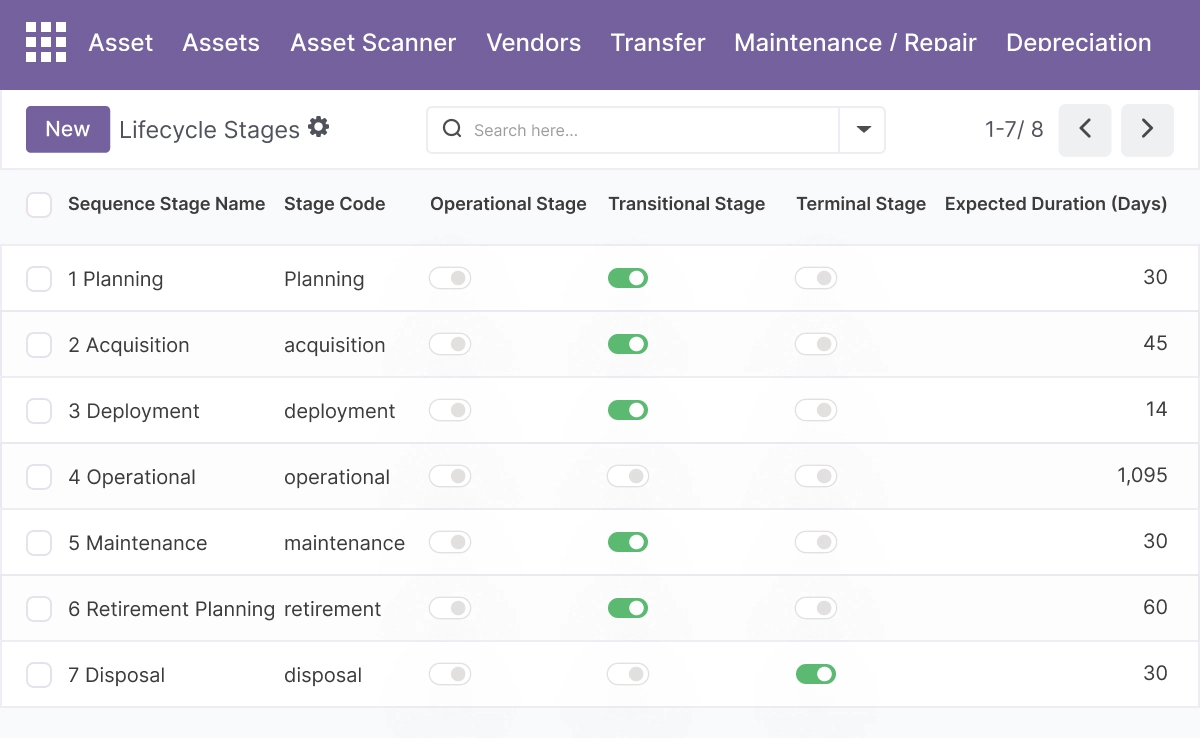
Asset Lifecycle Management
Track every asset from acquisition through assignment, transfers, maintenance, and disposal in one place.
- Track assets through warehouse, assigned, repair, maintenance, and disposed status states
- Assign responsible users and capture warranty expiry on each asset record
- Classify assets by configurable asset types that drive depreciation rules and field definitions
- Record purchase details and current value fields per asset for financial accuracy
- Attach images and use the chatter for documents, comments, and full activity history
Multi-Company and Location Management
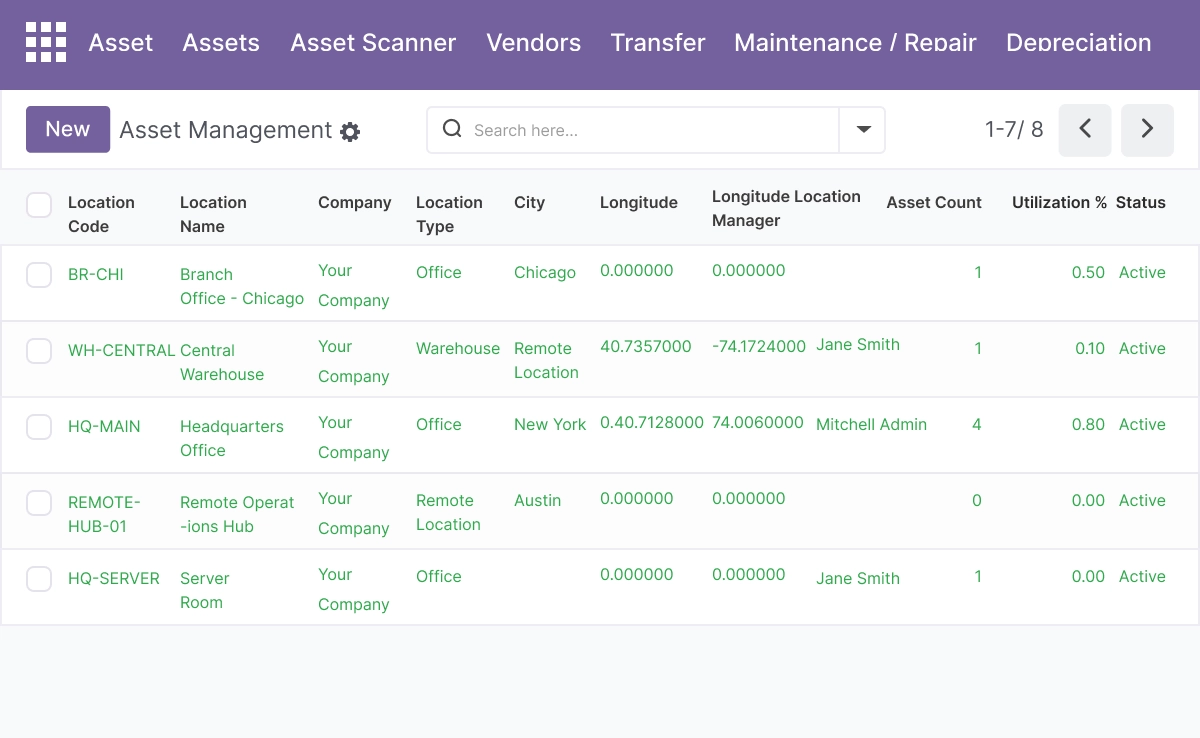
Allow teams to manage assets across companies and structured location hierarchies.
- Apply company-based security rules so each company sees only its own assets and locations
- Transfer assets between companies with appropriate access controls per user group
- Model hierarchical locations - sites, areas, buildings, floors, and rooms - with parent and child relationships
- Set capacity, utilization levels, and allowed asset types per location
- Analyze location data in list, Kanban, pivot, and graph views for utilization reporting
Automated Depreciation Management
Generate consistent depreciation across all asset categories with multiple methods.
- Apply straight-line, declining balance, and sum-of-years depreciation methods
- Use units-of-production and MACRS-style calculations where applicable to the asset type
- Drive depreciation method, rate, and frequency from the asset type definition for consistency
- Configure global default depreciation rates from system settings
- Track current value, accumulated depreciation, and book value per asset automatically
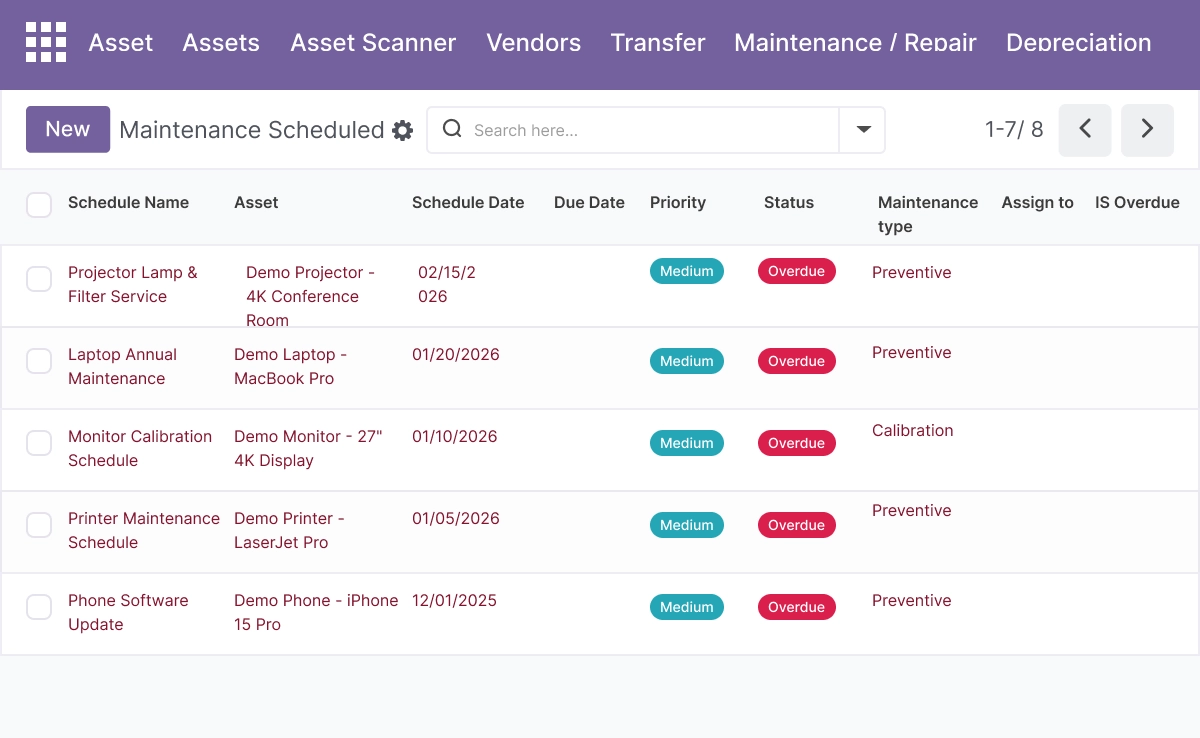
Maintenance Scheduling and Work Orders
Plan preventive and corrective maintenance with templates and recurring schedules.
- Define maintenance templates linked to specific assets or asset types for repeatable workflows
- Track maintenance schedules in calendar and list views with status updates per schedule
- Assign supplier partners for third-party maintenance, vendor tracking, and cost capture
- Capture maintenance type, planned and actual dates, frequency, and associated costs
- Cron jobs generate or update maintenance schedules automatically based on defined intervals
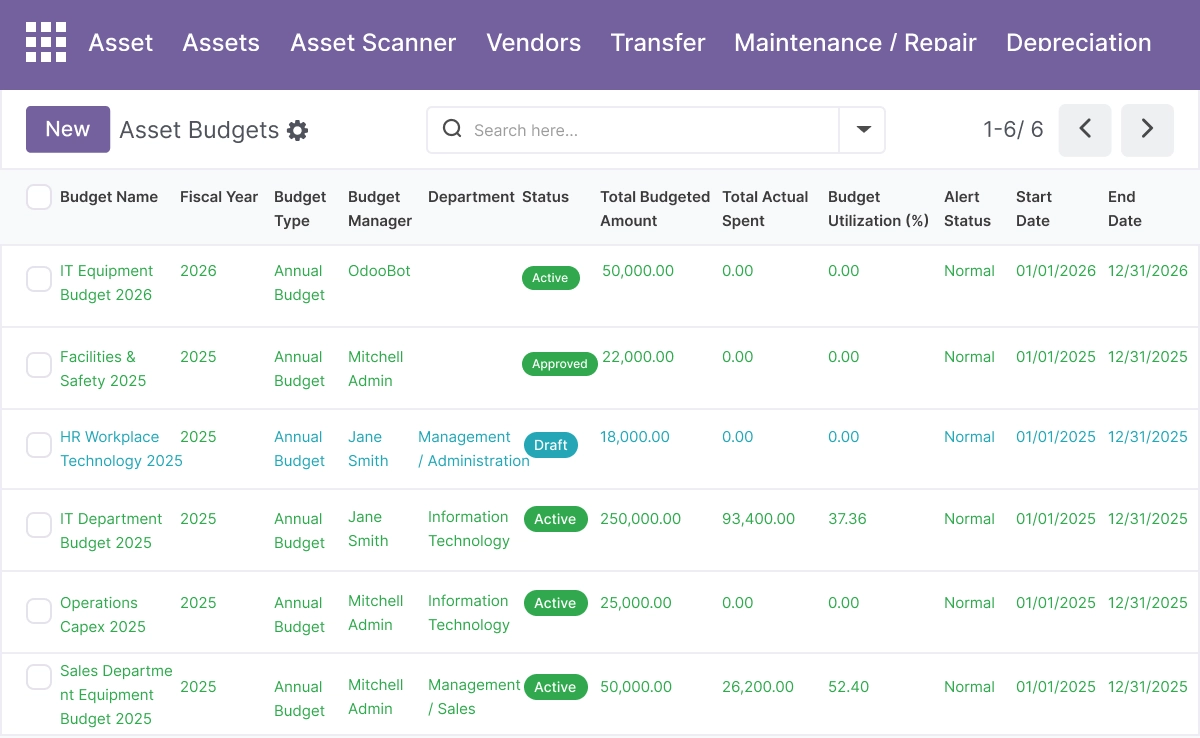
Budget Management and Approval Workflows
Plan, approve, and monitor asset spending with structured budget documents.
- Create budgets with fiscal period, budget type, responsible manager, and budget lines
- Move budgets through draft, submitted, approved, active, and closed states with audit trails
- Track budgeted, committed, actual, and available amounts automatically with each transaction
- Receive threshold alerts when budget usage crosses configured warning levels
- Link budgets to HR departments for departmental cost planning and reporting
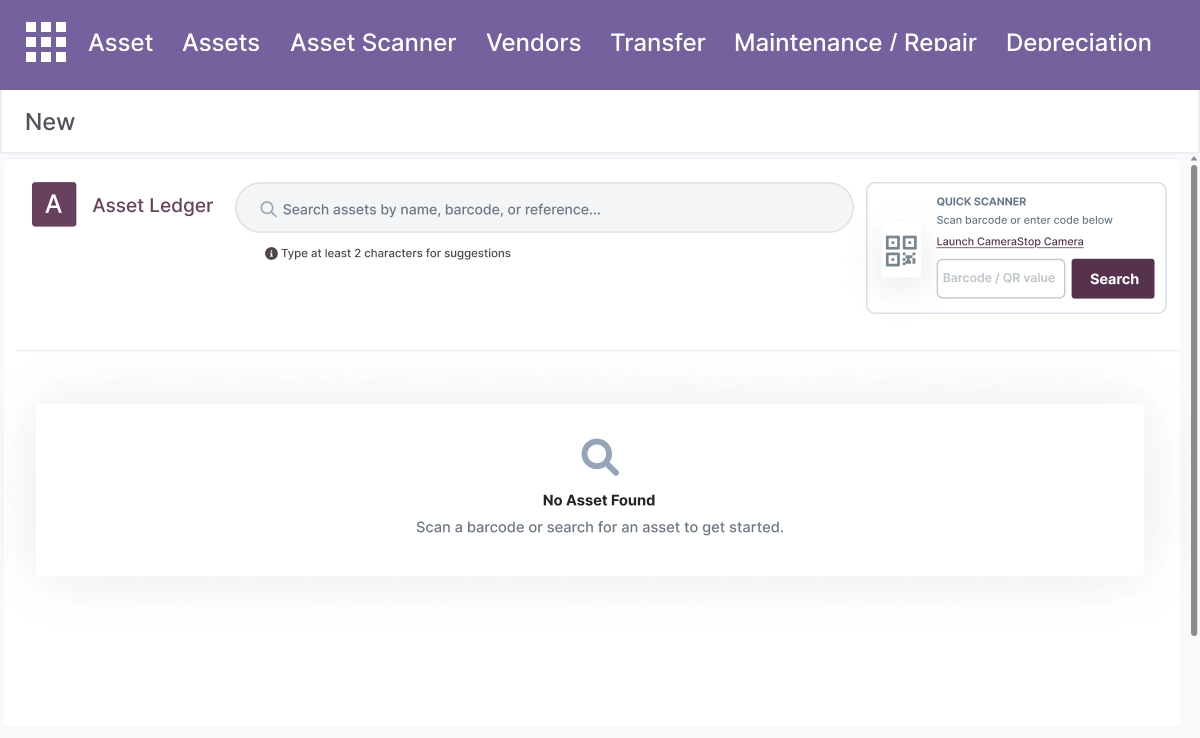
QR Code and Mobile Scanning
Identify and act on assets in the field with built-in scanning tools.
- Look up assets by barcode scan or text search in the built-in in-Odoo scanner interface
- Open the full asset form directly from a scanner session result without navigating manually
- Start asset transfers and trigger maintenance requests from the scanner workflow
- Print asset labels for physical tagging through standard Odoo label printing flows
- Reduce manual data entry for field technicians working across distributed asset locations
Custom Fields and Asset Types
Adapt asset records to fit any equipment category or industry.
- Define custom fields per asset type with sequence order and default values
- Use field types: text, number, boolean, date, selection, and binary (file or image)
- Add Many2one and Many2many relations to connect assets to related Odoo records
- Custom field values appear on the asset form and in the scanner UI for field access
- Surface custom fields in the report builder alongside standard asset fields for reporting
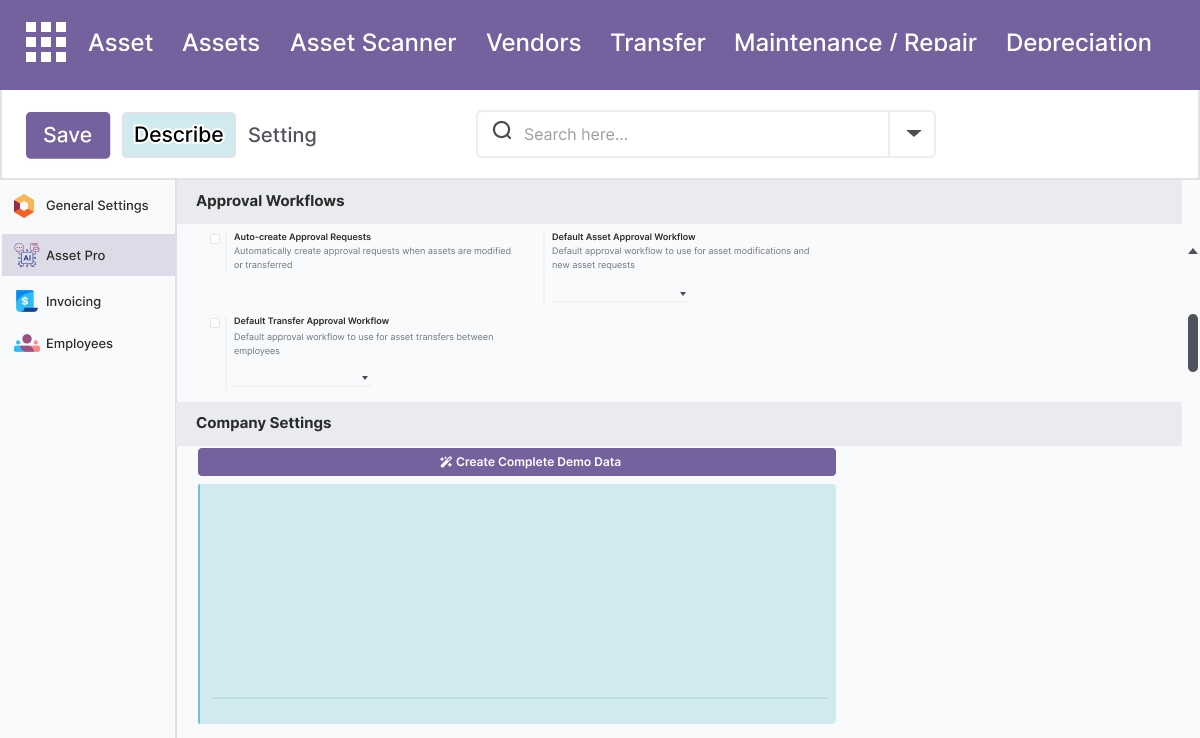
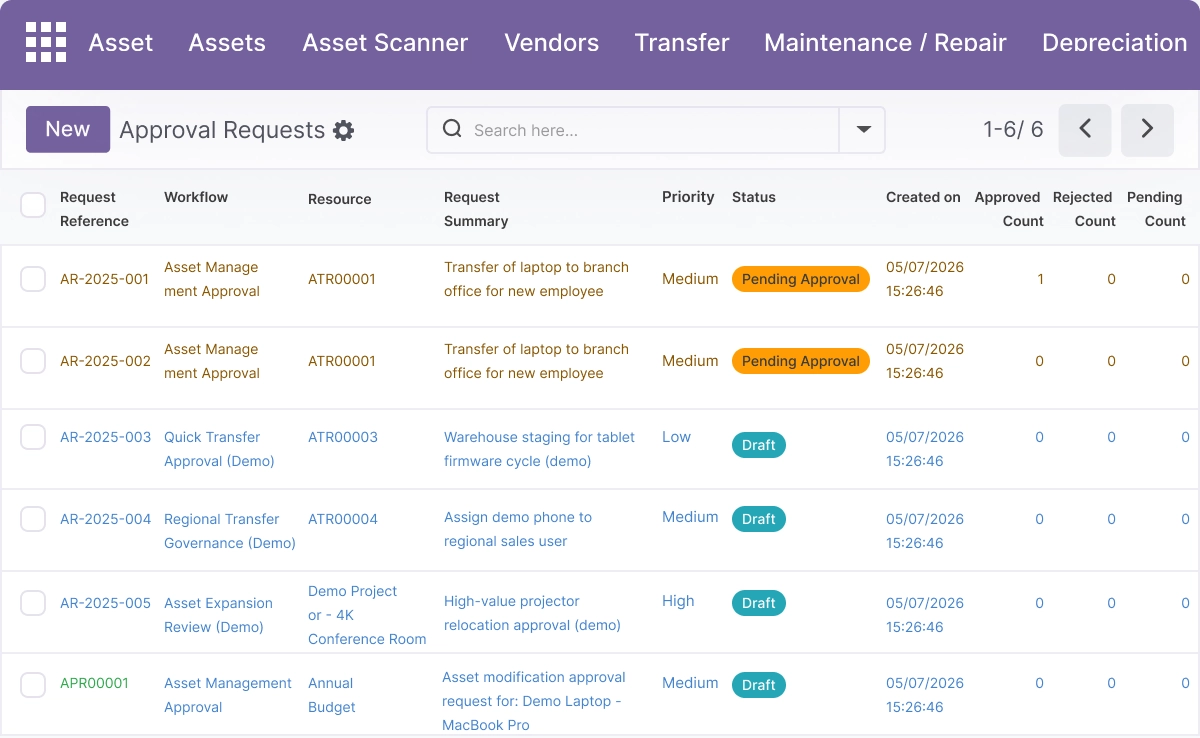
Configurable Approval Workflows
Apply structured approvals for purchases, transfers, disposals, and budgets.
- Configure multi-level approval processes with different approvers per level
- Route approval requests based on amount thresholds, asset types, or departments
- Send automatic notifications at each approval stage to keep the process moving
- Maintain full approval history with an audit trail per purchase, transfer, disposal, or budget
- Reduce unauthorized asset and budget actions through structured approval gates
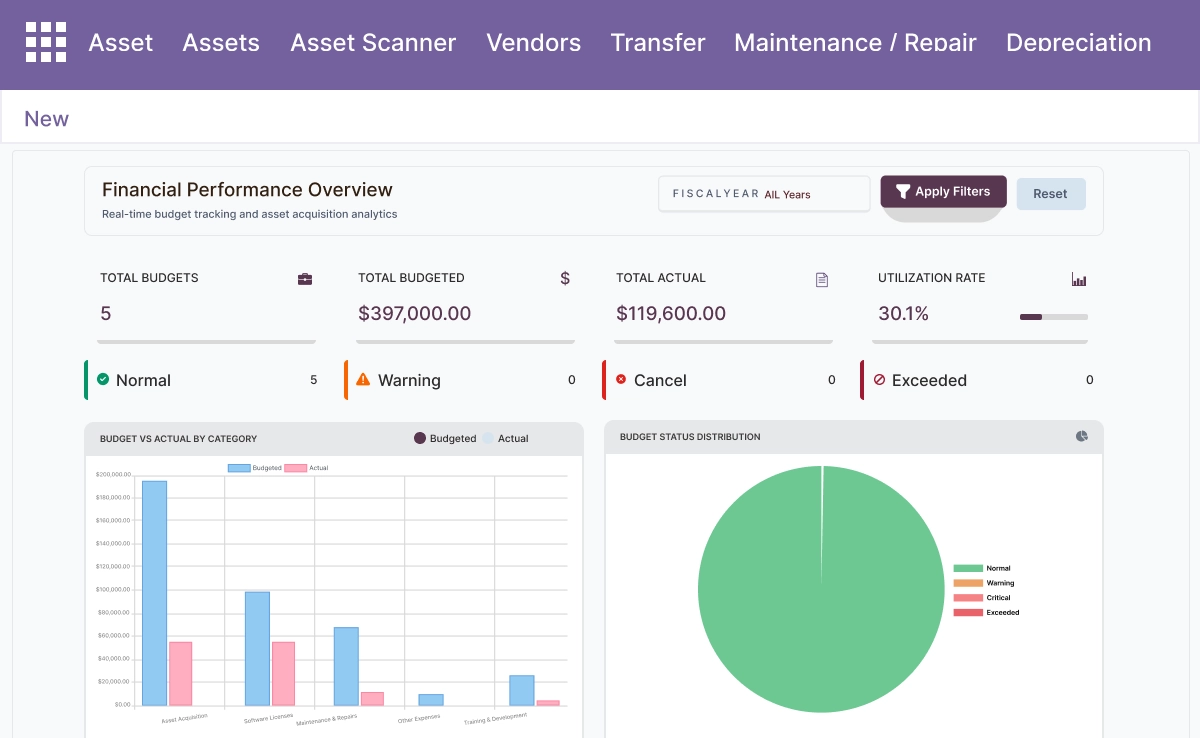
Advanced Reporting and Real-Time Dashboards
Build operational and financial reports on top of structured asset data.
- Configure reports over assets, locations, maintenance records, and budgets in one tool
- Generate downloadable PDF and CSV report attachments from configured report templates
- Schedule recurring report runs using interval-based scheduling from the configuration screen
- Display KPIs and chart-ready data on bundled operational and financial dashboards
- Use pivot and graph views for location utilization and asset distribution analysis
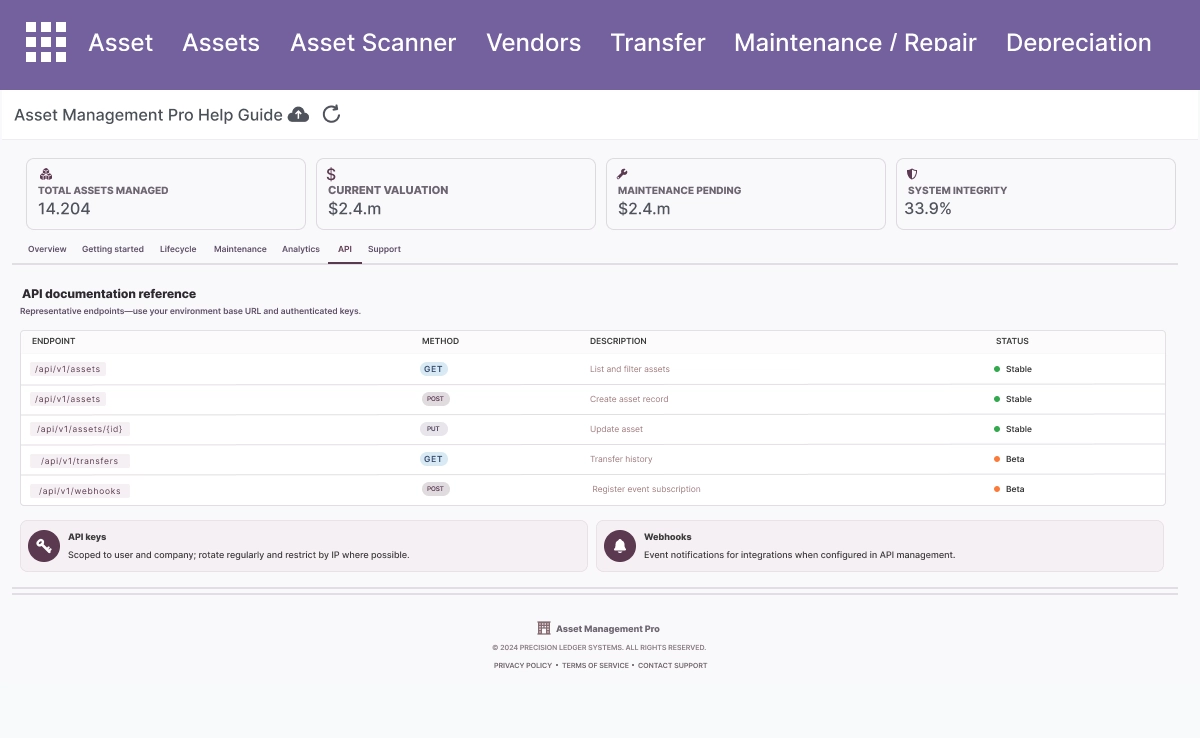
RESTAPI and Third-Party Integrations
Connect Asset Management Pro with mobile apps, IoT devices, and external systems.
- Use full CRUD operations through a complete REST API for external system access
- Support bulk operations and advanced search endpoints for large dataset queries
- Apply token-based authentication for secure API access from external systems
- Connect with mobile apps and IoT devices for real-time asset status and location updates
- Reference interactive API documentation for integration and development teams
Advanced Settings and Configuration
All configuration is managed from Asset Management Pro → Configuration. Administrators define asset types, depreciation rules, custom fields, approval workflows, budget thresholds, and API settings without code changes.
The configuration covers:
- Asset type definitions - depreciation method, rate, frequency, and custom fields
- Global default depreciation rates from system settings
- Hierarchical location structure with capacity and type restrictions
- Company-based security rules and inter-company transfer permissions
- Approval workflow levels for purchases, transfers, disposals, and budgets
- Budget threshold alert configuration
- Maintenance template definitions and schedule frequency
- Report template configuration with scheduling and export format
- REST API authentication settings
- QR code label printing setup
How to Set Up Asset Management Pro
01
Install the App
Install the Asset Management community dependency first, then install Asset Management Pro in your Odoo environment.
Result: Asset Management Pro menus, settings, and Kanban dashboard appear in Odoo.
Result: Asset Management Pro menus, settings, and Kanban dashboard appear in Odoo.
02
Configure Asset Types and Custom Fields
Go to Configuration → Asset Types. Define your asset categories with depreciation method, rate, frequency, and any custom fields required for that equipment type.
Result: Asset types are ready to drive depreciation rules and custom field definitions for each category.
Result: Asset types are ready to drive depreciation rules and custom field definitions for each category.
03
Set Up Locations and Companies
Go to Configuration → Locations. Create your site hierarchy - sites, buildings, floors, and rooms. Apply company access rules to each location.
Result: Assets can be assigned to specific locations and transferred between them with proper access controls.
Result: Assets can be assigned to specific locations and transferred between them with proper access controls.
04
Register YourAssets
Go to Assets → New. Set the asset name, type, location, assignment, warranty expiry, and purchase details. Upload an image and attach relevant documents.
Result: Assets are registered with full lifecycle tracking enabled from the first record.
Result: Assets are registered with full lifecycle tracking enabled from the first record.
05
Configure Maintenance, Budgets, and Approvals
Create maintenance templates for recurring schedules. Create budget documents with fiscal periods and lines. Configure approval workflows for purchases, transfers, and disposals.
Result: Maintenance is scheduled, budgets are tracked, and all significant asset actions require structured approval.
Result: Maintenance is scheduled, budgets are tracked, and all significant asset actions require structured approval.
Who Is This App For?
This app is suitable for:
- Operations teams managing physical assets across multiple sites, buildings, or departments
- Finance teams tracking fixed asset depreciation, book value, and asset-related spending
- Maintenance technicians scheduling preventive maintenance and managing work orders
- Managers approving asset purchases, transfers, disposals, and departmental budgets
- IT teams integrating asset data with mobile apps or IoT devices via the REST API
- Organizations with large or distributed asset bases needing full lifecycle visibility in Odoo
This app works on Odoo Online, Odoo.sh, and On Premise. It requires the Asset Management community dependency to be installed.
Changelog
v19.0.0 — Initial Release
- – Added complete asset lifecycle tracking with status and assignment management
- – Implemented Kanban view with asset images and quick actions
- – Added multi-company and hierarchical location management with transfers
- – Implemented automated depreciation with straight-line, declining balance, sum-of-years, units-ofproduction, and MACRS methods
- – Added maintenance templates, schedules, and vendor assignment with cron automation
- – Implemented budget management with draft-to-closed workflow, threshold alerts, and department links
- – Added built-in QR code scanner with asset lookup, transfers, and maintenance triggers
- – Implemented custom fields and configurable asset types
- – Added report builder with PDF and CSV export and interval scheduling
- – Implemented complete RESTAPI with CRUD, bulk operations, and token authentication
What does Asset Management Pro do in Odoo?
It is a complete asset lifecycle management module that covers asset registration, status tracking, multi-company and location management, automated depreciation, maintenance scheduling, budget management with approvals, QR code field scanning, custom fields, advanced reporting, and a full REST API - all from one Odoo module.
Does this app work on Odoo Online?
Yes. Asset Management Pro works on Odoo Online, Odoo.sh, and On Premise. It requires the Asset Management community app to be installed first.
Which Odoo versions are supported?
The app supports Odoo 14.0, 15.0, 16.0, 17.0, 18.0, and 19.0.
What depreciation methods are supported?
The app supports straight-line, declining balance, sum-of-years, units-of- production, and MACRS-style depreciation. The depreciation method, rate, and frequency are configured at the asset type level and applied consistently to all assets of that type.
Can I manage assets across multiple companies and locations?
Yes. The app supports multi-company asset management with company-based security rules. Locations are organized in a hierarchical structure - sites, buildings, floors, and rooms. Assets can be transferred between companies and locations with appropriate access controls.
How does the QR code scanning work?
The app includes a built-in in-Odoo scanner where field technicians can look up assets by scanning a barcode or entering a text search. From the scanner result, users can open the full asset form, start a transfer, or trigger a maintenance request - without leaving the scanner interface.
Can field technicians use this without full Odoo admin access?
Yes. User roles and security groups control what each user can see and do. Field technicians can be given access to the scanner and maintenance workflows without access to depreciation, budget, or configuration settings.
How does predictive maintenance work?
The app uses statistical failure prediction and remaining useful life (RUL) calculations based on maintenance history and asset usage data to generate maintenance recommendations. This helps teams schedule preventive maintenance before failures occur rather than responding after breakdowns.
Can I connect Asset Management Pro to mobile apps or IoT devices?
Yes. The app includes a complete RESTAPI with full CRUD operations, bulk endpoints, advanced search, and token-based authentication. External mobile apps, IoT sensors, and third-party systems can connect to read and update asset data in real time.
Is this suitable for Odoo implementation partners?
Yes. Partners can deployAsset Management Pro for clients on Odoo Online, Odoo.sh, or On Premise - including configuring asset types, depreciation rules, location hierarchies, approval workflows, and REST API connections as part of an operations or finance implementation.