Built by WebbyCrown Solutions — Need setup, customization, or integration help? Talk to our team.


Walmart Odoo Connector: How to Plan Orders, Inventory and WFS Sync

Summarize This Article With AI
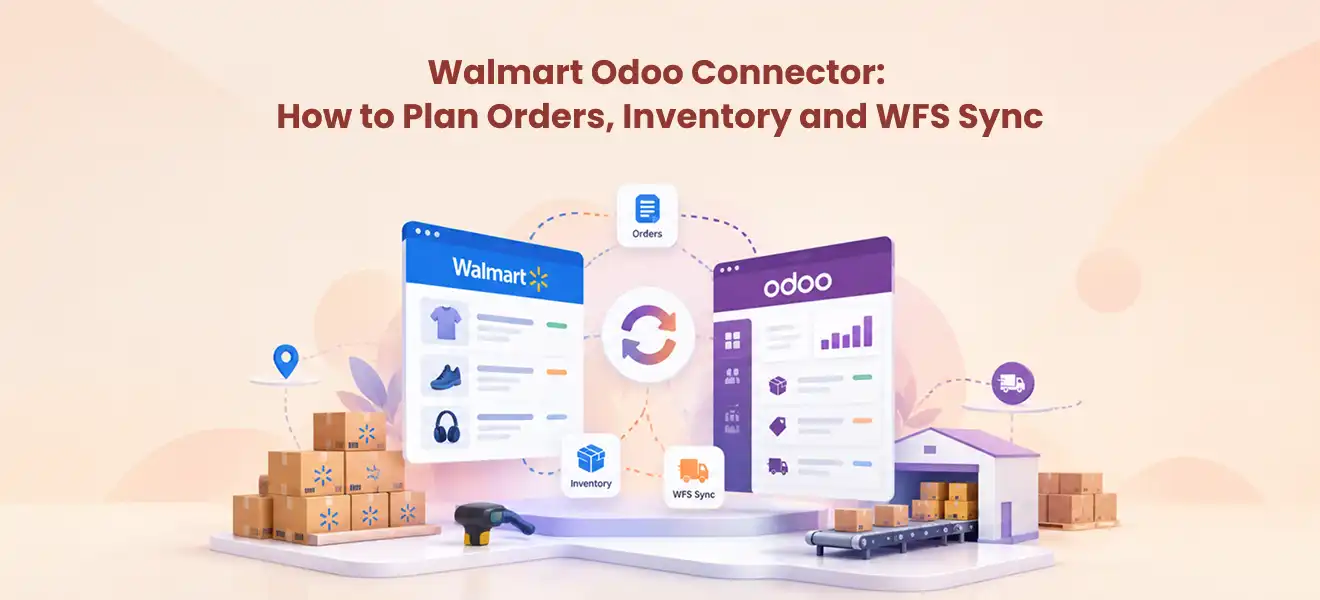
A Walmart Odoo connector can help a marketplace seller coordinate product records, orders, stock quantities and fulfillment activity between Walmart Marketplace and Odoo. But choosing a connector should start with a practical question: which system owns each piece of data, and what must happen when it changes?
For most sellers, the first priorities are reliable Walmart order imports, accurate SKU matching, inventory updates, and clear status handling. Sellers using Walmart Fulfillment Services (WFS) also need to distinguish stock held by Walmart from stock available in their own warehouse. The exact features, supported regions and sync directions depend on the connector you choose.
This guide explains the workflow decisions, compatibility questions and tests to complete before moving real orders or stock through an integration.
What Does a Walmart Odoo Connector Actually Connect?
Walmart Seller Center handles marketplace listings and sales activity. Odoo may hold products, warehouse operations, sales orders, invoices and internal reporting. The integration sits between those systems, turning marketplace events into usable ERP records and, where supported, sending selected Odoo updates back to Walmart.
Walmart’s Marketplace API documentation describes APIs for items, inventory, orders, pricing and reporting. That is the platform-level capability. It does not mean every Odoo connector exposes every API or synchronizes every field.
A useful connector evaluation therefore separates the needs of your business from the exact features the software vendor documents.
The Five Data Flows to Check Before Purchase
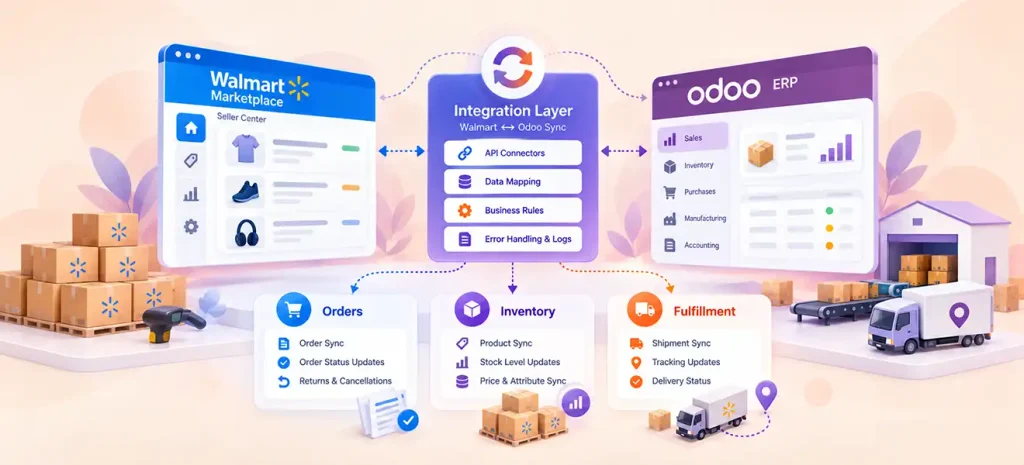
| Data flow | Decision to make | Test before launch |
|---|---|---|
| Products / listings | Which record identifies a product and variant? | SKU match; missing or duplicate SKU |
| Orders | Which Walmart statuses should import and update? | New order; repeated import; cancellation |
| Inventory | Where does available-to-sell quantity come from? | Stock decrease, replenishment, multi-channel conflict |
| Fulfillment | Who ships and who submits tracking/status? | Partial shipment and carrier/tracking update |
| Returns / WFS | What is supported for returns and Walmart-held stock? | Return reconciliation; WFS vs own-warehouse stock |
A connector that moves orders successfully may still leave inventory or return processing outside its scope. Treat each row as a separate requirement and request proof for the module and Odoo version you intend to install.
1. Product and SKU Matching
Start with one clean product identifier. If the same physical item has different SKUs or variant structures in Walmart and Odoo, imports may create duplicates or map an order line to the wrong product. Document how the connector handles SKU, barcode, variants and missing records.
Also check whether an item can be imported, exported or updated in both directions. The word “product sync” alone does not confirm all three behaviors.
2. Walmart Orders in Odoo
A Walmart order commonly carries an order ID, lines, quantities, prices and fulfillment information.
Orders Management API overview explains the marketplace order lifecycle and distinguishes seller-fulfilled and WFS fulfillment options.
Confirm exactly when your connector creates an Odoo sale order, how it maps customers and taxes, and whether a second import updates an existing order rather than creating a duplicate. Test cancellations and partial shipments, not just a happy-path new order.
3. Inventory Sync and Available-to-Sell Stock
Stock synchronization is more than copying a total quantity. A seller may have damaged items, reserved units, stock at multiple locations or quantities committed to other sales channels. Decide whether the published Walmart quantity should be based on a single Odoo warehouse, a defined stock location or a business-specific available-to-sell calculation.
The integration must also define direction: does Odoo update Walmart, does Walmart update Odoo, or are both directions allowed under controlled rules? If both systems change the same field, conflict handling matters.
4. Seller-Fulfilled Orders vs Walmart Fulfillment Services
For seller-fulfilled orders, your operation controls picking, packing and shipment. Walmart needs appropriate order and tracking updates. With WFS, Walmart fulfills eligible orders using inventory in its own network; this stock should not be confused with units on your warehouse shelves.
Walmart publishes a dedicated WFS inventory API guide for retrieving fulfillment-network stock information. Whether your exact Odoo connector imports WFS orders, WFS inventory or other WFS data requires product-specific confirmation.
5. Returns, Refunds and Reconciliation
Returns create additional records and accounting consequences. Determine whether the connector supports return imports, refunds, credit notes, settlement data or only basic order activity. Test how a partial refund or returned line is associated with the original sale. Do not assume these functions exist just because a vendor advertises “order management”.
A Worked Example: One SKU, Two Stock Pools
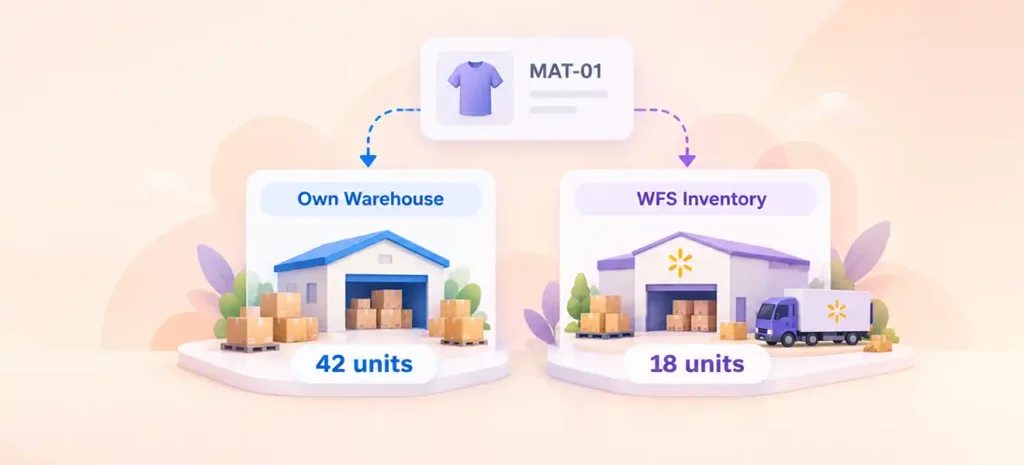
Consider a hypothetical yoga accessories seller with SKU MAT-01. Odoo shows 42 sellable units in the seller’s own warehouse. Separately, Walmart reports 18 units held in WFS. These are different stock pools: publishing 60 seller-fulfilled units to Walmart would overstate the inventory available to ship from the seller warehouse.
A sensible design assigns a source of truth to each pool and tests what happens after one seller-fulfilled purchase, a warehouse replenishment, and a WFS sale. The specific sync settings and ability to represent separate pools depend on the connector and warehouse configuration. These quantities are illustrations, not observed software output.
How to Evaluate a Walmart Odoo Connector
Compare modules using questions that have verifiable answers:
- Exact version: Does the specific package support your Odoo version and required apps?
- Hosting: Is it installable in your chosen Odoo deployment environment?
- Marketplace geography: Does it support your actual Walmart marketplace and fulfillment model?
- Sync coverage: Which fields move, in what direction, and at what trigger or interval?
- Failure handling: Are there visible logs, duplicate safeguards and retry/reconciliation procedures?
- Ownership and support: Who maintains the module, and what documentation and support terms apply?
For hosting, check Odoo’s Odoo Online documentation. Odoo Online does not support installing custom Odoo Apps modules; an Odoo.sh or suitable on-premise deployment may be required, subject to the specific module’s requirements.
A matching name in an app catalog does not verify compatibility. Review the exact versioned listing, dependencies, demo, and support information before purchasing.
The linked marketplace page is the product listing to review, not a substitute for a verified compatibility and feature check.
A Safe Implementation Test Plan
Before enabling broad automation, test with representative records in a nonproduction environment where your provider supports it:
- Inventory your environments, credentials, Walmart region and app prerequisites; define which system controls each field.
- Match one simple product and one variant, including a deliberately unmatched SKU.
- Import one test order; repeat the import and check for duplicates.
- Change sellable stock, then verify the resulting marketplace quantity and timing.
- Check the seller-fulfilled shipping/status path and a WFS case if supported.
- Review errors, cancellations and rollback/recovery before enabling scheduled jobs.
The sequence is a planning checklist, not an instruction that a particular module exposes these buttons, screens or scheduling controls. Follow that module’s current installation documentation for actual configuration steps.
When a Connector May Not Be the Right Fit
A packaged connector may be unsuitable if you use Odoo Online without a supported external integration method, rely on complex custom warehouse allocations, require undocumented cross-region capabilities, or need accounting and returns behavior beyond the listed functions. In those cases, map requirements first and consider a supported integration design rather than assuming that a standard connector covers the entire workflow.
For specialized integration work, explore WebbyCrown’s Odoo Integration Services, which address custom business-system connections and data synchronization beyond a single app’s standard scope.
Frequently Asked Questions
Can Odoo automatically import Walmart orders?
Some Walmart connectors are designed for order import, but the actual triggers, included fields, statuses and supported versions vary by module. Verify your exact module rather than assuming every Walmart connector behaves alike.
Does Walmart inventory sync with Odoo in real time?
Not necessarily. Sync may rely on scheduled jobs, events or manual actions. Check each data flow separately and test the interval and recovery behavior.
Is WFS inventory the same as seller-fulfilled inventory?
No. WFS stock is held in Walmart’s fulfillment network, while seller-fulfilled stock is controlled through the seller’s own logistics. The reporting and synchronization rules should keep them distinct.
Can I install a third-party Walmart connector on Odoo Online?
Odoo’s official documentation states that Odoo Online does not support custom modules from Odoo Apps. Confirm your deployment and supported alternatives before buying a module.
Does the linked app support Odoo 20?
The exact 20.0 product listing, its supported hosting modes, dependencies and features should be checked directly with the publisher before purchase or installation. Compatibility cannot be established from the URL alone.
Final Thoughts
The most useful Walmart–Odoo integration is the one that matches your operations: clear product identity, accurate orders, controlled inventory, correct fulfillment handling and recoverable errors. Define those requirements before selecting the connector, then validate the exact module version with real test cases.
Review the Walmart Odoo Connector listing on Odoo Apps and check its current documentation against your version, marketplace region and operational needs.