Built by WebbyCrown Solutions — Need setup, customization, or integration help? Talk to our team.



Odoo Branding & Login Page Theme
Availability
❌ Odoo Online
✅ Odoo.sh
✅ On Premise
Product Version
19.0
$22.83

What Is Odoo Branding & Login Page Theme?
The default Odoo login screen does not reflect your company identity. Employees, clients, and partners who access your Odoo system see a generic login page - no company logo, no brand colors, no footer message, and no policy links. For businesses using Odoo as their primary ERP system, this looks unprofessional, especially when clients or vendors log in directly.
Odoo Branding & Login Page Theme gives administrators a settings-based way to create a custom Odoo login page that matches their business identity. You can update the login logo, favicon, colors, login background, layout, side panel content, footer text, policy links, and login visibility options - all from Odoo settings, no coding required.
Key Benefits

Settings-Based Branding
Manage all login page and backend branding options directly from Odoo settings - no developer or code changes needed.

No Core Module Changes
Create a custom Odoo login page without replacing or forking the core web module, so branding stays manageable across version upgrades.

Login Visibility Controls
Hide Manage Database, Superuser login, and OAuth buttons for a cleaner Odoo login screen for regular users.

Brand-Consistent Login Screen
Apply your company logo, favicon, colors, and login background to create a professional login experience aligned with your brand identity.

Compliance-Ready Footer
Replace the default Powered by Odoo footer text and add Privacy Policy and Terms links from configuration settings.

PWA and Mobile Ready
Add PWA theme-color meta support for consistent brand appearance on mobile browsers and Progressive Web Apps.
Modules & Features
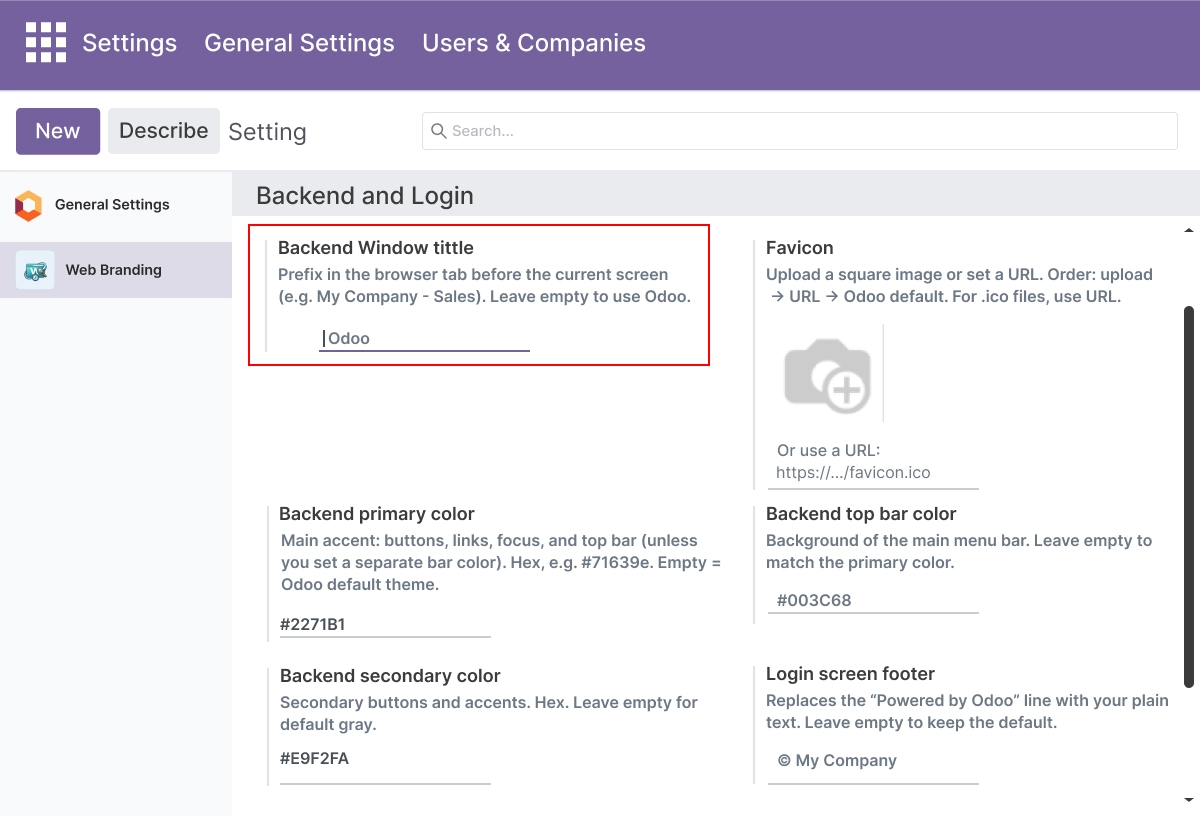
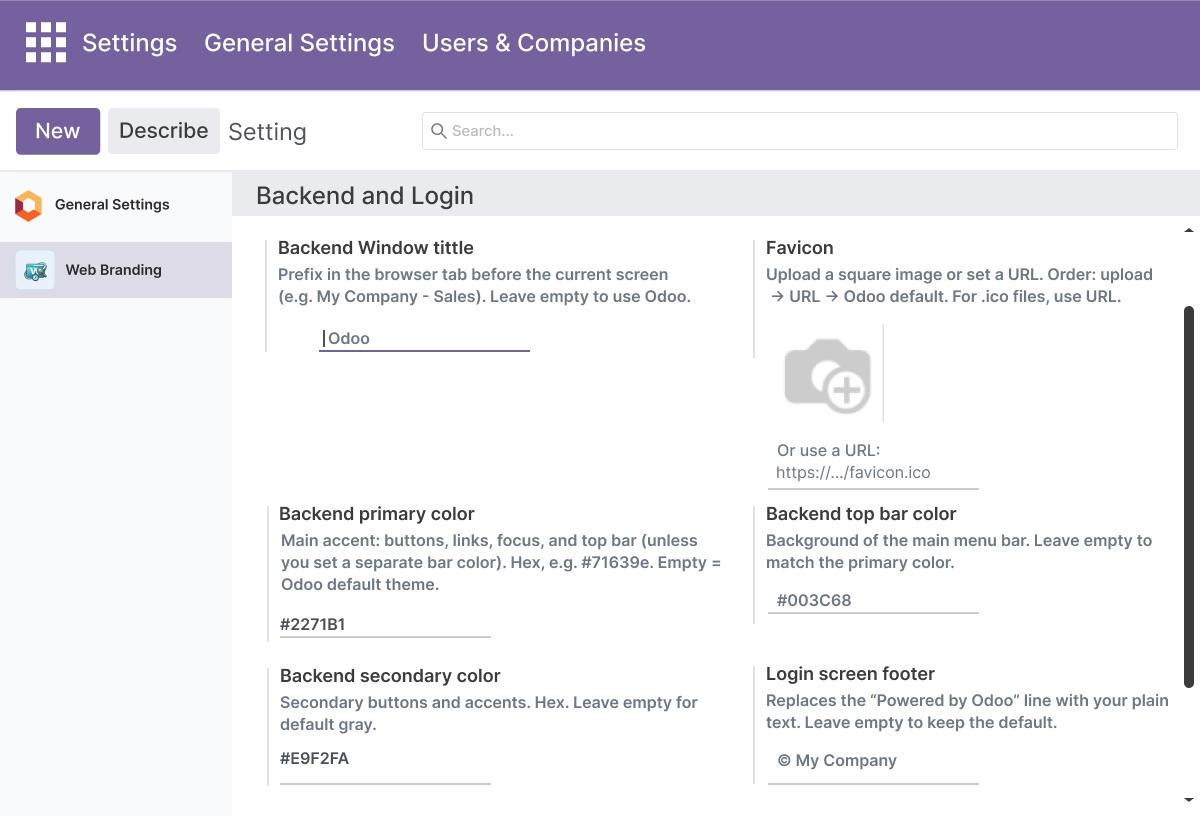
Backend Window Title - Customize Your Browser Tab Branding
Create and manage a custom window title to keep your backend tab consistent with your brand identity.
- Set a custom title prefix for the Odoo backend browser tab
- Configure separate titles for the login page and the backend independently
- Replace the default Odoo label with your company or brand name
- Changes apply immediately from settings - no code or restart required
- Keep browser tab branding consistent across all users on your Odoo instance
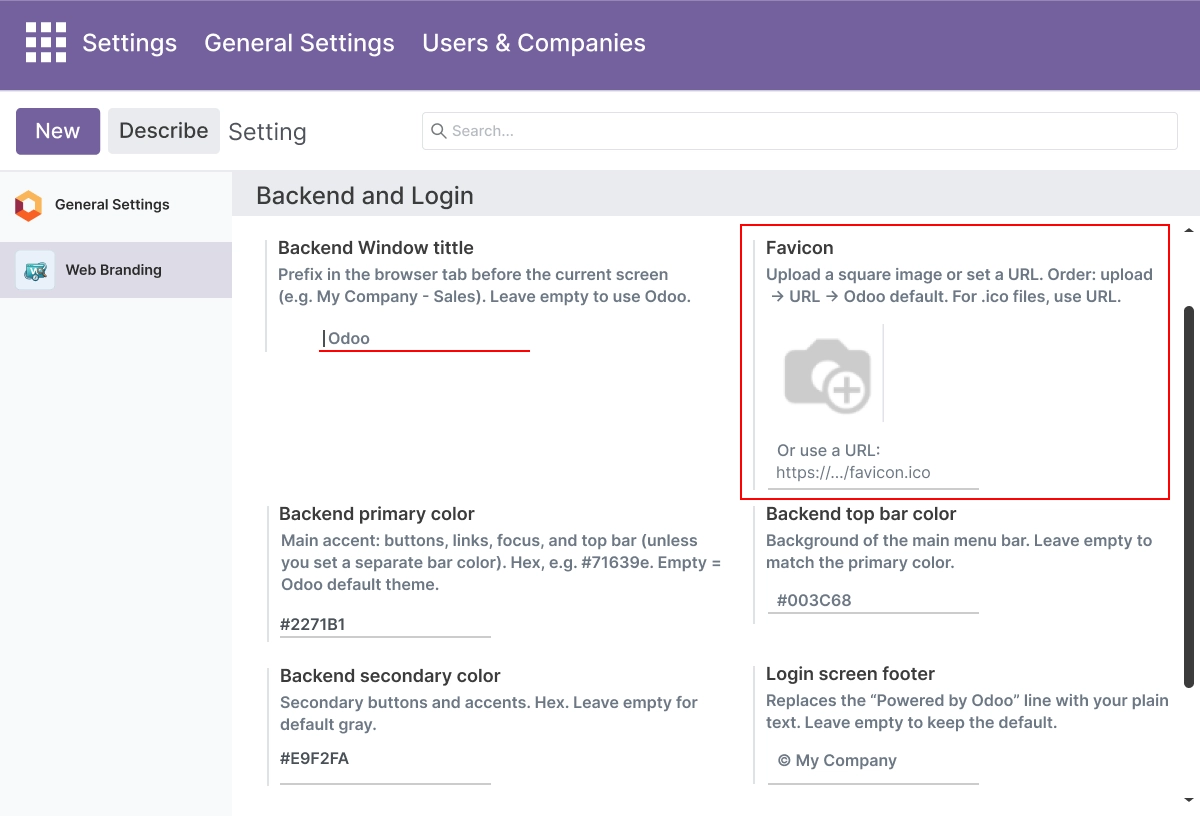
Flexible Favicon - Upload a File or Use a URL
Choose the favicon source that fits your workflow, whether you upload an image or set a remote URL.
- Upload a favicon image directly from Odoo settings
- Set a favicon using a remote hosted URL - no file upload needed
- Favicon applies to both the login page tab and the Odoo backend tab
- Update your favicon at any time with a single save - no developer involvement
- Supports both file-based and URL-based favicon workflows
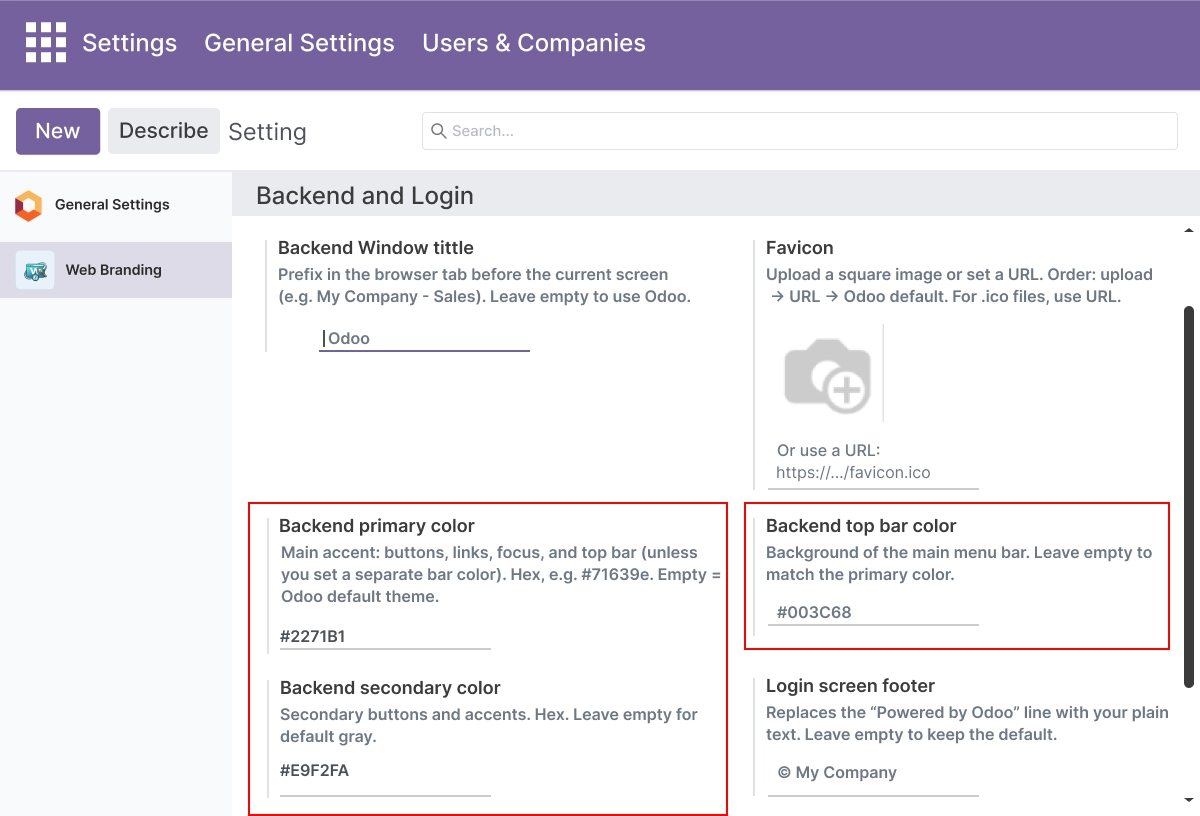
Backend Color Theming - Centralized Color Control
Maintain complete color records with primary, navbar, and secondary color values for better visual control.
- Set the primary color used for buttons and links across the Odoo backend
- Control the top bar and navbar accent color independently
- Configure the secondary color to complete your brand color palette
- Manage all three color values from one settings location
- Color values apply across the backend interface for a more consistent visual identity
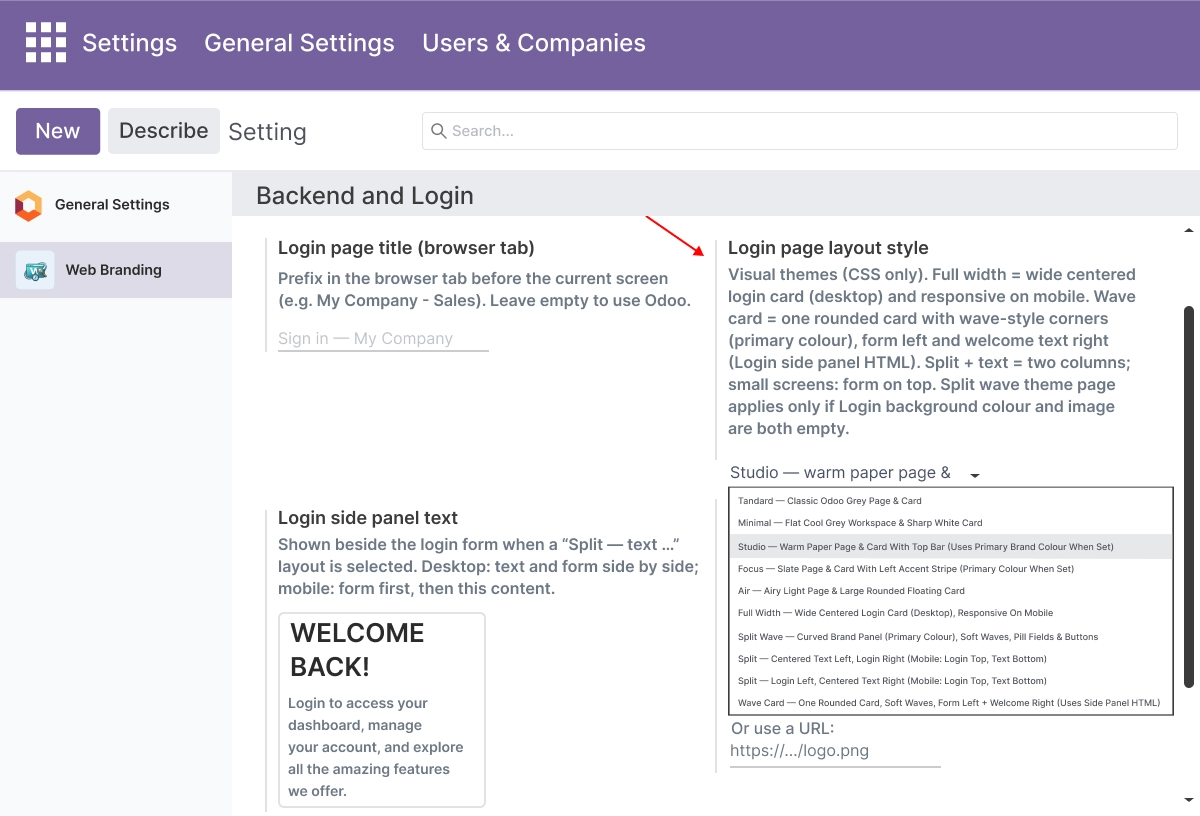
Login Layout - Choose Your Login Screen Style
Switch between modern login layouts to match your brand and use case while keeping a full layout history.
- Choose from five card-style layouts: Standard, Soft, Elevated, Focus, and Air
- Apply full page layouts: Full Width, Split Wave, Split Text, or Wave Card
- Each layout changes how the login form is structured and presented to users
- Switch layouts at any time from settings without editing templates
- Preview the result immediately by refreshing the login page after saving
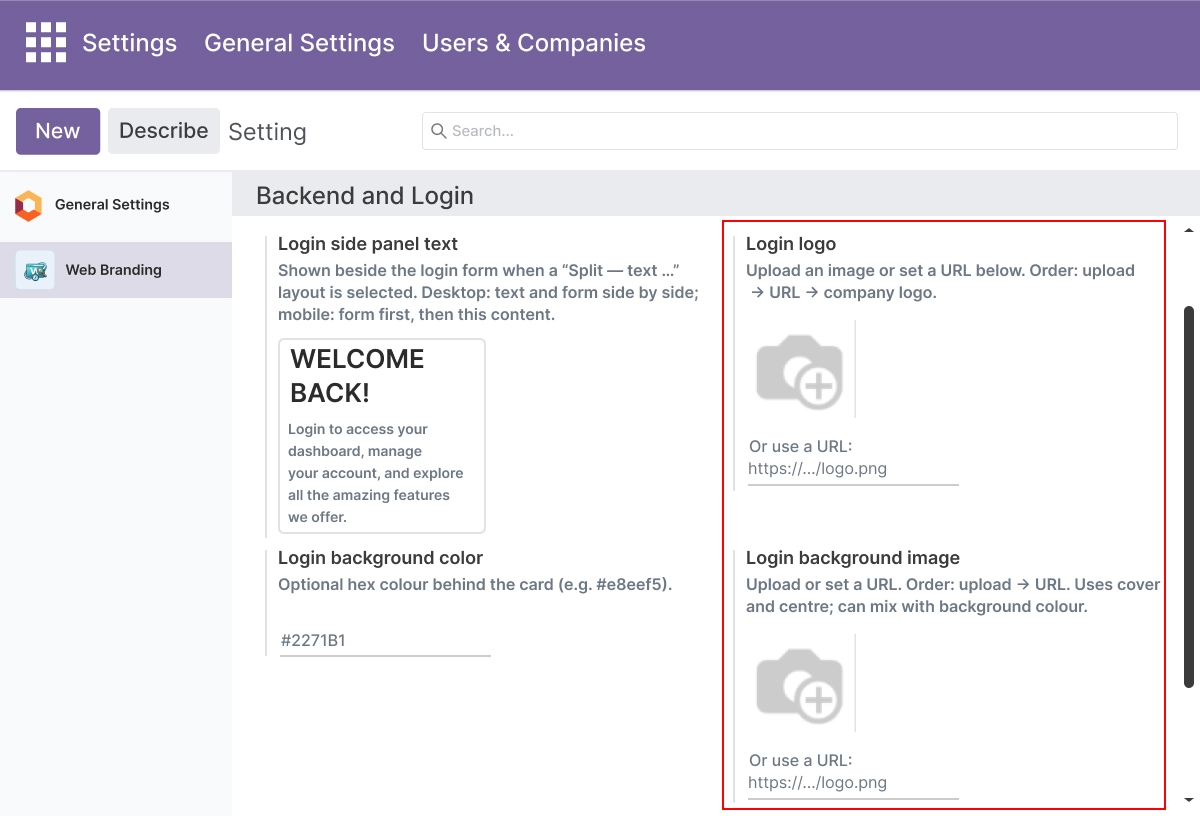
Login Logo & Background - Your Login Visual Identity
Upload login logos, set background images, and manage colors to extend brand identity and reduce setup time.
- Upload a login logo or enter a logo URL to brand the Odoo login screen
- Set a solid background color or upload a custom background image
- Choose between cover and center sizing for background image display
- Replace the default white Odoo login background without any template changes
- All visual settings apply from Odoo configuration - no file editing required
Color Theme - Apply Your Brand Colors to the Login Page
Automatically apply brand colors and keep visual identity aligned with backend updates.
- Apply your primary brand color to login page buttons and interactive elements
- Choose from different color theme styles to match your visual identity
- Color theme settings work alongside backend color theming for full consistency
- Keeps the login page visually aligned with your company branding
- Applied through runtime CSS - no static asset changes required
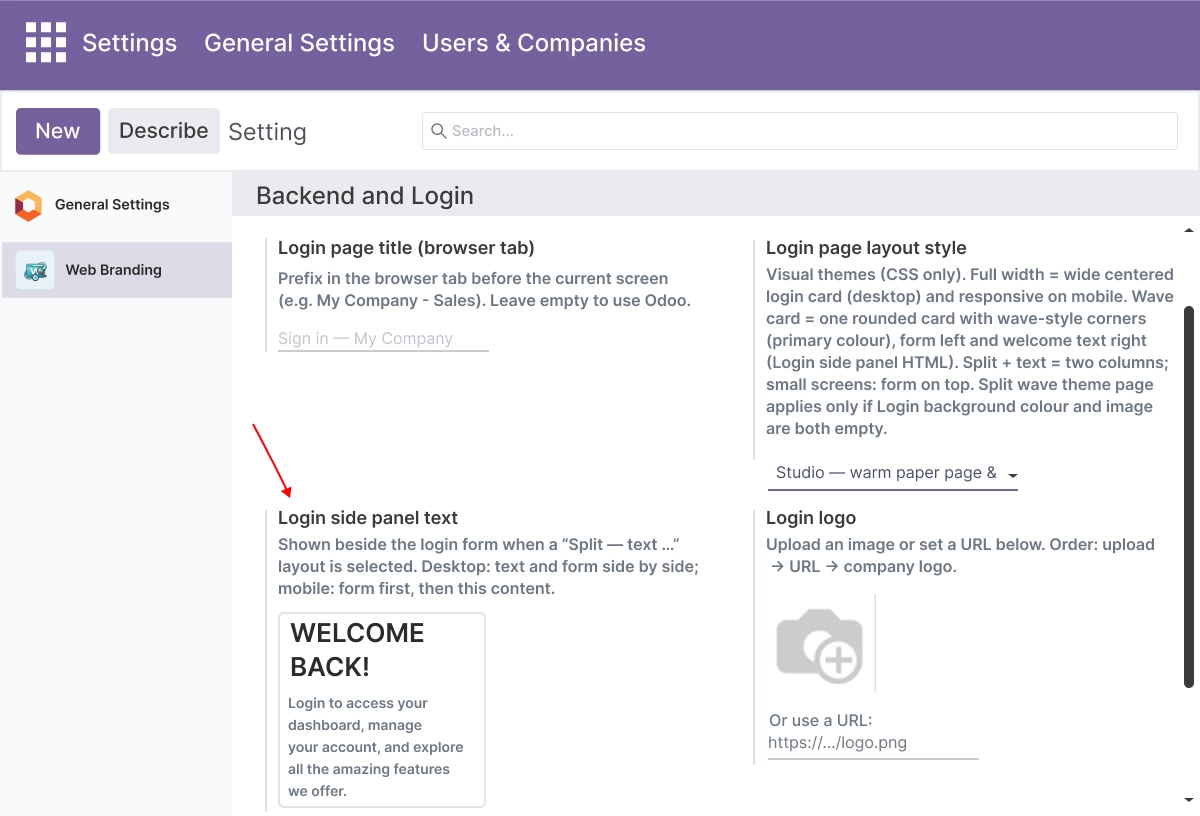
Login Link Management - Control What Appears on Your Login Screen
Store login link visibility, footer text, and privacy/terms link details for better login-related branding.
- Show or hide the Manage Database link for users who do not need it
- Show or hide the Superuser shortcut link independently
- Show or hide OAuth and social login provider buttons when not in use
- Add custom footer text to the login page including your own messaging
- All visibility settings are configurable from Odoo settings with no code changes
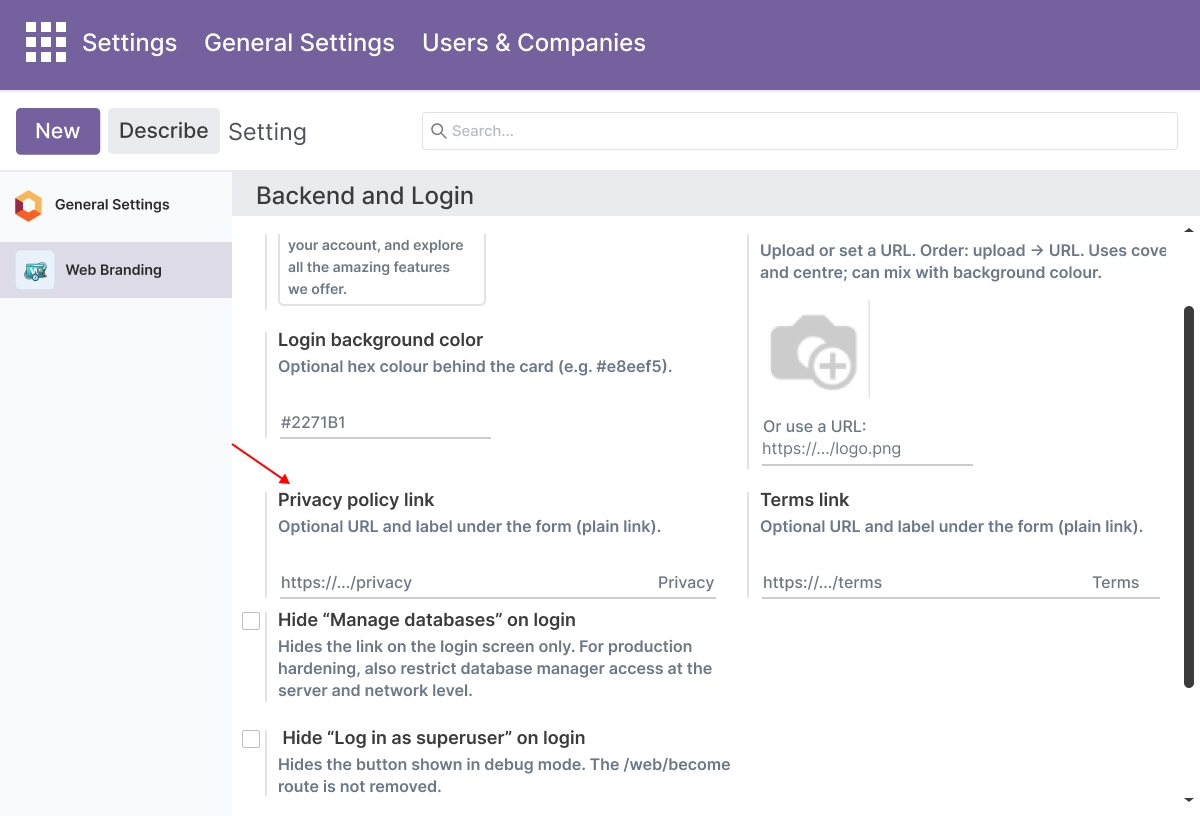
Custom Footer & Privacy Links - Compliance-Ready Login Page
Display custom footer text with privacy and terms links for fast information and compliance needs.
- Replace the default Powered by Odoo footer text with your own message
- Add your Privacy Policy URL with a custom link label
- Add your Terms and Conditions URL with a custom link label
- Choose the position of links on the login page footer
- Meets basic legal and compliance requirements for login pages without template editing
WebClient & PWA Theming - Runtime Branding Across Devices
Generate runtime CSS and PWA theme color settings to apply branding across backend and mobile browsers.
- Generate and apply runtime CSS variables for consistent backend branding
- Set the PWA theme-color meta tag so mobile browser chrome reflects your brand color
- Branding applies through scoped CSS rules - the core Odoo web module is not modified
- Backend appearance stays consistent across desktop and mobile browser sessions
- PWA theme-color improves brand appearance when Odoo is used as a Progressive Web App
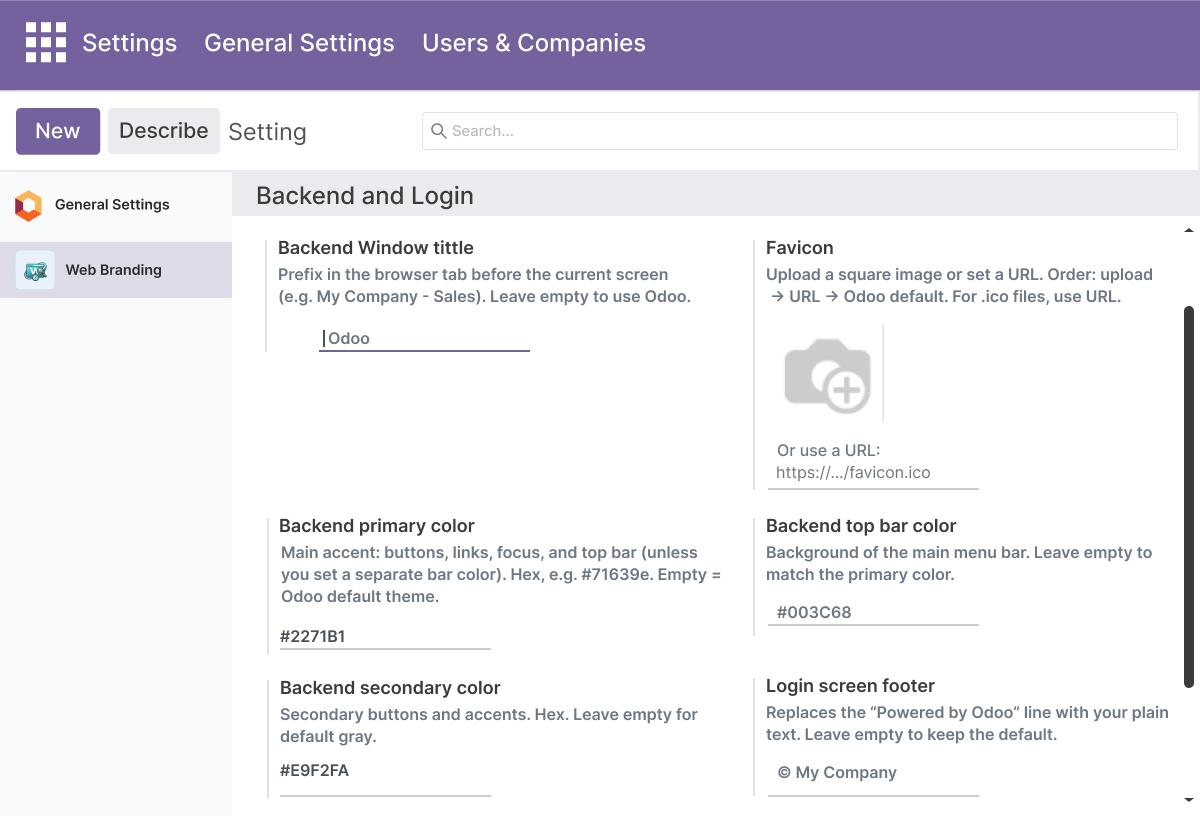
Side Panel Content & Branding Automation
Add rich HTML content to split layouts and streamline branding related processes with automation.
- Configure side panel HTML content using a WYSIWYG editor - no code knowledge needed
- Side panel content supports Split Text and Wave Card login layout styles
- Add branded messages, instructions, support notes, or announcements to the login screen
- WebClient patches and CSS variable updates are applied automatically on save
- Reduces manual branding steps - changes across the login page apply in one action
Security & Access Control
Protect sensitive branding data and control who can manage settings and login configuration.
- Set access rights separately for administrators and branding configurators
- Restrict who can edit branding settings, login configuration, and visual records
- Control which users can modify system parameters and CSS variable rules
- Protect login configuration values from unauthorized changes
- Keep branding management workflows secure and consistent with internal access policies
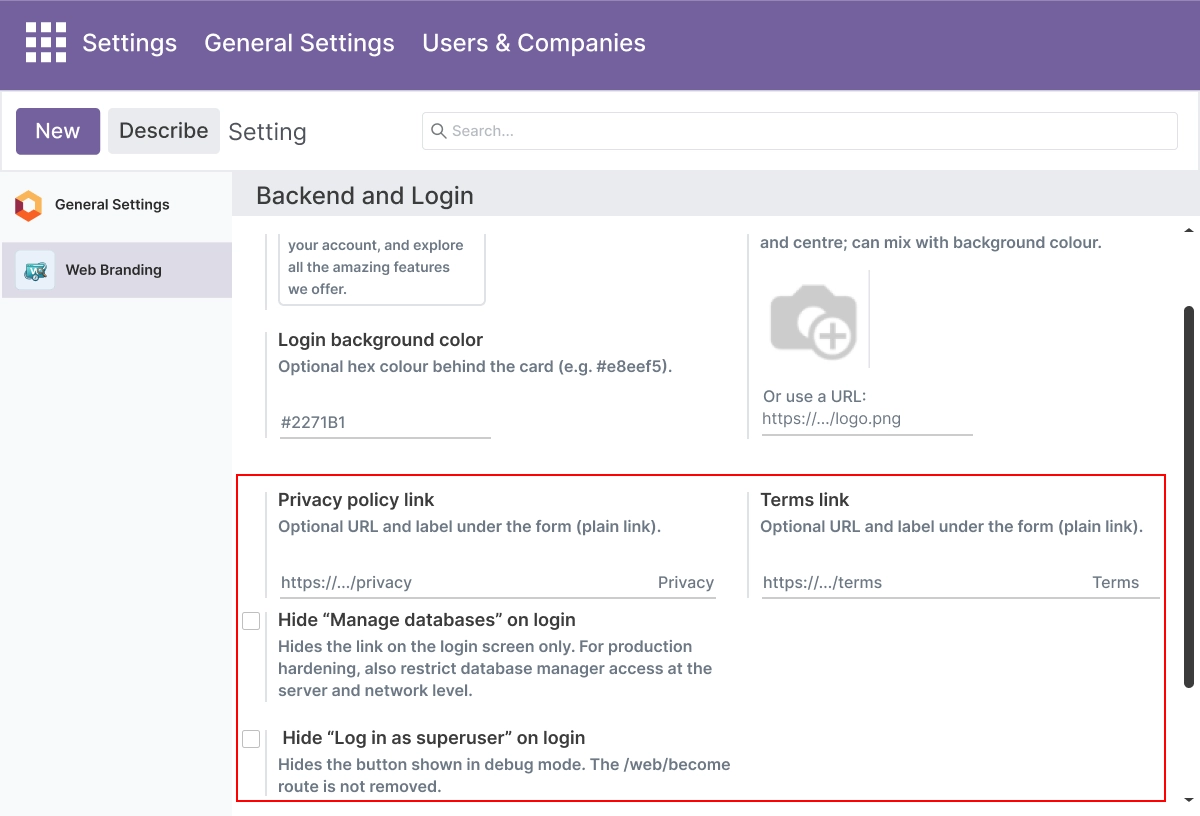
Advanced Settings and Configuration
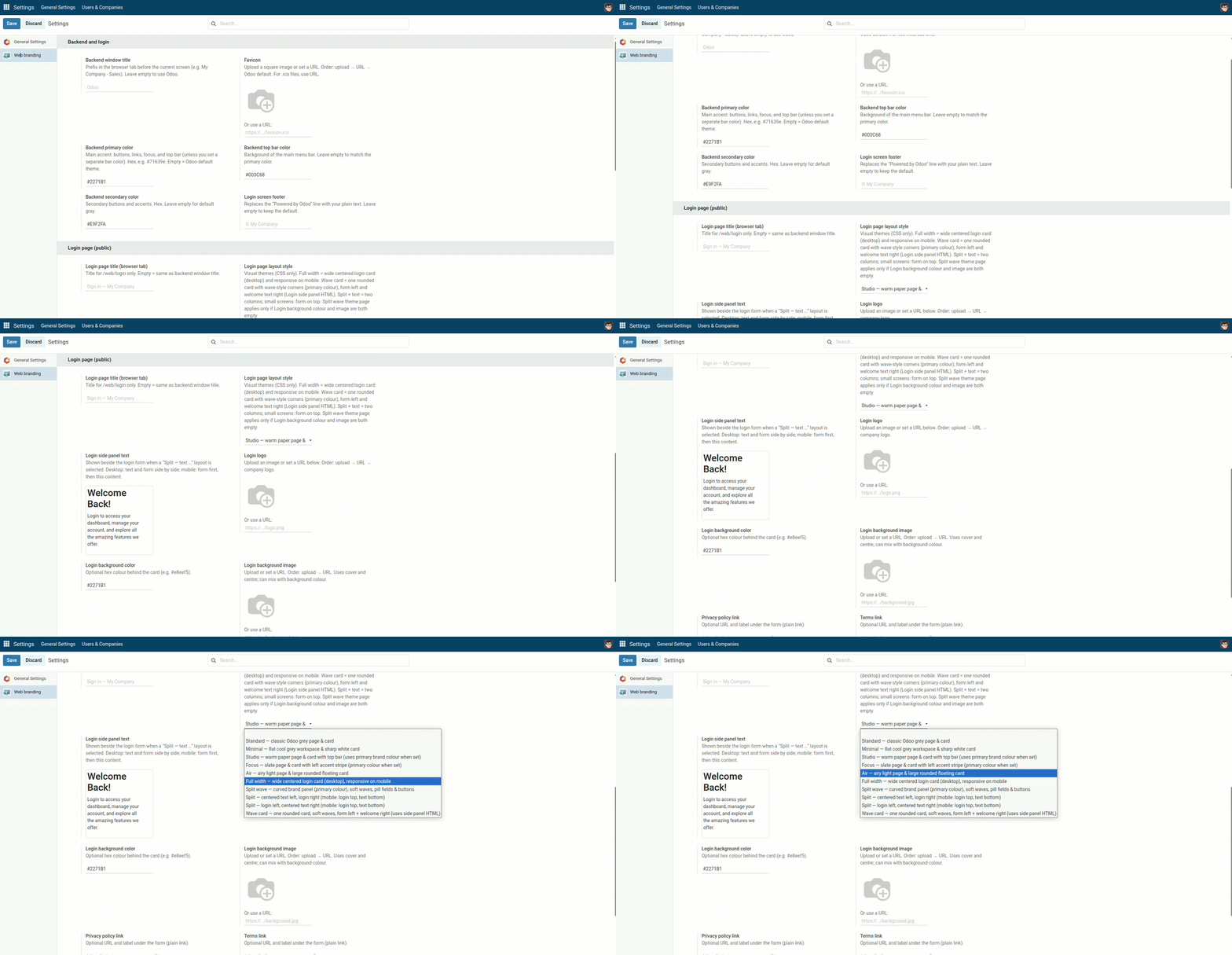
All branding options are managed from a single location. Go to Settings → Web Branding Configuration to access every setting in this app - from backend window title and favicon to login layout, color theme, side panel content, login link visibility, and access control.
Settings are organized into clearly labelled groups so administrators and implementation teams can configure each option without switching between menus. Changes apply immediately after saving - no server restart or cache clearing required.
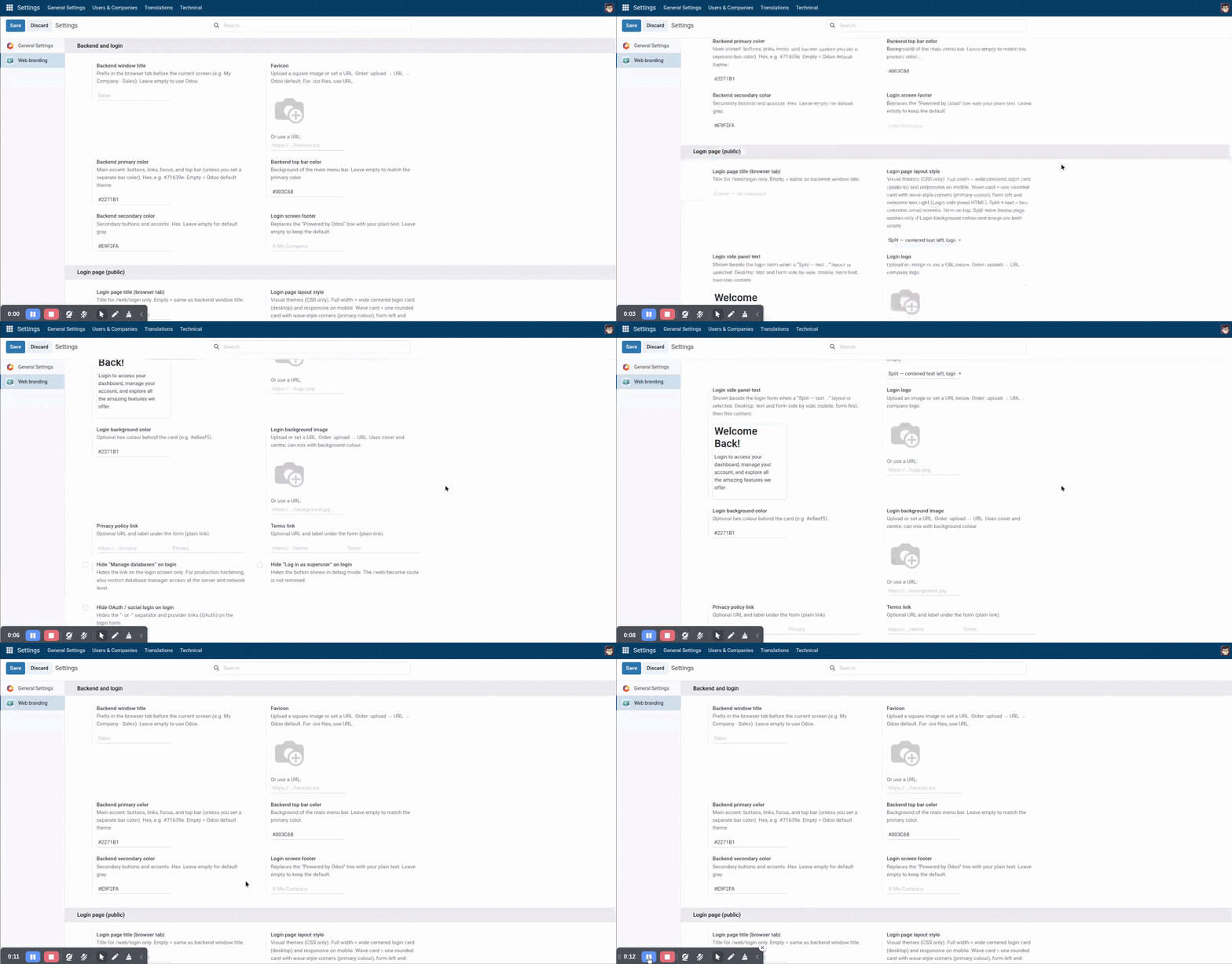
The settings panel covers:
- Backend window title and login page title
- Favicon upload and favicon URL
- Primary color, navbar color, secondary color, and dynamic CSS options
- Login layout - card styles and full page layouts
- Login logo, background color, and background image
- Login link visibility - Manage Database, Superuser, and OAuth buttons
- Footer text, Privacy Policy link, and Terms and Conditions link
- Side panel HTML content
- PWA theme-color meta tag
- Access rights for administrators and configurators
How to Set Up Odoo Branding & Login Page Theme
01
Install the App
Install the app in your supported Odoo environment.
Result: Web branding configuration options appear in Odoo Settings.
Result: Web branding configuration options appear in Odoo Settings.
02
Open Branding Settings
Go to Settings → Web Branding Configuration.
Result: All login page and backend branding controls are accessible from one place.
Result: All login page and backend branding controls are accessible from one place.
03
Configure Your Branding
Upload your login logo and favicon, set colors, login background, titles, layout, side panel content, and footer text.
Result: Your custom Odoo login page reflects your company identity.
Result: Your custom Odoo login page reflects your company identity.
04
Set Login Visibility Options
Choose whether to hide the Manage Database link, Superuser login link, and OAuth buttons.
Result: Users see a cleaner Odoo login screen with only the options they need.
Result: Users see a cleaner Odoo login screen with only the options they need.
05
Save and Review
Save your settings and open the Odoo login page.
Result: Your branded Odoo login page is live.
Result: Your branded Odoo login page is live.
Who Is This App For?
This app is suitable for:
- Odoo administrators managing login page design and system branding
- ERP managers and business owners who want a professional Odoo login screen
- Odoo implementation partners delivering branded Odoo setups for clients
- Developers and agencies customizing Odoo for business clients
- SaaS companies running white label Odoo environments
- Businesses using Odoo 14.0 to 19.0 on any deployment type
This app is not suitable for businesses that need a full custom Odoo backend redesign, custom workflows, or large UI changes beyond the built-in branding settings.
Changelog
v19.0.0 — Initial Release
- – Added PWA theme-color meta support
- – Added OAuth button visibility controls
- – Added login side panel HTML content
- – Added backend window title customization
What does this app customize on the Odoo login page?
It customizes the login logo, favicon, login background color or image, primary and secondary colors, login and backend window titles, login layout, side panel HTML content, footer text, Privacy Policy and Terms links, and the visibility of the Manage Database link, Superuser login link, and OAuth buttons.
Can I create a custom Odoo login page without coding?
Yes. All customization is done through Odoo settings - no coding or core file changes required. The app does not modify, replace, or fork the core Odoo web module.
Which Odoo versions does this app support?
The app supports Odoo 14.0, 15.0, 16.0, 17.0, 18.0, and 19.0.
Does it work on Odoo Online, Odoo.sh, and On Premise?
Yes. The app is available for all three Odoo deployment types.
Can I add a custom login background image to the Odoo login screen?
Yes. You can set a solid background color or upload a custom background image
from Odoo settings. Choose between cover and center image sizing. Both options replace the
default white login background without any template changes.
What login page layouts are available?
The app includes five card-style layouts - Standard, Soft, Elevated, Focus, and Air - and four full page layouts - Full Width, Split Wave, Split Text, and Wave Card. All layouts are selectable from settings.
Can I hide the Manage Database and Superuser login links?
Yes. Both can be hidden from settings. You can also hide OAuth and social login buttons independently.
Can I replace the Powered by Odoo footer text?
Yes. You can replace the default Powered by Odoo footer text with your own message and add Privacy Policy and Terms and Conditions links with custom labels directly from settings.
Will this app still work after I upgrade Odoo?
The runtime CSS approach means login branding changes do not rely on forked static assets, which makes the app easier to maintain when upgrading Odoo versions.
Is this suitable for Odoo implementation partners and agencies?
Yes. Partners and agencies can use this app to deliver a custom Odoo login page for client projects across all supported Odoo versions, including white label Odoo setups.