Built by WebbyCrown Solutions — Need setup, customization, or integration help? Talk to our team.



RapNet WooCommerce Plugin
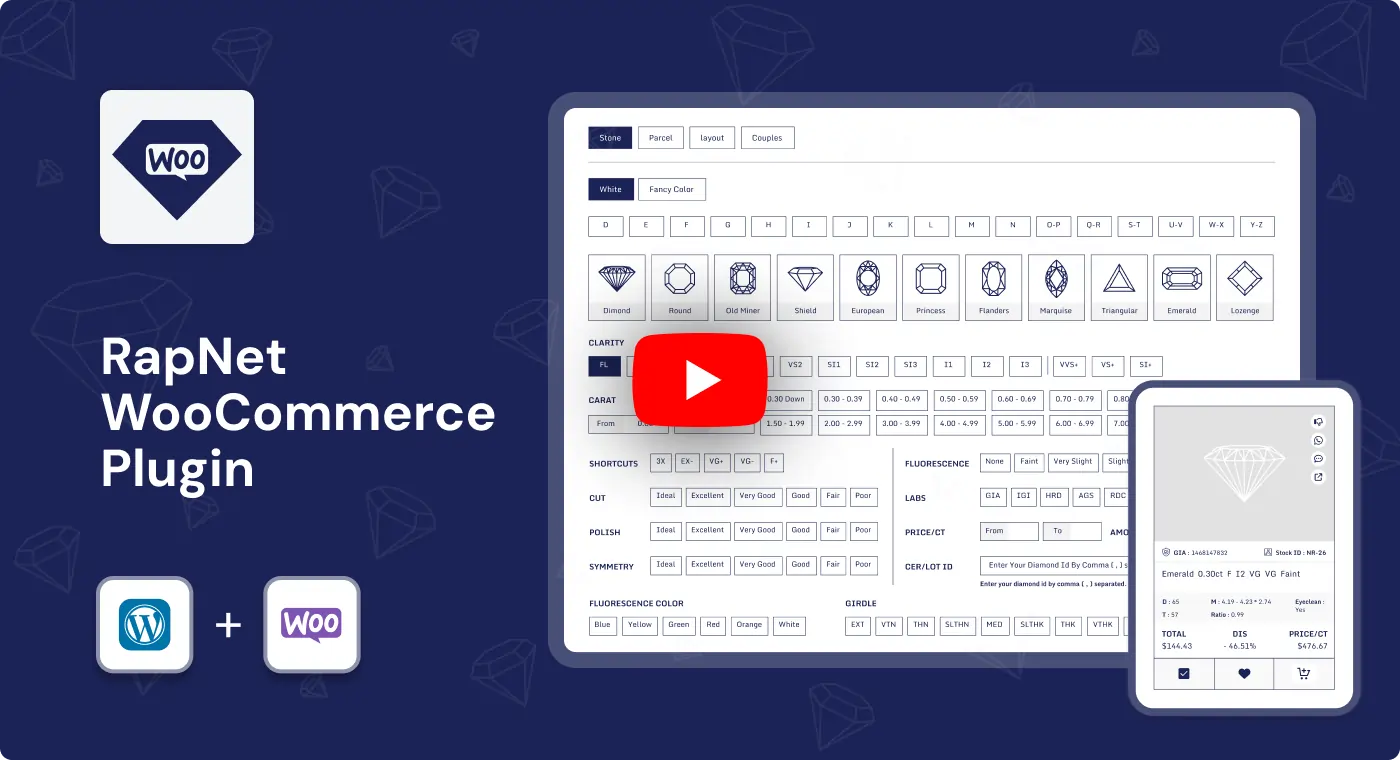
RapNet WooCommerce Plugin helps jewelry businesses import RapNet diamond inventory into WooCommerce and create an advanced diamond-shopping experience. Customers can search, filter, compare, save, and purchase natural or lab-grown diamonds while store owners manage imported inventory, pricing markups, displayed diamond fields, certificates, videos, and WooCommerce shopping settings from one dashboard.


What Is RapNet WooCommerce Plugin?
Managing diamond inventory manually in WooCommerce can be difficult for jewelry businesses with large natural or lab-grown diamond catalogs. Creating individual product listings, adding technical specifications, maintaining pricing, preparing certificates, linking videos, and building a useful customer search experience can require substantial time.
RapNet WooCommerce Plugin helps jewelry retailers import RapNet diamond inventory into WooCommerce and present it through a structured diamond-search experience. Customers can browse diamonds, apply professional filters, open diamond details, compare options, save favorites, review certificates and videos, and add selected diamonds to the WooCommerce cart.
The plugin is designed for diamond retailers, jewelry manufacturers, engagement-ring stores, and online jewelry businesses that need RapNet inventory import, advanced filtering, WooCommerce integration, and a more professional diamond-shopping workflow.
Key Benefits

Advanced Diamond Search
Help customers find suitable diamonds using filters for diamond shape, carat, price, color, clarity, cut, polish, symmetry, fluorescence, certification, and more.

RapNet Inventory Import
Import RapNet diamond records into WooCommerce without manually creating a large number of individual diamond listings.

Natural & Lab-Grown Diamond Support
Display natural diamonds, lab-grown diamonds, and configured fancy-color diamond options in a structured storefront experience.

Better Diamond Discovery
Give customers search, sorting, filters, comparison tools, wishlist functionality, certificate details, and video links before purchase.

Configurable Pricing Markup
Apply percentage-based or fixed-amount markup rules to imported diamond inventory.

WooCommerce Cart & Checkout
Allow customers to add selected diamonds to the WooCommerce cart and continue through the store’s standard checkout workflow.

Inventory Administration
Manage imported diamonds, visible information, pricing behavior, API settings, and bulk inventory actions from the WordPress dashboard.

Professional Jewelry Storefront
Create a more detailed diamond-shopping workflow with product templates, technical specifications, certificates, videos, and comparison options.
Modules & Features
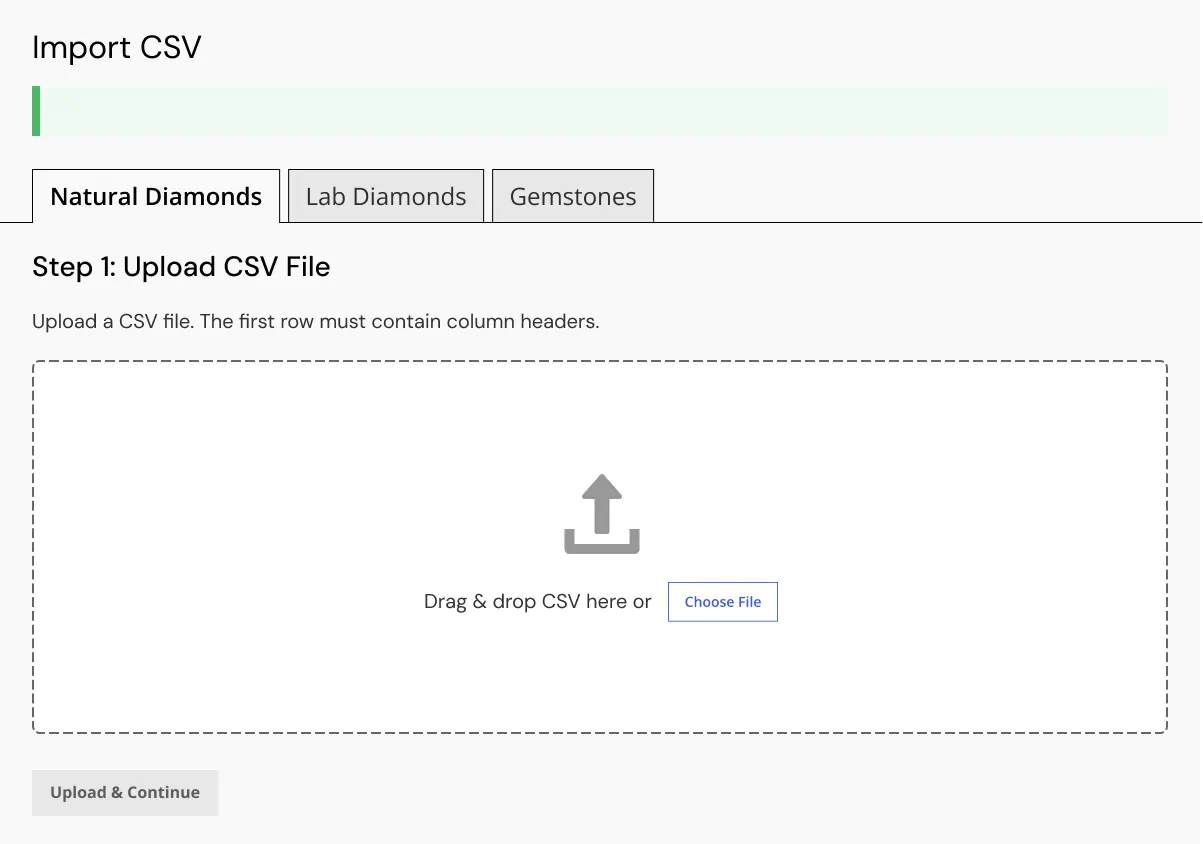
RapNet Feed Import
Import and manage RapNet diamond inventory directly inside WooCommerce.
- Import RapNet diamonds
- Import natural diamonds
- Import lab-grown diamonds
- Display diamond images
- Display certificate information
- Display diamond videos
- Manage imported inventory
- Bulk delete imported diamonds
- Prepare diamond records for WooCommerce storefront display
Diamond Search & Filters
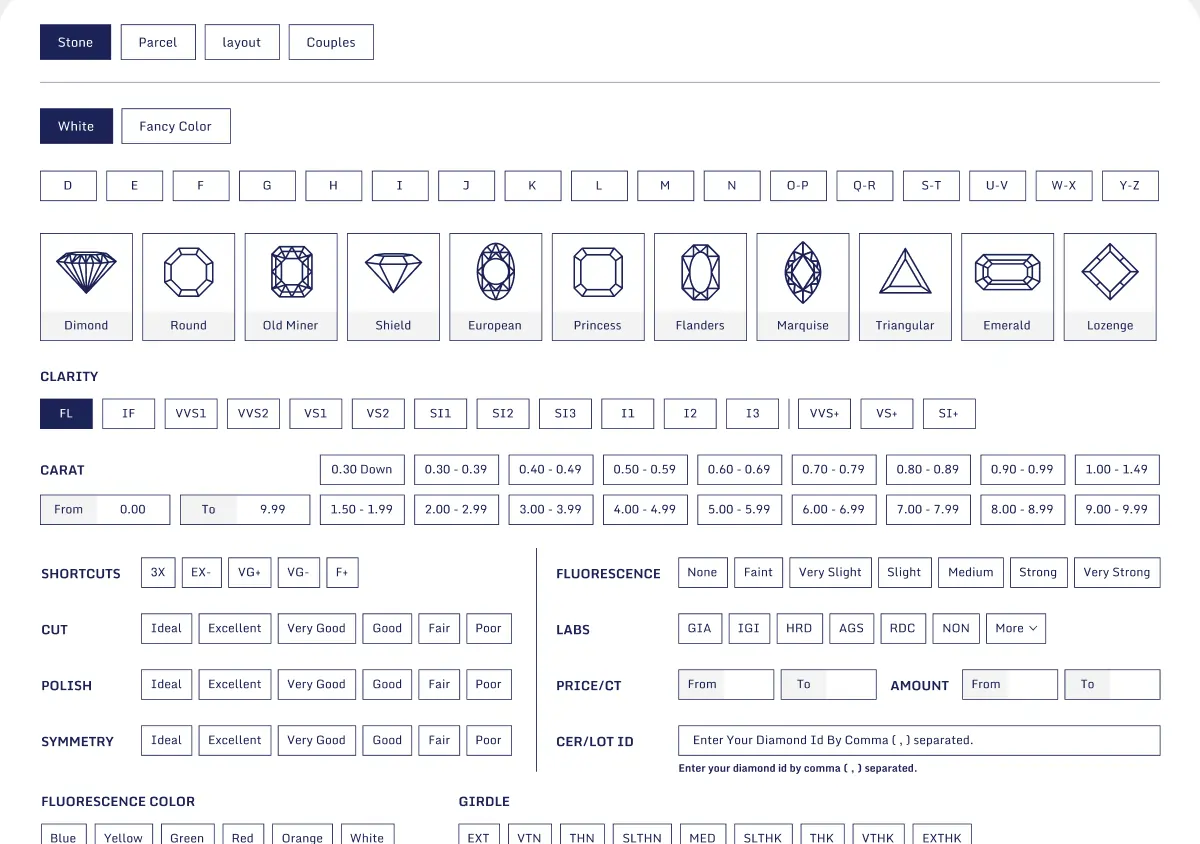
Provide professional diamond-search tools for customers looking for suitable stones.
- Search diamonds
- Filter by shape
- Filter by carat
- Filter by price
- Filter by color
- Filter by clarity
- Filter by cut
- Filter by polish
- Filter by symmetry
- Filter by fluorescence
- Filter by certification
- Filter by laboratory
- Filter by measurements
- Filter by table percentage
- Filter by depth percentage
- Filter by culet
- Filter by girdle
- Filter natural and lab-grown diamonds
- Filter configured fancy-color diamonds
Diamond Listing & Product View
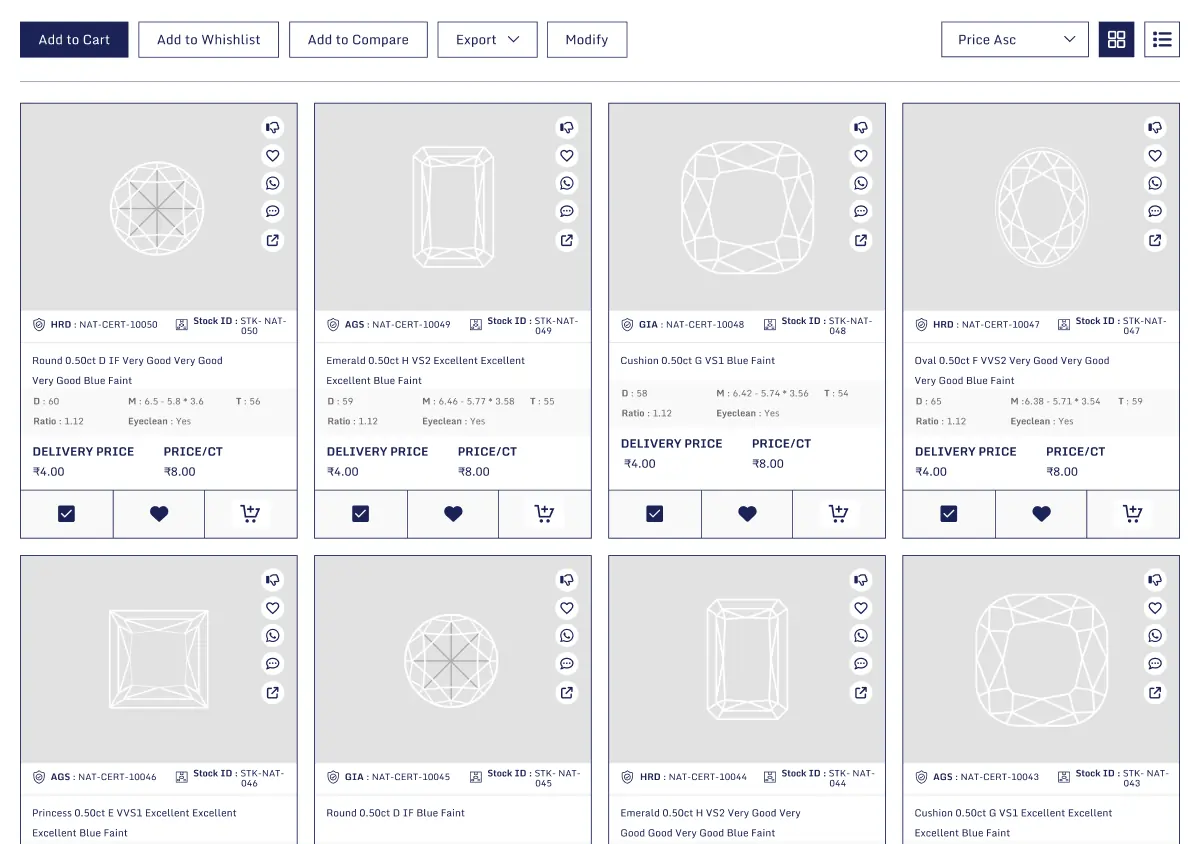
Display imported diamonds in a detailed and easy-to-browse WooCommerce shopping experience.
- Diamond search results
- AJAX diamond-detail view
- Diamond inventory listing
- Product sorting
- Pagination
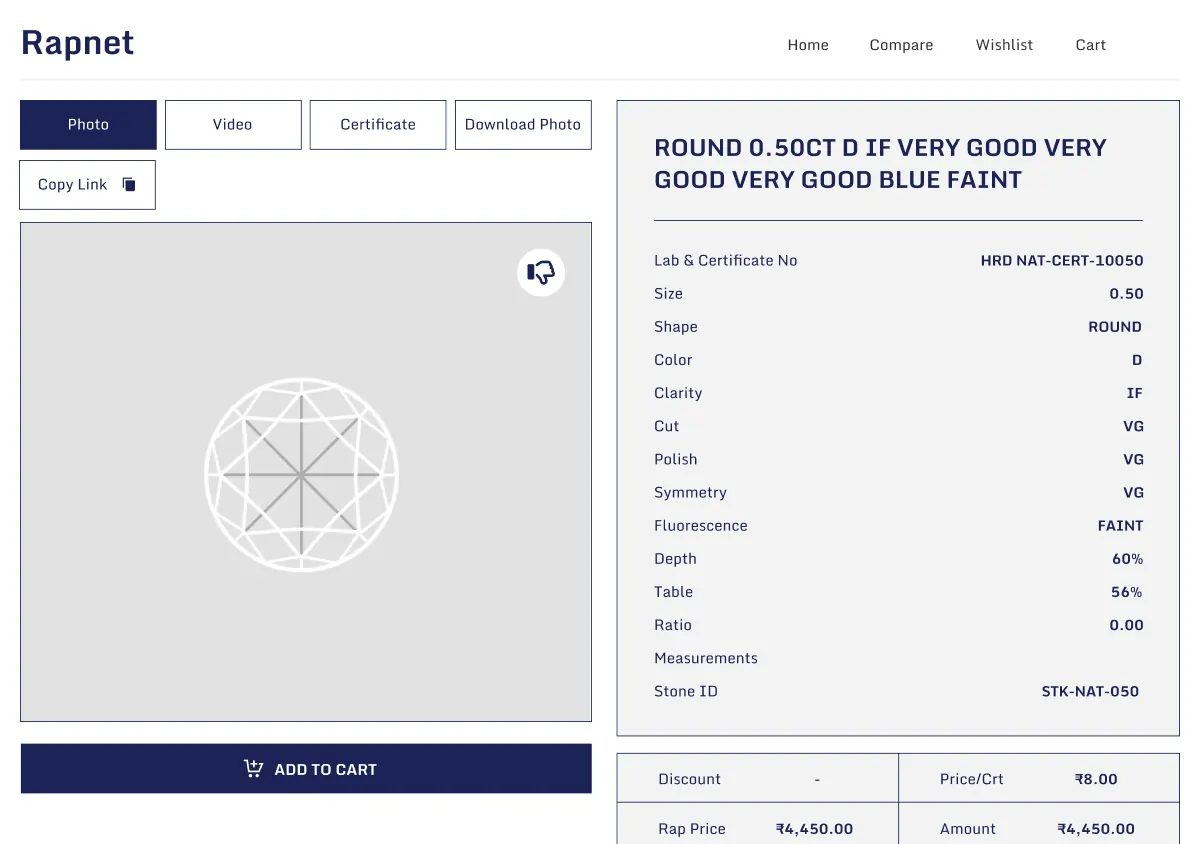
- Detailed diamond specifications
- Certificate links
- Video links
- Structured diamond product presentation
WooCommerce Shopping
Allow customers to purchase selected diamonds through WooCommerce.
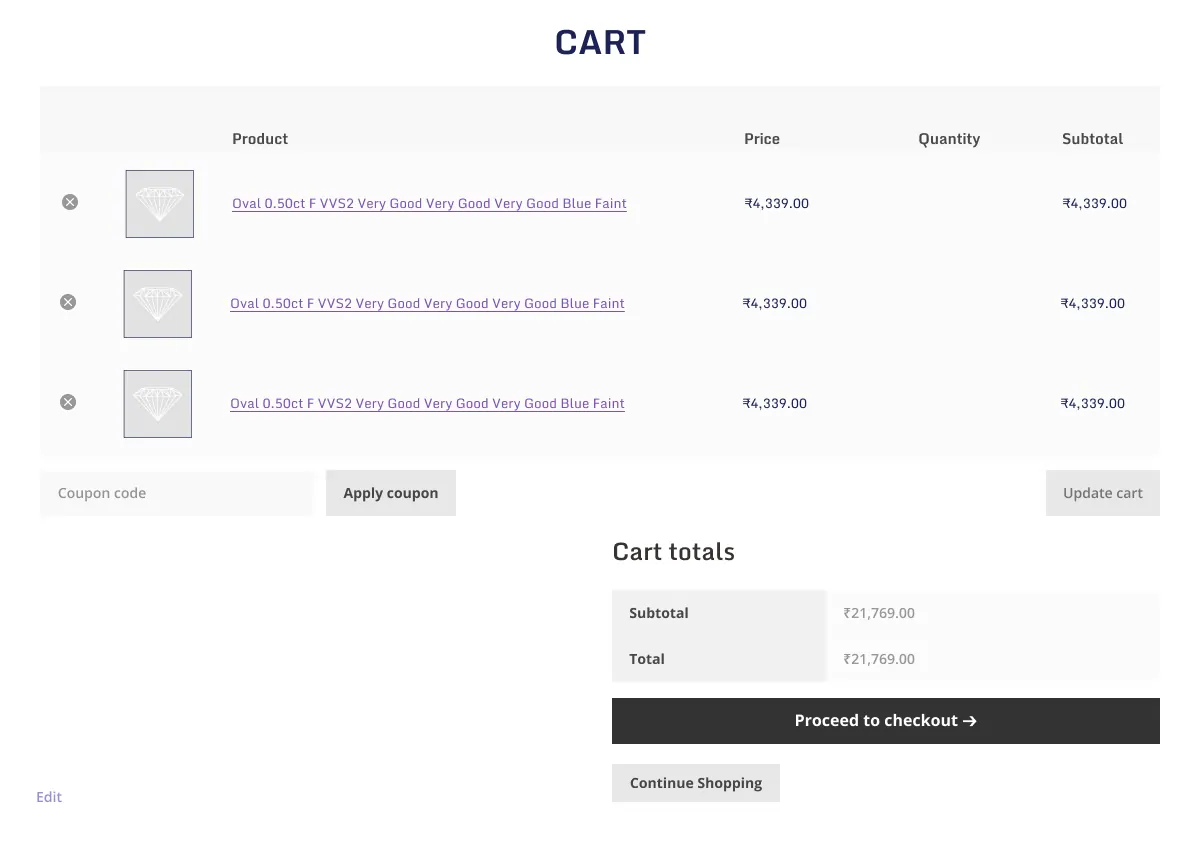
- WooCommerce cart
- WooCommerce checkout
- Wishlist support
- Diamond comparison
- Add diamonds to cart
- Custom product templates
- Diamond-focused shopping workflow
- Standard WooCommerce order flow
Pricing & Inventory Management
Control imported diamond pricing and inventory settings from the WordPress dashboard.
- Percentage-based markup
- Fixed-amount markup
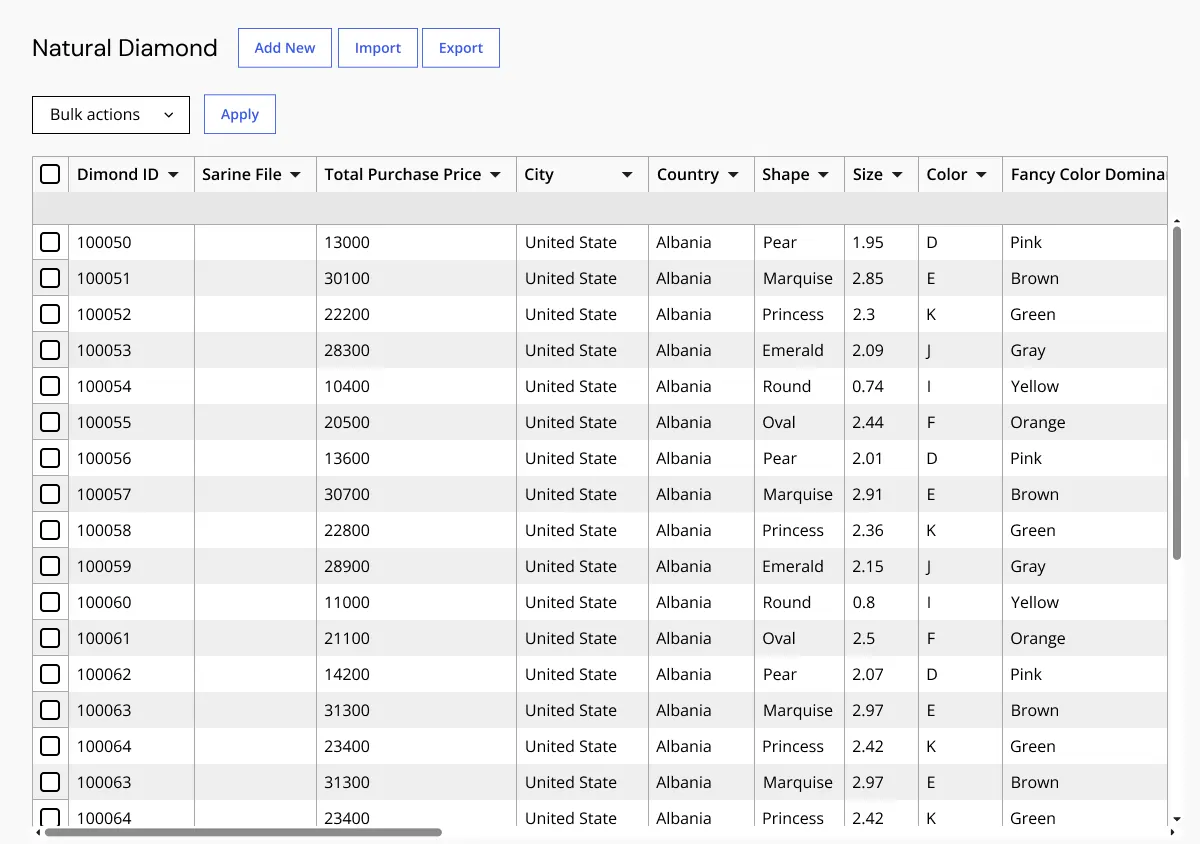
- Manage imported inventory
- Configure RapNet API
- Enable or disable displayed fields
- Bulk inventory management
- Control storefront diamond information
- Manage pricing rules for imported diamonds
Customer Diamond Experience
Help customers evaluate diamonds before making a purchase decision.
- Save favorite diamonds
- Compare diamonds
- View certificates
- Watch videos
- View available 360-degree media
- Review detailed specifications
- Add selected diamonds to cart
- Continue through WooCommerce checkout
Admin & Advanced Settings
RapNet WooCommerce Plugin provides centralized WordPress administration for managing RapNet diamond import, pricing markups, imported inventory, storefront fields, filters, customer shopping tools, and WooCommerce integration.
Store owners can configure RapNet API settings, manage diamond data, control visible fields, apply markups, import inventory, remove imported records in bulk, and define how customers browse, compare, save, and purchase diamonds from the WooCommerce storefront.
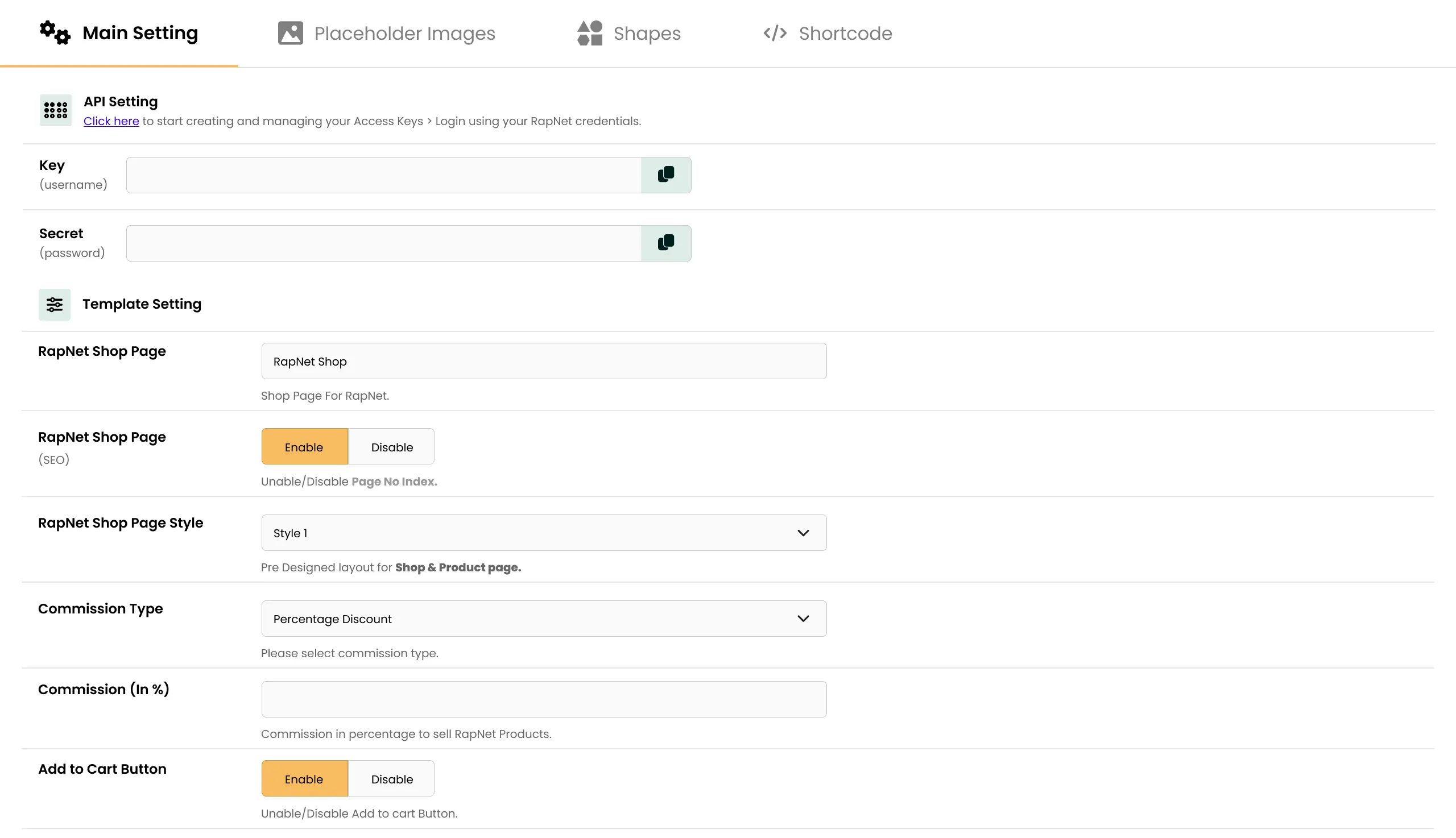
The configuration covers:
- RapNet API credentials
- RapNet connection settings
- Diamond feed import settings
- Natural diamond management
- Lab-grown diamond management
- Imported diamond inventory controls
- Bulk deletion of imported diamonds
- Diamond image display
- Certificate link display
- Diamond video display
- Available 360-degree media display
- Diamond search configuration
- Shape filter
- Carat filter
- Price filter
- Color filter
- Clarity filter
- Cut filter
- Polish filter
- Symmetry filter
- Fluorescence filter
- Certification filter
- Laboratory filter
- Measurement filter
- Table percentage filter
- Depth percentage filter
- Culet filter
- Girdle filter
- Natural and lab-grown filtering
- Fancy-color diamond filtering
- Percentage-based pricing markup
- Fixed-amount pricing markup
- Product-template configuration
- Wishlist settings
- Diamond comparison settings
- WooCommerce cart integration
- WooCommerce checkout integration
- Visible diamond field controls
How to Set Up RapNet WooCommerce Plugin
01
Install and Activate the Plugin
Install RapNet WooCommerce Plugin in a compatible WordPress and WooCommerce environment.
Result: RapNet connection, diamond import, pricing, search, and customer-experience settings become available.
Result: RapNet connection, diamond import, pricing, search, and customer-experience settings become available.
02
Configure RapNet API Details
Add the RapNet API credentials and connection settings required for your account.
Result: The plugin can connect to the configured RapNet inventory source.
Result: The plugin can connect to the configured RapNet inventory source.
03
Import Diamond Inventory
Import natural diamonds, lab-grown diamonds, and other configured RapNet diamond records into the WooCommerce store.
Result: Imported diamonds become available for storefront display and management.
Result: Imported diamonds become available for storefront display and management.
04
Configure Diamond Filters and Visible Fields
Choose which diamond specifications, search filters, certificates, videos, and storefront fields should be visible to customers.
Result: Customers see a diamond-search experience aligned with your product range and selling process.
Result: Customers see a diamond-search experience aligned with your product range and selling process.
05
Configure Pricing Markups
Set percentage-based or fixed-amount pricing markup rules for imported inventory.
Result: Diamond pricing follows your configured store pricing approach.
Result: Diamond pricing follows your configured store pricing approach.
06
Configure Product Templates and Shopping Features
Configure diamond listing templates, product details, wishlist, comparison, cart behavior, and WooCommerce checkout workflow.
Result: Customers can discover, compare, save, and purchase diamonds through the store.
Result: Customers can discover, compare, save, and purchase diamonds through the store.
07
Test Storefront and Checkout Flow
Test diamond import, filters, sorting, certificate links, video links, 360-degree media, pricing, wishlist, comparison, cart, and checkout before going live.
Result: Your WooCommerce diamond storefront is ready for customer use.
Result: Your WooCommerce diamond storefront is ready for customer use.
Who Is This Plugin For?
This plugin is suitable for:
- Online diamond retailers using WooCommerce
- Jewelry stores selling natural diamonds
- Stores selling lab-grown diamonds
- Engagement-ring businesses needing diamond search
- Jewelry manufacturers managing diamond inventory
- Diamond businesses using RapNet data feeds
- WooCommerce stores that need pricing markups
- Retailers that want certificate and video details on diamond pages
- Stores offering wishlist and diamond comparison tools
- Agencies building WooCommerce jewelry stores for clients
This plugin is not suitable for stores that only sell fixed jewelry products and do not need diamond feed import, advanced stone filtering, pricing markup, or RapNet inventory workflows.
Changelog
v1.0.0 — Initial Release
- - Initial release with RapNet diamond import
- - Natural and lab-grown diamond support
- - Advanced diamond search
- - Professional filtering
- - Wishlist
- - Comparison tools
- - Pricing markups
- - WooCommerce cart integration
- - Certificate links and video support
- - Available 360-degree media
- - Imported inventory management
Customers Reviews
See what store owners are saying about performance and results.
What is RapNet WooCommerce Plugin?
RapNet WooCommerce Plugin is a WooCommerce jewelry plugin that helps businesses import RapNet diamond inventory and provide customers with diamond search, filters, comparison, wishlist, pricing, certificates, videos, and WooCommerce checkout.
Can I import RapNet diamonds into WooCommerce?
Yes. The plugin supports importing RapNet diamond inventory into WooCommerce, including natural diamonds and lab-grown diamonds.
Does the plugin support advanced diamond search?
Yes. Customers can search and filter diamonds by shape, carat, price, color, clarity, cut, polish, symmetry, fluorescence, certification, laboratory, measurements, table percentage, depth percentage, culet, girdle, and more.
Can customers compare diamonds?
Yes. The plugin includes diamond-comparison functionality so customers can review selected diamonds side by side before making a purchase decision.
Does it include a diamond wishlist?
Yes. Customers can save favorite diamonds through the wishlist feature and revisit their selected stones later.
Can customers view diamond certificates and videos?
Yes. The plugin supports diamond certificate links, video links, and available 360-degree media within the diamond-shopping experience.
Can I apply pricing markups to imported diamonds?
Yes. Store owners can apply percentage-based or fixed-amount pricing markups to imported diamond inventory.
Does the plugin support natural and lab-grown diamonds?
Yes. It supports natural diamonds and lab-grown diamonds, along with configured fancy-color diamond filtering.
Does it support WooCommerce cart and checkout?
Yes. Customers can add selected diamonds to the WooCommerce cart and complete the purchase through the store’s normal WooCommerce checkout workflow.
Does the plugin provide real-time RapNet stock sync?
Confirm the available sync schedule, update timing, availability refresh behavior, and API limits for your installed release before presenting real-time inventory synchronization as an included capability.
Does this plugin create an individual WooCommerce product for every diamond?
No. The plugin does not create a separate WooCommerce product for each diamond. Instead, it uses a single WooCommerce placeholder product that is shared across all diamonds. When a customer adds a diamond to the cart, the specific diamond's details (ID, specifications, price) are attached to that cart item as order/session metadata rather than generating a new product entry. This keeps the product catalog lightweight even when browsing large RapNet inventories, since diamonds are displayed and searched live rather than stored as individual WooCommerce products.


Be the first to review “RapNet WooCommerce Plugin”