Built by WebbyCrown Solutions — Need setup, customization, or integration help? Talk to our team.


Yoga Website UI Kit vs HTML vs Next.js Template: Which Should You Choose?

Summarize This Article With AI
Building a yoga studio website starts with choosing the right foundation. A Figma UI kit, an HTML website template, and a Next.js template may look similar in a preview, but they serve different purposes.
Choose a Figma UI kit if you want to design or prototype your yoga website before development. Choose HTML if you need a coded website with straightforward content and limited dynamic requirements. Choose Next.js if you have React development experience and want a framework-based foundation for a more customized website.
The important distinction is that none of these formats automatically provides a complete booking, membership, payment, or studio-management system.
This guide compares the three options using practical yoga studio requirements, including class schedules, instructor profiles, memberships, retreats, booking flows, maintenance, and future integrations.
What Is the Difference Between a UI Kit and a Website Template?
A UI kit is primarily a design resource. A coded template provides an implementation starting point.
Figma UI Kit
A Figma UI kit contains editable interface designs. Depending on the kit, it may include mobile and desktop layouts, reusable components, typography styles, color systems, and prototype-ready screens. Designers use these resources to customize visual experiences and communicate implementation requirements to developers. However, a Figma screen that displays a “Book Class” button does not automatically create a functional booking system.
HTML Website Template
An HTML template provides coded pages that can be customized and deployed to a compatible web host. It is often suitable for a yoga studio that primarily needs information pages, class descriptions, teacher profiles, contact information, and promotional landing pages. Advanced functionality such as live class availability, customer accounts, recurring payments, or automated reminders requires additional systems.
Next.js Website Template
Next.js is a React framework for building web applications and websites. A Next.js template provides a starting structure that developers can extend with backend services, APIs, authentication, content management, and other functionality. It can be useful for more customized experiences, but selecting Next.js does not automatically provide those integrations.
Figma vs HTML vs Next.js: Quick Comparison
| Requirement | Figma UI kit | HTML template | Next.js template |
|---|---|---|---|
| Editable visual designs | Primary purpose | Through code | Through code |
| Coded website pages | No | Yes | Yes |
| Development to launch | Required | Customization/deployment | Setup/customization |
| React knowledge | Not for design | No | Usually yes |
| Simple marketing website | Design phase | Strong fit | Suitable; may be more complex |
| Custom booking integration | Separate build | Separate build | Separate build |
| CMS automatically included | No | No | No |
| Hosting required for live site | Yes | Yes | Yes |
A Next.js template is not inherently better than HTML for every yoga business. The right choice depends on who will maintain the website and what functionality the business actually needs.
How to Choose Based on Your Yoga Studio’s Requirements
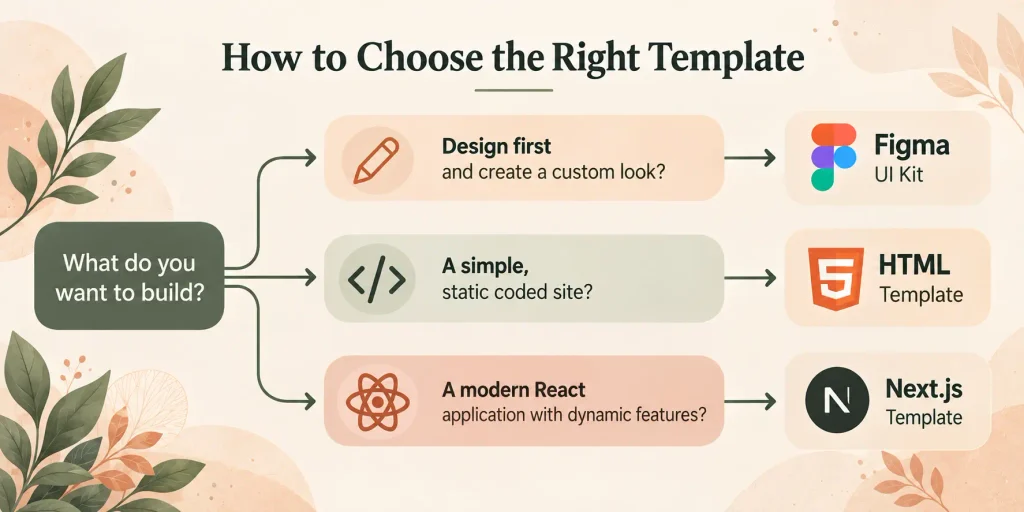
1. You Need to Design the Website Before Development
Choose a Figma UI kit when visual customization and stakeholder approval are immediate priorities. A wellness startup may need to define its website structure, membership presentation, colors, typography, and mobile booking experience before development begins.
The Pranavya Yoga Studio Figma UI Kit includes 90 layered screens (45 desktop and 45 mobile), four homepage variations, and a reusable component library. It provides a design foundation. Separate implementation is necessary to turn screens into a functioning website or application.
2. You Need a Straightforward Yoga Studio Website
HTML may be appropriate when the priority is publishing studio information and promoting classes, instructors, retreats, and events. A single-location yoga studio might need a homepage, class and instructor information, a schedule, membership details, contact information, and a link to an existing booking provider.
The Pranavya Yoga HTML Template provides 28 responsive pages, including class, event, membership, retreat, contact, and blog layouts. Its frontend stack includes HTML5, Tailwind CSS, jQuery, and supporting interface libraries. A booking-form layout is not proof that a live reservation database or payment processor is included.
3. You Plan to Build a More Customized Studio Experience
Next.js may be worth considering if a team already works with React or expects to connect the website to additional services. A wellness platform might require multiple instructors, personalized member experiences, specialized memberships, or custom interfaces. These needs may justify a framework-based approach if developers will build and maintain the integrations.
The Pranavya Yoga Next.js Template is listed with 26 responsive pages and a Next.js 16-based implementation, including class, schedule, retreat, membership, shop, and booking-related page layouts. It also uses JSON-based content management. These pages should not be confused with a fully implemented reservation service, recurring membership billing engine, or integrated ecommerce backend.
Three Practical Yoga Website Scenarios
Scenario A: A Designer Creating a Wellness Brand
A freelance designer is hired to create the appearance of a new yoga studio website. The deliverable is an approved interface system, not a deployed website. Recommended: a Figma UI kit, which supports layout customization, component reuse, prototypes, and developer handoff.
Scenario B: A Local Studio With an Existing Booking Provider
A studio already uses a third-party reservation system and needs a website to introduce classes and link visitors to that provider. Recommended: HTML, provided a team can handle editing, hosting, and any integration. A larger application framework may add unnecessary complexity.
Scenario C: A Wellness Platform With Custom Requirements
A growing wellness business wants a personalized member experience, multiple connected services, and a development team familiar with React. Recommended: Next.js, subject to technical review. Backend work, integrations, security, and maintenance still need to be planned.
What Should a Yoga Website Include?
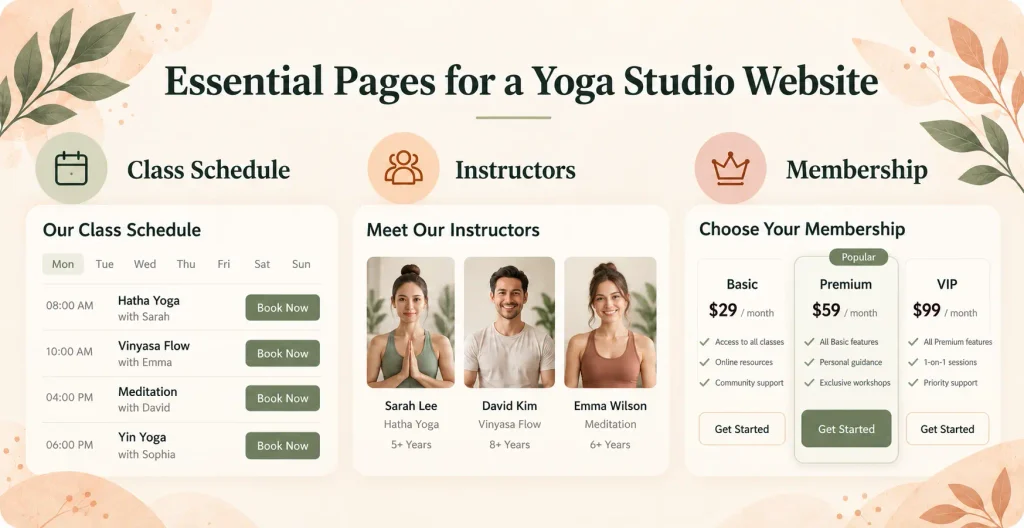
Clear Class Information
Each class should explain its focus, intended skill level, duration, and practical requirements. For example, distinguish a beginner-friendly Hatha class from an advanced session.
Instructor Profiles
Introduce instructors’ genuine qualifications, teaching styles, class specialties, and availability. Avoid generic or invented credentials.
An Understandable Schedule
Visitors should be able to determine when classes are offered. If schedules change frequently, assess whether an integrated scheduling service is more suitable than manually updated static tables.
Membership and Pricing Information
Explain what memberships include, how payments work, whether class credits expire, and how cancellation policies apply. A displayed membership pricing card is not the same as recurring billing functionality.
Mobile-Friendly Booking Journeys
Customers should be able to review class information, understand availability, and reach a legitimate booking destination on smaller screens. Test the real booking journey on mobile before launch.
Essential Trust and Contact Information
Provide studio address, contact methods, relevant policies, and accurate information about instructors and services. Clear navigation and accessibility should be considered throughout design and development.
Five Checks Before Buying a Yoga Website Template
01
Check the Exact Files Included
A design kit, HTML source package, and Next.js project are different deliverables. Verify the format and technical skills required.
02
Review the Page Inventory
Look beyond the homepage. Confirm the classes, instructors, memberships, retreat, blog, and contact pages needed.
03
Verify Functional Requirements
Ask whether payments, live availability, user accounts, and subscriptions are implemented or only displayed as interface designs.
04
Plan Content Maintenance
Determine who will update schedules, prices, teacher profiles, and announcements. A CMS-backed or managed platform may suit frequent nontechnical editing better.
05
Evaluate Ongoing Costs
Budget for hosting, domain, development, external subscriptions, integrations, updates, and maintenance—not just template purchase.
Explore a Matching Yoga Website Product
WebbyCrown Store offers Pranavya in several formats. Choose based on the stage of your project and the skills of your team:
- Pranavya Figma UI Kit — best for visual design, prototypes, and handoff; 90 desktop/mobile design screens.
- Pranavya HTML Template — best for developers creating a relatively straightforward coded studio website; 28 responsive pages.
- Pranavya Next.js Template — best for React development projects; 26 responsive pages as a framework-based starting point.
These products are sold by WebbyCrown Store, the publisher of this guide. Review each product’s specifications, licensing, and documentation before purchasing.
When Should You Choose Something Else?
A template is not always the right solution. A studio requiring complex scheduling, waitlists, recurring membership billing, staff calendars, attendance tracking, or a mobile member application may benefit more from a purpose-built management platform. A team without development resources may find a managed website platform easier to maintain.
For projects requiring functionality beyond the existing template, WebbyCrown’s website development services may help with implementation, custom integrations, and development work.
Frequently Asked Questions
Can I publish a yoga website directly from a Figma UI kit?
Not automatically. A Figma UI kit contains editable designs that must be implemented through a suitable website platform or framework.
Is HTML or Next.js better for a yoga studio website?
HTML often works for relatively static sites. Next.js may suit React teams that need more customized integrations. Neither is universally better.
Does a yoga website template include online booking?
Not necessarily. A booking page may be a visual or frontend layout without reservation storage, live availability, or payment processing. Verify the exact documentation.
Can I use a Figma UI kit and HTML template together?
Yes, subject to the included files and license rights. A design team can plan in Figma while developers implement an HTML website. Automatic conversion is not guaranteed.
Do I need coding skills to customize a yoga website?
Figma design customization does not require website coding. HTML and Next.js editing and deployment generally require relevant technical skills.
Final Thoughts
Choosing a yoga website foundation is primarily a question of project requirements. If you need editable designs and prototypes, start with Figma. If you need a straightforward coded website, consider HTML. If you have a React development team and more customized requirements, Next.js may provide a suitable foundation.
Before purchasing, verify the files, included pages, supported features, and implementation requirements. The right format is the one your team can launch, maintain, and extend without unnecessary complexity.