Built by WebbyCrown Solutions — Need setup, customization, or integration help? Talk to our team.



Odoo Advanced Import Pro
Availability
❌ Odoo Online
✅ Odoo.sh
✅ On Premise
Product Version
19.0
$57.12

What Is Odoo Advanced Import Pro?
Teams migrating data into Odoo or keeping Odoo synchronized with external systems typically rely on manual CSV uploads, one model at a time, with limited field mapping control and no way to schedule recurring imports. Large datasets require multiple manual sessions, errors are difficult to trace, and there is no built-in way to pull data directly from REST APIs or process records in the background without blocking the user interface.
Odoo Advanced Import Pro gives teams a single module to import data into any standard or custom Odoo model from CSV, Excel, XML, and JSON files or RESTAPIs - with automatic format detection, smart field mapping, import mode selection, batch processing, and scheduled cron jobs. Imports run in the background, progress tracks in real-time, and every processed record is logged with color-coded success, update, or error status - no coding required.
Key Benefits

Multi-Format Import Support
Import from CSV, Excel (.xlsx and .xls), XML, and JSON with automatic format detection - no manual format configuration needed.

Multiple Import Sources
Upload files directly, pull data from URLs, or fetch records from REST APIs with full authentication support in one module.

Automated Scheduled Imports
Run imports on daily, weekly, monthly, yearly, or custom cron schedules - automatic cron job creation and management included.

Smart Field Mapping
Auto-detect and map source fields to Odoo fields with manual override and required field validation before any data is written.

Full Import Control
Pause, resume, or stop any import during processing with real-time progress tracking and reliable background execution.

Comprehensive Error Logging
Every processed record is logged with color-coded success, update, or error status - full row data stored for audit and troubleshooting.
Modules & Features
Multi-Format Import - CSV, Excel, XML, and JSON
Import data into any Odoo model from the file format or external source that fits your migration or sync need.
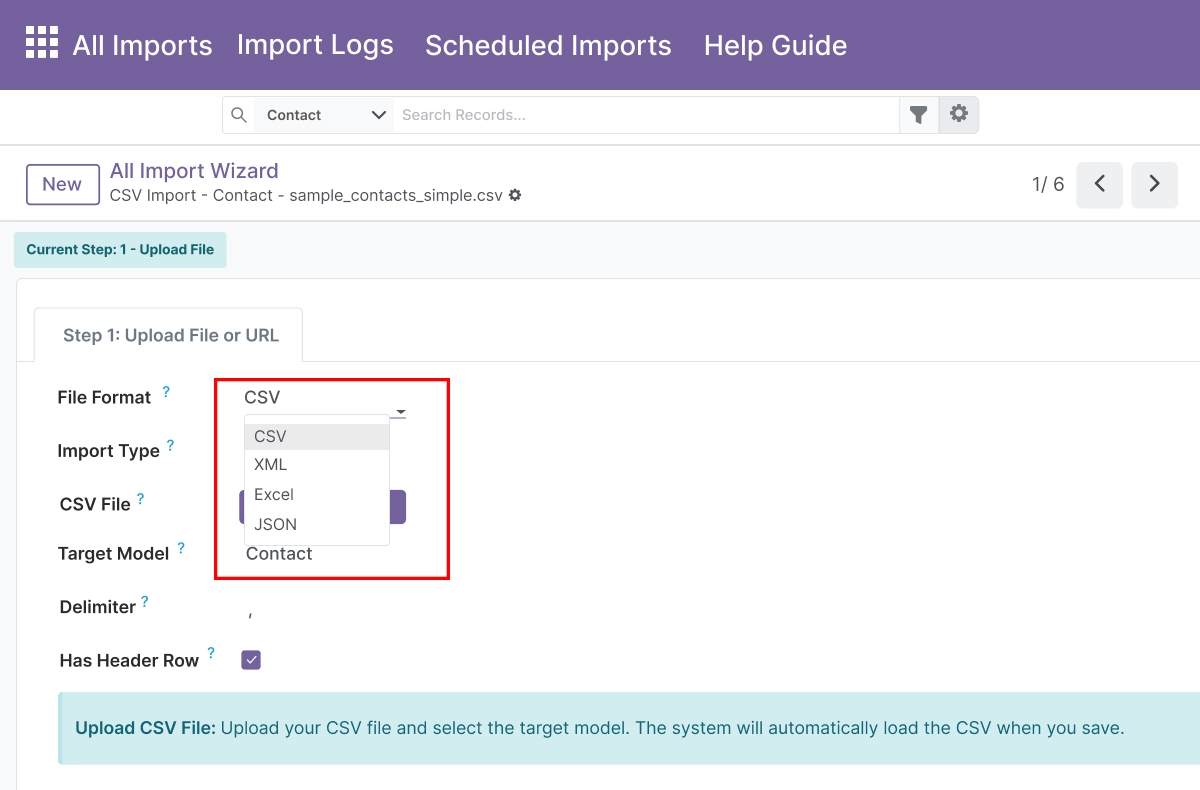
- Import from CSV, XML, Excel (.xlsx and .xls), and JSON files from one screen
- Apply custom delimiters and automatic header row detection for CSV files
- Select specific Excel sheets and define JSON paths for nested data structures
- Auto-detect XML root elements or specify them manually for precise parsing
- Pull data from file uploads, direct URLs, or REST API endpoints from the same import configuration
Smart Field Mapping - Auto-Detect and Manual Override
Allow users to map source fields to Odoo fields with intelligent matching and manual control.
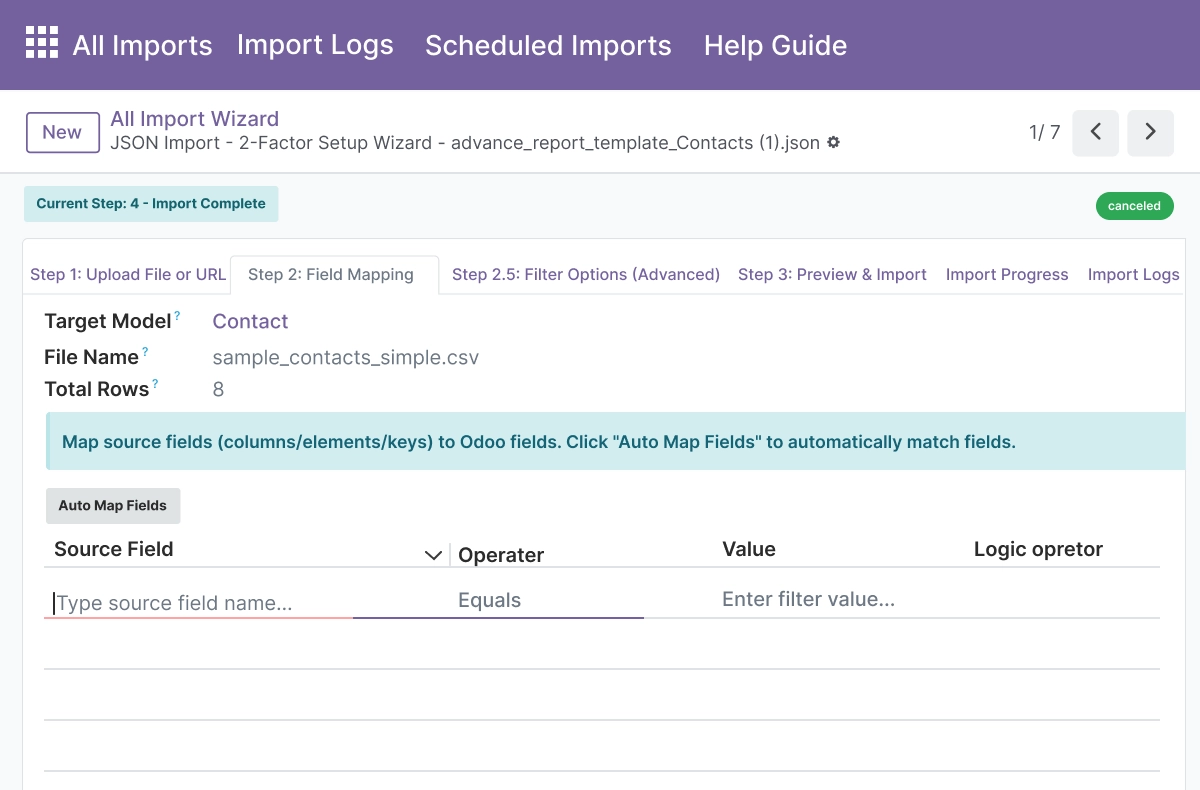
- Auto-map source fields to Odoo fields using case-insensitive name matching
- Override any auto-detected mapping using a dropdown selector per field
- Support all Odoo field types including Many2one, One2many, and Many2many
- Validate required fields before processing begins - missing fields are flagged before any data is written
- Auto-create missing Many2one related records during import to reduce pre-import data preparation
Automated Scheduled and Recurring Imports
Generate imports automatically to keep Odoo data synchronized with external sources without manual work.
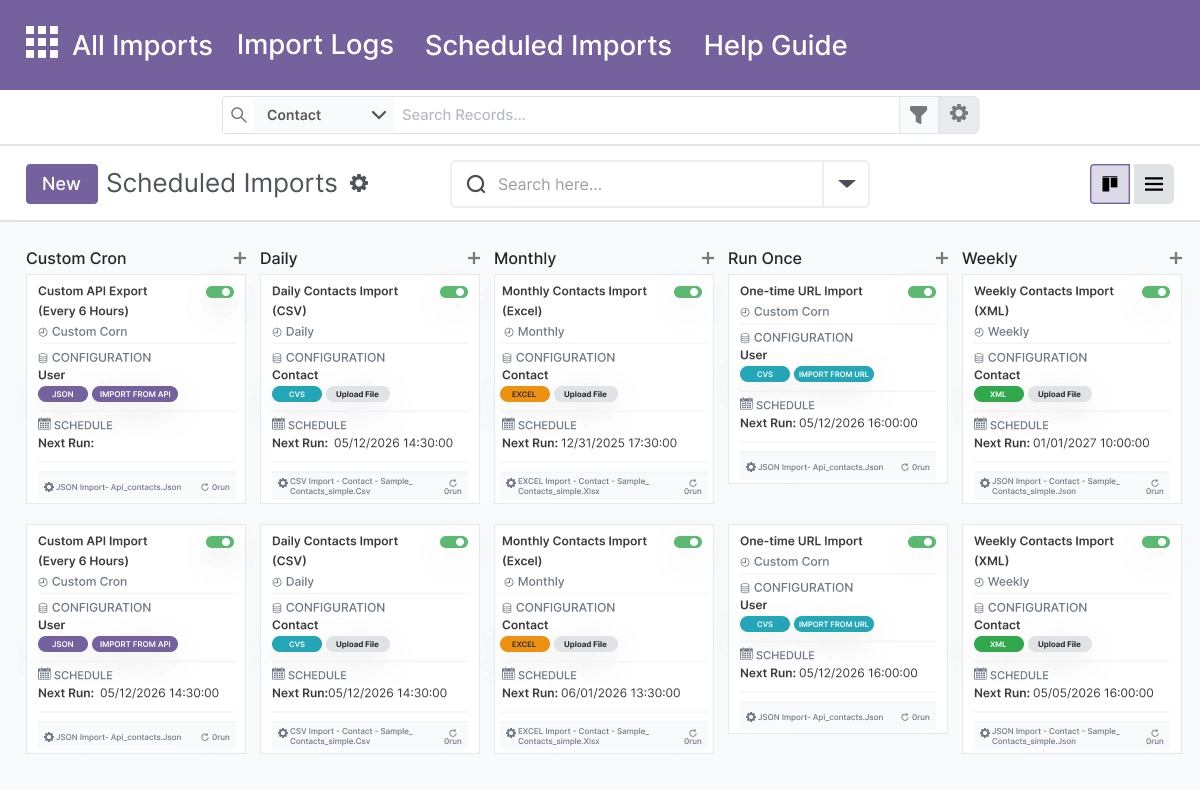
- Schedule imports to run daily, weekly, monthly, yearly, or as a one-time job
- Use custom cron expressions for advanced timing requirements beyond standard intervals
- Cron jobs are created and managed automatically from the import configuration - no manual setup needed
- Track run count, last run timestamp, and next scheduled run from the same configuration screen
- Eliminates repetitive manual import work for regularly updated external data sources
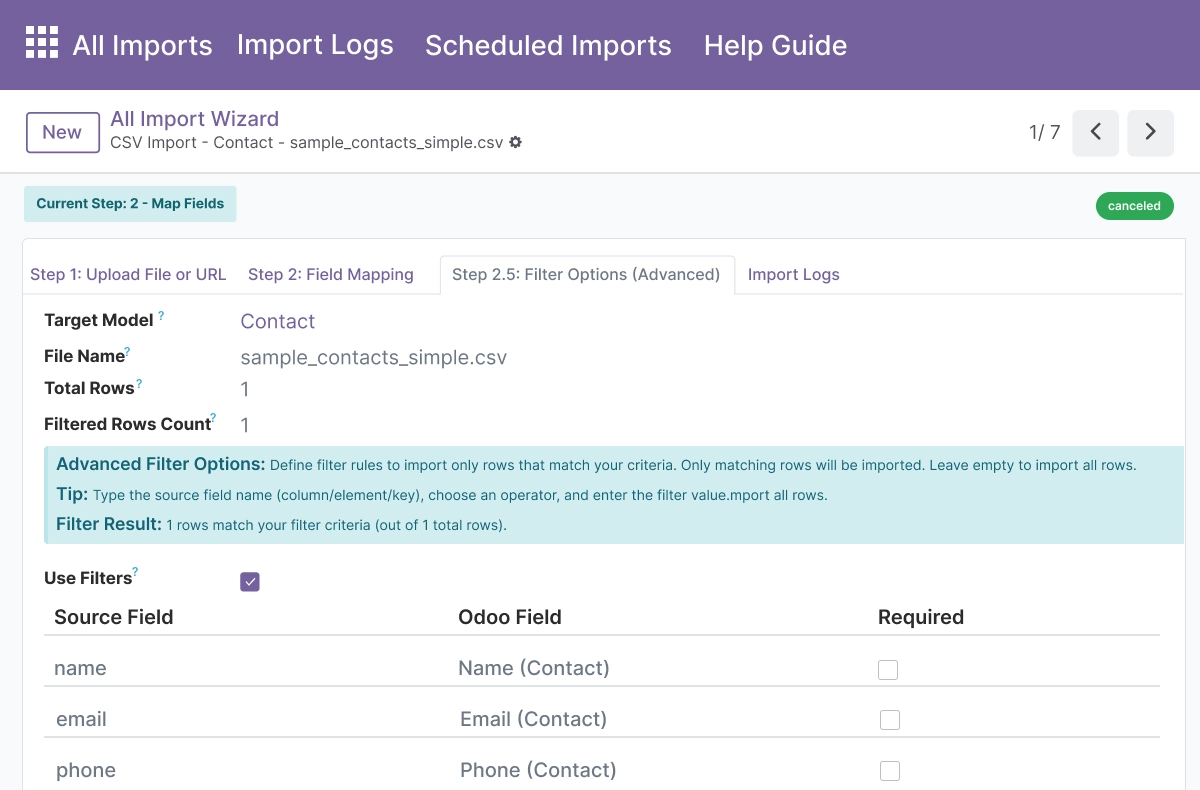
Real-Time Data Filtering and Preview
Filter rows and preview output before records are written to ensure accuracy.
- Apply custom filter rules with multiple operators before any records are written to Odoo
- Combine filter conditions with AND or OR logic for precise row selection
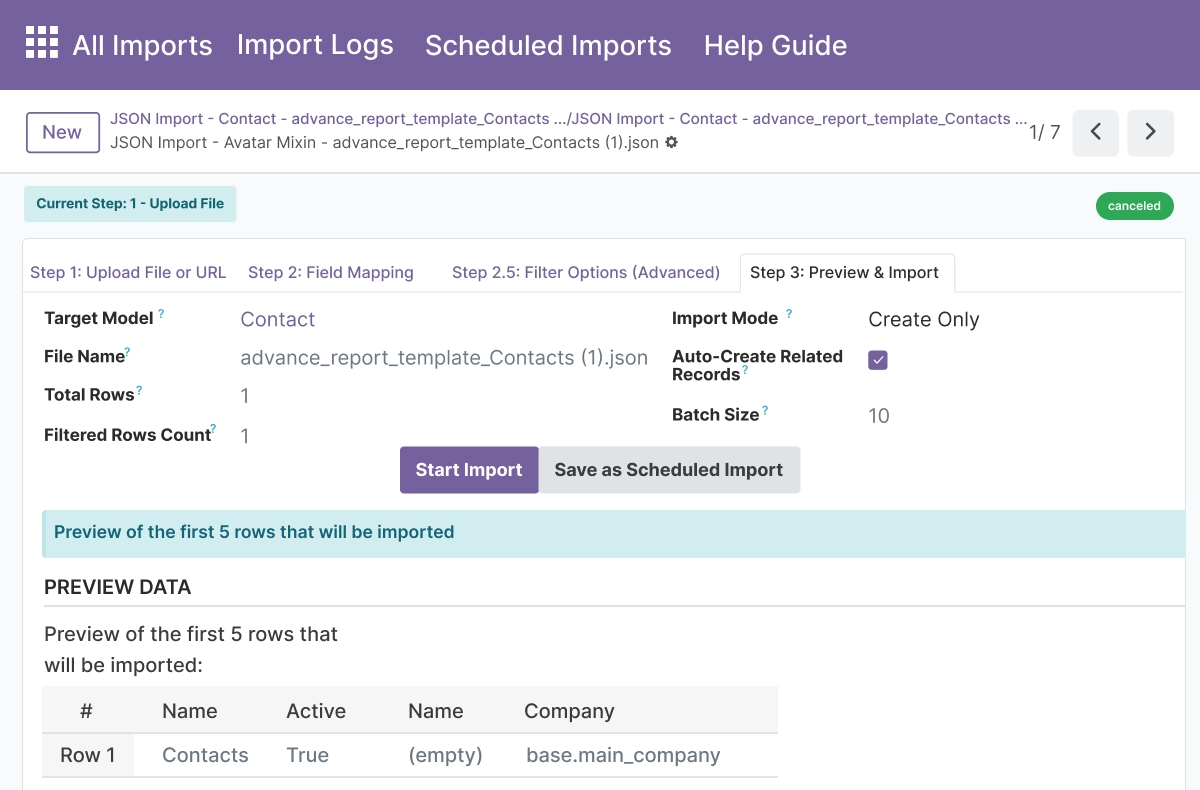
- Preview the first 5 rows of mapped output before starting the import run
- Validate field-to-field mapping in the preview step before any processing begins
- Exclude invalid, test, or out-of-scope rows early without writing any data
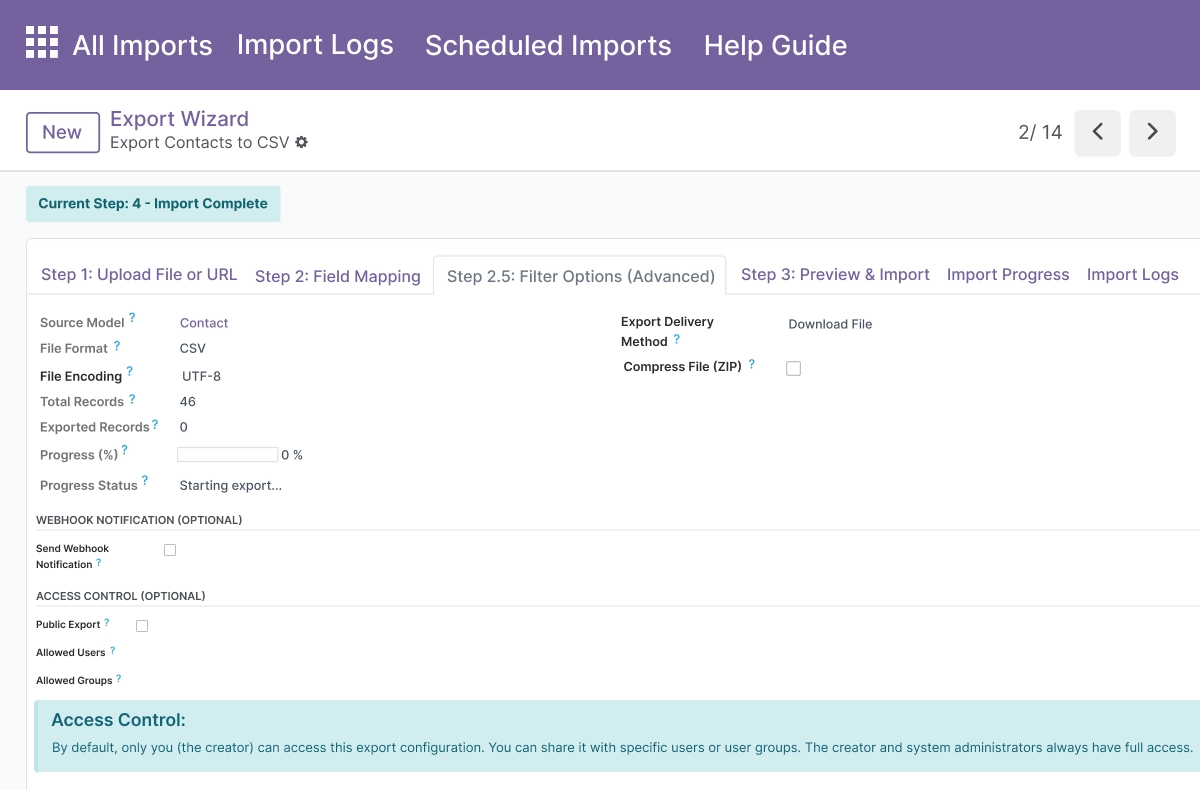
Flexible Import Modes - Create, Update, or Both
Choose how new and existing records are handled during each import run.
- Create Only mode for inserting new records without touching existing ones
- Update Only mode for modifying existing records matched by a unique field
- Create or Update mode for combined handling in a single import run
- Select unique identifier fields - email, code, reference, or name - for record matching
- Prevent duplicate records through intelligent detection against the selected unique field
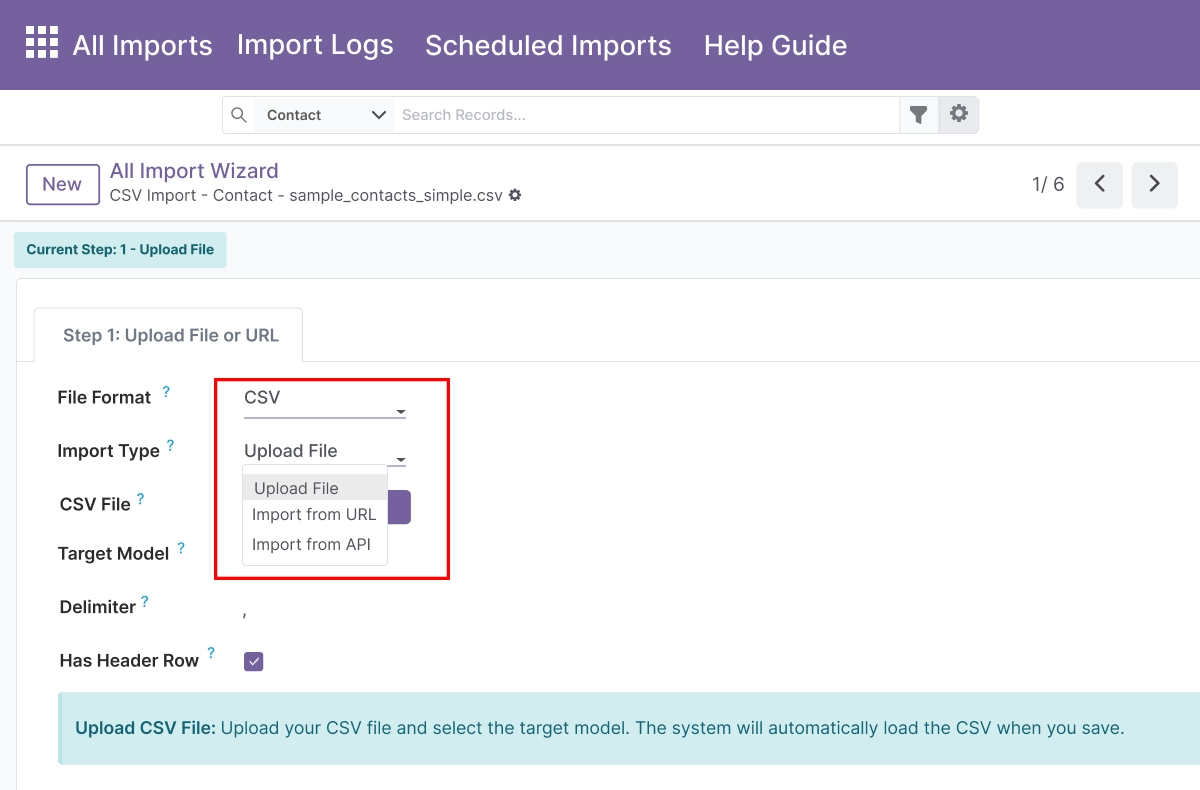
REST API Integration - External Data Sources
Pull data directly from REST APIs with full authentication and header control.
- Support GET, POST, PUT, and PATCH HTTP methods for API data retrieval
- Authenticate using Basic Auth, Bearer Token, API Key, or no authentication
- Add custom headers in JSON format forAPI-specific requirements
- Send JSON request bodies for POST, PUT, or PATCH calls to external endpoints
- Parse nested JSON responses using a root path to target the relevant data structure
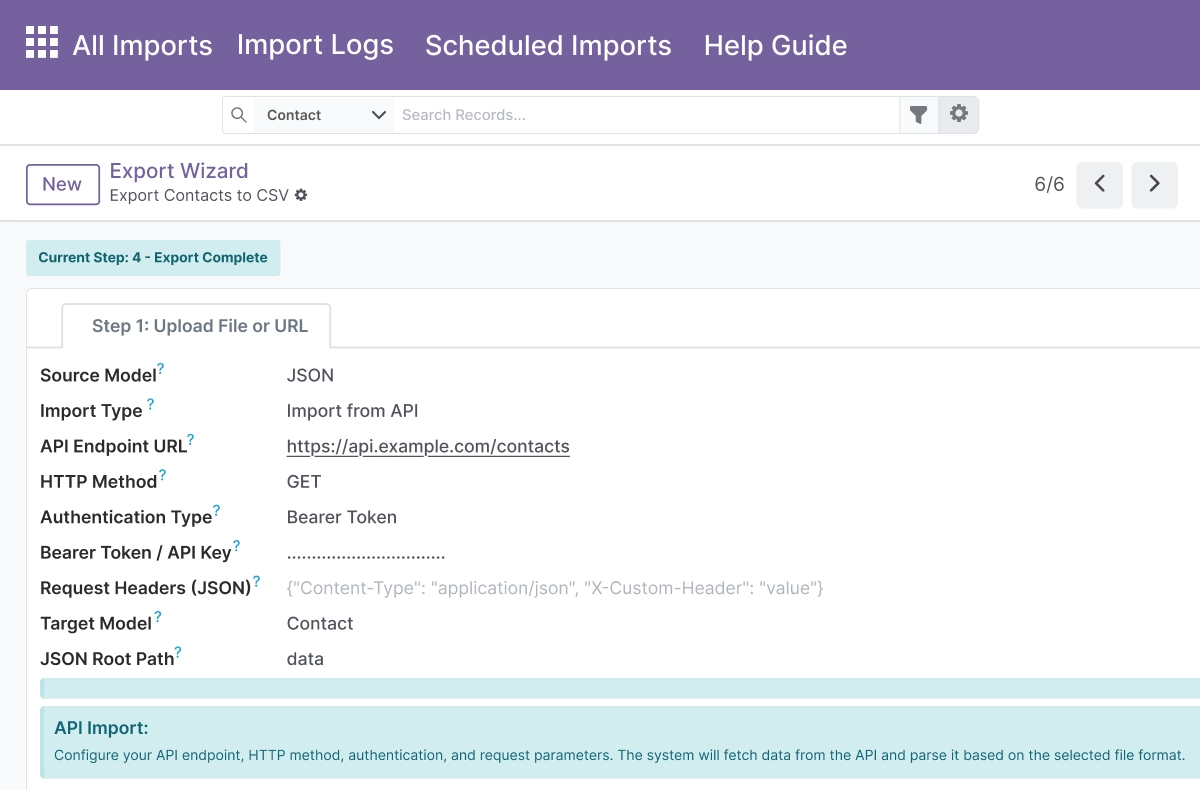
Batch Processing and Background Imports
Process large datasets efficiently with configurable batches and background execution.
- Configure batch size to control how many records are processed per cycle
- Continue processing in the background after page navigation or browser refresh
- Track import progress in real-time with current/total record count display
- Pause, Resume, or Stop any import during processing from the import screen
- Handle long-running imports reliably through cron-based background execution
Centralized Logging with Advanced Search
Monitor and audit every imported record from a central log view.
- Color-coded log entries distinguish Success, Update, and Error outcomes per processed
- record
- Full row data is stored with each log entry for detailed troubleshooting and audit
- Filter logs by type, row number, date range, or import session ID
- Group logs by type, date, session, or creator for organized review
- Review failed rows with formatted data display to identify and correct the source issue
Auto-Create Related Records and Validation
Reduce manual data preparation by creating missing related records on the fly.
- Auto-create missing Many2one related records during import - no pre-import manual data cleanup
- Apply required field validation and field-level checks before writing records
- Skip rows that fail validation with a clear error log entry per skipped row
- Maintain data integrity across related Odoo models during the import process
- Reduces time spent preparing and cleaning source data before import starts
Kanban Views and Built-In Help Guide
Manage import configurations visually and learn the workflow without leaving Odoo.
- Visual Kanban dashboard shows all import configurations with status, progress, and run statistics
- Group import configurations by state, schedule type, or other criteria
- Access import status, run history, and progress from the Kanban card without opening each record
- Step-by-step instructions available in a built-in help guide within Odoo
- Troubleshooting tips and best practices accessible without leaving the module
Advanced Settings and Configuration
All import configurations are managed from Advanced Import → Configurations. Administrators create and manage every aspect of an import - from source type and file format to field mapping, import mode, filter rules, batch size, and cron schedule - without code changes.
The configuration covers:
- Source type - file upload, URL, or REST API
- File format - CSV, Excel, XML, or JSON with format-specific options
- Target Odoo model selection - any standard or custom model
- Field mapping table - auto-detected and manually overrideable
- Import mode - Create Only, Update Only, or Create or Update
- Unique match field selection for update and deduplication
- Filter rules - AND/OR conditions per field
- Batch size for processing speed control
- Cron schedule - daily, weekly, monthly, yearly, or custom expression
- Auto-create related records toggle
- Background processing and Pause/Resume/Stop controls
How to Set Up Odoo Advanced Import Pro
01
Install the App
Install Odoo Advanced Import Pro in your Odoo.sh or On Premise environment.
Result: The Advanced Import menu appears in Odoo with access to Configurations, Logs, and the Help Guide.
Result: The Advanced Import menu appears in Odoo with access to Configurations, Logs, and the Help Guide.
02
Create an Import Configuration
Go to Advanced Import → Configurations → New. Select the target Odoo model and choose your source type — file upload, URL, or REST API.
Result: A new import configuration is ready with source and model defined.
Result: A new import configuration is ready with source and model defined.
03
Map Source Fields to Odoo Fields
Upload or connect your data source. Review auto-detected field mappings and override any incorrect matches. Set the import mode - Create Only, Update Only, or Create or Update.
Result: Every source field is mapped to the correct Odoo field with the right import behavior selected.
Result: Every source field is mapped to the correct Odoo field with the right import behavior selected.
04
Preview and Filter Data
Apply filter rules using AND/OR logic to exclude rows you do not want to import. Preview the first 5 mapped rows to verify output before processing.
Result: Only the correct rows will be processed and the mapping is confirmed before any data is written.
Result: Only the correct rows will be processed and the mapping is confirmed before any data is written.
05
Run or Schedule the Import
Click Import Now to run immediately, or configure a cron schedule for recurring imports. Monitor real-time progress and check Logs for the outcome.
Result: Records are imported into Odoo with a full success, update, and error log available for review.
Result: Records are imported into Odoo with a full success, update, and error log available for review.
Who Is This App For?
- Data and operations teams managing bulk data migration into Odoo
- Odoo administrators running regular data synchronization with external systems
- Implementation partners setting up data import pipelines for clients
- Developers integrating Odoo with third-party systems via REST API
- Finance, HR, and inventory teams performing recurring bulk record updates
- Organizations migrating from legacy systems or spreadsheets to Odoo
This app does not support Odoo Online. It requires Odoo.sh or On Premise. It is not designed for real-time two-way data synchronization - it handles one-directional import into Odoo.
Changelog
v19.0.0 — Initial Release
- – Added multi-format import support (CSV, XML, Excel, JSON)
- – Implemented multiple import sources (files, URLs, RESTAPIs)
- – Added smart field mapping with auto-detection and manual override
- – Implemented data filtering with custom rules and AND/OR logic
- – Added scheduled imports with cron integration
- – Implemented Create Only, Update Only, and Create or Update modes
- – Added batch processing with configurable batch sizes and background jobs
- – Implemented Pause, Resume, and Stop import actions
- – Added auto-create related records for Many2one fields
- – Implemented comprehensive logging with advanced search and Kanban views
What does Odoo Advanced Import Pro do?
It is a bulk data import module that lets you import data into any Odoo model from CSV, Excel, XML, and JSON files or REST APIs. It includes smart field mapping, scheduled imports, batch processing, import mode selection, real-time progress tracking, and comprehensive error logging - all configured without coding.
Which file formats does it support?
The app supports CSV, Excel (.xlsx and .xls), XML, and JSON. Each format has specific options - custom delimiters and header detection for CSV, sheet selection for Excel, root element configuration for XML, and path selection for nested JSON structures.
Does this app work on Odoo Online?
No. Odoo Advanced Import Pro requires Odoo.sh or On Premise deployment. Odoo Online is not supported.
Which Odoo versions are supported?
The app supports Odoo 14.0, 15.0, 16.0, 17.0, 18.0, and 19.0.
Can I import into any Odoo model?
Yes. The app supports import into any standard or custom Odoo model through a single configuration interface. Select the target model from a dropdown when creating your import configuration.
Can I schedule imports to run automatically?
Yes. Configure a schedule - daily, weekly, monthly, yearly, or one-time - or use a custom cron expression for advanced timing. Cron jobs are created and managed automatically from the import configuration screen.
What happens if some rows fail during import?
Every processed record is logged individually with a color-coded success, update, or error status. Error logs include the full row data so you can identify and fix the source issue. Failed rows are skipped and do not block the remaining records from processing.
Can I pull data from a REST API directly into Odoo?
Yes. Configure a REST API source with GET, POST, PUT, or PATCH method, authentication type (Basic Auth, Bearer Token, API Key, or none), custom headers, and a JSON request body if needed. Nested JSON responses are handled using a configurable root path.
How does record matching work when updating existing records?
Select Update Only or Create or Update import mode, then choose a unique identifier field - such as email, reference code, or name - for record matching. The app detects existing records based on this field and updates them without creating duplicates.
Is this suitable for Odoo implementation partners?
Yes. Partners and agencies can use this app to deliver complete data migration and synchronization pipelines for clients on Odoo.sh or On Premise, including configuring scheduled imports, REST API integrations, field mappings, and import logs as part of an Odoo project.