Built by WebbyCrown Solutions — Need setup, customization, or integration help? Talk to our team.



Odoo Form Builder - FormFlow

FormFlow - Odoo Form Builder with Conditional Logic
What Is FormFlow Odoo Form Builder?
Collecting data in Odoo usually means a developer. The native website form is limited, anything custom needs code, and submissions rarely land cleanly in the right Odoo record - so leads, applications, and survey responses get re-keyed by hand.
FormFlow removes the code. A visual drag-and-drop designer lets any team build forms in minutes, with a full field palette, validation, conditional logic, and multi-step flows. Forms embed on your Odoo website or any external site, and submissions map directly into CRM leads, HR applications, Events, Projects, Accounting, or custom models - creating or updating records automatically. reCAPTCHA, rate limiting, and server-side validation protect public forms, while webhooks, exports, and UTM analytics connect responses to the rest of your workflow.
Key Benefits

No-Code, Drag-and-Drop
Build forms visually in minutes - no developer and no technical expertise needed.

Smart Conditional Logic
Show, hide, or require fields based on answers, with branching and multi-step flows.

Maps Into Odoo Records
Send submissions straight to CRM, HR, Events, Projects, Accounting, or custom models.

Embed Anywhere
Publish forms on your Odoo website or any external site with a widget or iframe.

Secure by Default
reCAPTCHA, honeypot, rate limiting, and server-side validation protect submissions.

Measure and Connect
UTM analytics, exports, and webhooks turn submissions into reporting and automation.

Automated Notifications
Send automated email notifications when a new submission is received.

Form Analytics and Reporting
Track submissions, leads, and conversions with clear form analytics and reporting.
Modules & Features
Visual Form Designer - Drag-and-Drop Builder
Design forms visually with drag and drop controls, reusable field groups, and template-based workflows.
- Create forms in just a few clicks
- Drag and drop fields into place
- Reuse templates and field groups
- Preview desktop and mobile layouts
- Save time with visual form creation
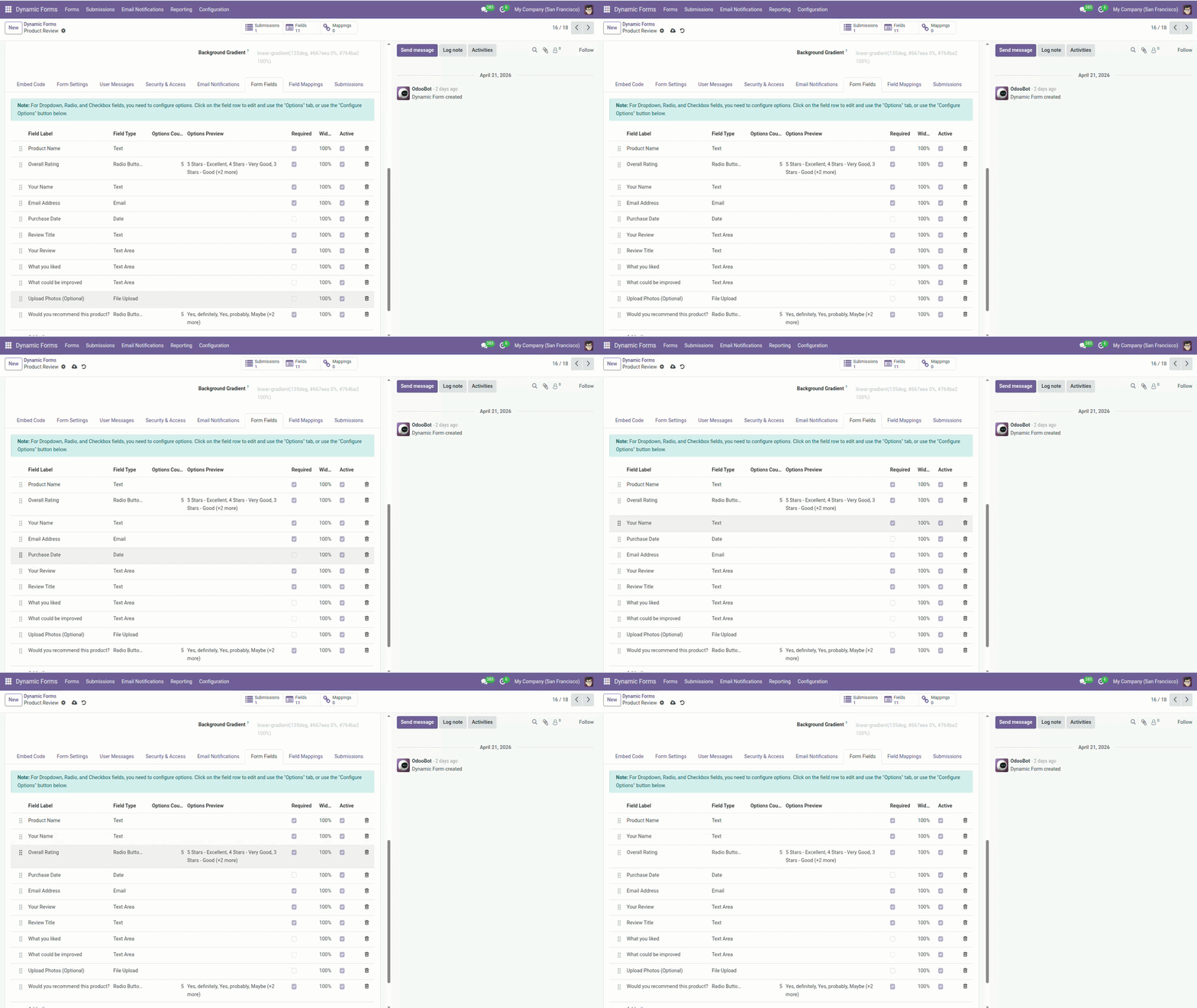
Field Types & Validation - Flexible Inputs
Use a rich field palette with validation rules for reliable form input and structured submissions.
- Text, email, phone, number, textarea, and select fields
- Checkbox, radio, multi-select, date/time, file upload, and signature fields
- Hidden and calculated fields
- Required, regex, min/max, and conditional validation
- Support custom forms and lead-capture workflows
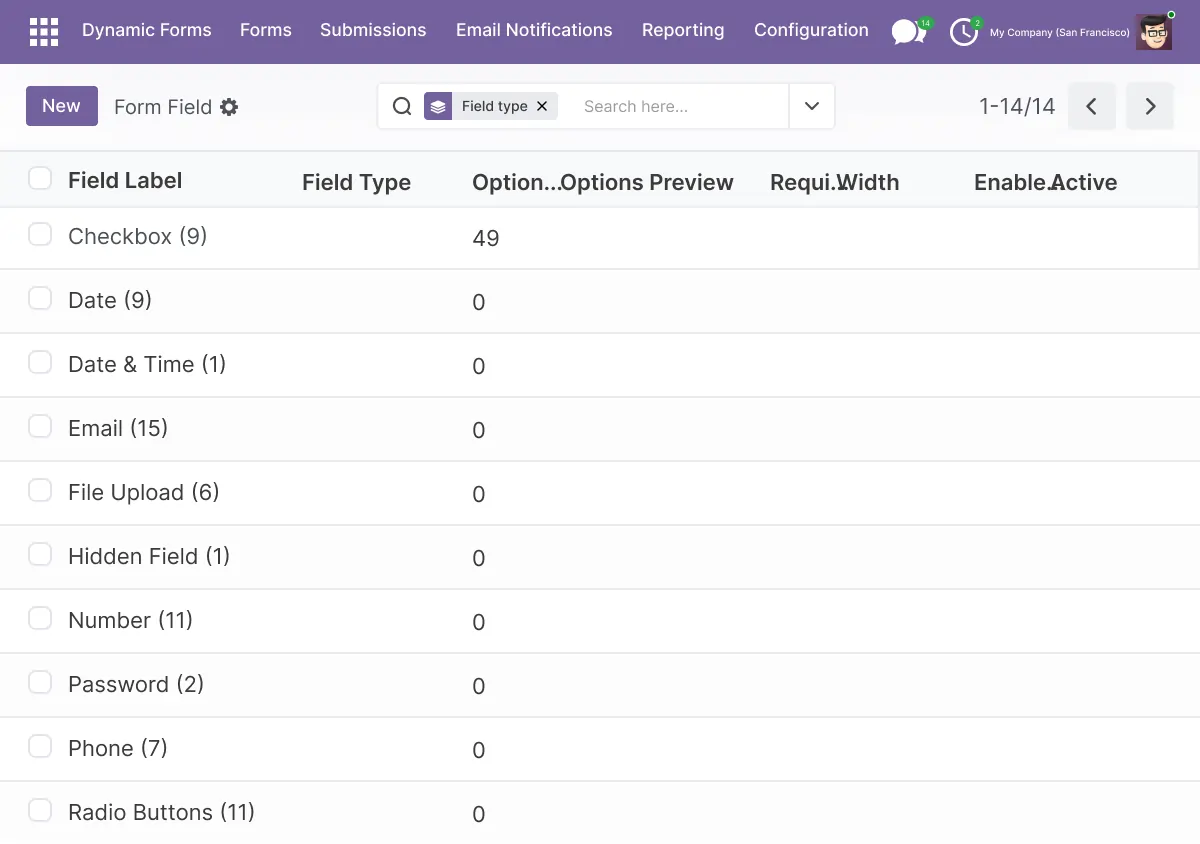
Conditional Logic & Dependencies - Smart Forms
Create smarter forms with conditional logic, branching, and multi step flows that improve completion rates.
- Add conditional logic without code
- Show or hide fields based on answers
- Set conditional required rules
- Build skip logic and branching flows
- Create multi-step forms for better conversion
Website Embedding - Embed on Any Site
Publish forms on your website, landing pages, or partner portal using secure embed options.
- Embed forms on an Odoo website
- Use a JavaScript widget or iframe
- Add forms to external websites easily
- Keep embeds responsive and lightweight
- Support website and partner-portal use cases
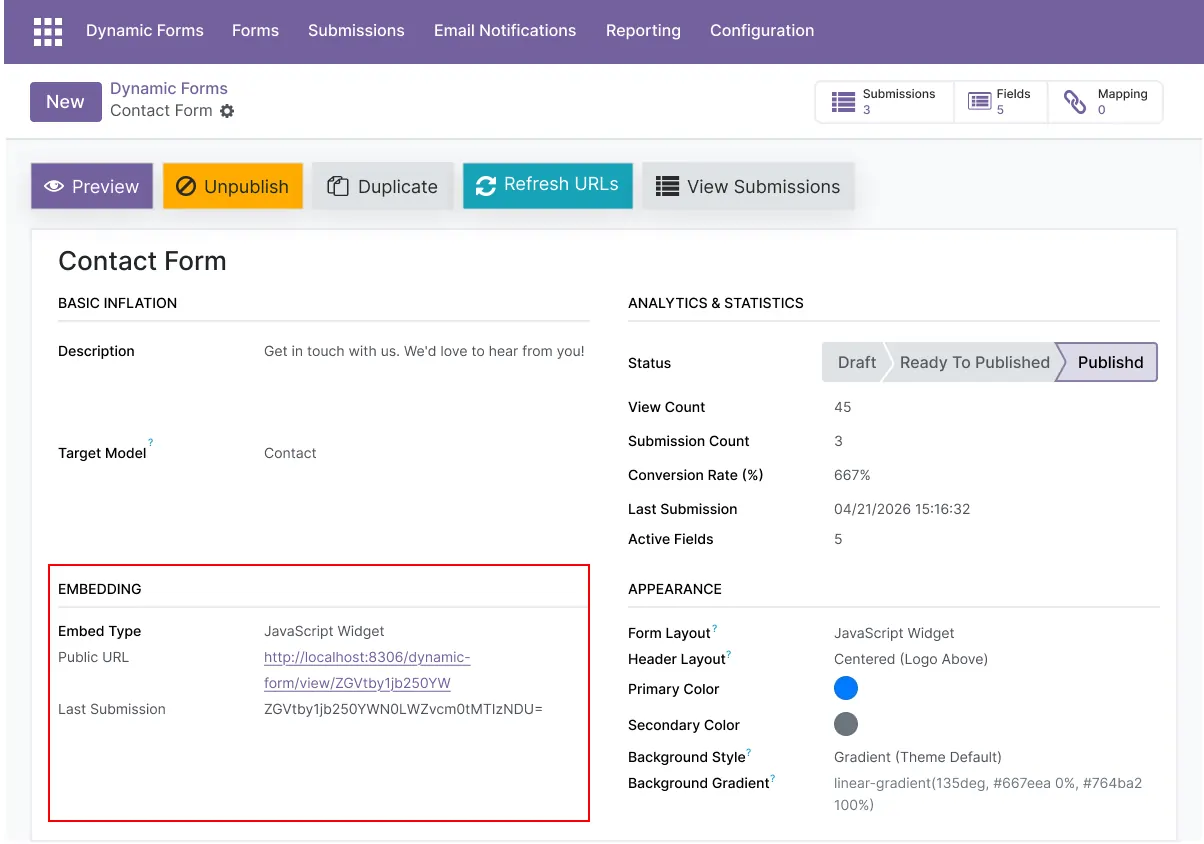
Odoo Model Mapping & CRM Integration
Map submissions directly into Odoo records and automate follow-up workflows.
- Map fields to CRM leads
- Map forms to HR applications and Events
- Connect submissions to Projects or custom models
- Create or update Odoo records automatically
- Use Odoo CRM form integration for lead capture
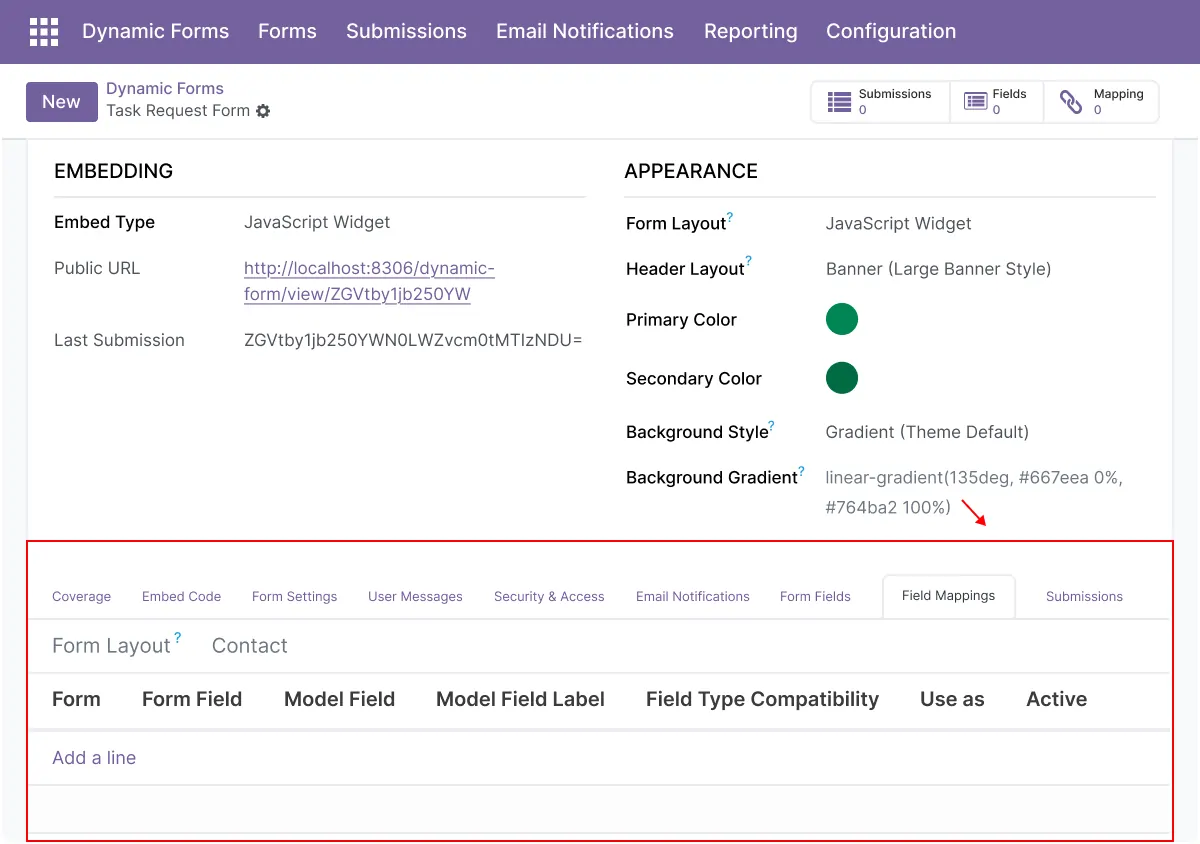
Security & Anti-Spam - Protect Submissions
Secure forms with spam protection, server-side validation, and file controls.
- reCAPTCHA support
- Honeypot and IP rate limiting
- Server-side validation
- Allowed MIME and file-size checks
- Better protection for public and internal forms
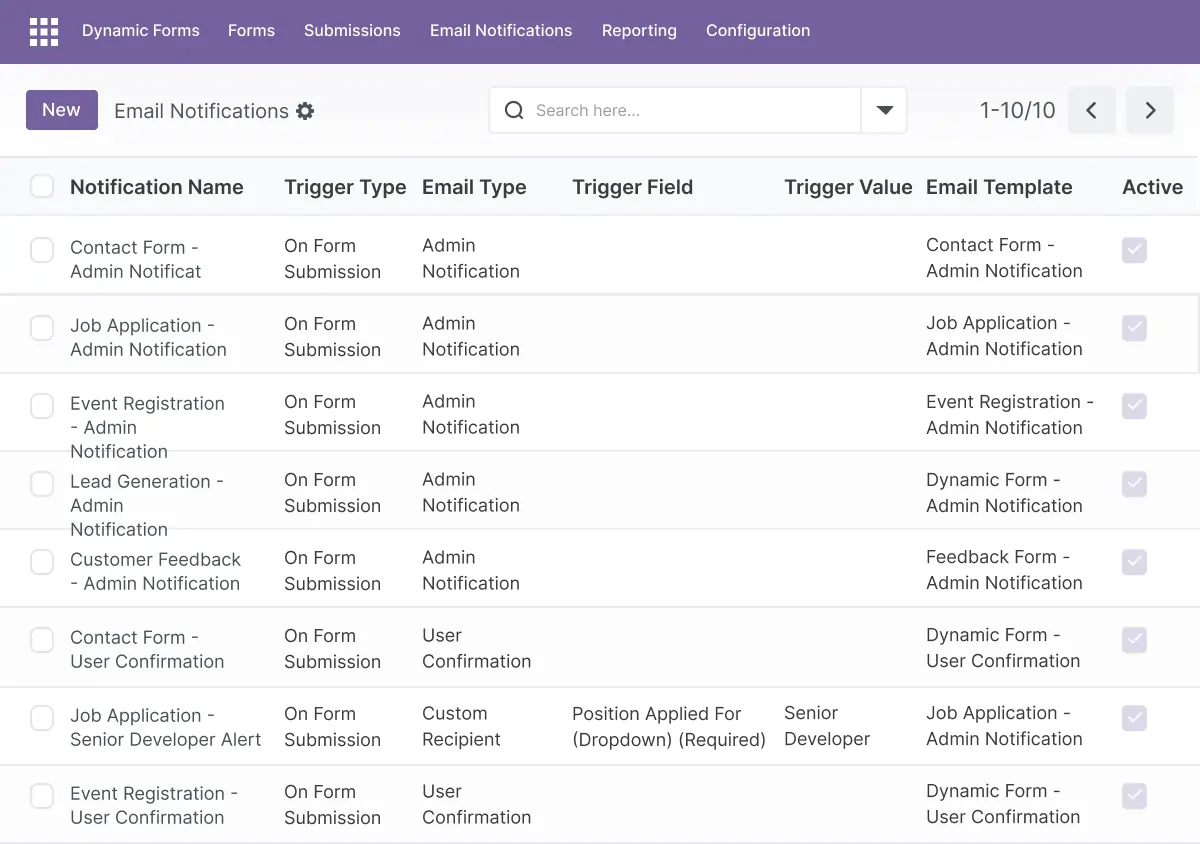
Notifications & Exports - Stay Informed
Send alerts, route submissions, and export data for reporting or external workflows.
- Automated email notifications
- Conditional notifications based on rules
- Webhooks with JSON payloads
- CSV, XLSX, and JSON export
- Support follow-up and downstream workflows
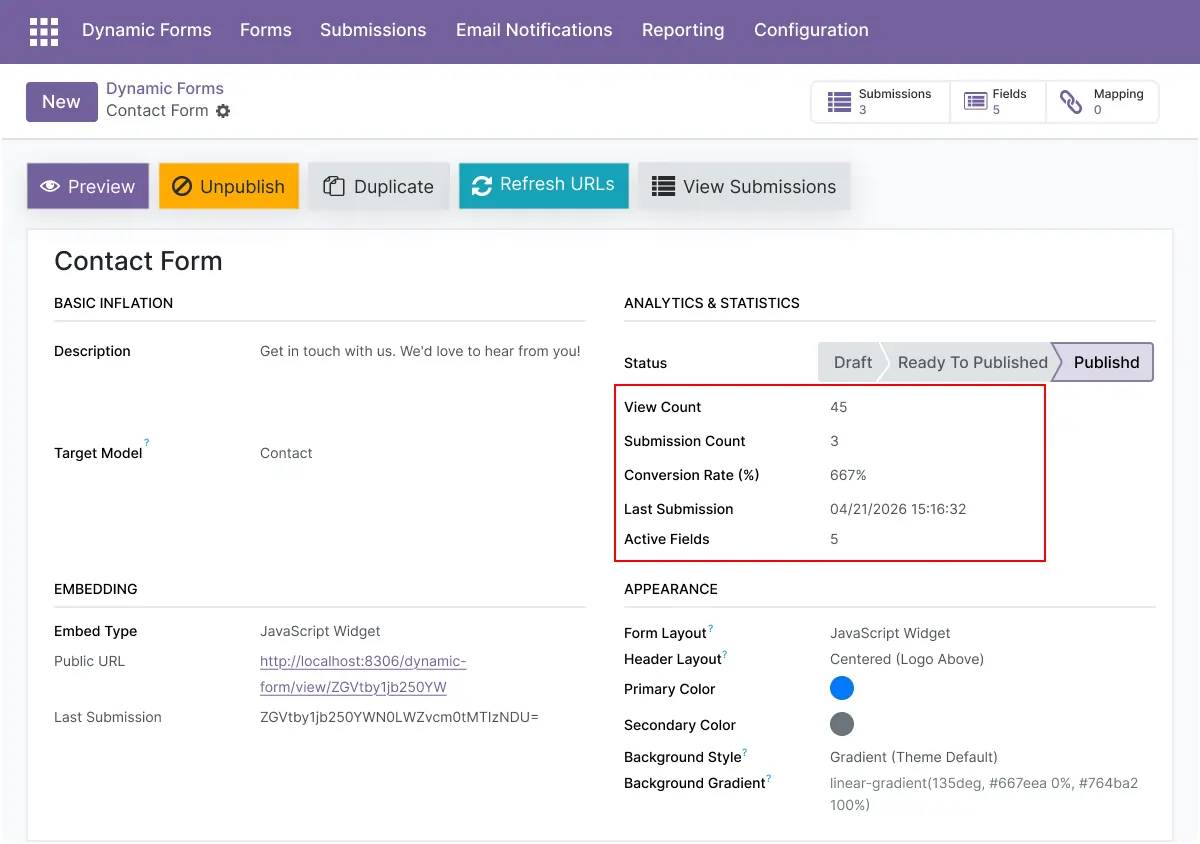
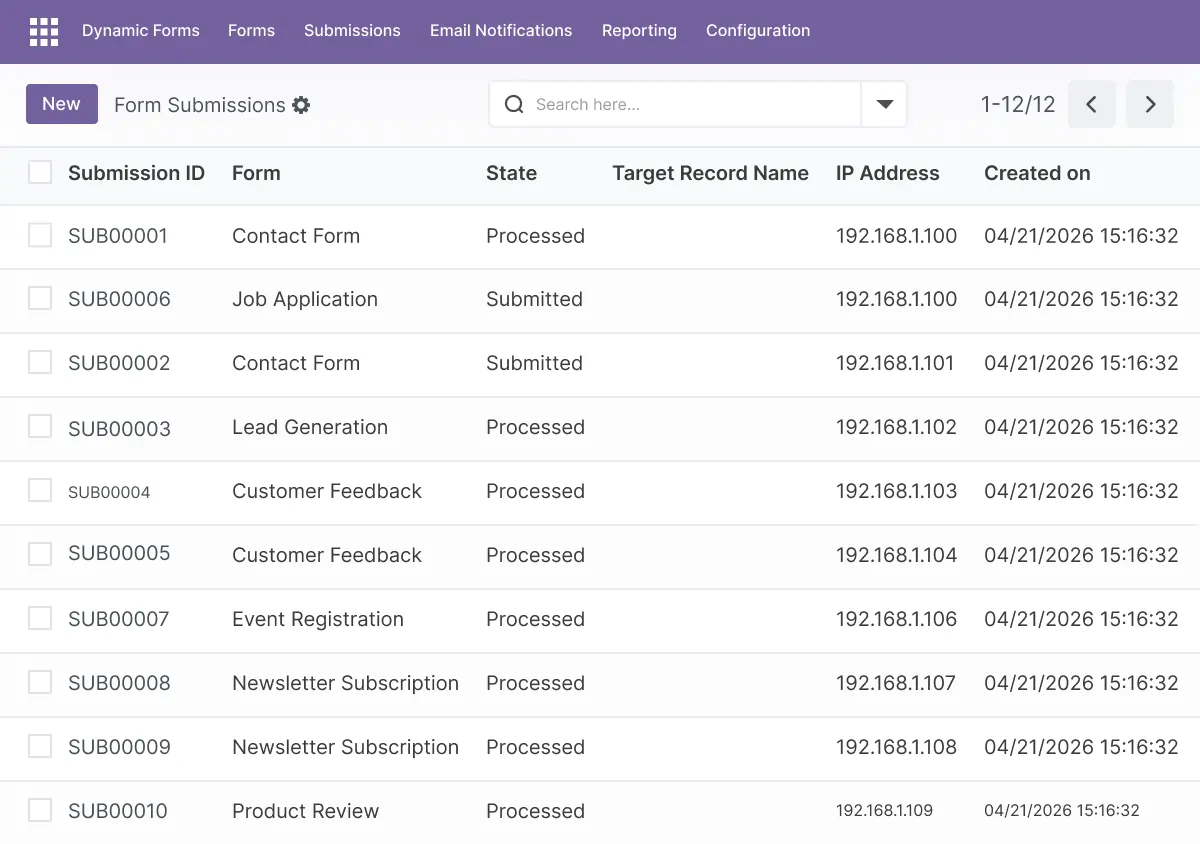
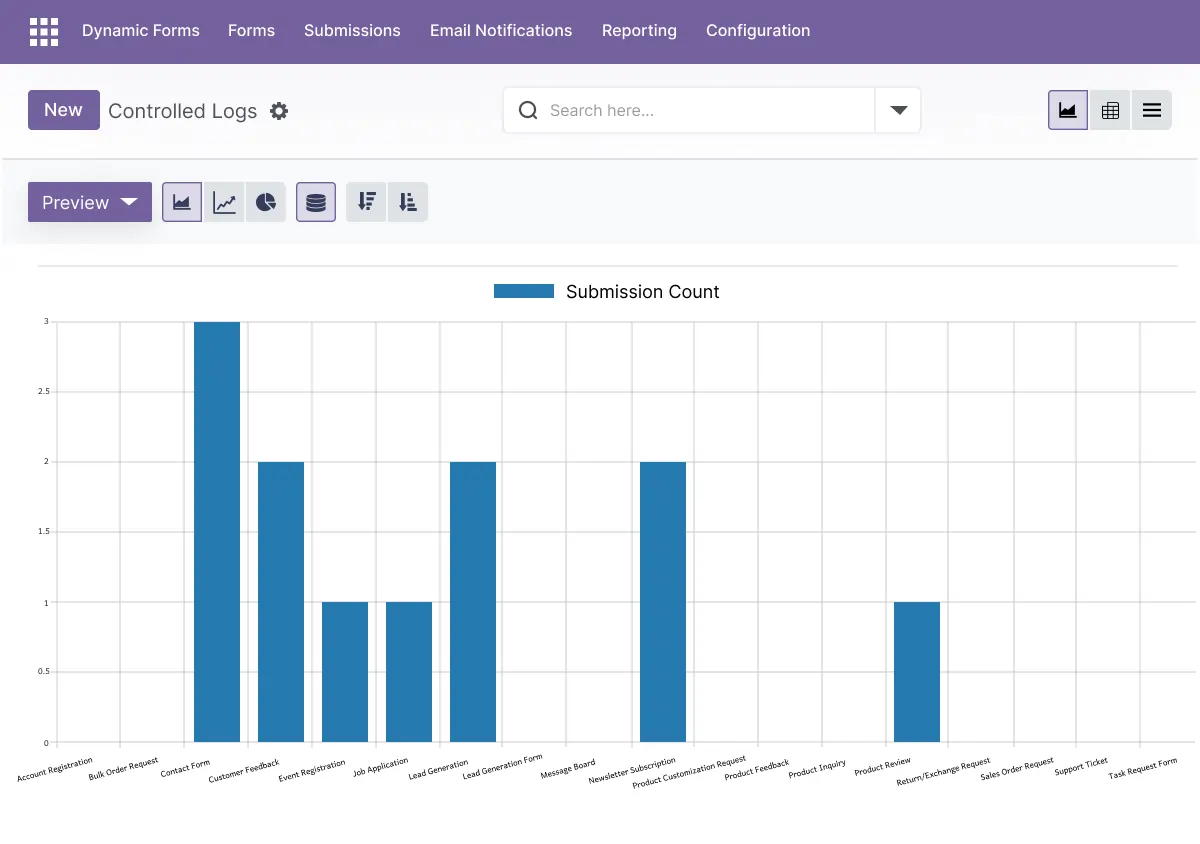
Analytics, UTM & Reporting - Measure Performance
Track submissions and campaign performance with built-in analytics and reporting tools.
- View submission counts and conversion rates
- Track UTM source data
- Filter by form, tag, date, or campaign
- Export raw submission data
- Improve conversion and reporting decisions
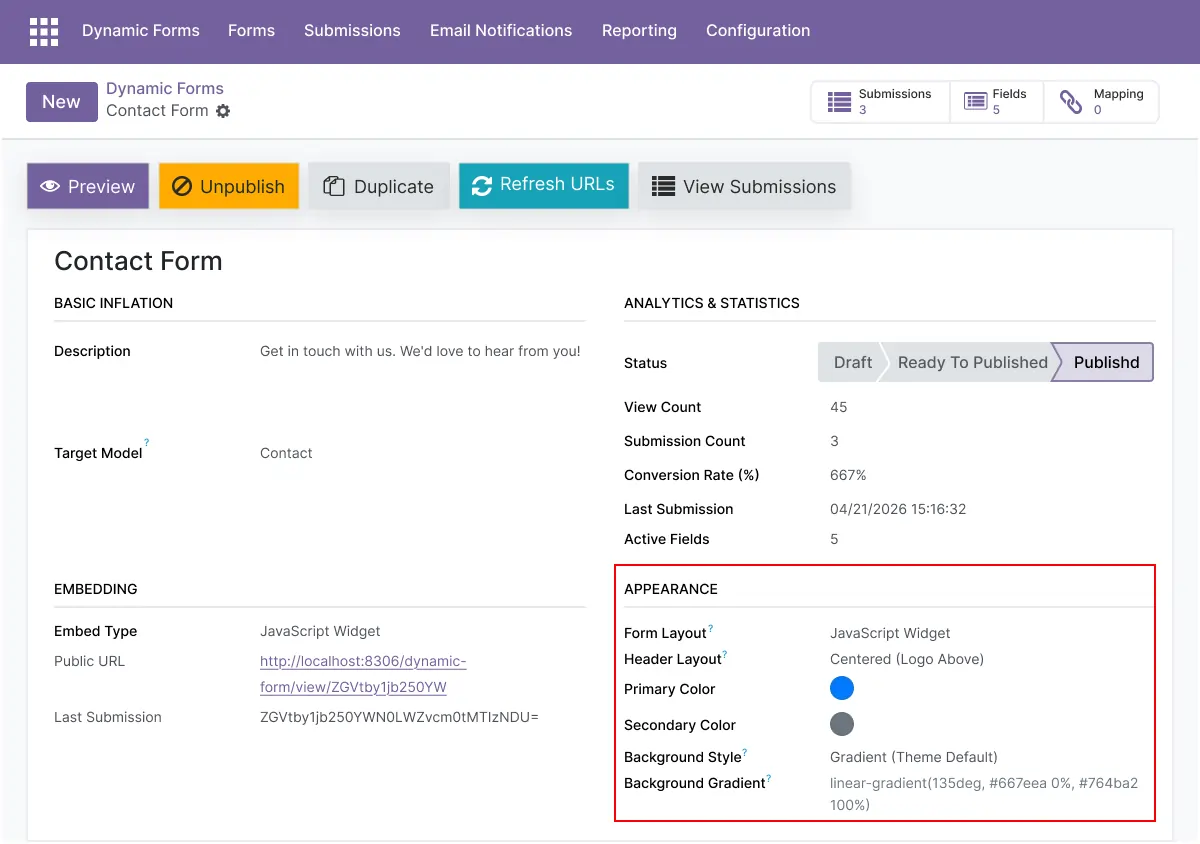
Theming & Styling - Brand-Ready Forms
Match forms to your brand with styling controls, themes, and custom CSS support.
- Use prebuilt form templates
- Apply brand colors and typography
- Add custom CSS per form
- Create responsive forms for mobile and desktop
- Deliver a polished, on-brand experience
Advanced Settings and Configuration
All options are managed from a centralized settings panel. Administrators configure field rules, conditional logic, notification settings, export formats, website embed behavior, and access permissions to match internal workflows.
The module supports reCAPTCHA, file-upload restrictions, and model mapping for CRM, HR, Events, Projects, Accounting, and custom models.
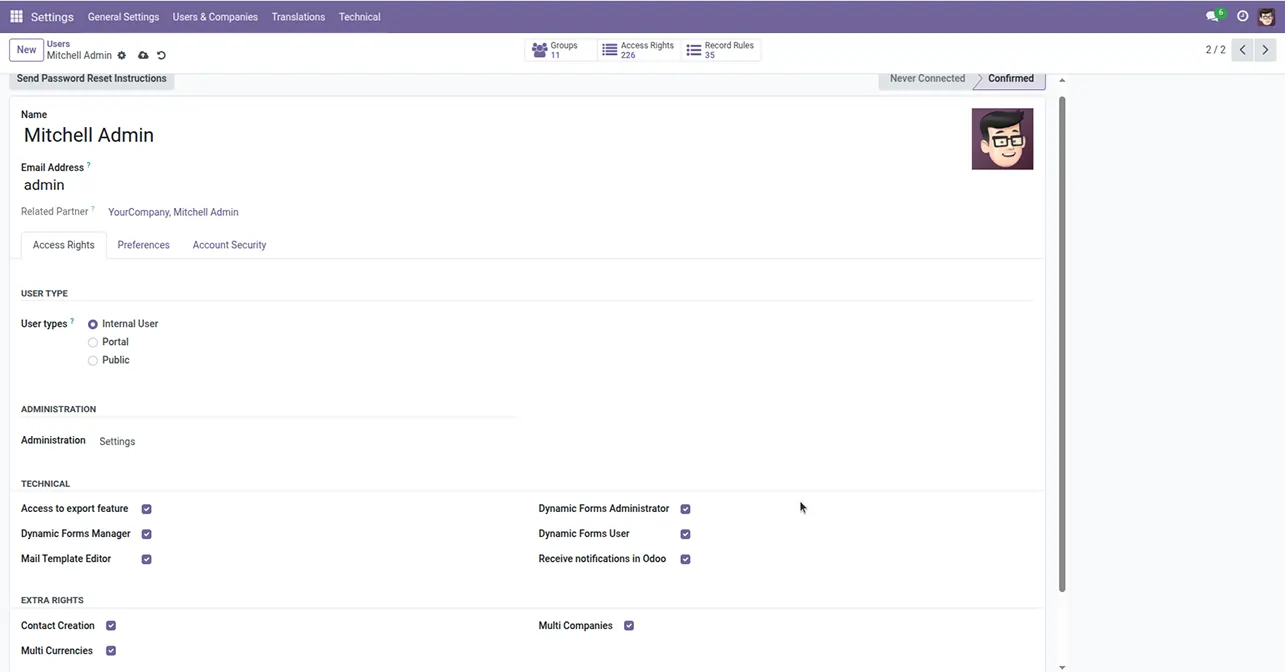
The configuration covers:
- Form templates and reusable field groups
- Field validation, conditional logic, and multi-step flows
- Website embedding for external forms
- Model mapping to CRM, HR, Events, Projects, Accounting, or custom models
- Automated email notifications and webhooks
- reCAPTCHA, rate limiting, and file-upload rules
- User access rights and submission visibility
How to Set Up FormFlow Odoo Form Builder
01
Install the App
Install the free app in your supported Odoo environment.
Result: The form builder appears in Odoo.
Result: The form builder appears in Odoo.
02
Build Your Form
Drag fields onto the canvas and set validation and logic.
Result: A custom form ready to publish.
Result: A custom form ready to publish.
03
Map to an Odoo Model
Map fields to CRM, HR, Events, Projects, Accounting, or a custom model.
Result: Submissions create or update Odoo records automatically.
Result: Submissions create or update Odoo records automatically.
04
Embed and Secure
Embed the form on your site and enable reCAPTCHA and rate limiting.
Result: A live, spam-protected form.
Result: A live, spam-protected form.
05
Notify, Export, and Measure
Configure notifications, webhooks, exports, and UTM tracking.
Result: Submissions flow into your workflow with full analytics.
Result: Submissions flow into your workflow with full analytics.
Who Is This App For?
This app is suitable for:
- Marketing teams capturing leads and running campaigns
- HR teams collecting applications and onboarding data
- Operations teams handling internal requests and intake
- Event organizers managing registrations
- Agencies building branded forms for clients
- Anyone who wants form submissions mapped into Odoo without code
- Businesses running Odoo 17.0 to 19.0 on Odoo.sh or On Premise
This app is not suitable for businesses on Odoo Online (SaaS), or for teams that only need Odoo's basic built-in website contact form without mapping, logic, or analytics.
Changelog
v19.0.0 — Initial Release
- - Drag-and-drop form builder
- - Conditional logic forms
- - Website embedding (JS widget and iframe)
- - CRM/HR/Events/Project/Accounting mapping
- - reCAPTCHA and anti-spam protection
- - Analytics and export features
Do I need to code to build a form?
No. FormFlow is a no-code, drag-and-drop builder. You design forms visually with fields, validation, conditional logic, and multi-step flows — no developer required.
Can submissions go straight into Odoo records?
Yes. You can map form fields to CRM leads, HR applications, Events, Projects, Accounting, or custom models, and submissions create or update those records automatically.
Can I embed forms on an external website?
Yes. Embed forms on your Odoo website or any external site using a JavaScript widget or iframe, with responsive layouts.
Does it support conditional logic and multi-step forms?
Yes. You can show, hide, or require fields based on answers, build branching and skip logic, and split long forms into multiple steps.
How are forms protected from spam?
With reCAPTCHA, honeypot fields, IP rate limiting, server-side validation, and filetype and size checks.
Can I track conversions and campaigns?
Yes. Built-in analytics track submission counts, conversion rates, and UTM source data, and you can export raw submission data.
Is it really free?
Yes. The app is free to download and install under the LGPL-3 license.
Which Odoo versions does this app support?
It supports Odoo 17.0, 18.0, and 19.0.
Does it work on Odoo Online, Odoo.sh, and On Premise?
It works on Odoo.sh and On Premise. It is not available for Odoo Online (SaaS).