Built by WebbyCrown Solutions — Need setup, customization, or integration help? Talk to our team.



Odoo POS Quick Notes - Order Note Templates & Dietary Tags for Self-Order
Availability
❌ Odoo Online
✅ Odoo.sh
✅ On Premise
Product Version
19.0
$11.42

Odoo POS Note Templates - Quick Notes, Customer Notes & Dietary Tags
What Is Odoo POS Note Templates?
Out of the box, adding a note in Odoo POS means typing free text on every order - slow during a rush, easy to misspell, and inconsistent from one cashier to the next. There's no fast way to apply the same instruction ("no onions," "extra cheese") across orders, and no structured way to flag dietary or allergy requirements so the kitchen sees them clearly.
Odoo POS Note Templates replaces that manual typing with a tap-based note workflow. Staff apply predefined notes and dietary tags from quick chips, attach them to either the full order or an individual order line, and the notes print on the receipt for the kitchen and the customer. A custom text field with a live character counter is still there for one-off requests. Administrators manage every template, tag, and predefined note from configuration - so order notes stay consistent across each POS session.
Key Benefits

One-Tap Notes, No Typing
Apply predefined notes from quick chips with a single tap instead of typing the same instruction on every order.

Order or Order-Line Notes
Attach a note to the whole order or to a single order line, so each item carries its own instruction.

Clear Dietary & Allergy Tags
Color-coded tags such as gluten free, vegan, and extra spicy make special requirements obvious to the kitchen.

Printed on the Receipt
Order notes and predefined notes print on the POS receipt, keeping staff, kitchen, and customer aligned.

Consistent Across Every Session
Standardized note templates keep instructions worded the same way across cashiers and POS sessions.

Admin-Managed Templates
Create, edit, reorder, and color-code templates, tags, and predefined notes from one configuration screen.
Modules & Features
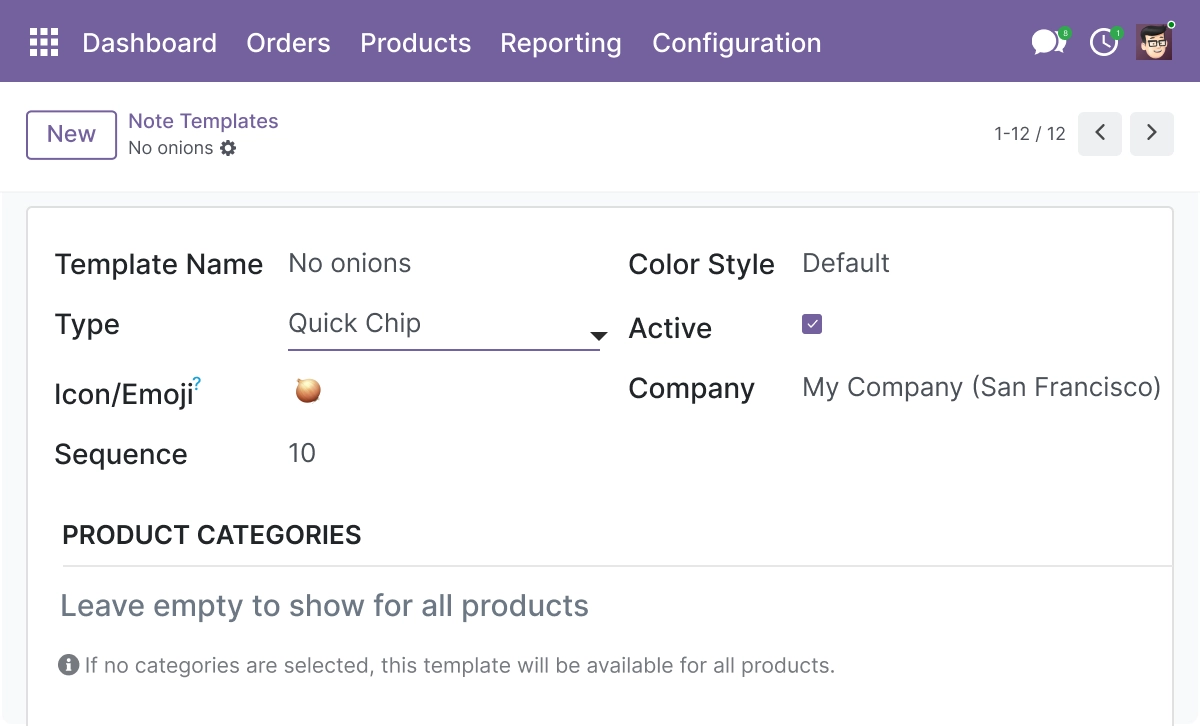
Quick Note Chips - Apply Notes With One Tap
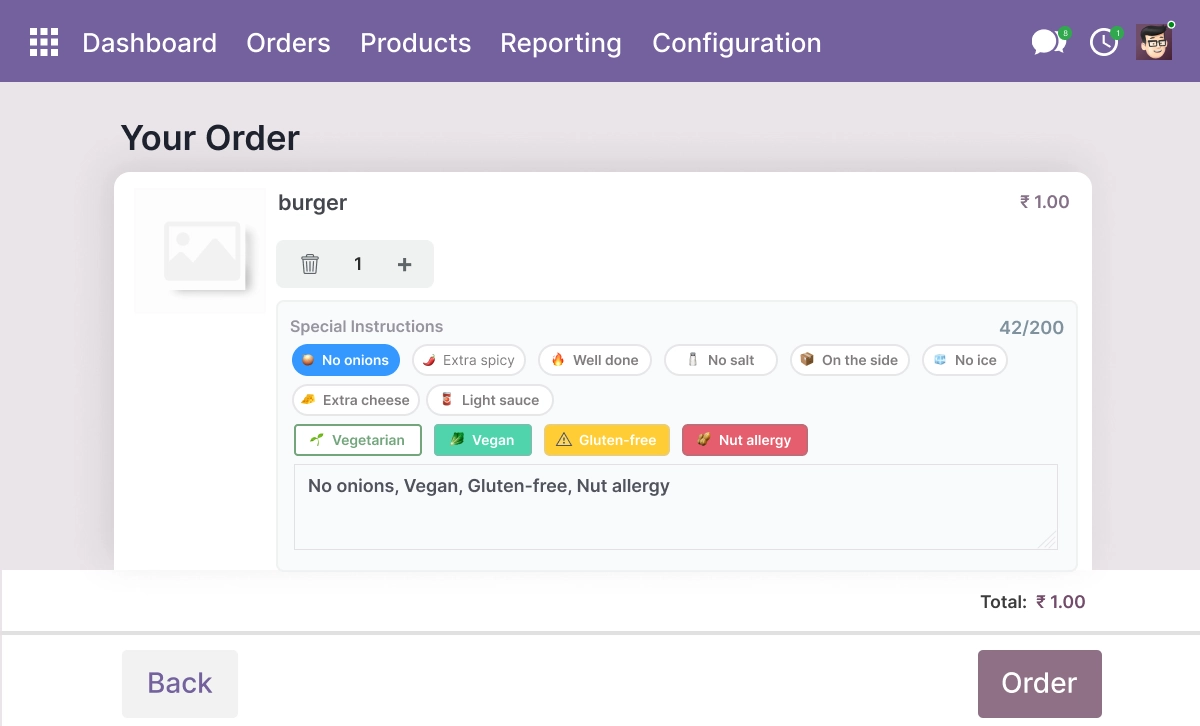
Interactive quick chips no onions, extra spicy, extra cheese using a single click in the POS interface.allow users to add notes and predefined notes such as
- Tap predefined chips like no onions, extra spicy, and extra cheese to add a note instantly
- One-click chip interaction applies the note to the selected order or order line
- Visual chip layout with scroll navigation for fast selection during service
- Reduces typing and spelling errors in busy restaurant and cafe environments
- Works alongside custom text notes for anything not covered by a chip
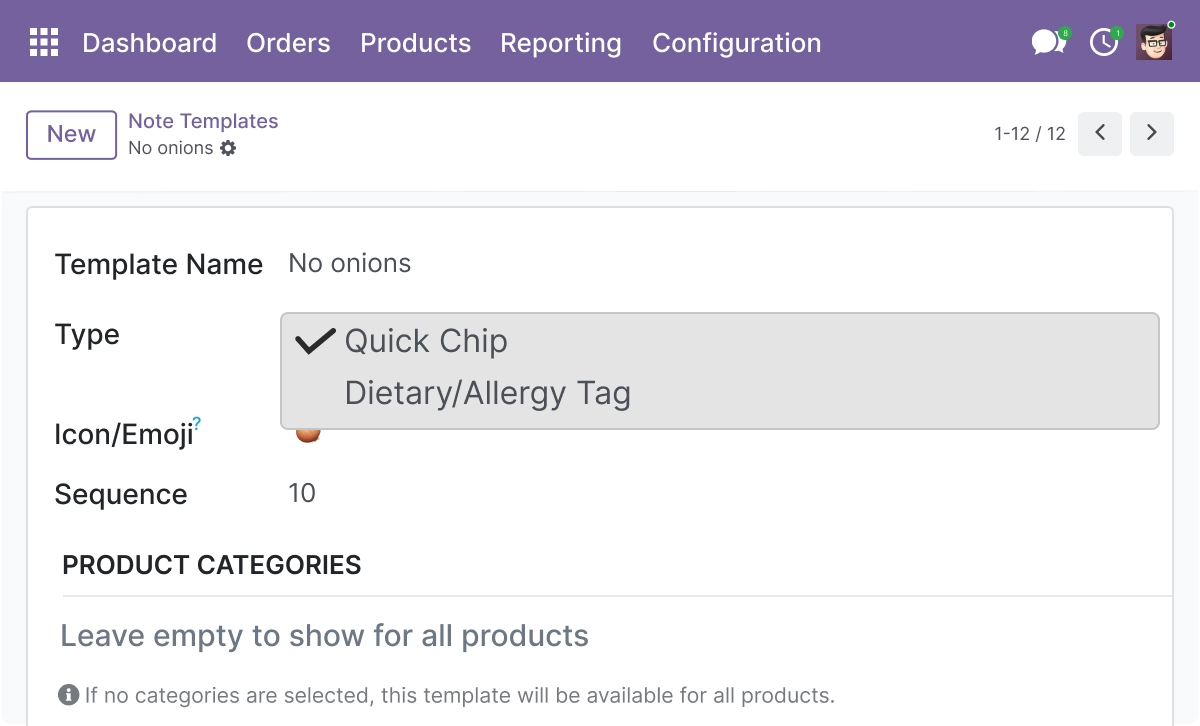
Dietary & Allergy Tags - Flag Special Requirements Clearly
Use dietary tags and color coded tags to highlight special instructions like gluten free and allergy-related notes.
- Color-coded tags highlight dietary and allergy instructions at a glance
- Supports tags such as gluten free, vegan, and vegetarian
- Helps kitchen and counter staff read and act on notes faster
- Keeps dietary requirements visible on the order line and receipt
- Reduces preparation errors and improves order accuracy
Custom Note Field - Capture One-Off Requests
Add custom notes when predefined notes are not enough using a structured textarea field.
- Add a free-text note when predefined chips and tags are not enough
- Character limit keeps notes clean and prevents overflow on the receipt
- Attach the custom note to a specific order line or the whole order
- Works across all order lines in a POS session
- Keeps every note structured and ready to print
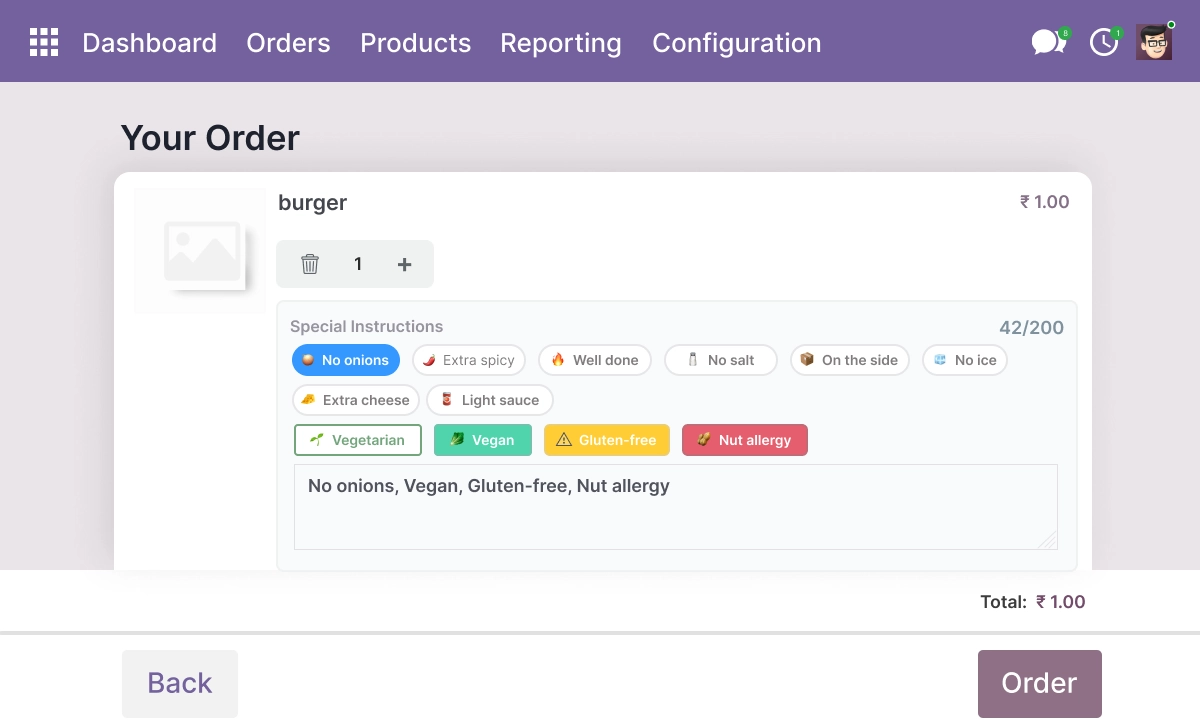
Real-Time Character Counter - Keep Notes Within Limits
A real-time counter ensures notes stay within limits and improves data validation.
- Live counter shows remaining characters while staff type
- Prevents oversized notes that break receipt formatting
- Improves the accuracy and consistency of order notes
- Helps keep POS note data clean for reporting and printing
- Supports inline validation before the note is applied
Category-Based Template Filtering - Show Only Relevant Notes
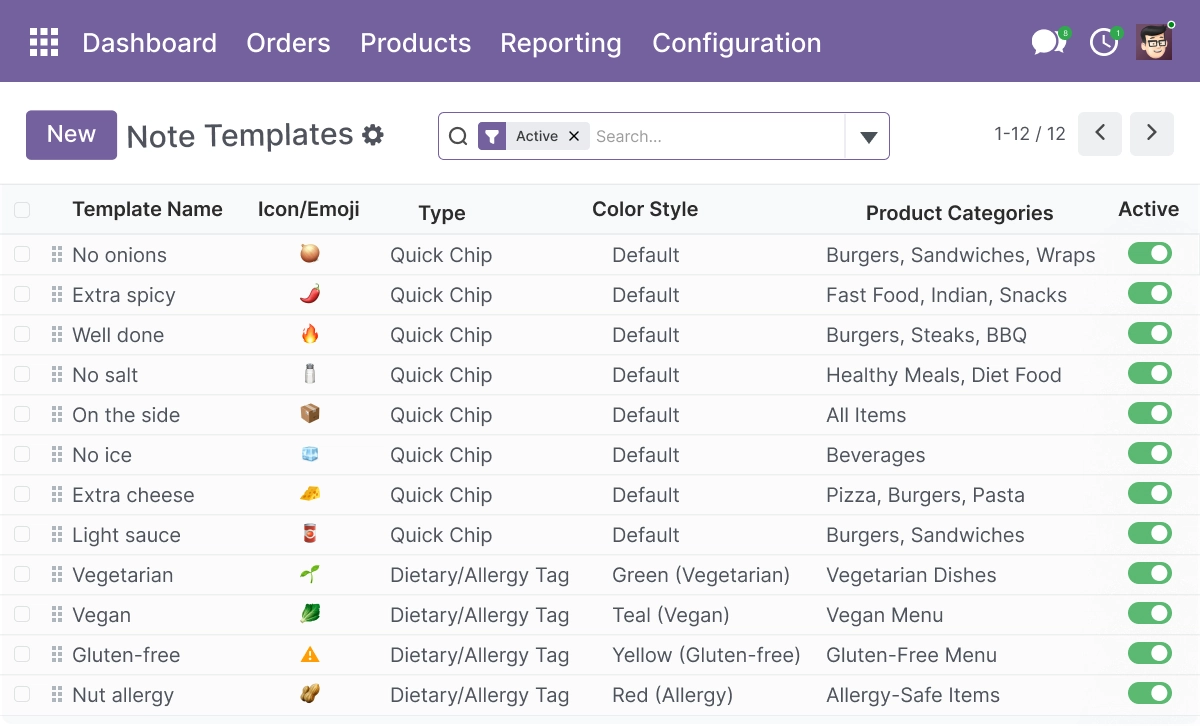
Filter note templates based on product category for better relevance.
- Filter note templates by product category so staff see only relevant chips
- Apply the correct predefined notes to the right order lines automatically
- Reduces clutter and speeds up note selection on the POS screen
- Keeps food, drink, and retail notes organized separately
- Improves usability for staff handling mixed orders
Admin Template Management - Control Every Note From One Place
Full control to create, edit, remove, and manage note templates and predefined notes.
- Create, edit, and remove note templates and predefined notes from configuration
- Assign colors and a display sequence to chips and tags
- Manage dietary tags and internal notes for receipt output
- Control which users can edit note configuration through access rights
- Enable or disable note features based on each POS setup
Advanced Settings and Configuration
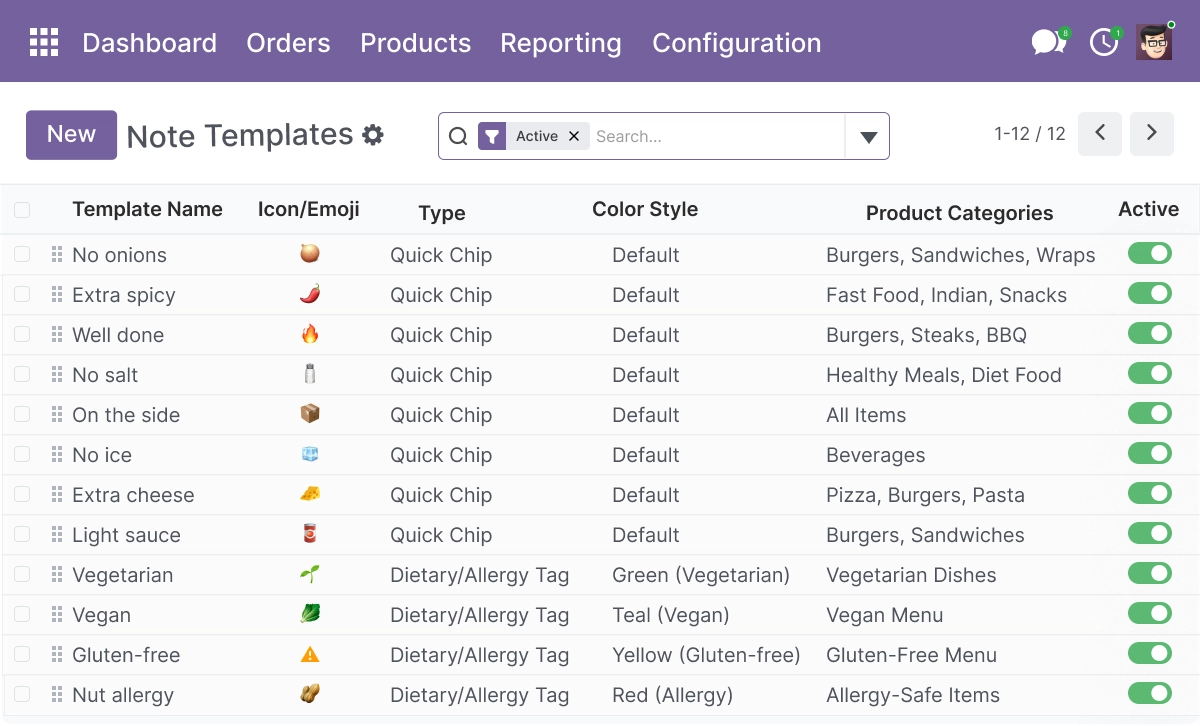
All note options are managed from Point of Sale → Configuration. From one place, administrators create and organize note templates, predefined notes, quick chips, and dietary tags, then control how each note behaves on the POS screen and the receipt.
Settings are grouped so hospitality and retail teams can configure each option without switching menus. Changes apply to new POS sessions, so staff always work from the current set of templates.
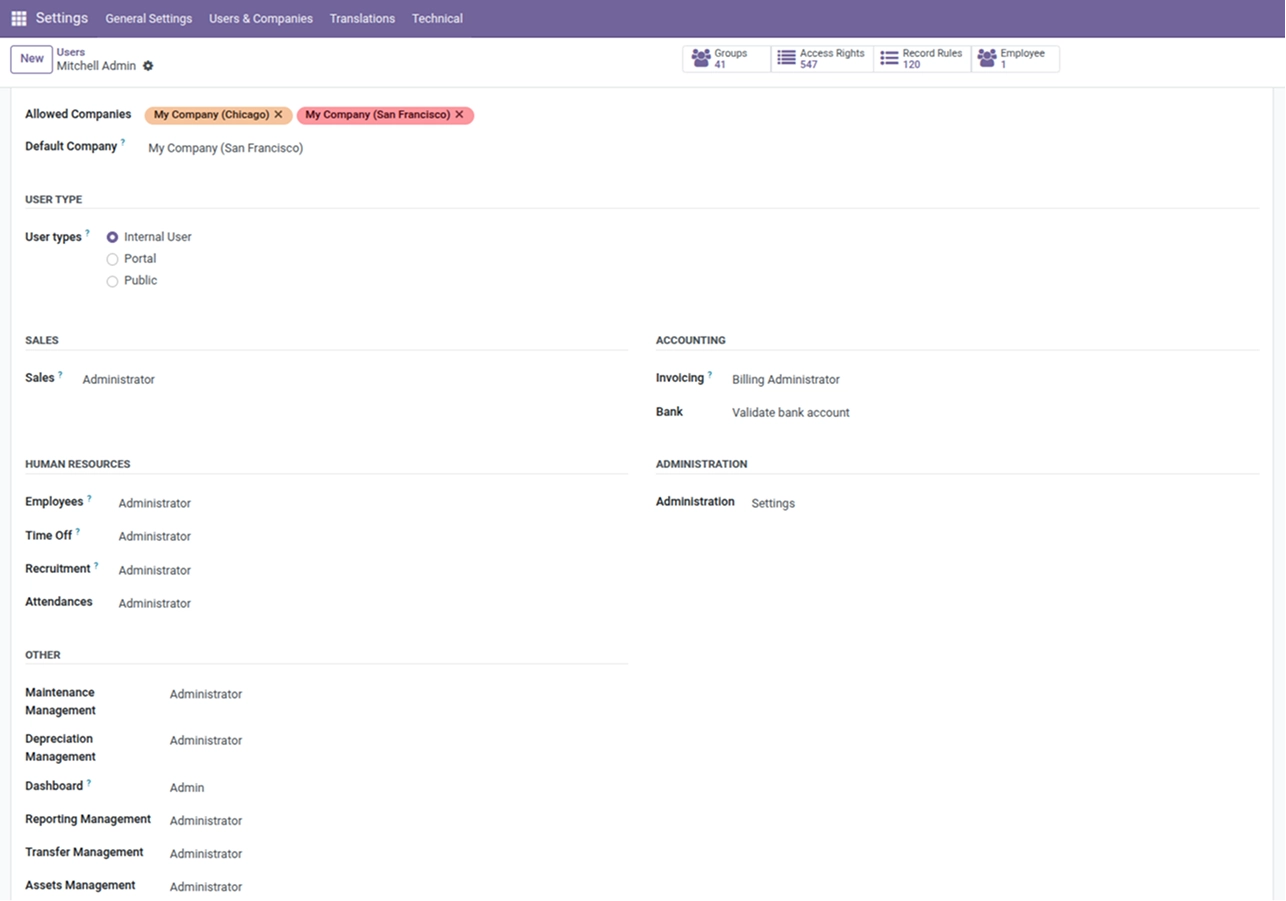
The configuration covers:
- Predefined notes and quick chip labels
- Dietary and allergy tags with color coding
- Custom note field and character limit
- Category-based filtering for note templates
- Receipt printing and order-line display options
- Display sequence and colors for chips and tags
- Access rights for who can edit note configuration
How to Set Up Odoo POS Note Templates
01
Install the App
Install the app in your supported Odoo environment.
Result: POS note configuration options appear in Point of Sale settings.
Result: POS note configuration options appear in Point of Sale settings.
02
Open POS Note Configuration
Go to Point of Sale → Configuration and open the note templates settings.
Result: Quick chips, dietary tags, and predefined notes are ready to set up.
Result: Quick chips, dietary tags, and predefined notes are ready to set up.
03
Create Your Note Templates
Add predefined notes, dietary tags, and quick chips, then assign colors and a display order.
Result: Your custom note chips appear on the POS screen for staff to tap.
Result: Your custom note chips appear on the POS screen for staff to tap.
04
Set Receipt and Display Options
Choose which notes print on the receipt and which appear on the order line.
Result: Notes reach the kitchen, staff, and customer exactly where you need them.
Result: Notes reach the kitchen, staff, and customer exactly where you need them.
05
Save and Use in POS
Save your settings and open a POS session.
Result: Staff apply order notes and predefined notes with one tap.
Result: Staff apply order notes and predefined notes with one tap.
Who Is This App For?
This app is suitable for:
- Restaurants and cafes that need fast, repeatable order notes during service
- Kitchen and counter staff who rely on clear special instructions and dietary tags
- Retail POS teams adding handling or gift notes per item or per order
- Businesses that need notes printed on the POS receipt for fulfilment
- Odoo implementation partners setting up POS for hospitality clients
- Businesses running Odoo 18.0 or 19.0 on Odoo.sh or On-Premise
This app is not suitable for businesses using Odoo Online (SaaS), or for those that only need a single free-text note field without predefined templates or tags.
Changelog
v19.0.0 — Initial Release
- - Quick Note Chips
- - Dietary And Allergy Tags
- - Custom Note Field With Character Limit
- - Real-Time Character Counter
- - Category-Based Template Filtering
- - Admin Template Management
Can I add a note to the whole order and to a single item?
Yes. You can attach a note to the entire order or to an individual order line, so each item can carry its own instruction.
Do the notes print on the POS receipt?
Yes. Order notes, predefined notes, and dietary tags can be printed on the receipt so the kitchen, staff, and customer all see the same instructions.
What are predefined notes and quick chips?
Quick chips are tap-to-apply buttons for common instructions like "no onions," "extra spicy," or "gluten free." You create them once in configuration, and staff apply them with one tap instead of typing.
Can I still type a custom note?
Yes. A custom text field with a character limit and a live counter is available for oneoff requests that the predefined chips don't cover.
Which Odoo versions does this app support?
The app supports Odoo 18.0 and 19.0.
Does it work on Odoo Online, Odoo.sh, and On Premise?
It works on Odoo.sh and On Premise. It is not available for Odoo Online (SaaS).
Is this app suitable for restaurants and cafes?
Yes. It's built for hospitality service, with quick chips, dietary tags, and receipt printing designed for fast order notes during a rush.
Who can create and edit the note templates?
Administrators manage all templates, tags, and predefined notes from configuration, and access rights control which users can edit the note setup.