Built by WebbyCrown Solutions — Need setup, customization, or integration help? Talk to our team.



Advance Report Studio - Odoo Custom Report Builder
Availability
❌ Odoo Online
✅ Odoo.sh
✅ On Premise
Product Version
19.0
$171.23


What Is Advance Report Studio?
Standard Odoo reporting is useful for day-to-day analysis, but teams often need reusable reports that combine their own filters, domains, fields, group-bys, export columns, and reporting views. Rebuilding those settings for every department, user, or recurring business request creates duplicated effort and inconsistent reporting.
Advance Report Studio adds a configurable reporting layer for building Odoo custom reports on approved models. Create reusable report templates, select list, pivot, graph, or kanban views, configure drill-down actions, export to Excel, PDF, or CSV, and schedule report emails when needed. It gives consultants, administrators, and business teams a structured Odoo report builder workflow without recreating the same report setup repeatedly.
Key Benefits

Reusable Report Templates
Save report definitions with selected models, domains, fields, views, group-bys, export columns, and actions so teams can reuse the same reporting structure.

Multi-View Business Analysis
Analyze Odoo data through list, pivot, graph, and kanban reporting views based on the report template configuration.

Excel, PDF & CSV Export
Generate downloadable Excel, PDF, and CSV reports from configured reporting data for internal analysis, customers, and stakeholders.

Scheduled Email Reports
Send reports manually, test delivery to your own user, or configure daily, weekly, or monthly report email schedules.

Drill-Down Reporting
Move from a report row into related Odoo records using drill-down actions and configurable target model rules.

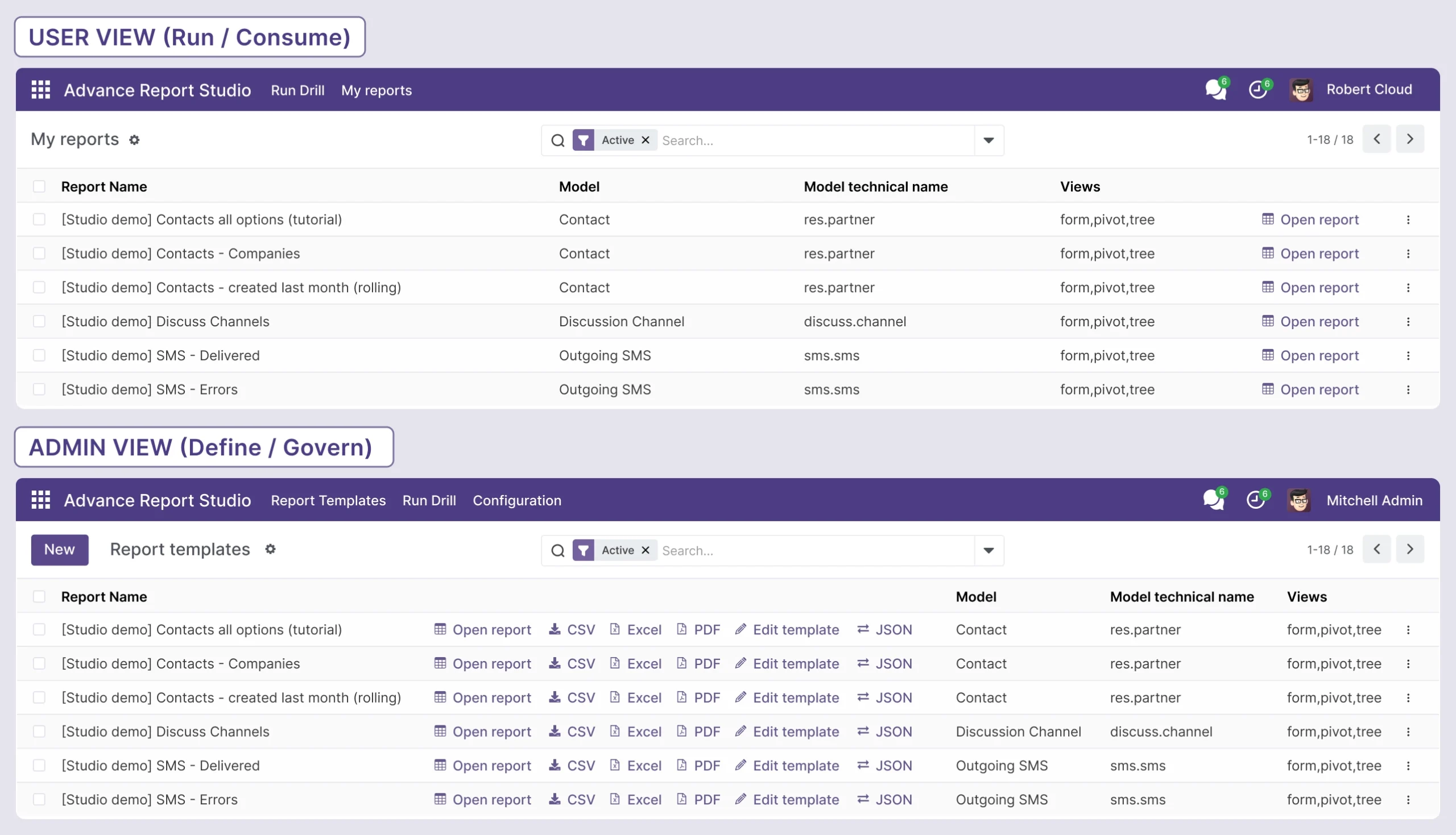
Controlled Reporting Access
Limit reporting to approved Odoo models and manage access through configuration and dedicated security rules.
Modules & Features
Templates & Configuration
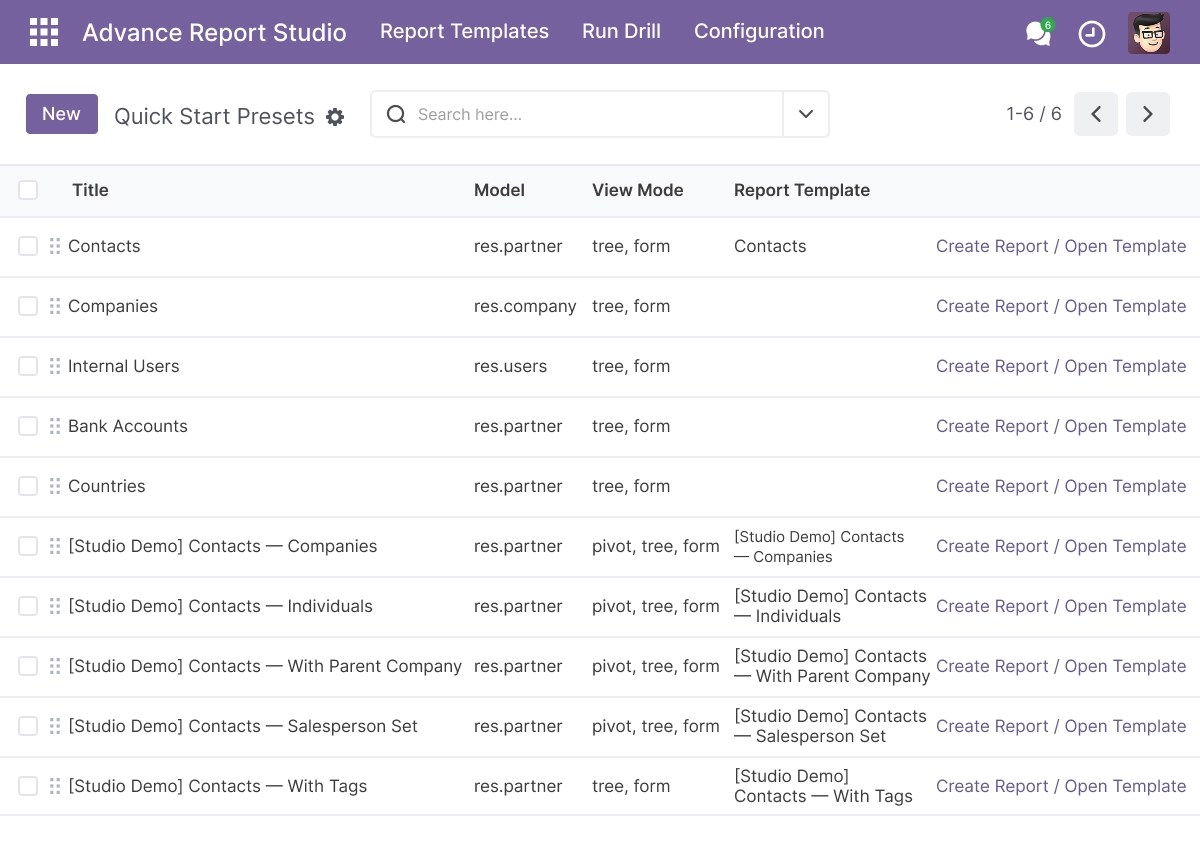
Create and manage reusable report templates from one centralized Odoo reporting workspace.
- Create reusable Odoo custom report templates
- Select approved Odoo models for reporting
- Configure reporting domains and filters
- Define export columns and report layouts
- Choose available report actions and view modes
- Reuse saved report definitions across teams
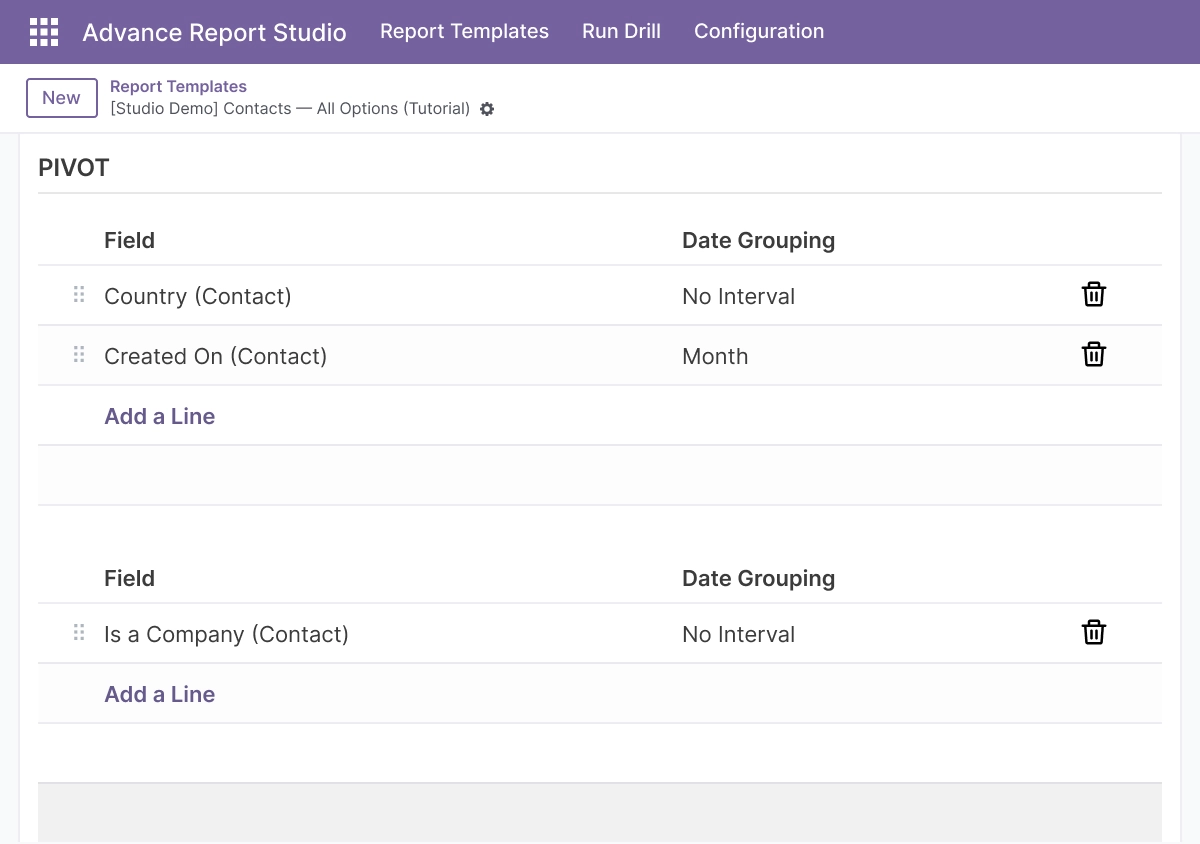
Pivot & List Runtime Reports
Create list and pivot reports for structured analysis across business records.
- Build Odoo pivot reports with configured group-bys
- Generate list-based reporting views
- Select report fields and measures
- Apply saved filters and domain conditions
- Analyze operational, sales, inventory, and financial data
- Open saved report templates like standard Odoo actions
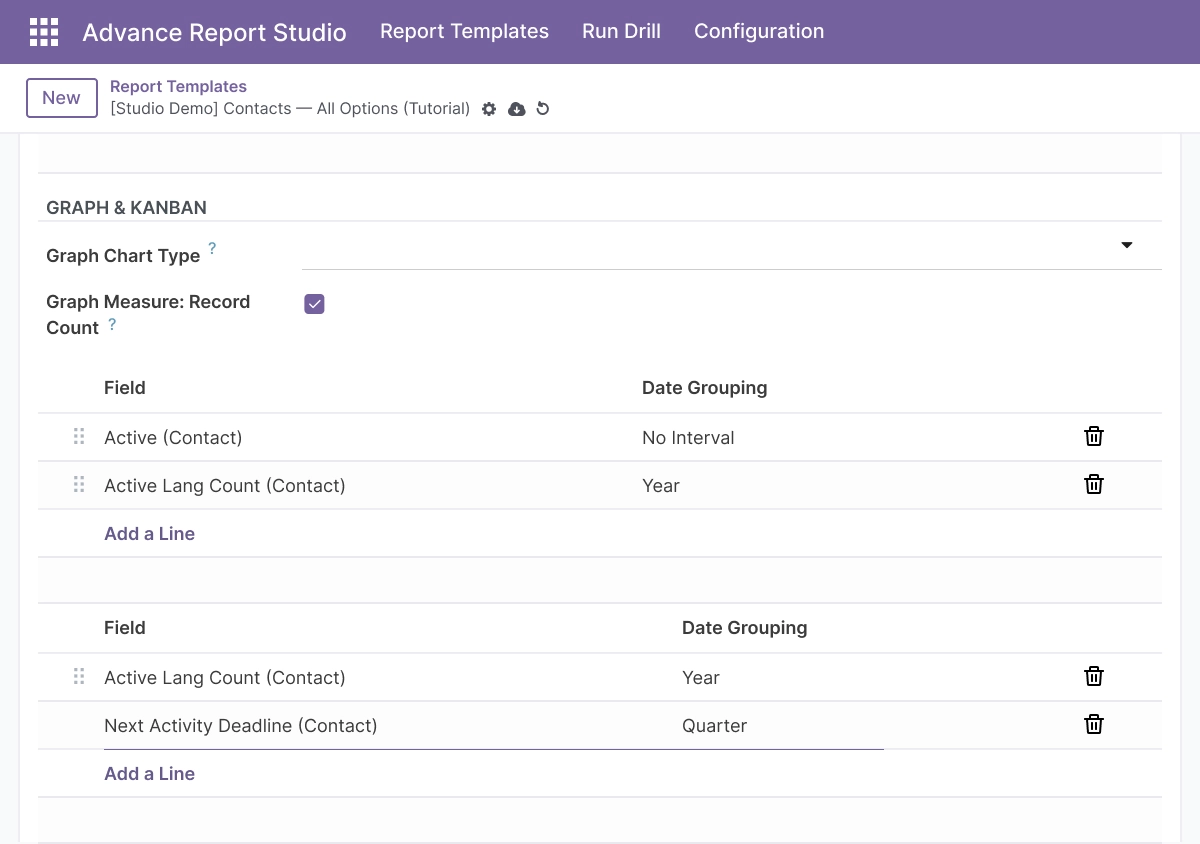
Graph & Kanban Reports
Turn configured Odoo data into visual graph and kanban reporting views.
- Build graph reports from report templates
- Create kanban reporting views
- Configure available group-by fields
- Compare business performance visually
- Support operational reporting requirements
- Switch between configured report view modes
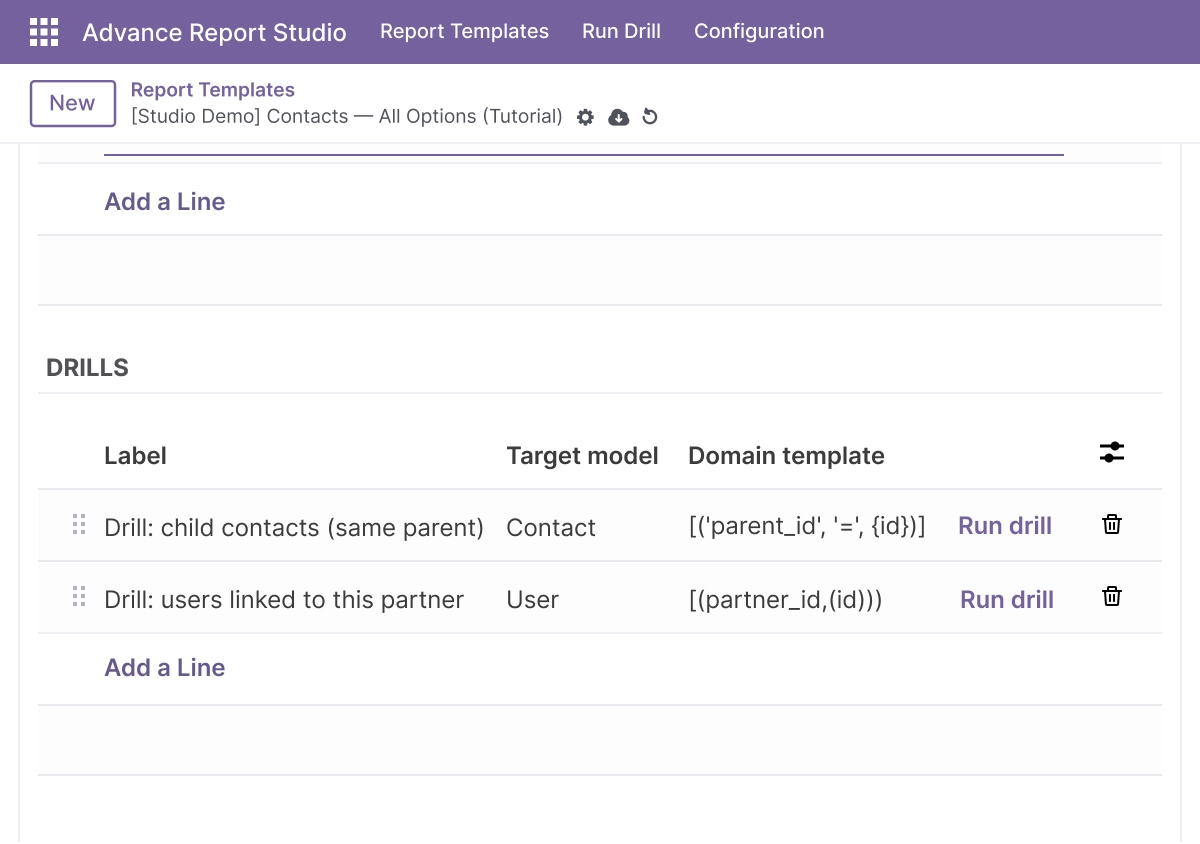
Drill-Down Reports & Related Data
Move from summary-level results to related Odoo records for deeper analysis.
- Open related records from a selected report row
- Configure drill-down target models
- Use field placeholders in drill-down domains
- Connect reporting workflows across Odoo models
- Explore detailed records without recreating filters
- Improve data analysis from summary to record level
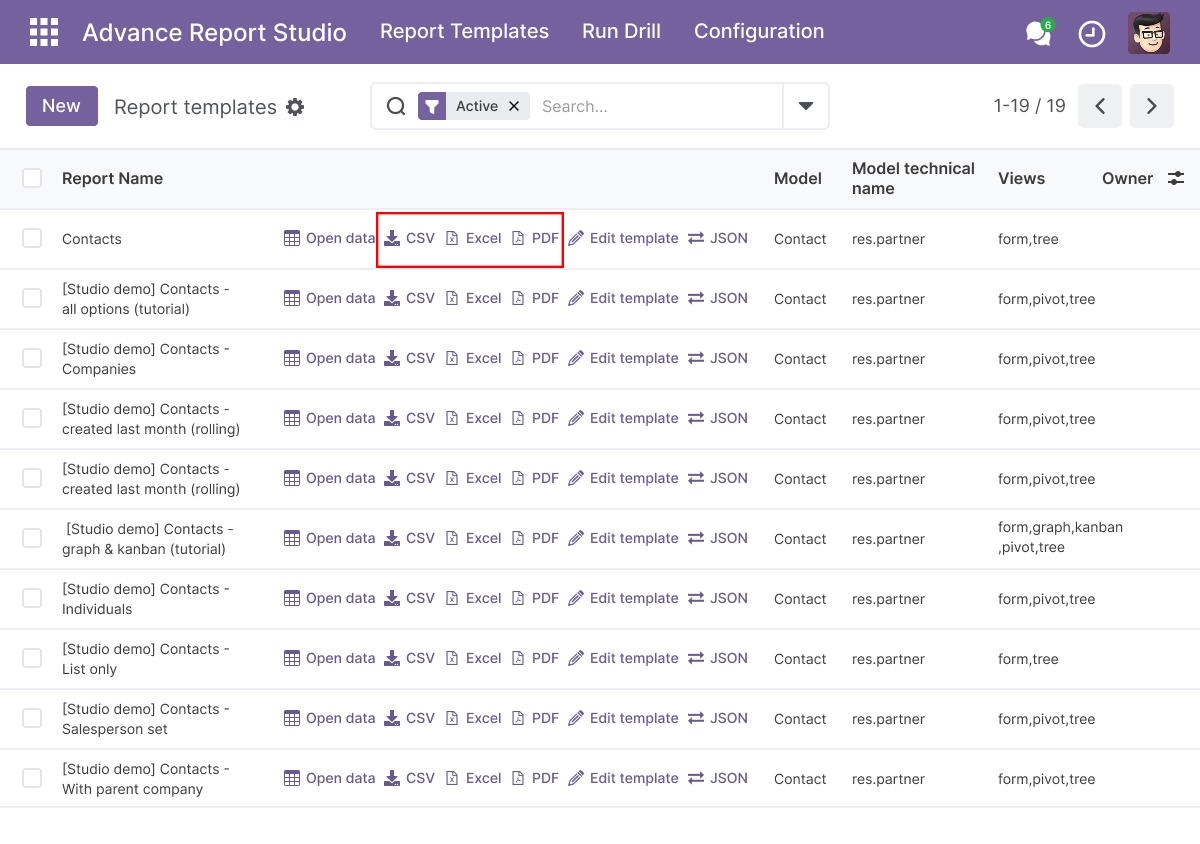
Excel, PDF & CSV Export
Export configured reports in multiple formats for sharing, analysis, and documentation.
- Export Odoo reports to Excel
- Generate PDF report exports
- Download report data as CSV
- Use configured fields and columns across exports
- Share reports with teams and stakeholders
- Keep reporting data structured and reusable
Scheduled Reports & Email Delivery
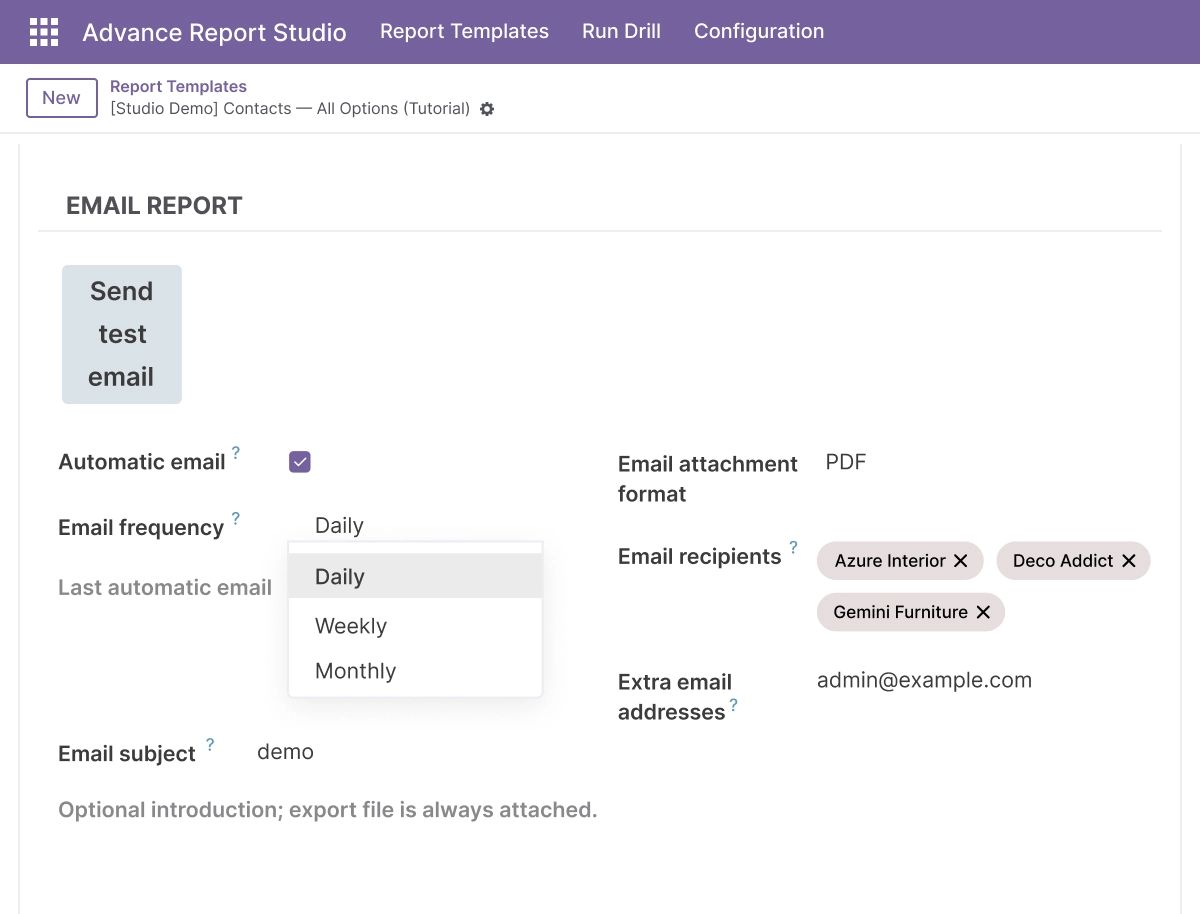
Automate recurring report delivery through Odoo email workflows.
- Create scheduled Odoo reports
- Send reports by email manually when required
- Test report emails before sending to full recipients
- Configure daily, weekly, or monthly schedules
- Deliver PDF, Excel, or CSV attachments
- Reduce repeated manual reporting work
JSON Import & Export
Move report definitions between environments with JSON configuration files.
- Export report configurations as JSON
- Import reusable report templates
- Support staging and backup workflows
- Move reporting definitions between databases
- Maintain consistent reporting structures
- Reduce manual template recreation
Model Control & Security
Control which Odoo models are available for report creation and reporting workflows.
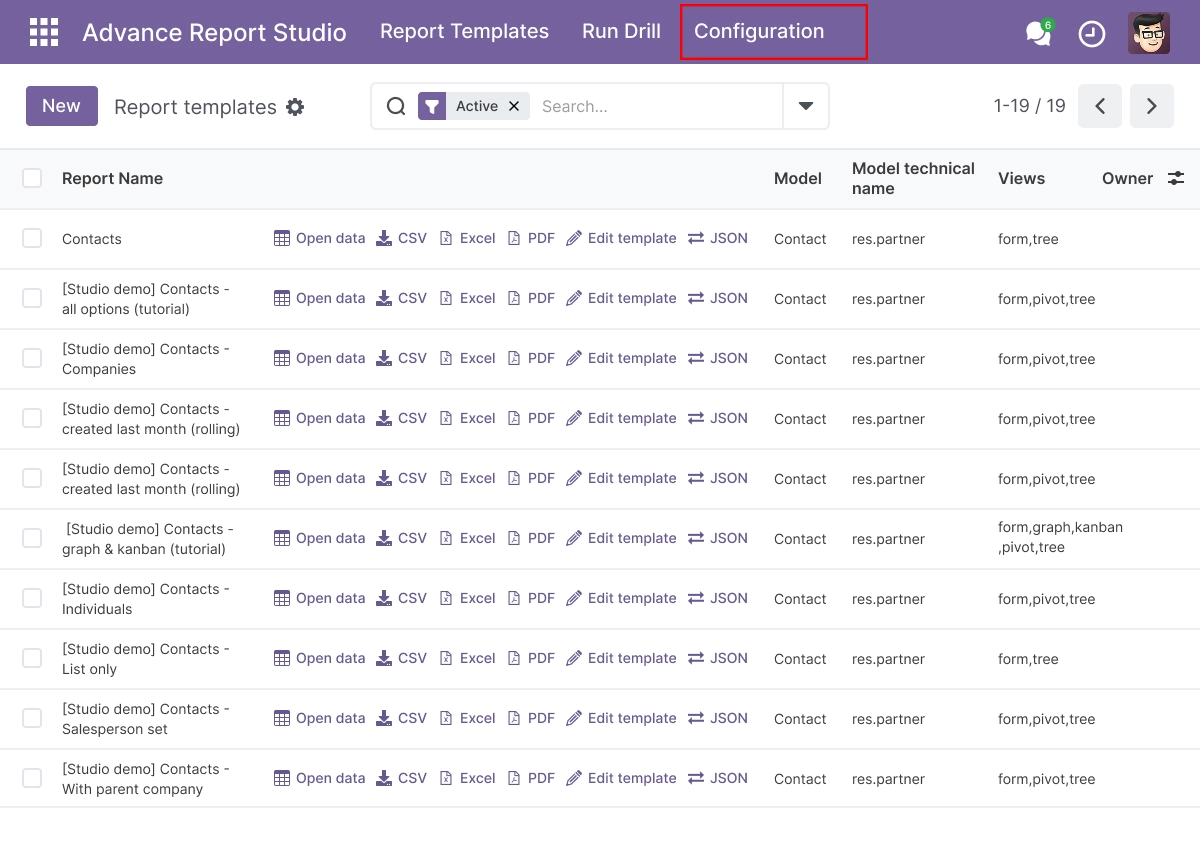
- Configure allowed Odoo models
- Restrict report-building scope
- Manage secure reporting access
- Apply dedicated access rules
- Support team-based reporting controls
- Keep sensitive business data within approved reporting boundaries
Advanced Settings and Configuration
Advance Report Studio provides centralized configuration for report templates, approved models, domains, reporting views, exports, drill-down rules, JSON definitions, and email schedules. Administrators can define how reports should behave before they are made available to users.
The configuration helps businesses standardize reporting workflows while keeping access controlled. Teams can manage which models are reportable, which fields are exported, how reports are grouped, where drill-down actions go, and how recurring reports are shared by email.
The configuration covers:
- Allowed Odoo models and reporting access
- Report templates and reusable definitions
- Domains, filters, and optional JSON action context
- List, pivot, graph, and kanban report views
- Group-by fields and available measures
- Export columns, row limits, and report formats
- Excel, PDF, and CSV report downloads
- Drill-down target models and domain templates
- Manual, test, daily, weekly, and monthly email reporting
- JSON import and export for report definitions
- Dedicated report access rules and security controls
How to Set Up Advance Report Studio
01
Install the App
Install Advance Report Studio in a supported Odoo.sh or On Premise environment.
Result: The reporting tools and configuration options become available in Odoo.
Result: The reporting tools and configuration options become available in Odoo.
02
Configure Allowed Models
Select which Odoo models can be used for report creation and set access rules for users or teams.
Result: Report creators work only with approved business data models.
Result: Report creators work only with approved business data models.
03
Create a Report Template
Choose the model, configure a domain, select fields, set export columns, and define available reporting views.
Result: A reusable Odoo custom report template is ready for use.
Result: A reusable Odoo custom report template is ready for use.
04
Configure Views, Exports & Drill-Downs
Set up list, pivot, graph, or kanban views, then configure export formats and drill-down actions where required.
Result: Users can analyze, export, and explore related business data from one report workflow.
Result: Users can analyze, export, and explore related business data from one report workflow.
05
Configure Email Delivery
Choose recipients, attachment formats, optional subject and message content, then test or schedule the report.
Result: Reports can be delivered manually or automatically by email.
Result: Reports can be delivered manually or automatically by email.
06
Share and Reuse Reports
Open saved report templates as standard Odoo actions and reuse them across users, teams, and reporting cycles.
Result: Teams use consistent reports without rebuilding configuration each time.
Result: Teams use consistent reports without rebuilding configuration each time.
Who Is This App For?
This app is suitable for:
- Odoo consultants creating reusable reporting templates for clients
- Odoo administrators controlling report models, fields, and access
- Business analysts who need pivot, graph, list, or kanban reporting views
- Sales, inventory, finance, operations, and management teams using configurable reports
- Teams that need Excel, PDF, or CSV report exports
- Businesses that need scheduled Odoo reports delivered by email
- Organizations that want drill-down reporting across related Odoo models
- Businesses running Odoo 14.0 to 19.0 on Odoo.sh or On Premise
This app is not suitable for businesses using Odoo Online / SaaS, teams that need a visual drag-and-drop PDF designer, or reporting workflows that require arbitrary SQL query building.
Changelog
v19.0.0 — Initial Release
- – Current release with reusable report templates
- – List
- – Pivot
- – Graph and
- – Kanban reporting views
- – Drill-down reporting
- – Excel/PDF/CSV exports
- – Scheduled email reports
- – JSON import/export
- – Model controls
- – And access rules
What is Advance Report Studio?
Advance Report Studio is an Odoo Custom Report Builder that lets users create reusable reporting templates with configured models, domains, fields, views, exports, drill-down actions, and optional email delivery.
How do I create custom reports in Odoo with this app?
Create a report template by selecting an approved Odoo model, configuring a domain, choosing report fields, defining view modes, setting export columns, and saving the configuration for reuse.
Can I create pivot, graph, list, and kanban reports?
Yes. The app supports configurable list, pivot, graph, and kanban reporting views based on the fields and view modes set in each report template.
Can I export Odoo reports to Excel, PDF, and CSV?
Yes. Reports can be exported as Excel, PDF, or CSV files using the configured report data, fields, domain, and export column settings.
Can I schedule Odoo reports by email?
Yes. You can send reports manually, send a test email to your own user, or configure automatic delivery on daily, weekly, or monthly schedules.
How do drill-down reports work?
Drill-down reports let users open related Odoo records from a selected report row. Administrators configure a target model and a domain template that uses values from the active row.
Can I control which Odoo models users can report on?
Yes. Administrators can configure allowed models and use report access controls to keep reporting within approved business data areas.
Can I move report definitions between Odoo databases?
Yes. The app supports JSON import and export for moving reusable report definitions between environments, including staging and backup workflows.
Which Odoo versions does this app support?
Advance Report Studio supports Odoo 14.0, 15.0, 16.0, 17.0, 18.0, and 19.0.
Does it work on Odoo Online, Odoo.sh, and On Premise?
It works on Odoo.sh and On Premise deployments. It is not available for Odoo Online / SaaS because it is a third-party Odoo module that requires server-side installation.
What server requirements are needed for Excel, PDF, and email reports?
Excel export requires the xlsxwriter Python dependency. PDF export uses the standard Odoo QWeb and wkhtmltopdf reporting stack. Scheduled email delivery requires the Discuss / mail dependency and correctly configured outgoing email settings.