Built by WebbyCrown Solutions — Need setup, customization, or integration help? Talk to our team.



Odoo Project Profitability & Profit/Loss Report


Odoo profit loss module - Project Profitability & Expense Reporting
What Is Odoo Project Profitability & Profit/Loss Report?
Knowing whether a project actually made money usually means pulling timesheets, expenses, vendor bills, and invoices from different places and reconciling them by hand in a spreadsheet. By the time the numbers are assembled, the project is over and the insight is too late to act on.
This module calculates project profitability inside Odoo, in real time. It automatically gathers employee costs (from timesheets and approved expenses), external costs (vendor bills and third-party charges), and direct project costs, then sets them against total revenue to show net profit for each project. Results appear in one report with graphs, in color-coded list and kanban views, and you can open any figure down to its journal entry, invoice, or receipt. The result is clear, audit-ready visibility into which projects are profitable and which are not.
Key Benefits

Net Profit Per Project
See total revenue, total cost, and net profit for every project in a single report.

Automatic Cost Rollups
Employee, external, and project costs are pulled in automatically - no manual reconciliation.

Real-Time Visibility
Watch profitability update as timesheets, expenses, and invoices post, not after the project closes.

Drilldown to Source
Open any number down to its journal entry, invoice, receipt, or timesheet for audit-ready transparency

Spot Winners and Losers Fast
Color-coded kanban and list views flag profitable and loss-making projects at a glance.

Free and Multi-Version
Free to install, with support for Odoo 14.0 through 19.0 on Odoo.sh and On Premise.
Modules & Features
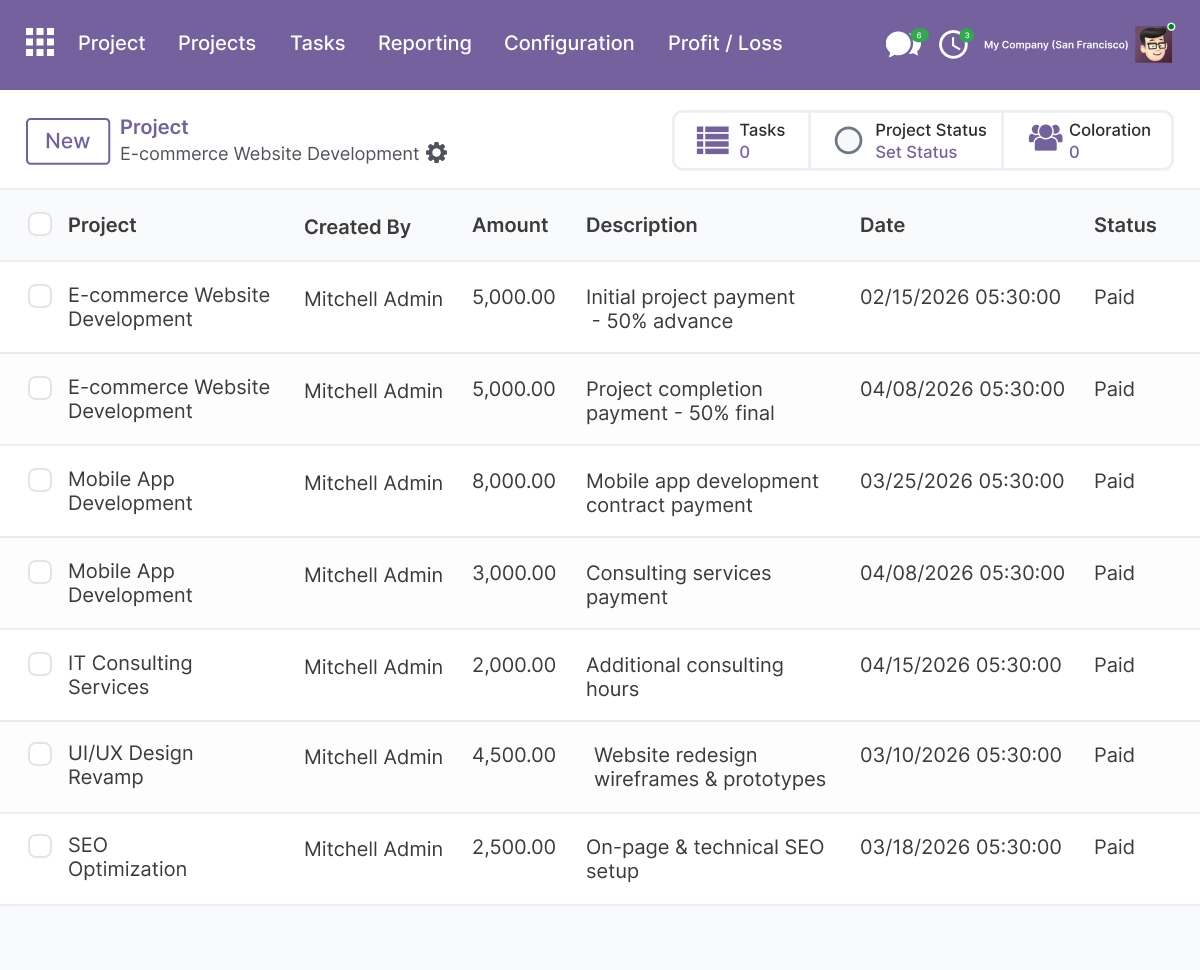
Project Cost Overview
Track project costs,total cost, and revenue in one centralized system for complete project cost analysis and expense reporting. This feature helps managers manage costs, analyze financial data, and maintain a clear view of total amount, date, and cost distribution across tasks and resources.
- Record project costs, revenue, and amounts with date and description
- Track costs by task, employee, service, and resource allocation
- Rely on automatically populated cost data for accurate reporting
- Manage costs directly from the project dashboard and settings
- Keep a clear view of total cost, income, and project profitability
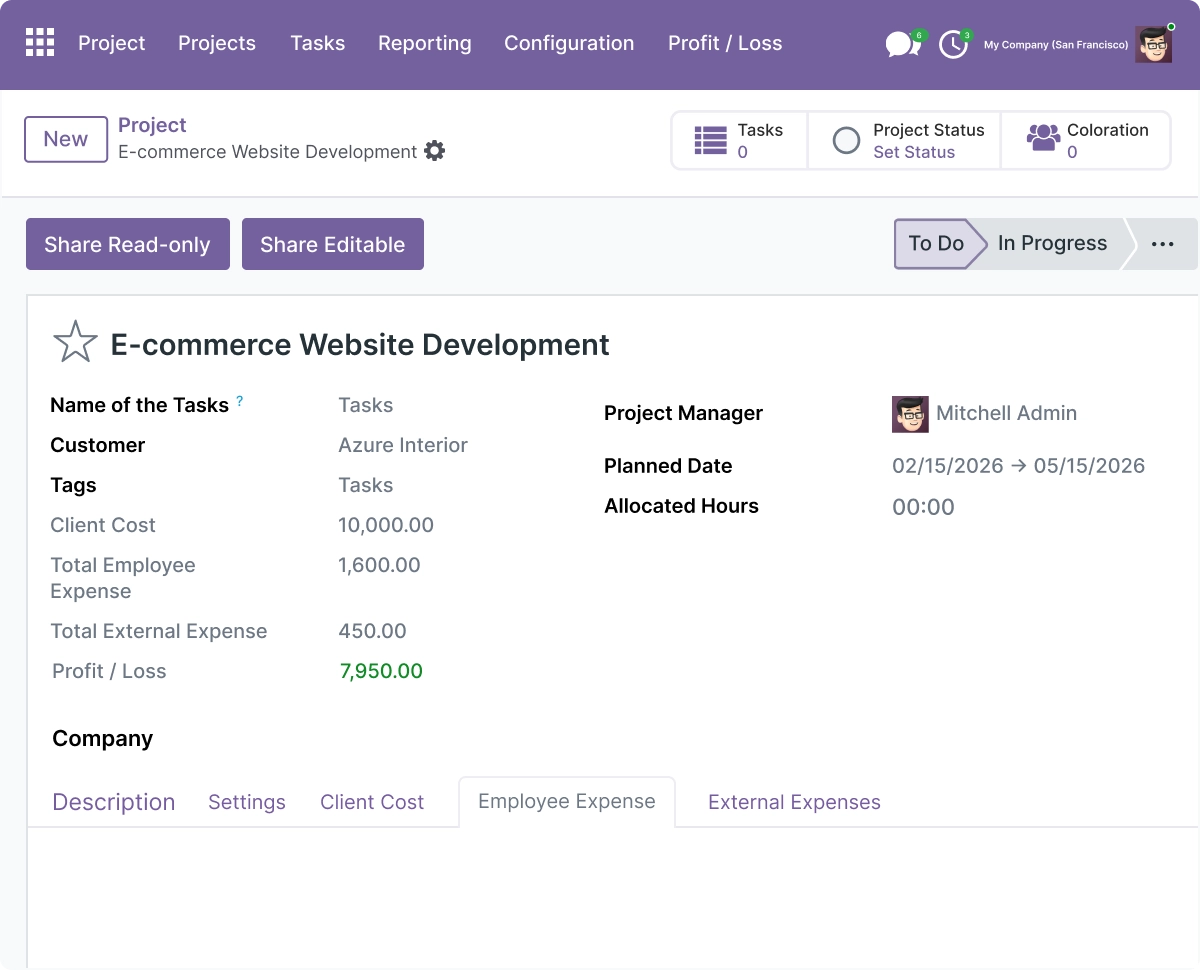
Employee Expenses
Manage employee expenses and employee costs with automated workflows integrated with Odoo expenses and timesheets. All approved expenses are automatically added and reflected in project costs for real-time financial visibility.
- Submit expenses, receipts, and claims in a few clicks
- Add approved expenses to project cost automatically
- Track employee costs using timesheets and expense data
- Monitor expense amounts and employee-level cost data
- Ensure accurate reporting of employee costs across projects
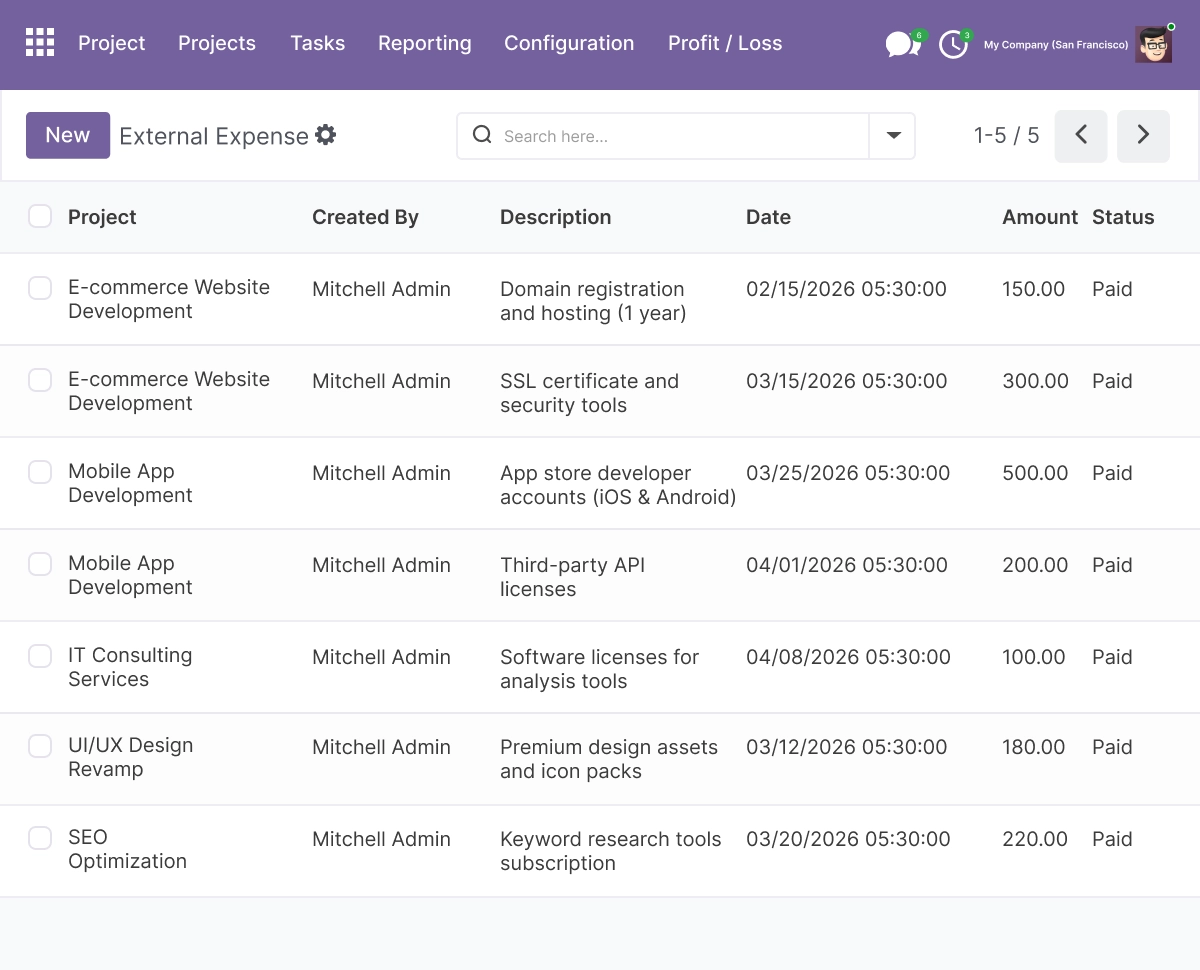
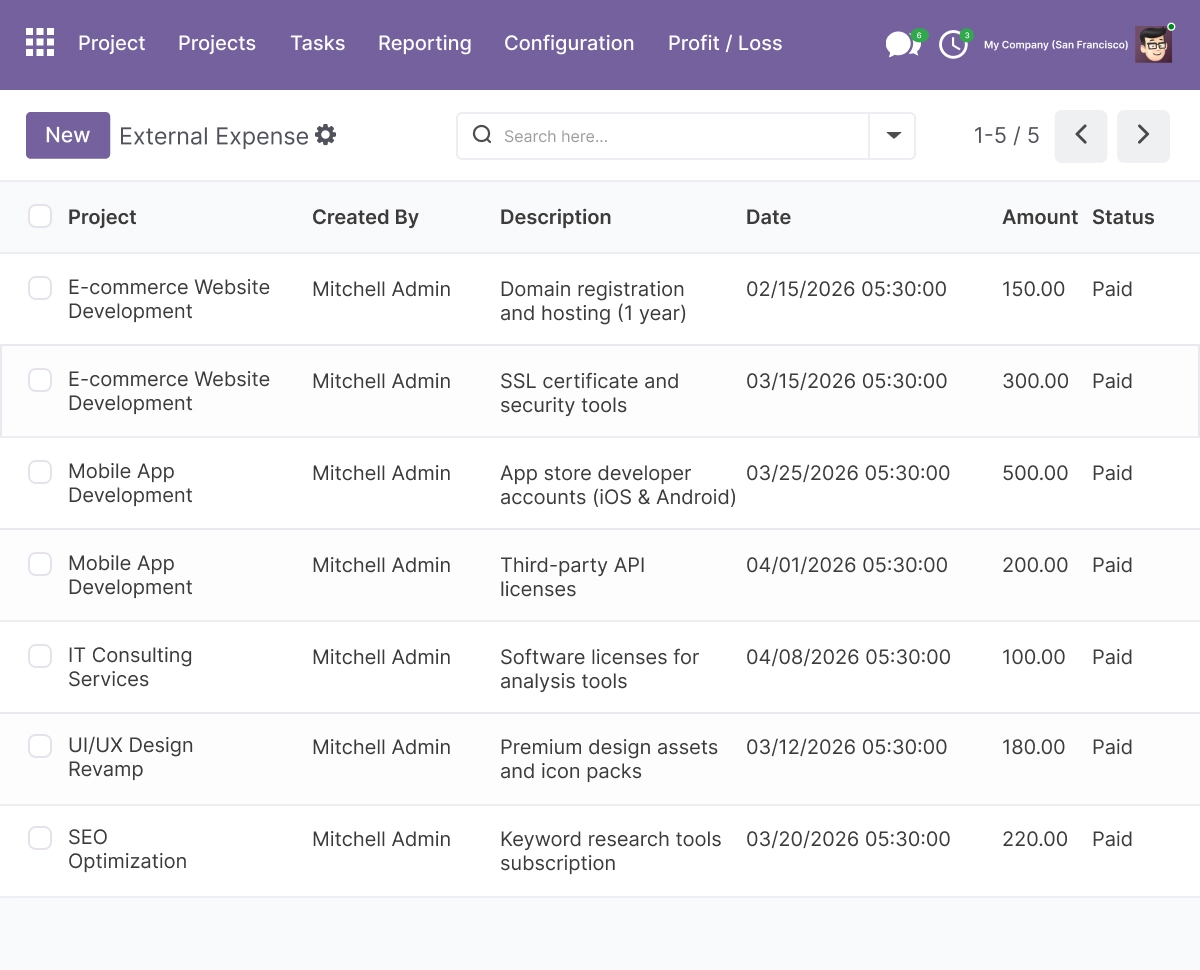
External Expenses
Track external costs and external expenses such as vendor bills, services, and third-party charges for complete cost control and profitability reporting Odoo.
- Record external costs including vendor bills and service charges
- Include all external costs in total cost and profitability reports
- Manage external expenses from project settings and accounting
- Separate external costs from employee costs for clearer analysis
- Rely on automatically populated external cost data for accuracy
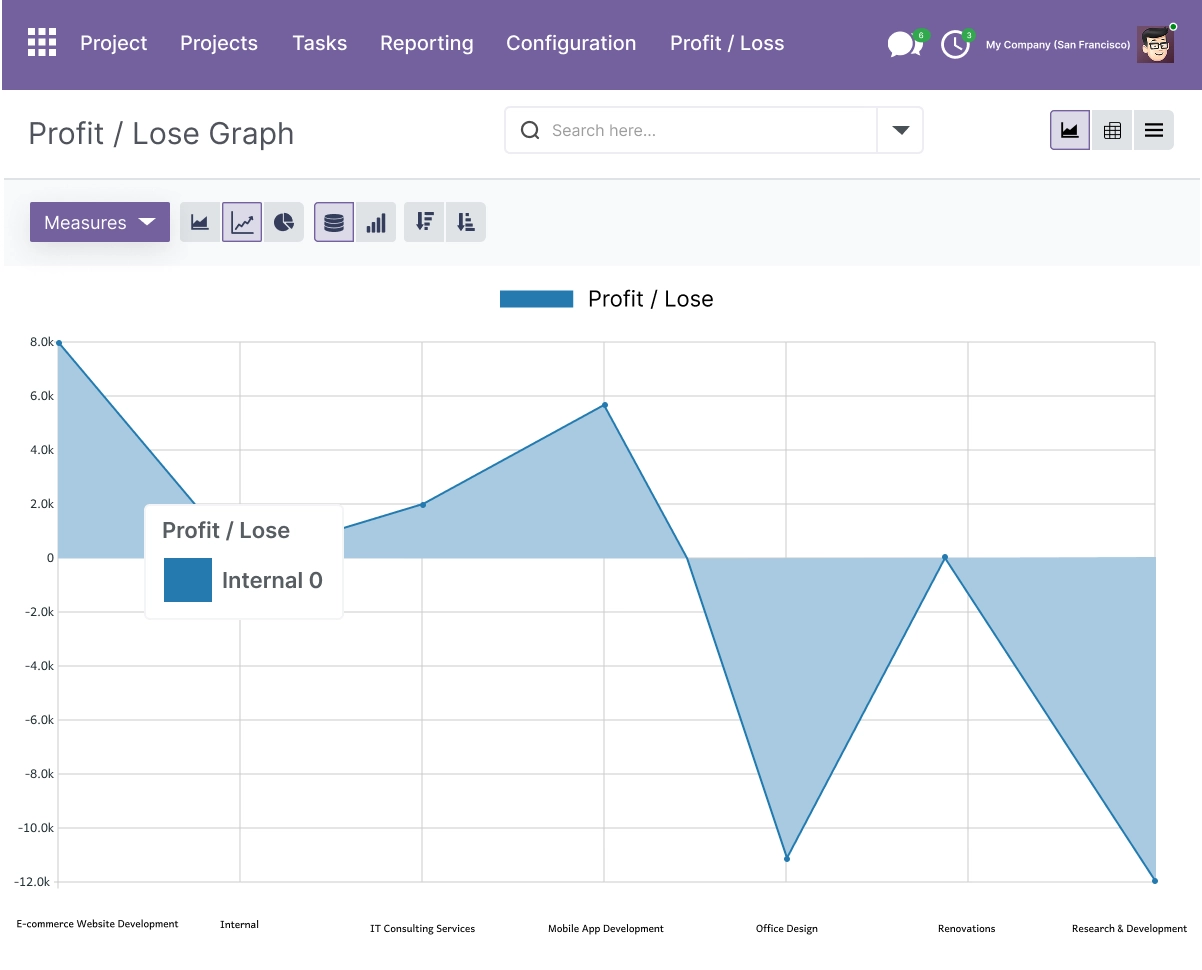
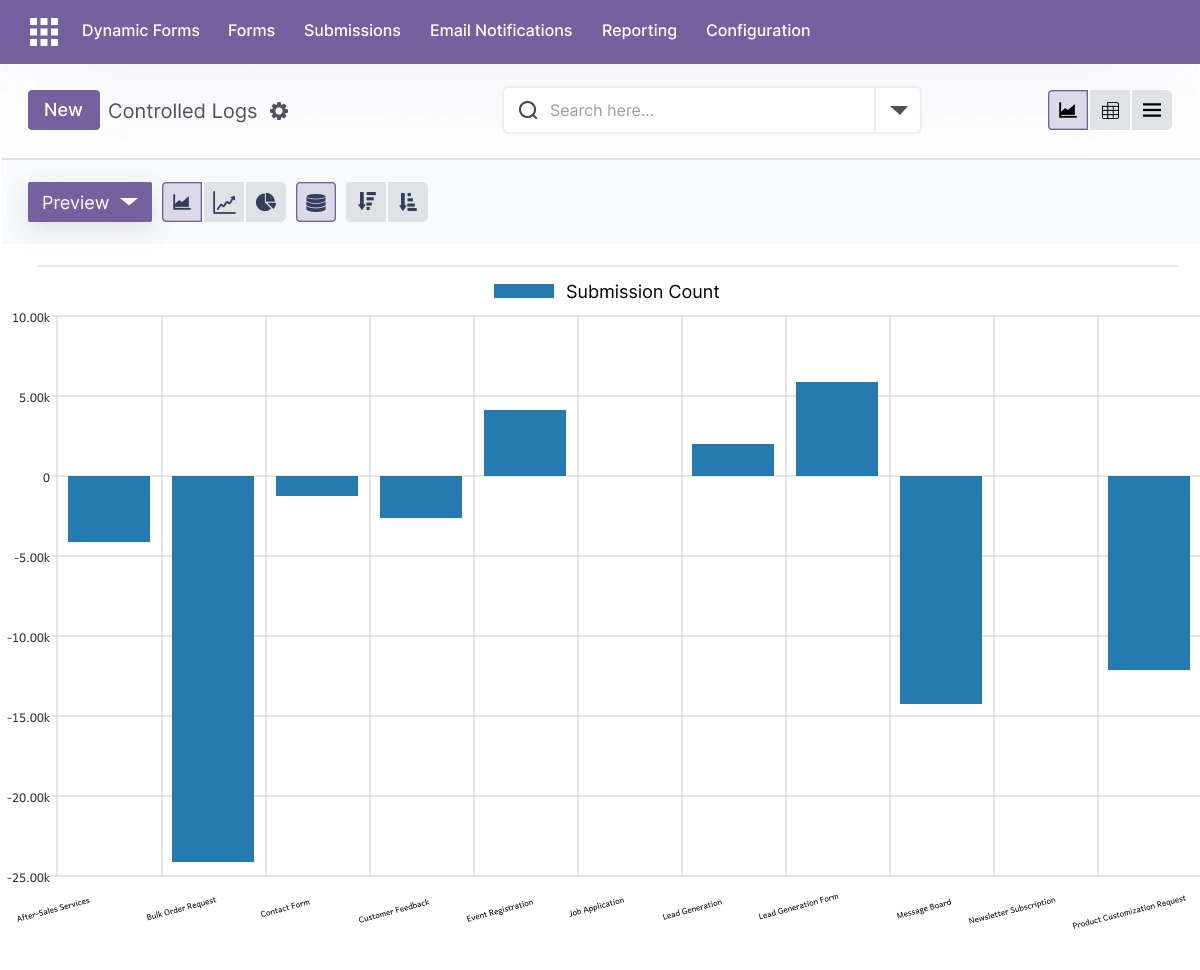
Profit/Loss Report & Graph
Generate one report with real-time profit and loss reporting, combining total revenue, total cost, and net profit with visual graphs and insights for better decision making.
- Calculate net profit from total revenue and total cost
- View real-time insights with graphs and financial dashboards
- Analyze revenue, income, and costs in detailed reports
- Identify trends using historical project data
- Export reports for accounting, client, and business analysis
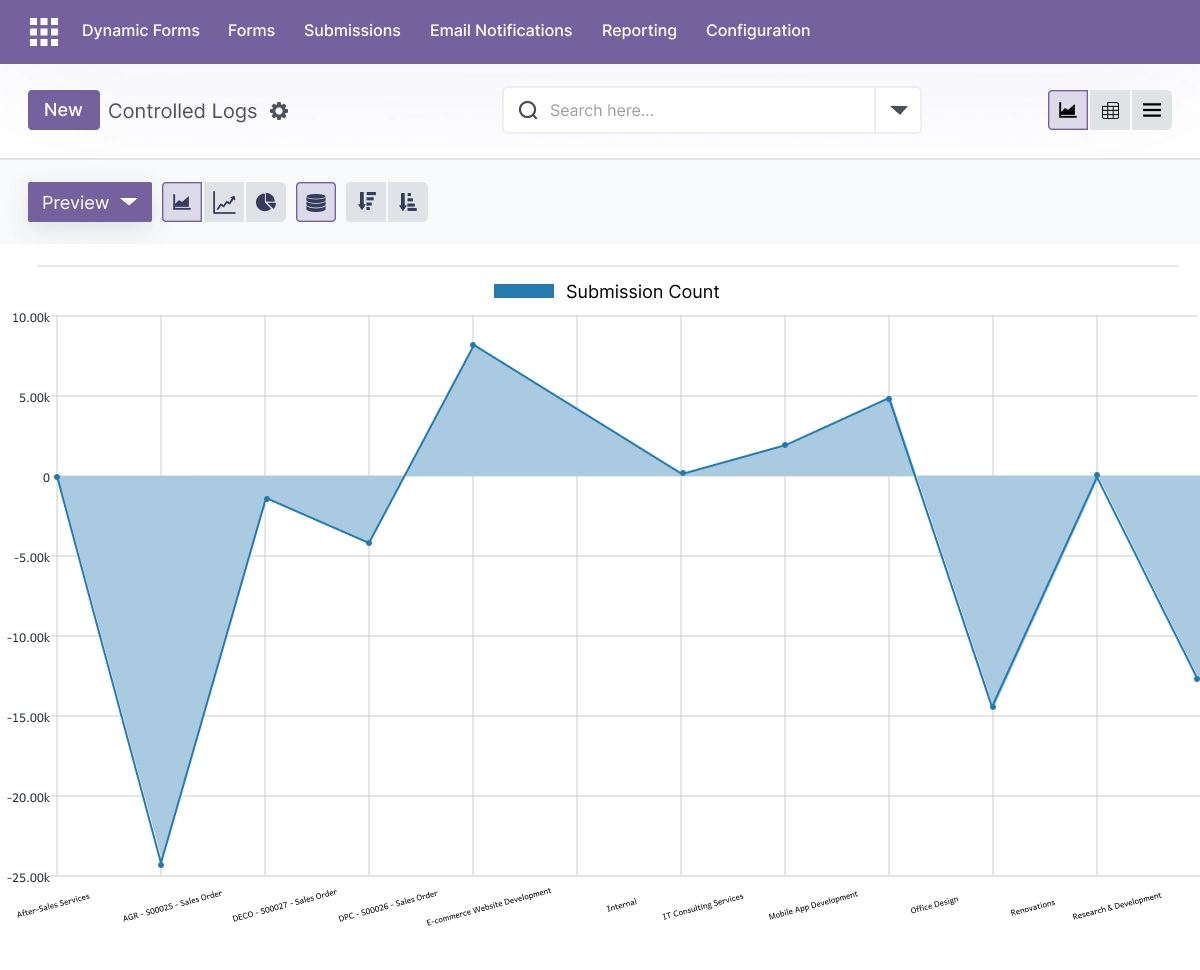
Drilldown & Journal Entries
Access complete financial data with drilldown into journal entries, invoices, receipts, and timesheets for accurate reporting and audit-ready transparency.
- Open journal entries, invoices, and receipts directly from reports
- Track costs and revenue with full accounting visibility
- Connect expense reporting with project management workflows
- Analyze financials at the transaction level
- Keep reporting audit-ready and transparent
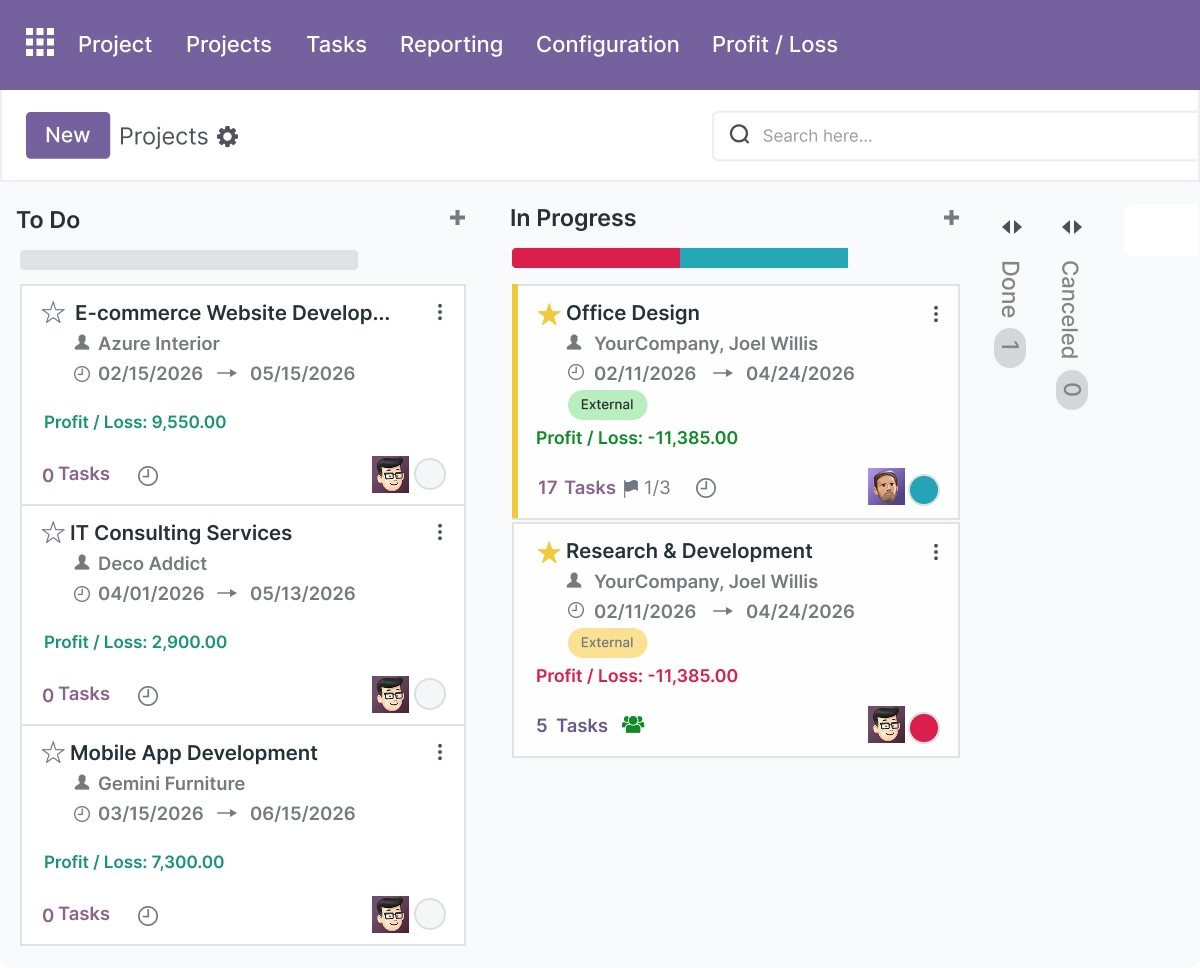
Kanban View & Project Views
Monitor project profitability in kanban view and list view for a clear view of project performance, profit, and cost distribution across the company.
- View net profit, total cost, and revenue per project card
- Track project profitability in kanban dashboards
- Use color coding to flag profit and loss instantly
- Assess project financials in a few clicks
- Identify profitable and loss-making projects at a glance
Bulk Import & Data Management
Handle financial data, project costs, and expenses efficiently with bulk import and export tools for better data management and scalability.
- Import project costs, employee expenses, and external expenses
- Export expense and financial reports easily
- Manage historical data for project analysis
- Improve data accuracy and reduce manual work
- Support large-scale project tracking and operations
Reporting & Financial Analysis
Use advanced analysis tools and reporting features to track profitability, analyze costs and expenses, and improve business decision making.
- Generate detailed reports for profitability and expense tracking
- Analyze revenue, income, and costs across projects
- Identify trends using historical data and real-time insights
- Support budgeting and cost decisions with accurate data
- Improve resource allocation and operational efficiency
Advanced Settings and Configuration
All options are managed from a centralized settings panel. Administrators configure project cost rules, expense reporting workflows, and accounting integration so financial data is populated and reflected correctly across every project.
The module connects with Employees, Project, Invoicing, and Discuss, and supports role-based access so accounting and project teams see the right data.
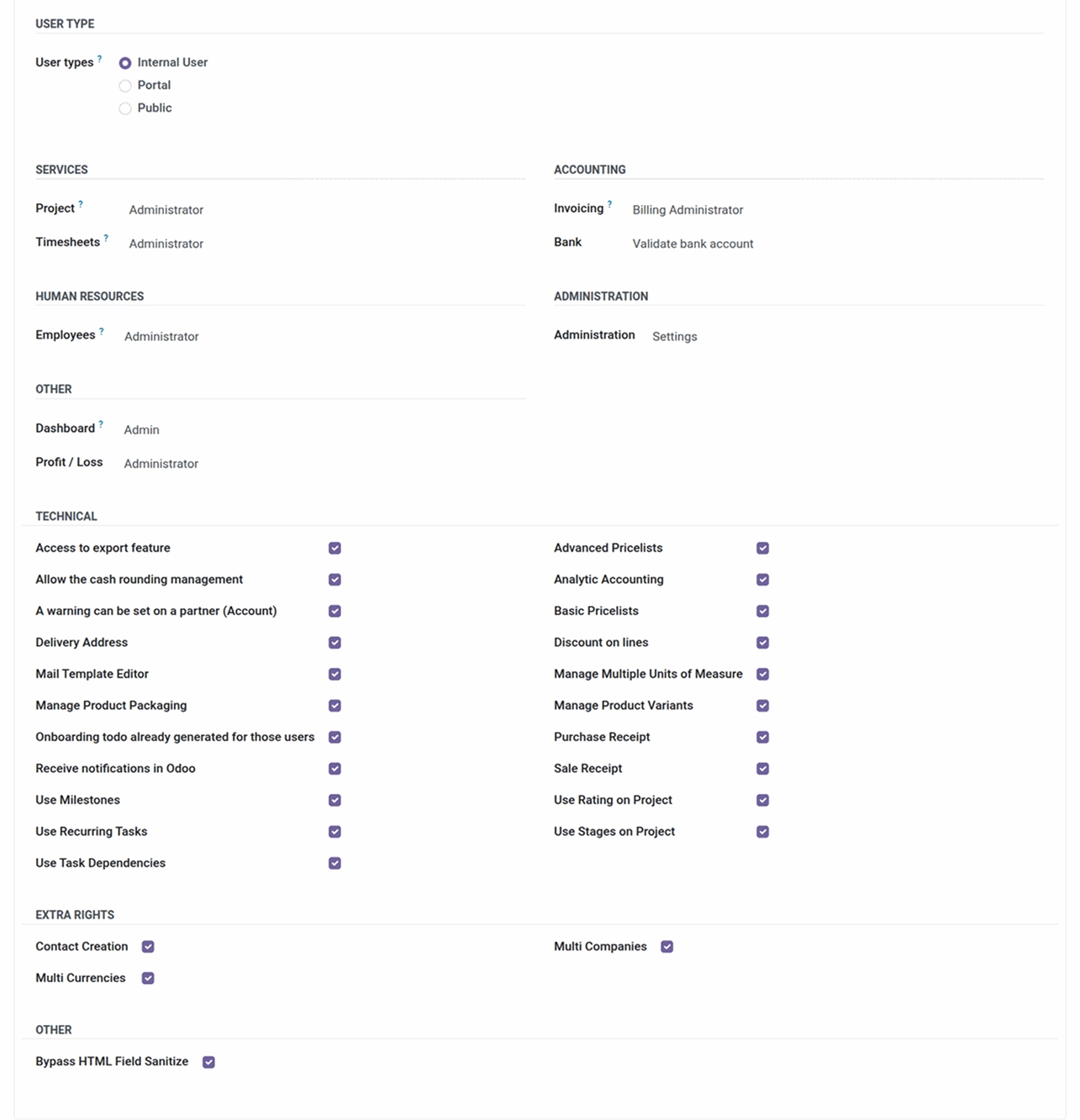
The configuration covers:
- Project costs, total cost, and cost-tracking rules
- Employee expense and external expense workflows
- Profit/loss reporting and graph visibility
- Journal entries, invoices, and financial data review
- Kanban and project reporting dashboards
- Role-based access for accounting and project teams
How to Set Up Odoo Project Profitability & Profit/Loss Report
01
Install the App
Install the free app in your supported Odoo environment.
Result: Profitability and profit/loss reporting appear in Project.
Result: Profitability and profit/loss reporting appear in Project.
02
Configure Cost Rules
Set up project cost, employee expense, and external expense rules.
Result: Costs are ready to roll up into each project.
Result: Costs are ready to roll up into each project.
03
Connect Timesheets, Expenses, and Invoicing
Ensure Project, Timesheets, Expenses, and Invoicing are in use.
Result: Costs and revenue populate automatically.
Result: Costs and revenue populate automatically.
04
Review the Profit/Loss Report
Open the report and graph for any project.
Result: Net profit, total cost, and revenue in one view.
Result: Net profit, total cost, and revenue in one view.
05
Drill Down and Decide
Open journal entries, invoices, or receipts behind any figure.
Result: Audit-ready insight to guide budgets and decisions.
Result: Audit-ready insight to guide budgets and decisions.
Who Is This App For?
This app is suitable for:
- Project managers who need profit and cost visibility per project
- Finance teams tracking project-level revenue, cost, and margin
- Operations leaders comparing profitable and loss-making projects
- Service businesses billing time and materials across many projects
- Teams that already use Odoo Project, Timesheets, and Invoicing
- Companies that want automated cost rollups instead of spreadsheets
- Businesses running Odoo 14.0 to 19.0 on Odoo.sh or On Premise
This app is not suitable for businesses on Odoo Online (SaaS), or for teams looking for a company-wide accounting Profit & Loss statement or balance sheet rather than project-level profitability
Changelog
v19.0.0 — Initial Release
- - Project Cost Tracking
- - Employee And External Expense Tracking
- - Profit/Loss Report And Graph
- - Kanban And List View Summaries
- - Drilldown To Journal Entries, Invoices, And Timesheets
What does this module calculate?
It calculates net profit per project by combining total revenue with employee costs, external costs, and direct project costs - all pulled in automatically - and presents it in one report with graphs.
Where do the costs come from?
Employee costs come from timesheets and approved expenses, external costs from vendor bills and third-party charges, and project costs are recorded directly. Approved costs are added to the project automatically.
Can I see the transactions behind the numbers?
Yes. You can drill down from any figure to its journal entry, invoice, receipt, or timesheet for full, audit-ready transparency.
Is this a company accounting Profit & Loss statement?
No. This module reports profitability at the project level - revenue versus cost per project - rather than a company-wide accounting P&L statement or balance sheet.
Is it really free?
Yes. The app is free to download and install.
Which Odoo versions does this app support?
It supports Odoo 14.0, 15.0, 16.0, 17.0, 18.0, and 19.0.
Does it work on Odoo Online, Odoo.sh, and On Premise?
It works on Odoo.sh and On Premise. It is not available for Odoo Online (SaaS).
Which Odoo modules does it integrate with?
It integrates with Project, Timesheets, Employees, Invoicing, and the Accounting module to pull costs and revenue into one profitability report.