Built by WebbyCrown Solutions — Need setup, customization, or integration help? Talk to our team.



Odoo Helpdesk Module

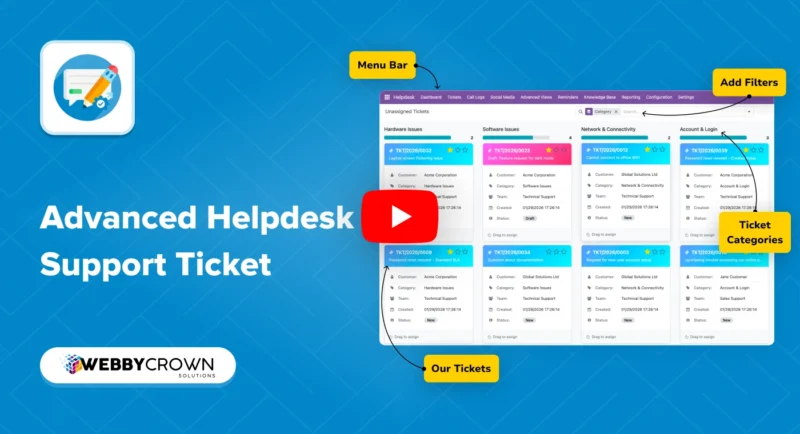
Odoo Helpdesk Module - Support Ticket System, SLA Tracking & Customer Portal
What Is Odoo Helpdesk Module?
The default Odoo platform does not include a built-in helpdesk or support ticket system for teams that need structured ticket intake, SLA management, multi-channel support, and team performance reporting. Support teams relying on email inboxes, manual registers, or external helpdesk tools end up with fragmented ticket history, no SLA visibility, and no connection between support tickets and Odoo records like orders, invoices, or products.
Odoo Helpdesk Module is a free Odoo module that solves this by giving support and help desk teams a complete Odoo support ticket system inside their existing Odoo environment. It brings ticket creation, tracking, SLA enforcement, knowledge base self-service, automated workflows, team management, and reporting together in one app - without switching to a separate platform.
Support staff can create and manage tickets from a centralized dashboard. Customers get a self-service portal to submit tickets, track status, and check the knowledge base before raising a new request. Administrators control ticket types, categories, SLA policies, assignment methods, escalation rules, and automation from a single configuration area.
Key Benefits

Staff and Customer Portals
Separate portals give the support team a centralized ticket dashboard and give customers self-service access to create tickets, track status, view communication history, and check the knowledge base - all with role-based access.

Multi-Channel Ticket Intake
Accept support tickets from email, website forms, phone call logs, and social media in one unified Odoo support ticket system - no channel switching, no separate inboxes.

SLA Tracking and Breach Alerts
Set SLA policies by ticket type, priority, team, or category. Track response and resolution time against working hours, monitor Met, At Risk, and Breached status labels, and trigger automatic escalation when SLA targets are missed.

Knowledge Base Integration
Let customers check articles, FAQs, and related suggestions before opening a ticket. Built-in knowledge base access reduces repetitive ticket volume and improves first-contact resolution for the help desk team.

Automated Workflows and Assignment
Assign new tickets automatically using round-robin, load-based, random, or team-based methods. Trigger reminders, stage transitions, notifications, escalation rules, and auto-close without manual intervention.

Merge, Split, and Link Tickets
Combine duplicate tickets into one or split a ticket when an issue requires separate handling. Link tickets directly to Odoo models - products, sales orders, invoices, and projects - for full support context.

Team Reporting and Performance Visibility
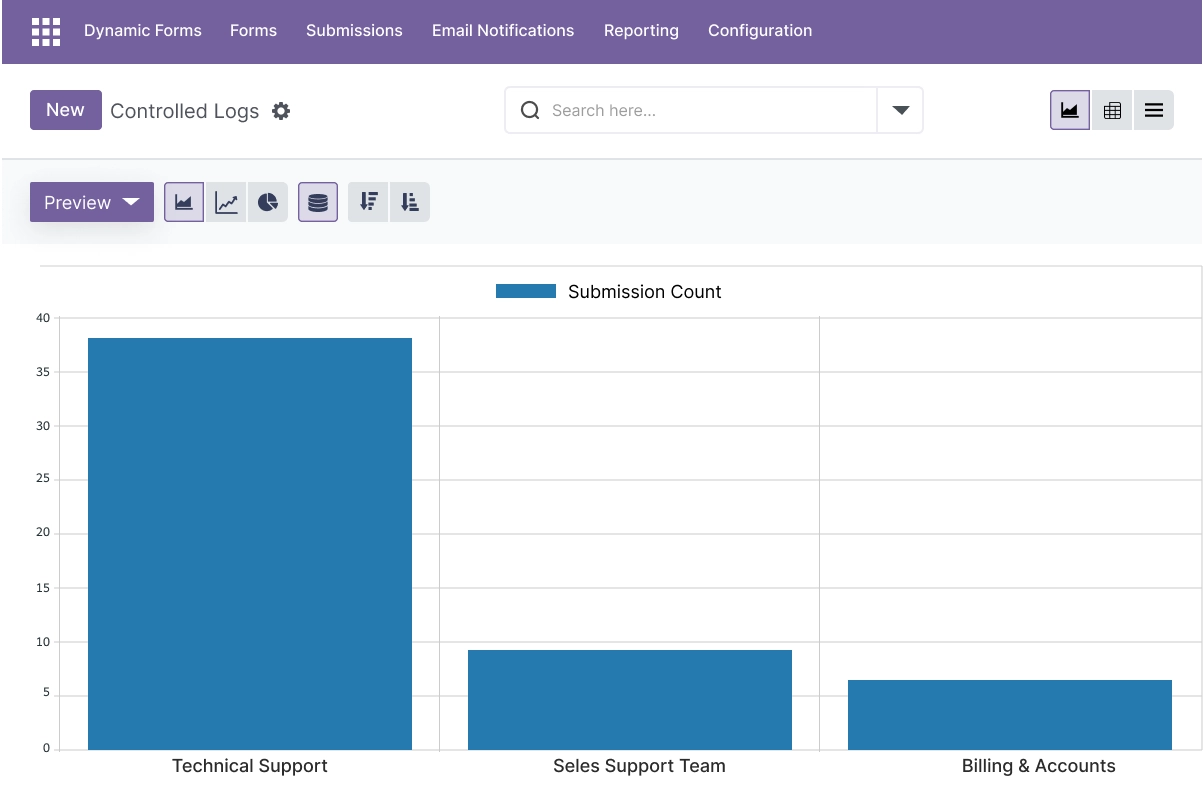
Track ticket volume, response time, resolution time, SLA compliance, and customer satisfaction from reporting dashboards - giving support managers the data they need to manage team performance and workload.

REST API and Discuss Integration
Connect the helpdesk module with other systems through the REST API for message handling and integration. The built-in Discuss panel keeps team communication inside the ticket workflow.
Modules & Features
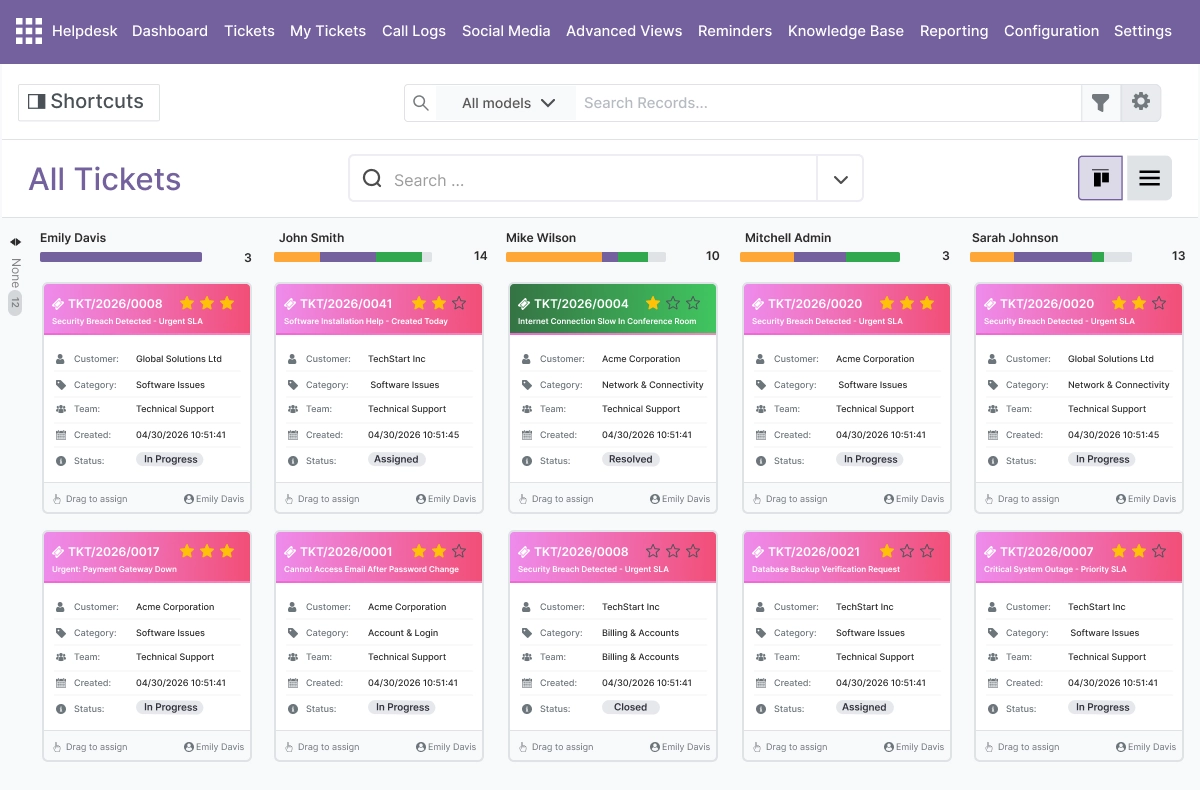
Ticket Management and Customer Portal - Centralized Support in One Workspace
- Self-service ticket creation through the website form and customer portal
- Real-time ticket status tracking for customers and support staff
- Internal notes, public comments, private comments, and file attachments
- Centralized ticket dashboard with filtering, search, and bulk operations
- Full status workflow from Draft to Closed with priority levels throughout
- Separate role-based access for the support team and customers
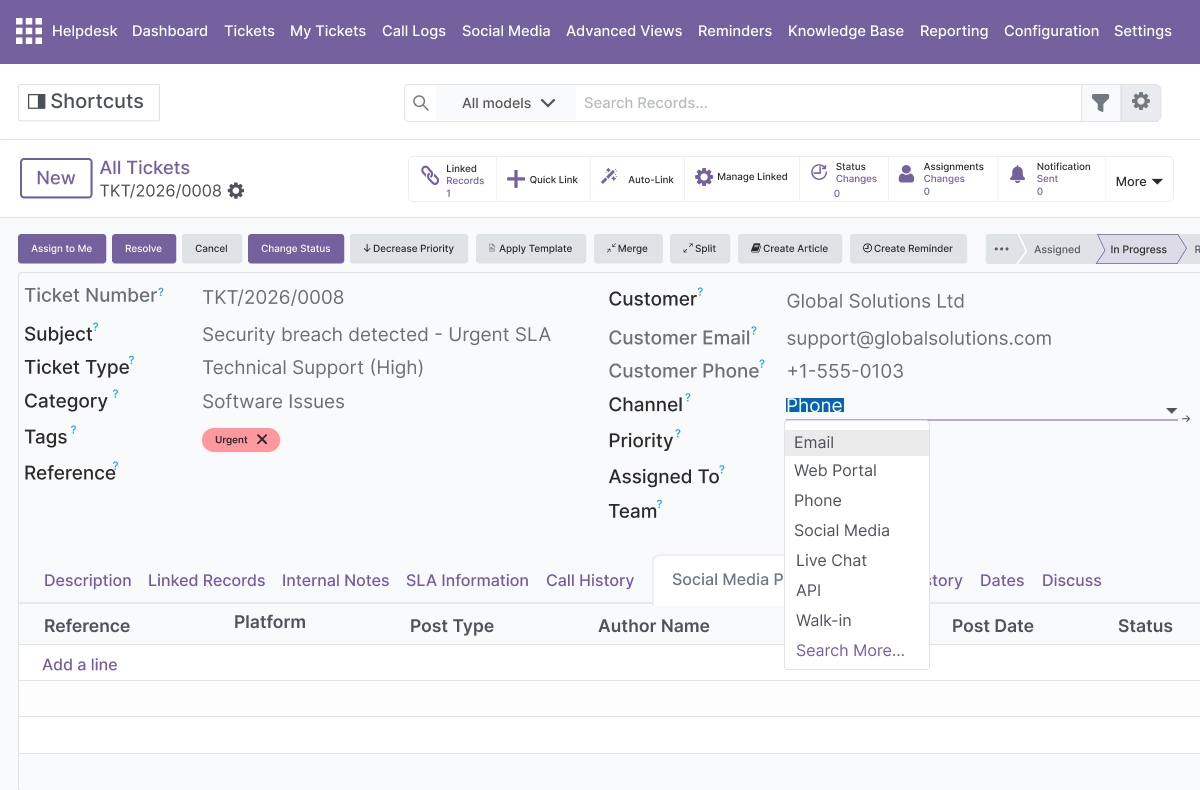
Multi-Channel Support - Email, Website, Phone, and Social Media
- Create support tickets directly from email submissions
- Accept tickets from website contact and support forms
- Log phone calls and convert them into trackable tickets
- Create tickets from social media posts and messages
- Manage all incoming ticket channels in one unified support platform
- Improve support team response time across every intake channel
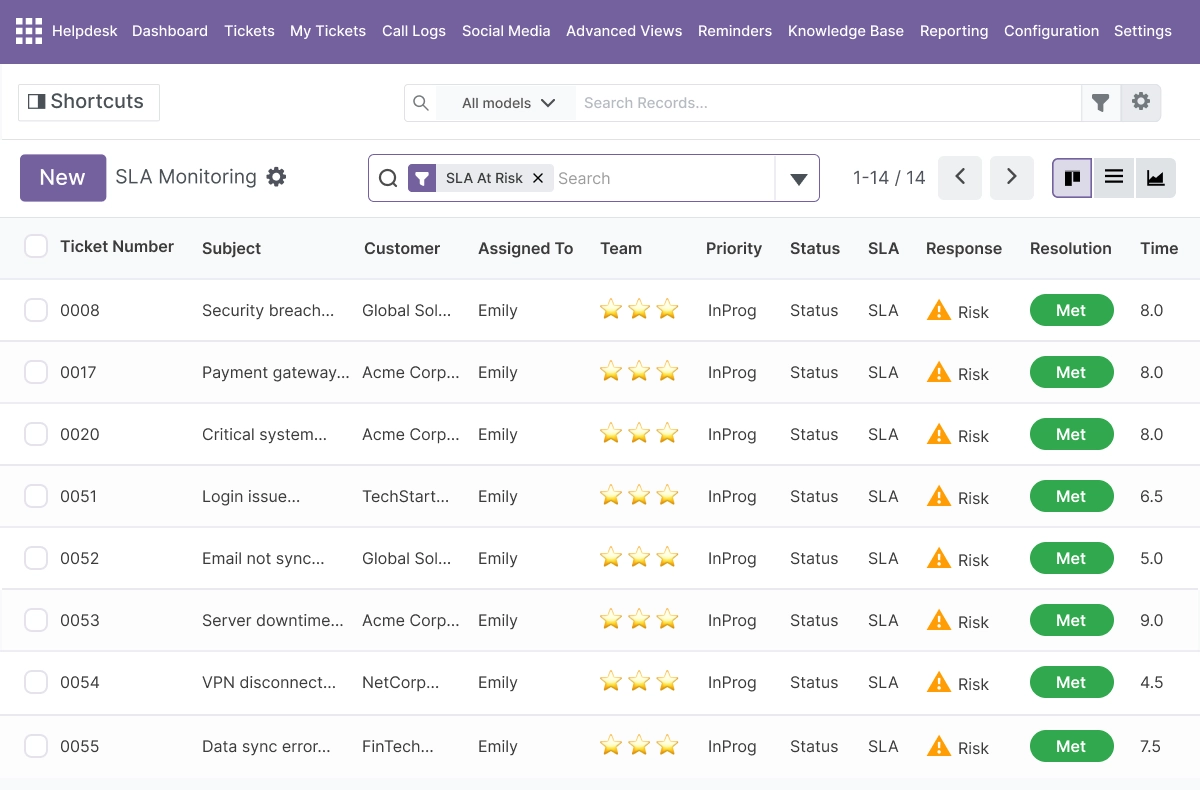
SLA Tracking and Working Hours - Enforce Response and Resolution Targets
- Set SLA policies by ticket type, priority, team, or category
- Calculate deadlines based on configurable working hours, not calendar time
- Monitor SLA status with Met, At Risk, and Breached visual labels on every ticket
- Trigger automatic breach alerts and escalation rules when deadlines are missed
- Report on SLA compliance across teams and ticket categories
- Gives support managers clear Odoo SLA tracking visibility without manual monitoring
Knowledge Base Integration - Self-Service Support Before a Ticket Is Opened
- Add and manage knowledge base articles and FAQ content inside the module
- Let customers view, search, and rate articles directly from the portal
- Display related article suggestions based on ticket context
- Reduce repetitive helpdesk ticket volume with self-service deflection
- Categories and community help content are accessible from the customer portal
- Connected to the ticket workflow so staff can suggest articles during support
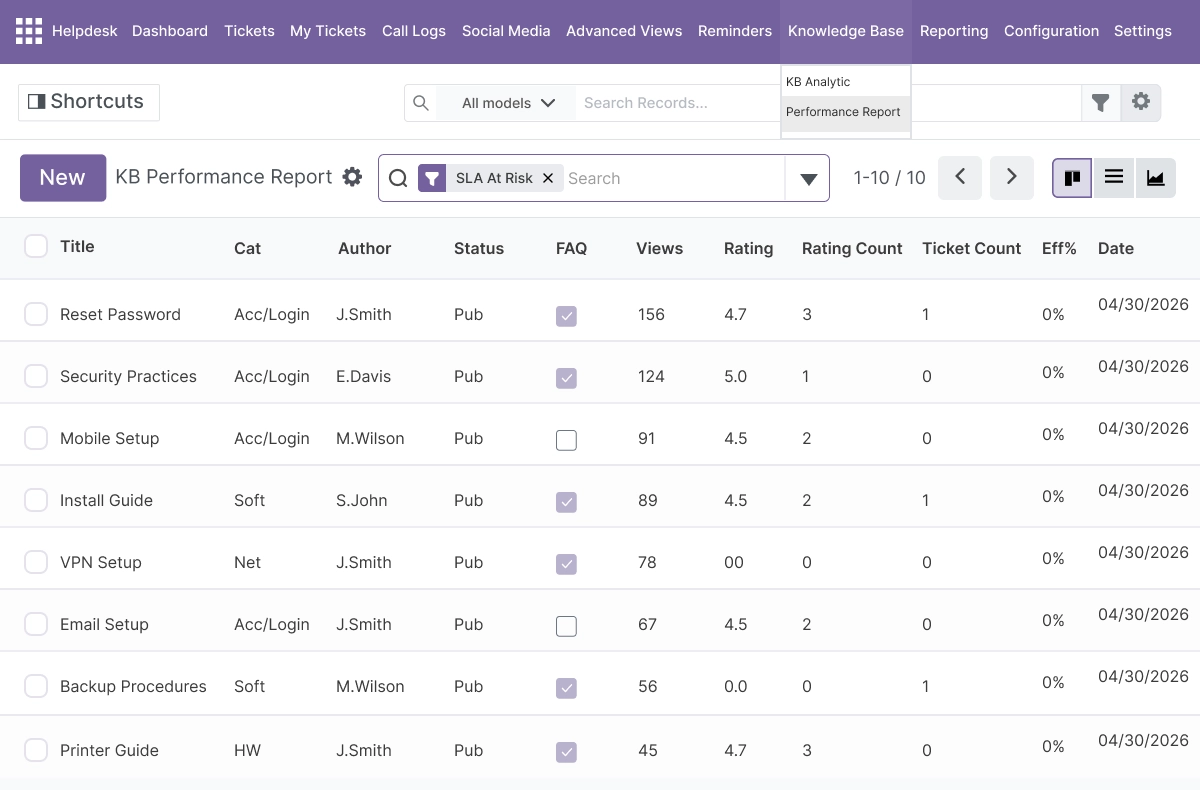
Automated Workflows and Ticket Operations - Assign, Escalate, and Close Automatically
- Assign new tickets using round-robin, load-based, random, or team-based routing
- Trigger reminders, notifications, and escalation updates based on ticket status or age
- Set auto-close rules for tickets that meet inactivity or resolution criteria
- Manage stage transitions automatically based on configurable automation rules
- Create, update, merge, and split tickets with full operation history
- Add internal notes and public or private comments at any point in the ticket lifecycle
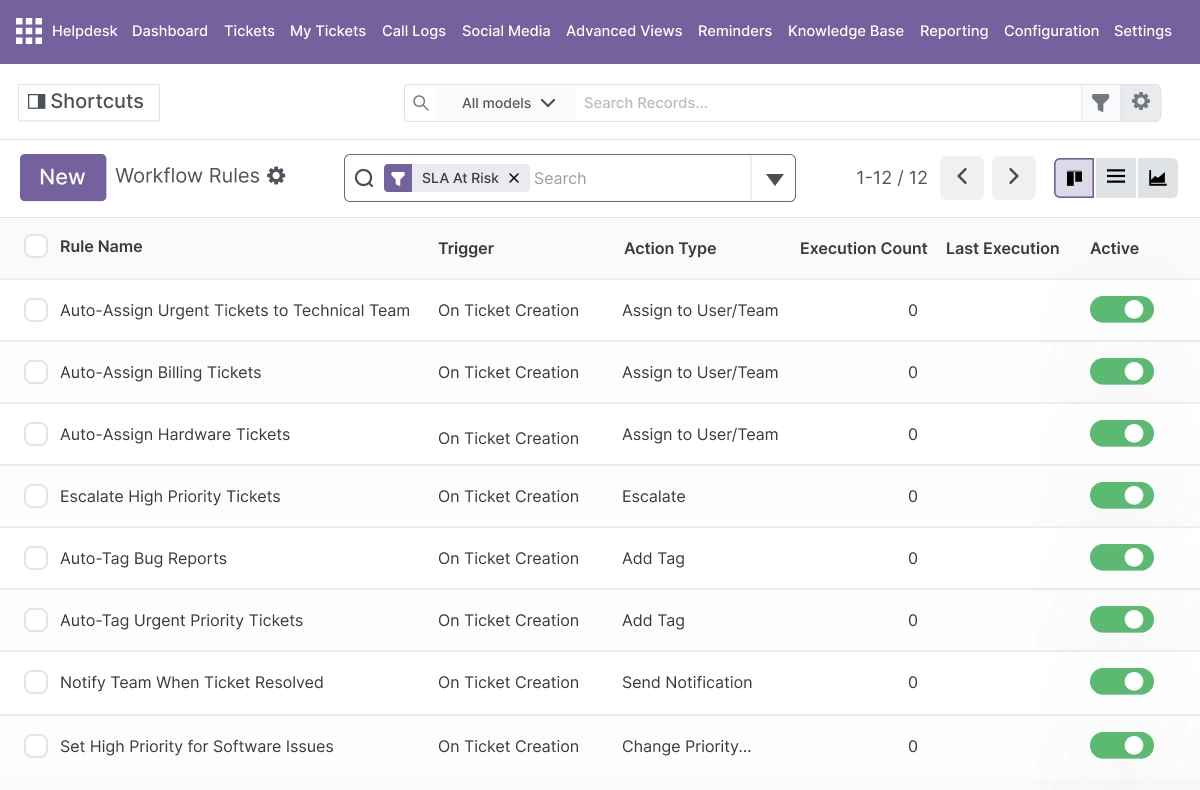
Ticket Types, Categories, and Prioritization - Organize the Support Queue
- Configure custom ticket types with rules and templates per support area
- Sort and filter tickets by priority, stage, category, and tags
- Manage the help desk team queue in organized column and list views
- Set required fields for category, priority, and ticket type on submission
- Predefined and custom ticket types keep high-volume queues structured
- Improves overall Odoo helpdesk ticket management for large support teams
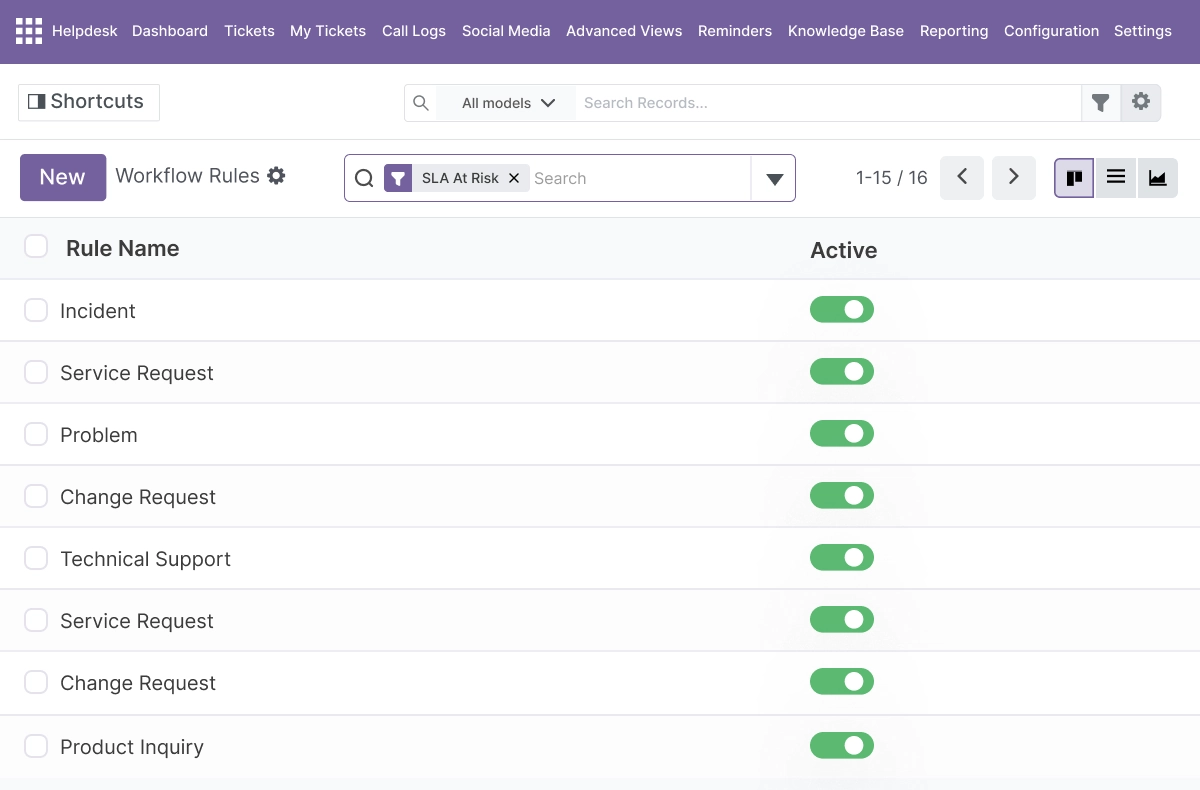
Model and Object Linking - Connect Tickets to Odoo Records
- Link support tickets to Odoo products, sales orders, invoices, and projects
- Open related Odoo records directly from within the ticket view
- Provide support staff with full order and account context inside the ticket
- Create tickets with context-aware data pulled from linked records
- Keeps customer and company records connected across support and operations
- Particularly useful for accounting-related and order-related support cases
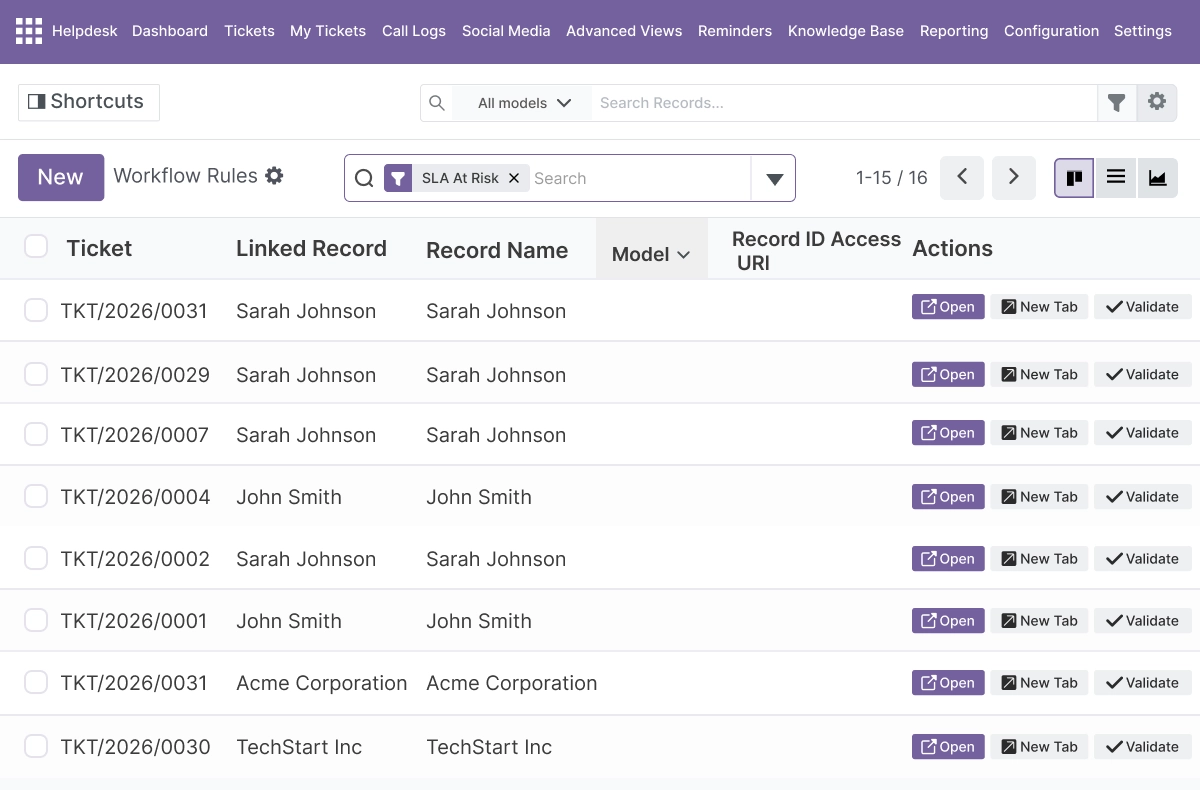
Team Management and Reporting - Workload, Performance, and Satisfaction Metrics
- Manage help desk team workload with assignment balancing and queue visibility
- Review ticket performance metrics per agent, team, and period
- Track response time, resolution time, and customer satisfaction scores
- Monitor SLA compliance rates and breach frequency from reporting dashboards
- Use filtering and search in the staff portal to find and prioritize tickets
- Gives support managers the data needed to make resourcing and process decisions
Advanced Settings and Configuration
All configuration for Odoo Helpdesk Module is managed from a central settings area inside Odoo. There is no separate admin panel outside the Odoo environment.
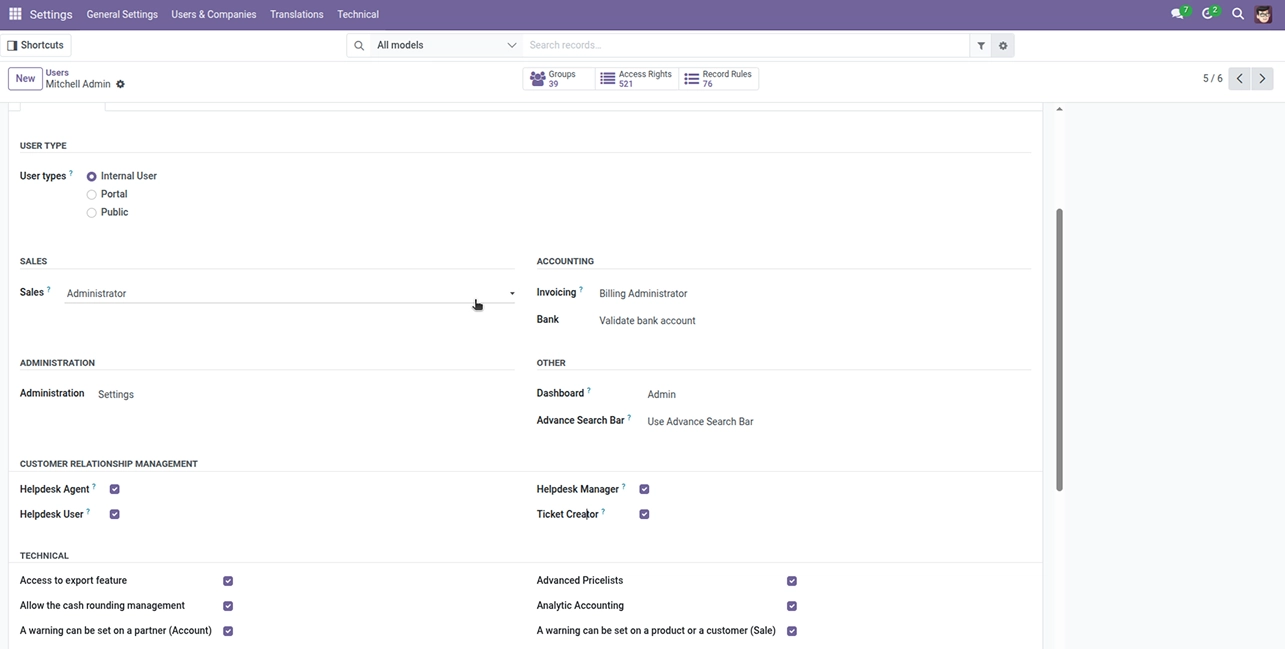
Administrators and support managers can configure:
- Support team structure - teams, agents, and workload balancing rules
- Ticket types, categories, tags, and priority-level definitions
- Stage workflow - from Draft through to Closed, with custom intermediate stages
- SLA policies - by priority, ticket type, team, or category, with working hours
- Ticket intake channels - email address, website form, phone, and social media
- Assignment methods - round-robin, load-based, random, or team-based routing
- Automation rules - reminders, escalation triggers, stage transitions, and auto-close
- Customer portal settings - portal access, rating, and ticket visibility controls
- Knowledge base settings - article categories, portal visibility, and related suggestion rules
- Notification toggles - when and how the support team and customers receive updates
- Field requirements - mandatory fields for category, priority, and ticket type on submission
- Discuss panel and REST API settings for communication and external integration
- Social media, call logging, and support contact details for portal and public views
The module depends only on Discuss (mail), which keeps installation lightweight and compatible with standard Odoo.sh and On Premise setups.
How to Set Up Odoo Helpdesk Module
01
Install the Module
Install the module in your supported Odoo environment (Odoo.sh or On Premise).
Result: Helpdesk menus and ticket dashboards appear inside your Odoo instance.
Result: Helpdesk menus and ticket dashboards appear inside your Odoo instance.
02
Configure Teams, Ticket Types, and SLA Policies
Set up your support teams, ticket types, categories, priority levels, working hours, and SLA policies from the configuration area.
Result: Tickets are organized by team and type, with SLA deadlines calculated from working hours.
Result: Tickets are organized by team and type, with SLA deadlines calculated from working hours.
03
Set Up Ticket Intake Channels
Enable email, website form, phone logging, and social media ticket creation. Configure routing rules so incoming tickets reach the right team automatically.
Result: Support tickets from all channels flow into one unified ticket system.
Result: Support tickets from all channels flow into one unified ticket system.
04
Enable the Customer Portal and Knowledge Base
Activate the customer portal so users can submit tickets, track status, and check knowledge base articles. Add initial articles and FAQ content to reduce first-level ticket volume.
Result: Customers have self-service access and the support team handles fewer repetitive requests.
Result: Customers have self-service access and the support team handles fewer repetitive requests.
05
Configure Automated Workflows and Assignment
Set assignment methods, escalation rules, reminders, notification triggers, and auto-close policies.
Result: New tickets are assigned and managed automatically, reducing manual workload for the help desk team.
Result: New tickets are assigned and managed automatically, reducing manual workload for the help desk team.
06
Monitor from the Reporting Dashboard
Open the team reporting dashboard to review ticket volume, response time, SLA compliance, and customer satisfaction.
Result: Support managers have live visibility into team performance and ticket pipeline.
Result: Support managers have live visibility into team performance and ticket pipeline.
Who Is This Module For?
This module is suitable for:
- Customer support teams managing inbound ticket requests across multiple channels
- Help desk teams that need SLA tracking, breach alerts, and escalation workflows
- Odoo administrators who want support ticket management inside Odoo rather than a separate app
- ERP managers connecting support operations to Odoo records like products, orders, and invoices
- Businesses that need a customer self-service portal with knowledge base and ticket tracking
- Odoo implementation partners building support or service desk setups for clients
- Organizations on Odoo.sh or On Premise running Odoo 14.0 to 19.0
This module is not suitable for organizations that need Odoo Online deployment - the module is not available for Odoo Online. It is also not a project management or field service tool; it is designed specifically for helpdesk ticket and support request workflows.
Changelog
v19.0.0 — Initial Release
- - Added staff and customer portals
- - Added multi-channel ticket creation (email, website, phone, social media)
- - Added SLA tracking and monitoring with working hours
- - Added knowledge base integration
- - Added automated workflows, reminders, and escalation
- - Added ticket types and categorization
- - Added model and object linking (products, orders, invoices, projects)
- - Added team dashboards and analytics
- - Added call logging and social media support
- - Added Discuss panel and REST API
What does Odoo Helpdesk Module do?
It provides a complete Odoo support ticket system inside Odoo - covering ticket creation from email, website, phone, and social media; SLA policy enforcement with working hours and breach alerts; a customer self-service portal with knowledge base access; ticket merging and splitting; automated assignment, escalation, and auto-close; model linking to Odoo records; and team reporting with response time, resolution time, and satisfaction metrics.
Is this module free?
Yes. Odoo Helpdesk Module is available at no cost. Download it directly from the Odoo Apps Marketplace.
Does it work on Odoo Online?
No. The module is available for Odoo.sh and On Premise deployments only. It is not compatible with Odoo Online.
Which Odoo versions are supported?
The module supports Odoo 14.0, 15.0, 16.0, 17.0, 18.0, and 19.0.
How does SLA tracking work in this module?
You configure SLA policies by ticket type, priority, team, or category. The module calculates response and resolution deadlines based on working hours - not calendar time. Each ticket displays a Met, At Risk, or Breached label. When a deadline is missed, breach alerts and escalation rules trigger automatically. Compliance data is available in the reporting dashboard
What channels can tickets come from?
Tickets can be created from email, website forms, logged phone calls, and social media posts. All channels feed into one unified ticket system so the support team manages everything from one dashboard without switching tools.
Does it have a customer portal?
Yes. Customers can create tickets, track ticket status, view communication history, and access the knowledge base from a dedicated self-service portal. Staff have a separate portal with a centralized dashboard, filtering, search, and bulk operations.
Can tickets be merged or split?
Yes. Duplicate tickets can be merged into one. When an issue requires separate handling, a ticket can be split into independent tickets. Both operations are available from within the ticket view.
What is the knowledge base used for?
The knowledge base lets customers search articles and FAQs before opening a new ticket. Articles support categories, ratings, and related suggestions. During a support interaction, staff can also suggest relevant articles from within the ticket. This reduces repetitive ticket volume for the help desk team.
How does automated ticket assignment work?
New tickets can be assigned using four methods: round-robin (equal rotation across agents), load-based (assigned to the agent with the lowest open ticket count), random, or team-based. The method is configured per team or ticket type. Reminders, escalation, and auto-close rules also run automatically based on configurable triggers.
Can tickets be linked to Odoo records like orders or invoices?
Yes. Tickets can be linked to Odoo products, sales orders, invoices, and projects. Linked records open directly from the ticket view, giving support staff full context for order-related or account-related support cases without leaving the ticket.
What does the reporting dashboard show?
The reporting dashboard displays ticket volume, response time, resolution time, SLA compliance rates, customer satisfaction scores, and team performance metrics. Filters and date ranges let support managers drill into specific teams, agents, or periods.
Is there an API for integration with other systems?
Yes. The module includes a REST API for message handling and integration with external systems. The built-in Discuss panel also keeps team communication connected inside the ticket workflow.
Is this suitable for Odoo implementation partners?
Yes. Implementation partners can deploy this module for clients who need a structured Odoo helpdesk and support ticket system on Odoo.sh or On Premise, across all supported Odoo versions from 14.0 to 19.0.